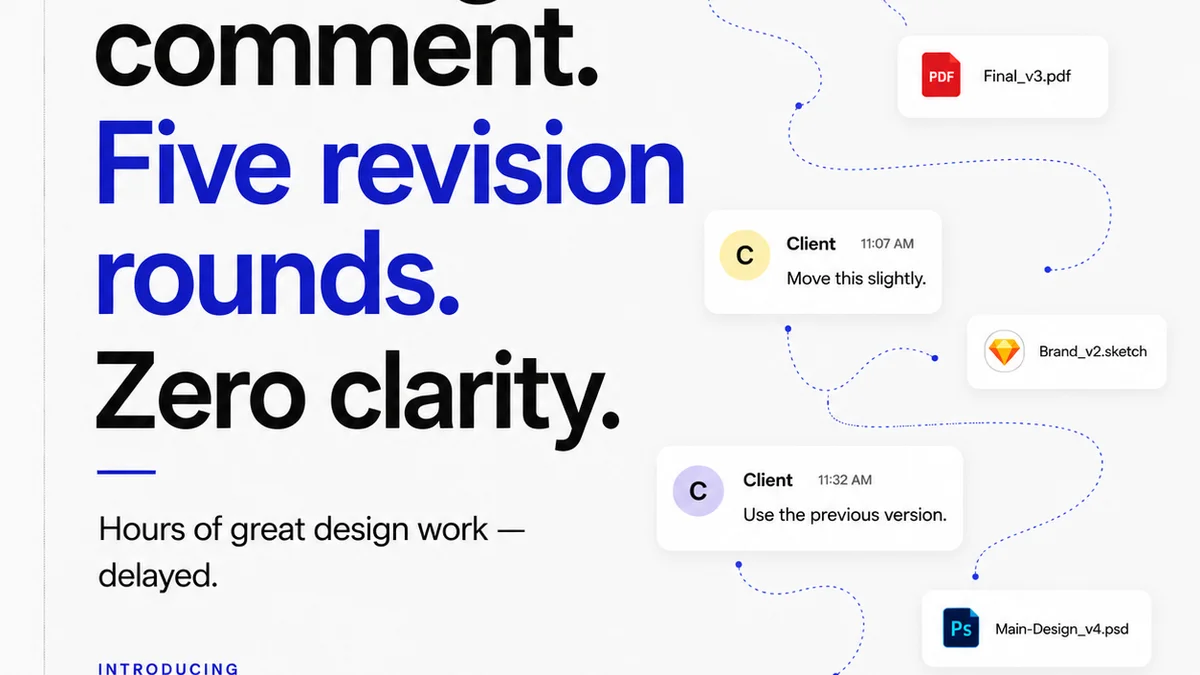
Everyone thinks managing client feedback for Figma designs is about using the right software. That's partially true. But it misses the bigger picture.
The real challenge isn't just the tool; it's the entire feedback loop. Getting it right means faster approvals, fewer revisions, and happier clients. Especially for US teams juggling time zones and complex project demands.
1. The Feedback Fragmentation Problem
You've got feedback scattered everywhere. Emails, Slack messages, random annotation tools, even scribbled notes on printouts. Each piece is a potential roadblock.
This fragmentation kills efficiency.
It leads to:
- Lost revisions
- Misinterpreted feedback
- Endless back-and-forth
- Damaged client relationships
Your team wastes precious hours just trying to consolidate and understand what the client actually wants. This isn't a minor annoyance; it's a significant drain on profitability and morale.
The Cost of Confusion
Every hour spent deciphering unclear or missing feedback is an hour not spent designing, iterating, or delivering value.
For US teams, this is amplified by the need to coordinate across different states, potentially different time zones, and often with clients who have their own communication preferences.
2. Beyond Basic Annotation: Smart Review Features
Figma itself has built-in commenting. It's a starting point, but it's rarely enough for professional workflows.
You need tools that go deeper. Tools that offer context, track changes, and streamline the approval process.
Key Features to Look For:
- Centralized Commenting: All feedback in one place, linked directly to design elements.
- Version Control Visibility: Easily see which version of the design feedback applies to.
- Approval Workflows: Clear steps for clients to approve or reject changes.
- Status Tracking: Understand at a glance where each design element stands.
- Client-Specific Permissions: Control who sees what and who can provide feedback.
These aren't just nice-to-haves. They are essential for managing complex projects and large teams.
The Illusion of Simplicity
Many tools promise a simple solution. But if they don't address the core issues of fragmentation and workflow, they just add another layer of complexity.
Think about it: another tool means another login, another place to check, another potential point of failure.
3. Evaluating Tools for US Teams
When selecting a Figma design review tool, consider the specific needs of a US-based agency. Time zone differences are a major factor.
Time Zone Synchronization
How does the tool help bridge communication gaps across different US time zones?
- Does it timestamp feedback accurately, reflecting the sender's local time?
- Does it facilitate asynchronous communication, allowing team members to respond effectively without needing to be online simultaneously?
- Can it set clear deadlines for feedback that account for these differences?
A tool that forces everyone onto a single, rigid schedule will fail. You need flexibility.
Client Onboarding and Ease of Use
Your clients are busy. The review tool shouldn't require a PhD to operate.
Look for intuitive interfaces that require minimal training. If your client struggles to leave feedback, the tool is failing its primary purpose.
Integration with Existing Stack
Does the tool integrate seamlessly with Figma? What about other tools you use daily, like Slack or project management software?
Seamless integration reduces friction and ensures that feedback flows into your existing processes, not around them.
4. Top Contenders and Their Strengths
While the landscape shifts, certain types of tools consistently address the core challenges of design review.
Dedicated Review Platforms
These are built from the ground up for creative feedback. They offer robust features for annotation, versioning, and approvals.
Examples often include platforms that specialize in visual collaboration and client management.
Project Management Integrations
Some project management tools offer design review capabilities or integrations. These can be useful if your team already relies heavily on a single PM platform.
The key is whether the design review features are robust enough, or if they feel like an afterthought.
Figma Plugins (Use with Caution)
There are numerous Figma plugins designed to enhance the review process. Some are excellent for specific tasks.
However, relying solely on plugins can lead back to fragmentation if not managed carefully. Ensure they complement, rather than complicate, your workflow.
The
Frequently asked questions
What is the main challenge with Figma design reviews for US teams?
The primary challenge is often feedback fragmentation across multiple channels (email, Slack, etc.), leading to lost revisions, misinterpretations, and wasted time. For US teams, time zone differences can further complicate asynchronous communication and approvals.
Are Figma's built-in comments enough for professional reviews?
Figma's native commenting is a good starting point, but it typically lacks the robust features needed for professional workflows, such as advanced version control, structured approval processes, and centralized feedback management across multiple stakeholders.
How do design review tools help with time zone differences?
Effective tools provide accurate timestamps for feedback, facilitate asynchronous communication, allow for clear setting of feedback deadlines that account for different time zones, and offer status tracking that keeps everyone informed regardless of their working hours.
What's the difference between a dedicated review tool and a Figma plugin?
Dedicated review tools are comprehensive platforms built specifically for managing the entire feedback and approval lifecycle, often with advanced workflow features. Figma plugins are usually more focused on specific tasks or enhancements within Figma itself and may not offer the same level of workflow management or client-facing features.