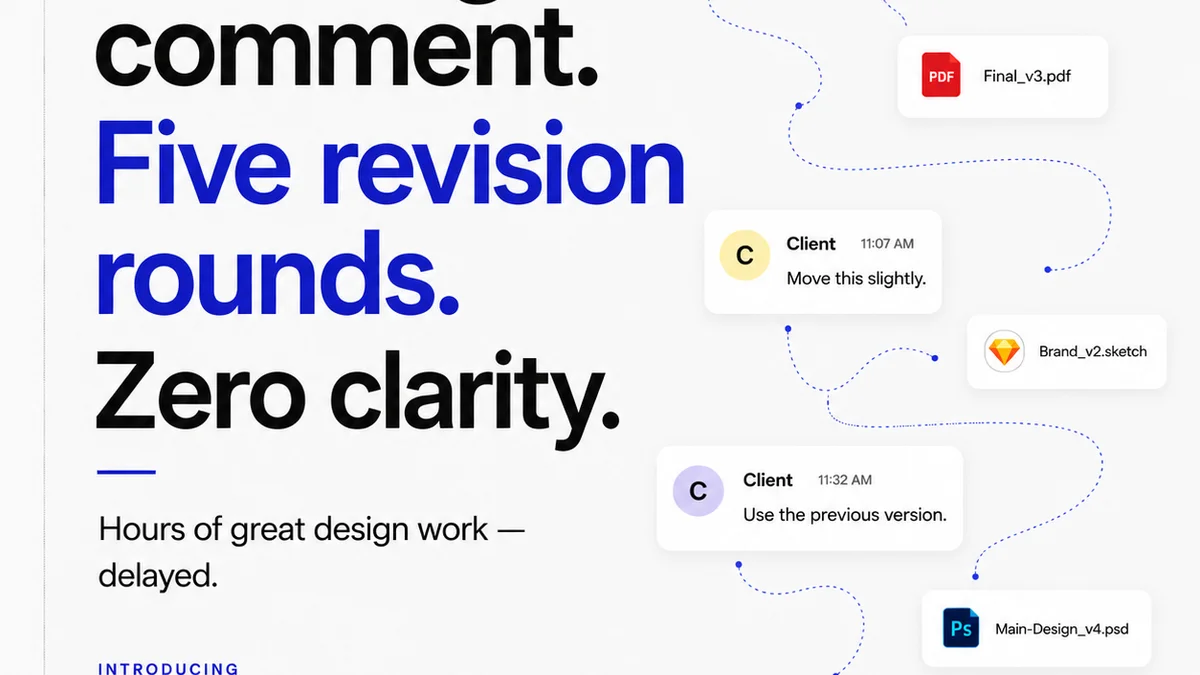
You're looking for a GoVisually alternative. Maybe you've hit a wall with its features, pricing, or user experience. That's common. Many teams outgrow their initial tools as their needs evolve.
But the real reason you're searching isn't just about swapping one tool for another. It's about fixing a deeper operational problem: disorganized client feedback and chaotic revision cycles that bleed time and kill creativity. That's the hard truth. Your current tool, or lack thereof, is a symptom, not the disease.
1. The Hidden Cost of Scattered Feedback
Every creative agency and in-house team knows the pain. Feedback arrives via email, Slack, text messages, even scribbled notes on printouts. It's fragmented, often contradictory, and impossible to track.
This isn't just annoying; it's expensive. Each piece of lost or misinterpreted feedback means:
- Wasted design and development hours
- Delayed project timelines
- Frustrated clients and stressed teams
- Compromised creative quality
- Missed opportunities for client delight
The Illusion of 'Just Using Email'
Some teams stick with email, thinking it's simple. It's not. Email threads become unmanageable. Version control is a nightmare. Tracking who approved what, and when, becomes a detective mission.
This lack of a centralized system forces your team to spend more time chasing down information than doing creative work. It's a productivity killer disguised as a simple workflow.
2. What Makes a 'Good' GoVisually Alternative?
When evaluating alternatives to GoVisually, don't just look at feature checklists. Think about how a tool actually integrates into your team's daily grind. What problems does it *really* solve?
Beyond Basic Proofing
Sure, you need annotation tools. But a truly effective platform goes further:
- Centralized Communication: All project feedback in one place, linked to specific assets. No more digging through inboxes.
- Version Control: Easily track revisions, compare versions, and ensure everyone is working from the latest iteration.
- Clear Approval Workflows: Define who needs to approve what, and get explicit sign-offs. Reduce ambiguity and disputes.
- Project Management Integration: Connect feedback and approvals directly to tasks and deadlines.
- Client Experience: Make it easy and intuitive for clients to provide feedback, improving their satisfaction.
Scalability is Key
Your agency or team isn't static. The tool you choose today needs to support your growth tomorrow. Can it handle more users? More projects? More complex workflows? A tool that becomes a bottleneck as you scale is no solution at all.
3. Top GoVisually Alternatives for US Creative Teams
While GoVisually offers a specific set of features, several platforms provide more robust solutions for creative and marketing teams in the US. These alternatives focus on streamlining the entire feedback, revision, and approval process.
a) Frame.io (now Adobe)
Primarily known for video, Frame.io has expanded its capabilities and is now part of Adobe's Creative Cloud. It excels at video review and approval but also handles other file types.
- Strengths: Deep video-centric features, real-time collaboration, extensive integrations, robust versioning.
- Considerations: Can be overkill for teams not heavily focused on video. Pricing can add up for larger teams.
b) Filestage
Filestage positions itself as a comprehensive platform for streamlining creative workflows, focusing heavily on client feedback and approvals across various media types.
- Strengths: Intuitive interface, customizable workflows, strong focus on client collaboration, good for diverse asset types (PDFs, images, videos, web).
- Considerations: May lack some of the advanced project management features found in broader platforms.
c) Hightail
Hightail offers secure file sharing and feedback capabilities, aiming to keep creative projects moving forward without getting bogged down.
- Strengths: Secure file handling, version management, basic annotation tools, good for large files.
- Considerations: The feedback and approval workflow might feel less sophisticated than dedicated tools.
d) Ziflow
Ziflow aims to be an end-to-end content workflow automation platform, with a strong emphasis on creative review and approval.
- Strengths: Powerful automation capabilities, advanced review features, integrations with marketing automation tools, supports a wide range of file types.
- Considerations: Can have a steeper learning curve due to its extensive feature set.
e) Asana / Monday.com / Wrike (with integrations)
These are powerful project management tools that *can* be adapted for creative feedback, often through integrations or by building custom workflows.
- Strengths: Excellent for overall project management, task tracking, and team collaboration. Can integrate with other tools for proofing.
- Considerations: Not purpose-built for creative review. Feedback and annotation features are usually basic or require third-party add-ons, leading to a less seamless experience.
4. Where Revue Fits In
Finding the right tool for client feedback and approvals is critical. But managing the *entire* creative process—from initial brief to final delivery—requires more than just a proofing platform.
Revue acts as the central nervous system for your creative operations. It’s where you:
- Centralize Client Feedback: Consolidate all input, whether it comes from your dedicated proofing tool, email, or other channels, into a single, organized system.
- Manage Revisions and Approvals Visibly: Track the status of every revision and approval, ensuring accountability and preventing bottlenecks. See at a glance who is holding up a project.
- Run Quality Checks Seamlessly: Integrate quality assurance steps directly into your workflow. Ensure brand consistency, adherence to briefs, and that all feedback has been addressed before final delivery.
By connecting the dots between feedback, revisions, and final sign-off, Revue helps you maintain momentum and deliver exceptional creative work, consistently.
5. The Pitfalls of 'Good Enough' Tools
It’s easy to settle. You find a tool that ticks *most* of the boxes. It’s better than nothing, right?
Wrong. 'Good enough' tools often mask deeper inefficiencies. They might handle basic annotations, but they fail to integrate communication, version control, and approval tracking effectively.
This leads to:
- Workflow Gaps: Information gets lost between tools or processes.
- Lack of Transparency: It’s hard for anyone—team members, managers, or clients—to understand the true status of a project.
- Increased Risk: Errors creep in, scope creep goes unnoticed, and deadlines are missed because the underlying process is fragile.
Don't let 'good enough' sabotage your creative output and client relationships. Invest in a solution that supports a truly streamlined and transparent workflow.
6. Making the Switch: Beyond the Technicals
Choosing a new tool is more than just a feature comparison. It’s about change management.
Team Adoption
Your team needs to buy in. Involve them in the selection process. Provide thorough training. Highlight how the new tool makes *their* jobs easier, not just the manager's.
Client Onboarding
Clients are often the biggest variable. Choose a tool that is intuitive for them. Prepare simple guides or offer brief walkthroughs. A positive client experience with the feedback process reflects well on your agency.
Integration Strategy
How will this new tool connect with your existing stack? Think about your design software, project management tools, and communication platforms. Seamless integration prevents data silos and manual workarounds.
Final Thought
The quest for a GoVisually alternative is really a quest for operational excellence in creative production. It’s about building a system that supports creativity, not stifles it. Are you building a system, or just collecting tools?
Frequently asked questions
What are the main reasons creative teams look for GoVisually alternatives?
Teams often seek GoVisually alternatives because they've outgrown its features, find its pricing prohibitive, or need a more robust solution for managing complex feedback, revision histories, and client approvals across diverse media types.
Which GoVisually alternatives are best for video review?
Frame.io (now Adobe) is a leading choice for video review due to its specialized features. Filestage also offers strong capabilities for video feedback alongside other asset types.
Can project management tools like Asana replace GoVisually?
While powerful for task management, tools like Asana, Monday.com, or Wrike are not purpose-built for creative review. They typically require integrations or custom setups for feedback and annotation, often resulting in a less streamlined experience compared to dedicated proofing platforms.
How does Revue help with client feedback and revisions?
Revue centralizes all client feedback and tracks revision statuses and approvals within a single system. It helps manage quality checks and ensures all feedback is addressed before final delivery, integrating with other tools to provide a holistic view of the creative process.