Everyone thinks the problem with client feedback on Adobe files is the software. That clients don't know how to use Photoshop comments, or that InDesign annotations get lost. None of that is wrong. But it’s incomplete.
The real problem isn't the tool. It's the process. Or more accurately, the lack of one.
1. The Illusion of Control: Why Your Current Feedback Loop is Broken
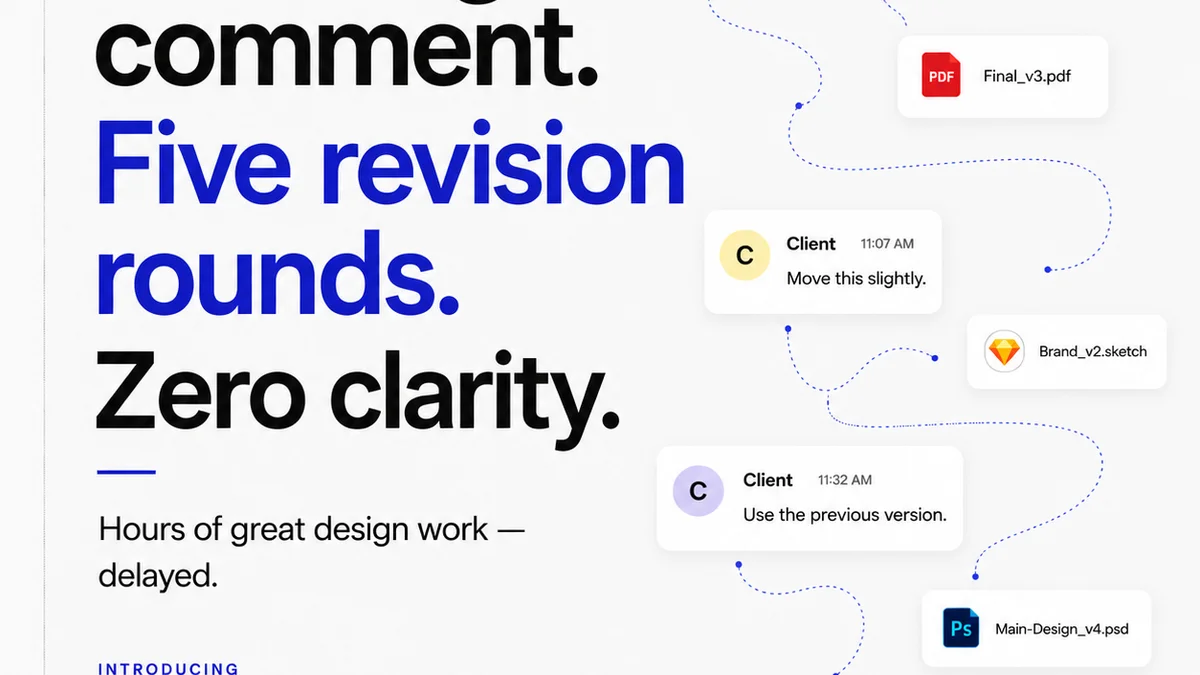
You get a file back from the client. It's a PDF, maybe a PSD, or even a Figma link. The feedback comes in scattered emails, Slack messages, and scribbled notes on a printout. Each piece of feedback is a separate island, disconnected from the others.
This fragmentation creates chaos.
The Symptoms Are Familiar
- Endless rounds of revisions that go nowhere.
- Misinterpreted feedback leading to wasted hours.
- Clients feeling ignored, even when you’re doing your best.
- Team members pulling their hair out trying to reconcile conflicting notes.
- Deadlines slipping because you’re stuck in feedback purgatory.
Your team is talented. Your clients are (usually) reasonable. The Adobe Creative Suite is powerful. Yet, somehow, feedback becomes a bottleneck that chokes your projects.
This isn't about blaming the client or the designer. It’s about acknowledging a systemic issue in how creative work is reviewed.
2. The Hard Truth: Feedback Isn't Data, It's Noise
Think about it: what is most client feedback, really? It’s subjective. It’s often vague. And it rarely comes with a clear understanding of the project’s goals or constraints.
“Make it pop more.”
“I don’t like the blue.”
“Can we try something different?”
This isn't actionable data. It's noise. And trying to turn that noise into a finished design is like trying to build a house from whispers.
Your job isn't just to make pretty pictures. It's to solve client problems effectively and efficiently. That requires clarity. It requires structure.
Why Subjectivity Kills Efficiency
When feedback is subjective, it’s impossible to objectively measure progress. You can’t tick a box saying “feedback addressed” if the feedback itself is a moving target.
This leads to scope creep, blown budgets, and a frustrated team.
The goal should be to transform subjective opinions into objective requirements. That’s the only way to truly improve client feedback.
3. Building the Framework: Establishing a Clear Feedback Protocol
A robust feedback process doesn't stifle creativity; it channels it. It ensures that feedback is constructive, actionable, and aligned with project objectives.
This means moving beyond ad-hoc communication.
Key Elements of a Solid Feedback Protocol
- Defined Roles: Who is authorized to give feedback? Who makes the final decision?
- Scheduled Touchpoints: When will feedback be collected? How much time is allocated for reviews?
- Structured Feedback Forms: Instead of free-form emails, use templates that prompt specific, objective comments.
- Clear Briefing: Ensure clients understand the project goals, target audience, and brand guidelines before they give feedback.
- Version Control: A clear system for tracking revisions and understanding what changed when.
This isn't about adding bureaucracy. It's about building guardrails.
Guardrails protect the project. They protect your team. And ultimately, they protect your client’s investment.
4. The Power of Context: Why Visual Annotation Isn't Enough
Sure, tools that allow direct annotation on Adobe files are a step up. You can click on an element and leave a comment. But without context, even this can fall short.
“Change this element.”
Which element? Why? What should it be changed to?
The context is missing. The *why* behind the change is missing.
Contextualizing Feedback
- Link Feedback to Goals: Does the suggested change align with the original brief and campaign objectives?
- Specify the 'Why': Encourage clients to explain the reasoning behind their suggestions.
- Reference Previous Decisions: If a change contradicts an earlier agreement, highlight it.
- Quantify Where Possible: Instead of “more contrast,” aim for “increase contrast by X%” if applicable.
Context turns subjective requests into objective tasks. It allows designers to understand the intent, not just the instruction.
This requires a system that can hold and display this contextual information alongside the visual feedback.
5. Streamlining Revisions: From Chaos to Clarity
Revisions are where projects often go off the rails. Without a clear system, they become an endless cycle of tweaks, re-approvals, and new, often conflicting, feedback.
The goal isn't to eliminate revisions – that's unrealistic. The goal is to make them efficient, productive, and transparent.
Strategies for Efficient Revisions
- Consolidate Feedback: Gather all comments from all stakeholders into one place before presenting them to the design team.
- Prioritize Feedback: Distinguish between critical changes, nice-to-haves, and subjective preferences.
- Track Progress: Clearly mark which revisions have been completed and approved.
- Limit Rounds: Define the number of revision rounds included in the project scope and stick to it.
- Use a Centralized Platform: A single source of truth for all feedback and revisions is non-negotiable.
This structured approach prevents the dreaded
Frequently asked questions
How can I make client feedback on Adobe files more actionable?
Implement a structured feedback protocol. This includes defining who gives feedback, setting scheduled review times, using feedback forms that prompt specific comments, and ensuring clients understand project goals before providing input. Contextualizing feedback by asking 'why' is also crucial.
What's the biggest mistake agencies make with client feedback?
The biggest mistake is treating feedback as unstructured noise rather than actionable data. Relying on scattered emails, Slack messages, or informal notes without a central system leads to misinterpretation, endless revisions, and project delays. A lack of a clear feedback process is the core issue, not the software itself.
How can I avoid endless revision rounds?
Clearly define the number of revision rounds included in the project scope and communicate this to the client upfront. Consolidate all feedback before presenting it to the design team, prioritize changes based on project goals, and use a centralized platform to track completed revisions and maintain version control. This brings transparency and accountability.
Does using Adobe's built-in commenting tools help?
While tools allowing direct annotation on Adobe files are an improvement over email, they are insufficient on their own. Feedback often lacks context. The 'why' behind a change, its alignment with project goals, and clear instructions are frequently missing, turning even direct annotations into potential noise if not managed within a broader process.