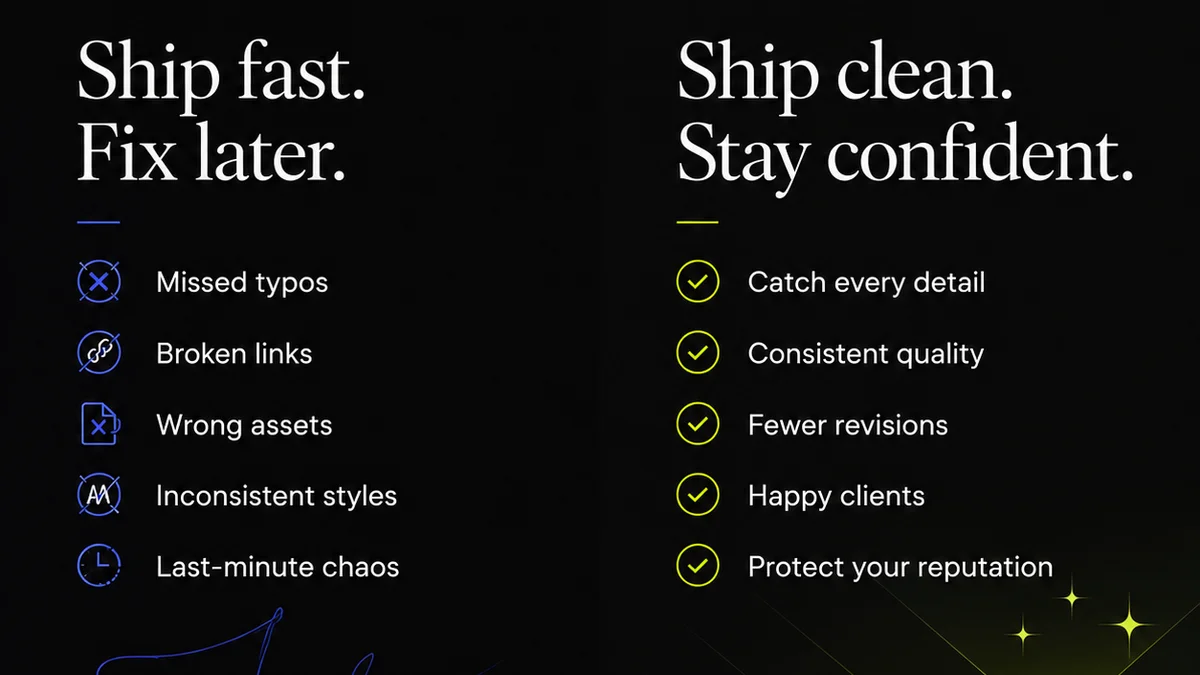
Everyone thinks mastering Adobe Creative Cloud means knowing every shortcut and filter. That’s the surface level.
The real bottleneck isn't your skill with Photoshop or Premiere Pro. It's how you manage projects, handle client feedback, and move assets through your entire creative pipeline.
1. The Myth of the Solo Genius
We’re sold this idea of the lone creative visionary, deep in their digital cave, emerging with a masterpiece. It’s a romantic notion, but it rarely reflects the reality of agency or in-house team production.
Creative work is a team sport. It involves stakeholders, clients, account managers, and other designers or producers. Each interaction is an opportunity for friction, miscommunication, and wasted time.
The assumption is that if you're fast with the tools, your workflow is efficient. This ignores the other 80% of the process.
The Hidden Costs of Inefficiency
- Endless email chains chasing feedback.
- Version control nightmares: 'Which PSD was the final one again?'
- Scope creep disguised as 'small tweaks.'
- Clients feeling out of the loop, leading to rushed, last-minute feedback.
- Approvals getting lost in a sea of messages.
These aren't tool problems. They're process problems.
2. Standardize Your File Structure and Naming Conventions
This sounds basic. Almost insultingly so. But it’s the bedrock of any efficient creative workflow, especially when working with Adobe Creative Cloud applications like Photoshop, Illustrator, and InDesign.
Without a clear, consistent system, your project folders become digital junk drawers. Finding the right asset, understanding its history, or handing it off to another team member becomes a significant time sink.
The 'Good Enough' Folder Trap
Many teams use vague naming conventions like 'Final_v2.psd' or 'Logo_final_final.ai'. This is a recipe for disaster. What does 'final' even mean?
A robust system needs to be predictable and scalable.
- Project-Based Folders: Create a top-level folder for each client, then subfolders for specific projects.
- Consistent Subfolder Structure: Within each project, use standard folders like '01_Brief', '02_Assets', '03_Working_Files', '04_Deliverables', '05_Feedback'.
- Version Control in Naming: Use dates or sequential numbering that clearly indicates progression. Example: `ClientName_ProjectName_AssetName_YYYYMMDD_v01.psd`.
- Asset Management: For larger projects, consider dedicated asset management tools or cloud storage with versioning.
This isn't just about tidiness. It’s about clarity. It reduces the cognitive load on your team and ensures everyone is working from the same page.
3. Master Adobe's Collaboration Features (and Know Their Limits)
Adobe has built collaboration tools directly into Creative Cloud. Features like Creative Cloud Libraries, Share for Review, and cloud documents are designed to streamline teamwork.
But these tools are only effective if used intentionally within a defined process.
Leveraging Cloud Documents
Cloud documents allow seamless saving and access across devices. They're great for single users or very small, tightly integrated teams working on the same file.
However, for complex projects with multiple stakeholders and a need for strict version control or detailed annotation, they can become unwieldy. They don't inherently solve the feedback loop problem on their own.
Share for Review: A Step Up
Share for Review is a powerful feature for gathering feedback directly on designs. It allows clients and collaborators to comment directly on a preview of your work without needing access to the Creative Cloud suite.
This is a significant improvement over email attachments. But it requires discipline.
- Centralize Feedback: Insist that all feedback for a specific review round happens within the Share for Review link.
- Manage Comments: Regularly check and resolve comments. Don't let them pile up.
- Clear Communication: Clearly state the scope of the review and what feedback is expected.
The key is that these features are *part* of the workflow, not the entire workflow itself.
4. Define Your Feedback and Approval Process
This is where most creative agencies and in-house teams falter. The assumption is that feedback will just 'happen' and approvals will be 'given'. This is a dangerous gamble.
A clear, documented process for receiving, managing, and approving creative work is non-negotiable for efficient Adobe Creative Cloud usage.
The Chaos of Unstructured Feedback
Imagine this: You send off a design. You get emails, Slack messages, maybe even a text message with feedback. Some is actionable, some is subjective, and some is contradictory.
How do you consolidate this? How do you ensure you’re addressing the most important points? How do you get a definitive 'sign-off'?
Building a Robust System
- Designated Reviewer(s): Identify who is responsible for providing feedback and who has final approval authority.
- Structured Feedback Channels: Mandate that all feedback goes through a single, agreed-upon channel (e.g., a project management tool, a dedicated feedback platform, or even Adobe's Share for Review).
- Clear Briefs: Ensure every piece of work is tied back to a clear, agreed-upon brief. Feedback should be measured against these objectives.
- Revision Rounds: Define the number of revision rounds included in a project. Anything beyond that requires a change order.
- Formal Approval: Require a clear, unambiguous approval at each major stage. This could be a signed-off email, a status change in a PM tool, or a formal sign-off document.
This isn't about bureaucracy; it's about clarity and accountability. It protects your team from endless revisions and ensures clients feel their input is valued and acted upon.
5. Integrate with Your Project Management Tools
Your Adobe Creative Cloud applications are powerful design engines. But they don't exist in a vacuum. They need to connect to the broader operational systems that run your business.
This means integrating your creative tools and files with your project management (PM) software.
The Disconnected Workflow
Too often, creatives work in their Adobe apps, save files to a local drive or a shared server, and then manually update task statuses in a PM tool. This creates disconnects:
- Lack of visibility into design progress for non-designers.
- Difficulty tracking time spent on specific creative tasks.
- Manual effort to link final assets to project milestones.
- Inability to easily see the history of creative iterations within the project context.
Bridging the Gap
Modern PM tools are increasingly capable of integrating with creative workflows. This can involve:
- Direct File Linking: Attaching working files or final deliverables directly to tasks or projects within your PM tool.
- Automated Status Updates: Triggering status changes in the PM tool when files are updated or approved.
- Centralized Communication: Keeping all project-related communication, including creative feedback, within the PM tool.
When your Adobe work is connected to your PM system, everyone has a clearer picture of project health, timelines, and responsibilities.
Where Revue Fits In
This is precisely why tools like Revue exist for creative teams. The complexity of managing client feedback, tracking revisions, and ensuring quality checks across multiple Adobe Creative Cloud projects can quickly overwhelm manual processes.
Revue acts as the central nervous system for your creative output. It’s designed to bring order to the chaos that often surrounds the feedback and approval stages.
- Centralized Feedback: Instead of scattered emails and messages, all client feedback lands in one place, linked to the specific creative asset.
- Revision Visibility: Track every iteration, see who made what changes, and understand the history of approvals. This eliminates version control confusion.
- Quality Control: Implement checklists and approval gates to ensure creative work meets standards before it’s finalized.
- Streamlined Approvals: Formalize the sign-off process, ensuring clear decision-making and reducing ambiguity.
By centralizing these critical steps, Revue helps you leverage the power of Adobe Creative Cloud without getting bogged down in the operational overhead.
6. Embrace Automation Where Possible
Repetitive tasks kill creative momentum. Look for opportunities to automate mundane aspects of your workflow, freeing up time for actual creative problem-solving.
Think beyond Adobe's built-in features. Consider scripting, actions, and external tools.
Automating Tedious Tasks
- Adobe Actions: Record sequences of commands in Photoshop or Illustrator to automate tasks like resizing images, applying effects, or exporting multiple formats.
- Scripts: For more complex automation, explore scripting with ExtendScript (JavaScript) for Adobe applications. This can automate batch processing, file renaming, or even content population.
- Batch Exporting: Use features like Adobe Media Encoder for video or InDesign's Data Merge for print to handle bulk output efficiently.
- Preflight Checks: Set up preflight profiles in InDesign to automatically check for common printing or digital output errors before final delivery.
The goal isn't to replace human creativity, but to remove the drudgery that surrounds it.
7. Continuous Learning and Adaptation
The digital landscape is always shifting. New software versions, updated best practices, and evolving client expectations mean your workflow needs to be dynamic.
Don't just learn a new tool; learn how it fits into the *process*.
Staying Ahead
- Follow Industry Blogs: Keep up with publications like Adobe's official blog or Nielsen Norman Group for insights on design and usability.
- Experiment with New Features: When Adobe releases updates, take time to understand the new features and how they might improve your workflow.
- Seek Feedback on Your Process: Ask your team what’s working and what’s not. Sometimes the best insights come from those doing the day-to-day work.
- Attend Webinars/Workshops: Invest in training that focuses not just on tool mastery, but on workflow optimization and project management for creative teams.
Your workflow should be as refined and adaptable as your designs.
Final Thought
Mastering Adobe Creative Cloud is often framed as a technical challenge. But the real mastery lies in orchestrating the entire creative process – from brief to final delivery – with precision and efficiency.
Are you focused on perfecting your tools, or on perfecting the system that uses them?
Frequently asked questions
What is the most common mistake agencies make with Adobe Creative Cloud workflows?
The most common mistake is focusing solely on tool proficiency (shortcuts, features) while neglecting the overall project management and client feedback processes. This leads to inefficiencies, version control issues, and communication breakdowns.
How can I improve file organization when using Adobe Creative Cloud?
Implement a standardized file structure with clear, consistent naming conventions. Use project-based folders, define subfolder structures (e.g., Working Files, Deliverables), and incorporate versioning into file names (e.g., YYYYMMDD_v01).
Are Adobe's built-in collaboration features enough?
Features like Share for Review are helpful for gathering feedback, but they are rarely sufficient on their own. They need to be integrated into a broader, disciplined process for managing feedback, revisions, and approvals to be truly effective.
How does project management software help with Adobe Creative Cloud workflows?
Project management software bridges the gap between design work and operational oversight. It provides visibility into creative progress, helps track time, centralizes communication, and links final assets to project milestones, reducing manual effort and disconnects.