Everyone’s talking about AI tools for designers. They promise speed, inspiration, and automation. It’s easy to assume that adopting the latest AI features is the only way forward. None of that is wrong. But it’s incomplete.
The hard truth is that most AI tools are built for broad utility, not specialized creative workflows. They offer a powerful engine, but the steering wheel is often in the wrong place. To truly leverage AI, designers need to actively shape its output and integrate it with intention, not just passively consume it.
1. The Illusion of 'Good Enough' AI Output
Many AI tools, especially generative ones, churn out impressive-looking results quickly. This leads to a common assumption: if it looks decent, it's usable. This is a dangerous shortcut.
AI output is often a sophisticated mimicry, lacking the strategic intent, brand understanding, or nuanced communication that professional design demands. It's a great starting point, perhaps, but rarely a finished product.
Divergence from Brand Identity
AI models are trained on vast, general datasets. They don't inherently understand your client's specific brand guidelines, tone of voice, or visual language. The output can be generic, or worse, subtly off-brand. This requires significant manual correction or a complete re-think.
Lack of Strategic Rationale
Design isn't just about aesthetics; it's about solving problems. AI can generate visuals, but it can't replicate the deep understanding of user needs, business goals, or communication objectives that drive effective design decisions. The 'why' behind the design is missing.
The Cost of Rework
While AI promises efficiency, relying on unvetted, generic output can lead to more extensive rework later. Time spent fixing AI's misinterpretations or generic elements quickly erodes any initial time savings. You end up doing the same work, just in a different order.
2. Mastering the Prompt: Beyond Simple Commands
The interaction with AI is primarily through prompts. Many designers treat prompting as a one-off command. This is like giving a brief to a junior designer and expecting perfection on the first try.
Effective AI integration requires iterative prompting, contextual understanding, and a willingness to guide the AI through multiple refinement stages. It’s a dialogue, not a dictation.
Specificity is Key
Vague prompts yield vague results. Instead of 'design a logo,' try 'design a minimalist, geometric logo for a sustainable coffee brand called 'Evergreen Brew.' Use a color palette of deep forest green, earthy brown, and a touch of cream. The logo should evoke trust and nature.'
Iterative Refinement
Treat the first output as a draft. Provide feedback. 'Make the green darker,' 'Simplify the leaf shape,' 'Explore a sans-serif font that feels modern but approachable.' Each prompt should build on the previous one, steering the AI closer to your vision.
Negative Prompts and Constraints
Tell the AI what *not* to do. If you want to avoid clichés, add 'avoid coffee cup imagery' or 'no generic leaf shapes.' Setting constraints helps the AI focus and avoid common pitfalls.
Understanding Model Limitations
Different AI models excel at different tasks. Some are better at generating photorealistic images, others at abstract art, and some at text-based outputs. Knowing the strengths and weaknesses of the tools you're using is crucial for setting realistic expectations and guiding your prompts.
3. Integrating AI into Existing Workflows
The most significant hurdle isn't the AI itself, but how it fits into established creative processes. Simply adding AI as another tool without thought creates friction.
True improvement comes from strategically embedding AI where it augments, rather than disrupts, your core design methodology. This requires careful consideration of your current workflow stages.
Ideation and Mood Boards
AI can rapidly generate a wide array of visual concepts, styles, and mood board elements. Use this to explore directions you might not have considered, quickly. This is a powerful way to kickstart creative sessions.
Asset Generation and Variation
Need multiple variations of an icon, a texture, or a background? AI can be efficient here, provided you have clear parameters. Ensure you have a system for quality checking and selecting the best variations.
Content Augmentation
For marketing materials, AI can help generate placeholder text or suggest copy variations. For visual content, it can assist with background elements or stylistic overlays. Always ensure final copy and visuals are human-reviewed and aligned with brand voice.
Prototyping and Wireframing Assistance
Some AI tools can assist in generating basic wireframe layouts or suggesting UI components based on descriptions. This can speed up the initial structural phases of UX/UI design.
4. The Human Element: Oversight and Curation
Perhaps the most critical factor in improving AI tools for designers is recognizing that AI is a co-pilot, not the pilot.
The designer's role shifts towards curation, critical evaluation, and strategic direction. This human oversight is what elevates AI-generated content from mere output to valuable design work.
Critical Evaluation
Never accept AI output at face value. Ask: Does this meet the brief? Is it on-brand? Is it original? Does it communicate effectively? Is it technically sound?
Ethical Considerations
Be mindful of copyright, bias, and the ethical implications of AI-generated content. Ensure your use of AI aligns with legal standards and your agency's values. Understanding the provenance of AI training data is increasingly important.
Brand Guardianship
Ultimately, the designer is the guardian of the brand. AI can propose, but the designer must approve, refine, and ensure every element serves the client's strategic objectives.
Developing a 'Taste' for AI
Just as you develop an eye for good design, you'll develop an intuition for what AI can do well and where it struggles. This 'taste' guides your prompting and your evaluation.
Where Revue Fits In
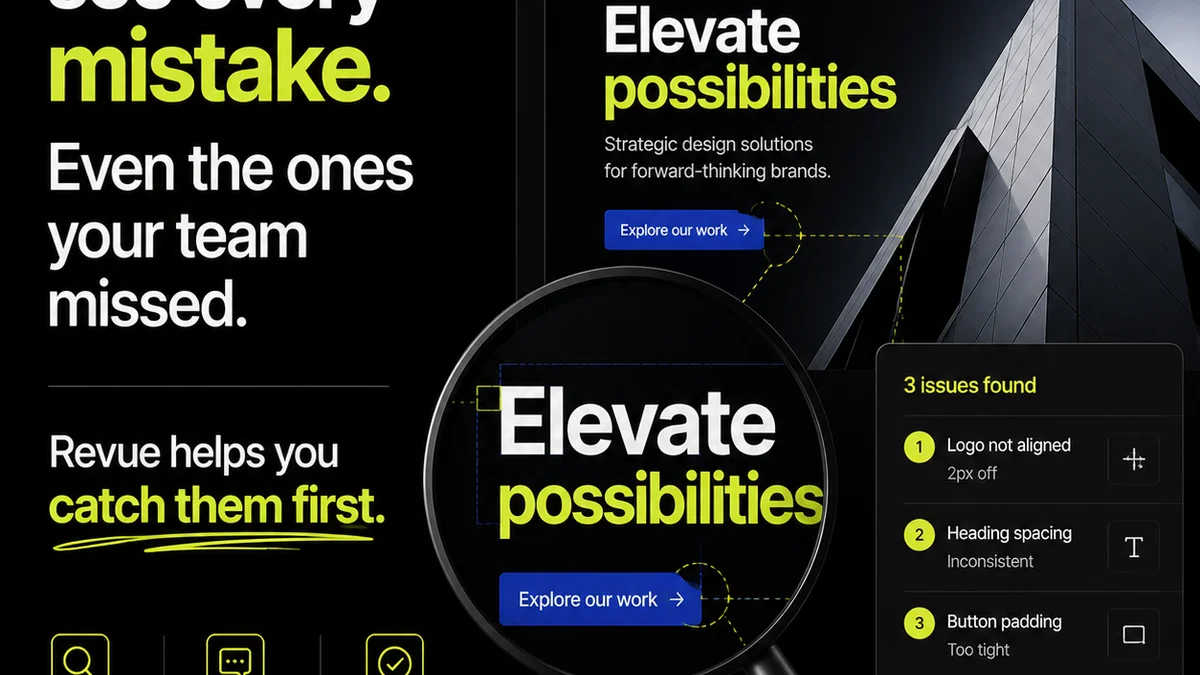
Integrating AI tools effectively means managing a more complex stream of creative assets and feedback. This is where a centralized platform becomes indispensable.
Revue is built to handle the realities of agency workflow, including the new complexities AI introduces. It ensures that AI-assisted projects remain organized, transparent, and accountable.
- Centralized Feedback: Collect and organize all client and stakeholder feedback in one place, regardless of whether it's on AI-generated concepts or human-led designs.
- Revision and Approval Visibility: Track every iteration, AI-assisted or otherwise. Ensure clear sign-offs at each stage, reducing ambiguity and potential disputes.
- Quality Control: Maintain high standards by having a clear process for reviewing and approving all creative output before it reaches the client, mitigating risks associated with generic AI suggestions.
By streamlining these processes, Revue allows your team to focus on the strategic and creative aspects, leveraging AI efficiently without losing control.
Final Thought
AI tools are not a replacement for creative thinking or strategic design. They are powerful new instruments. The question isn't whether AI will change design, but how well designers will adapt to wield these new instruments with skill, discernment, and purpose. Are you leading the AI, or is it leading you?
Frequently asked questions
How can I ensure AI-generated designs align with my brand identity?
Provide highly specific prompts detailing brand colors, fonts, tone, and desired emotions. Use negative prompts to exclude off-brand elements. Critically evaluate all AI output against your brand guidelines and be prepared for manual adjustments. Iterative prompting is key.
Is AI output ever truly 'finished'?
Rarely. AI tools excel at generating concepts, variations, and initial drafts. They lack the strategic depth, nuance, and understanding of specific project goals that human designers bring. Always treat AI output as a starting point requiring expert curation and refinement.
What's the best way to integrate AI into an existing design workflow?
Strategically embed AI where it augments existing stages, such as ideation, mood board creation, or asset variation. Avoid simply adding it as a standalone step. Focus on how AI can speed up exploration or repetitive tasks, while ensuring human oversight remains paramount for strategy and final quality.
How do I avoid common AI clichés or generic outputs?
Use detailed prompts that specify unique elements and avoid overused tropes. Employ negative prompting to explicitly exclude common imagery or styles. Explore less common stylistic approaches in your prompts and critically assess the output for originality and strategic fit.