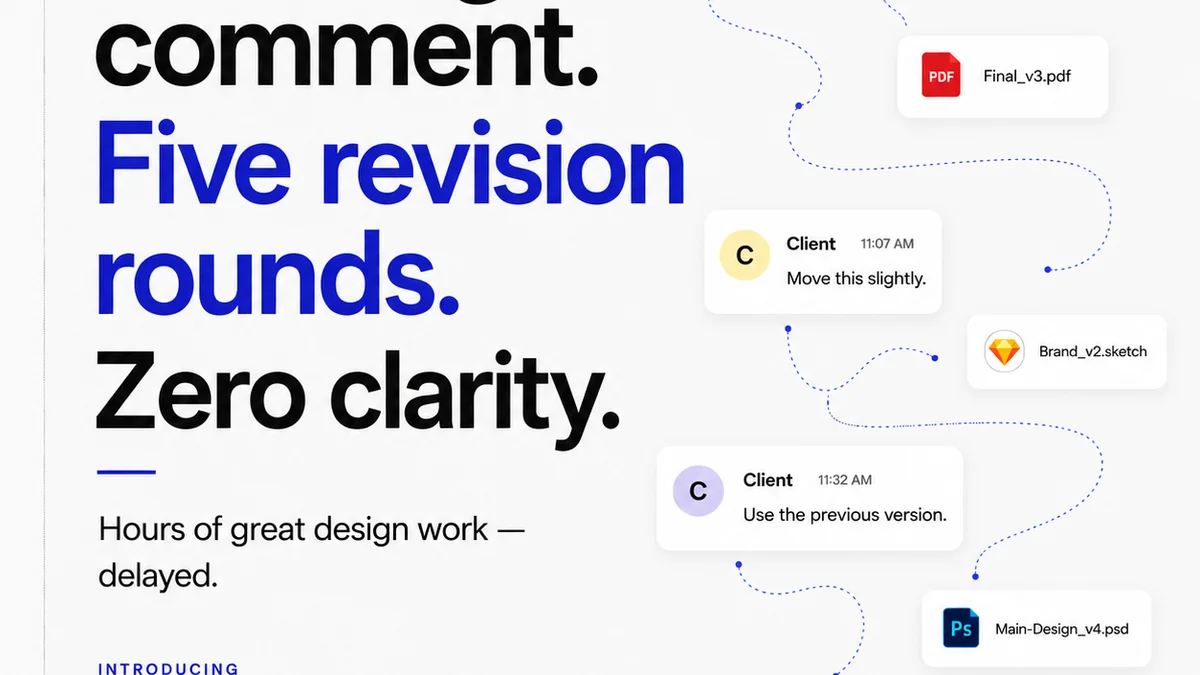
Everyone says creative feedback needs to be faster. More immediate. More real-time. That's the prevailing wisdom, right? Get everyone in a room, or on a call, and hash it out. Burn through the comments. Get sign-off. Move on.
None of that is wrong. But it’s incomplete.
The hard truth is that most creative work happens asynchronously. Designers design, copywriters write, developers code — often alone, or in small, distributed teams. And the feedback loop, to be truly effective, must honor this reality. Relying solely on synchronous communication creates bottlenecks, breeds misunderstandings, and ultimately slows down the entire process. The real opportunity for improvement lies in mastering asynchronous creative feedback.
1. The Myth of Instant Clarity
Synchronous feedback sessions—those dreaded 3 PM review meetings—are often seen as the gold standard for clarity. The idea is that by talking through comments, you can immediately clarify intent and resolve confusion. But how often does that actually happen?
More often than not, these sessions devolve into:
- Vague, subjective critiques disguised as objective observations.
- A single loud voice dominating the conversation.
- Important stakeholders being unable to attend, leading to delays or missed context.
- Comments getting lost in the shuffle of a live discussion.
- Designers or writers scrambling to take notes, missing the actual feedback.
The pressure of a live meeting can also stifle thoughtful critique. People might offer superficial comments to avoid conflict or commit to an idea they haven't fully processed, only to backtrack later. This isn't clarity; it's the illusion of progress.
2. Understanding Asynchronous Creative Feedback
Asynchronous feedback means providing comments, critiques, and approvals at different times. It’s not about being slow; it’s about being deliberate and efficient. It respects that individuals have different workflows, time zones, and cognitive loads.
Think about the tools you already use:
- Email chains with attached mockups.
- Comments in a shared document.
- Messages in a project management tool.
- Notes on a PDF proof.
These are all forms of asynchronous feedback. The challenge isn't the *lack* of asynchronous feedback; it's the *quality* and *management* of it.
The Benefits of Getting It Right
When done well, asynchronous feedback offers:
- Deeper Consideration: Reviewers have time to digest the work and formulate more thoughtful, specific comments.
- Reduced Interruption: Creatives can focus on their tasks without constant interruptions from review meetings.
- Clearer Documentation: Feedback is captured in writing, creating a traceable record for reference and accountability.
- Inclusivity: Allows team members in different time zones or with varying schedules to contribute meaningfully.
- Fewer Misunderstandings: Written comments, when clear, are less prone to misinterpretation than spoken words.
This isn't about eliminating meetings entirely. It's about making them more effective by shifting the bulk of detailed feedback to an asynchronous channel.
3. The Anatomy of Effective Asynchronous Feedback
Bad asynchronous feedback is worse than no feedback at all. It's vague, contradictory, and overwhelming. Good asynchronous feedback is actionable, clear, and constructive. How do you ensure yours is the latter?
Be Specific, Not Subjective
Avoid comments like:
- “I don’t like the colors.”
- “Make it pop more.”
- “This feels off.”
Instead, aim for specifics:
- “The contrast between the blue (#0000FF) and the text is too low, failing WCAG AA contrast ratios. Consider a darker blue or a lighter text color.”
- “The call-to-action button isn't prominent enough. Its current size and color blend too much with the background. Could we increase its size by 10% and use a contrasting brand color like #FFD700?”
- “The user flow from the landing page to the signup form is unclear. I spent 30 seconds looking for the next step after reading the headline. Suggest adding a clear arrow or a secondary button indicating ‘Next Step’.”
When giving subjective feedback, frame it as a hypothesis and ask for input. “My gut feeling is that this headline might be too long, potentially impacting scannability on mobile. What does the team think?”
Provide Context
Feedback without context is useless. A reviewer needs to understand the project goals, target audience, and specific brief to provide relevant critique.
Bad Context: “Change this image.”
Good Context: “The brief specified using an image that evokes a sense of calm and professionalism for our B2B software launch. This current image feels too casual and might not resonate with our target decision-makers. Could we find an alternative that aligns better with a corporate audience?”
Define the Scope of Feedback
When requesting feedback, be explicit about what you need reviewed. Are you looking for:
- High-level strategic alignment?
- Detailed copy edits?
- Usability concerns?
- Technical feasibility?
- Brand consistency?
A comment about font kerning is unhelpful if the client is only meant to approve the overall layout and messaging at that stage.
Use Visual Annotation Tools
For visual mediums like design, mockups, or videos, tools that allow direct annotation on the asset are invaluable. Clicking directly on an element and leaving a comment eliminates ambiguity about what the feedback refers to. Think about Figma comments, Adobe XD’s share features, or dedicated proofing tools.
Establish Clear Deadlines and Expectations
Asynchronous doesn’t mean “whenever.” Set clear deadlines for feedback submission. Communicate how long reviewers have to provide comments and what the expected turnaround time is for revisions based on that feedback.
Example: “Please provide all feedback on the V2 designs by EOD Tuesday. We will review all comments Wednesday and aim to deliver V3 by Friday.”
4. Structuring Your Asynchronous Feedback Process
A chaotic feedback process, even if asynchronous, is still chaotic. You need a system. This involves defining roles, setting up clear channels, and managing the flow of information.
Define Roles and Responsibilities
Who is responsible for providing feedback at each stage? Who consolidates feedback? Who makes the final decision?
- Stakeholder A: Approves strategic direction and overall messaging.
- Stakeholder B: Reviews for technical accuracy and usability.
- Creative Lead: Consolidates feedback, prioritizes revisions, and ensures brand consistency.
- Client: Provides final sign-off on deliverables.
Clarifying these roles upfront prevents conflicting feedback and ensures the right people are commenting on the right things.
Choose the Right Channels
Where does feedback live? A single source of truth is crucial.
Scattered feedback across Slack, email, Google Docs comments, and sticky notes is a recipe for disaster. Centralizing feedback in a dedicated platform or project management tool means all comments, discussions, and approvals are in one place.
Implement a Staged Feedback Approach
Don’t ask for final approval on a first draft. Break down the review process into logical stages:
- Concept/Wireframe Review: Focus on structure, flow, and core ideas.
- Design/Content Draft Review: Evaluate visual execution, copy, and tone.
- Pre-Production/Final Polish Review: Check for errors, inconsistencies, and adherence to specs.
- Final Approval: Sign-off on the completed deliverable.
Each stage should have specific goals and types of feedback expected. This prevents scope creep and ensures feedback is relevant to the stage of development.
Consolidate and Prioritize
This is where the magic happens. Once feedback is gathered, it needs to be reviewed, synthesized, and prioritized. Not all feedback is created equal, and not all of it aligns.
A creative lead or project manager should:
- Read through all submitted comments.
- Identify duplicate or conflicting feedback.
- Evaluate comments against project goals and the original brief.
- Prioritize actionable feedback.
- Summarize key revision points for the creative team.
This consolidation step is vital. It translates raw comments into clear, actionable tasks.
5. Where Revue Fits In
Managing feedback across multiple projects, clients, and team members can quickly become overwhelming. This is precisely why tools like Revue exist. They are built to streamline the chaos of creative workflows, particularly around feedback and approvals.
Revue offers a centralized hub for all your creative assets and client communications. Instead of hunting through emails or disparate chat threads, you can:
- Centralize Client Feedback: All comments, annotations, and discussions related to a specific asset live in one place, linked directly to the version being reviewed.
- Manage Revisions and Approvals: Track the history of feedback, see who has approved what, and understand the revision status at a glance. This provides clear visibility into the approval pipeline.
- Run Quality Checks: Use the platform to ensure creative outputs meet defined standards before they reach the client or go into final production. This can include checklists or specific review stages.
By providing a single source of truth for feedback and approvals, Revue helps transform potentially messy asynchronous communication into a structured, efficient, and transparent process.
6. Common Pitfalls to Avoid
Even with the best intentions, asynchronous feedback can go wrong. Be aware of these common traps:
- The “Feedback Black Hole”: Feedback is given, but no one acts on it, or the creative team never receives it.
- Conflicting Feedback: Multiple stakeholders provide contradictory instructions, leaving the creative team paralyzed.
- Scope Creep: New requests or fundamental changes are introduced late in the process, disguised as
Frequently asked questions
What is the main difference between synchronous and asynchronous feedback?
Synchronous feedback happens in real-time, like during a live meeting or call. Asynchronous feedback is provided at different times, allowing reviewers to comment when it's convenient for them, typically through written comments or annotations on a shared asset.
How can I ensure asynchronous feedback is actionable?
Actionable asynchronous feedback is specific, provides context, and clearly states what needs to be changed or considered. Avoid vague comments like 'make it better' and instead focus on concrete suggestions and their rationale, referencing project goals or specific requirements.
What are the benefits of using asynchronous feedback for creative projects?
The key benefits include deeper consideration of the work, reduced interruptions for creatives, clear documentation of feedback, better inclusivity for distributed teams, and fewer misunderstandings compared to live discussions. It respects individual workflows and cognitive loads.
How do I manage conflicting feedback from different reviewers?
Establish clear roles and responsibilities for feedback at each stage. Designate a person (like a creative lead or project manager) to consolidate, prioritize, and resolve conflicting comments by evaluating them against project goals and the original brief. This person acts as a filter and decision-maker.