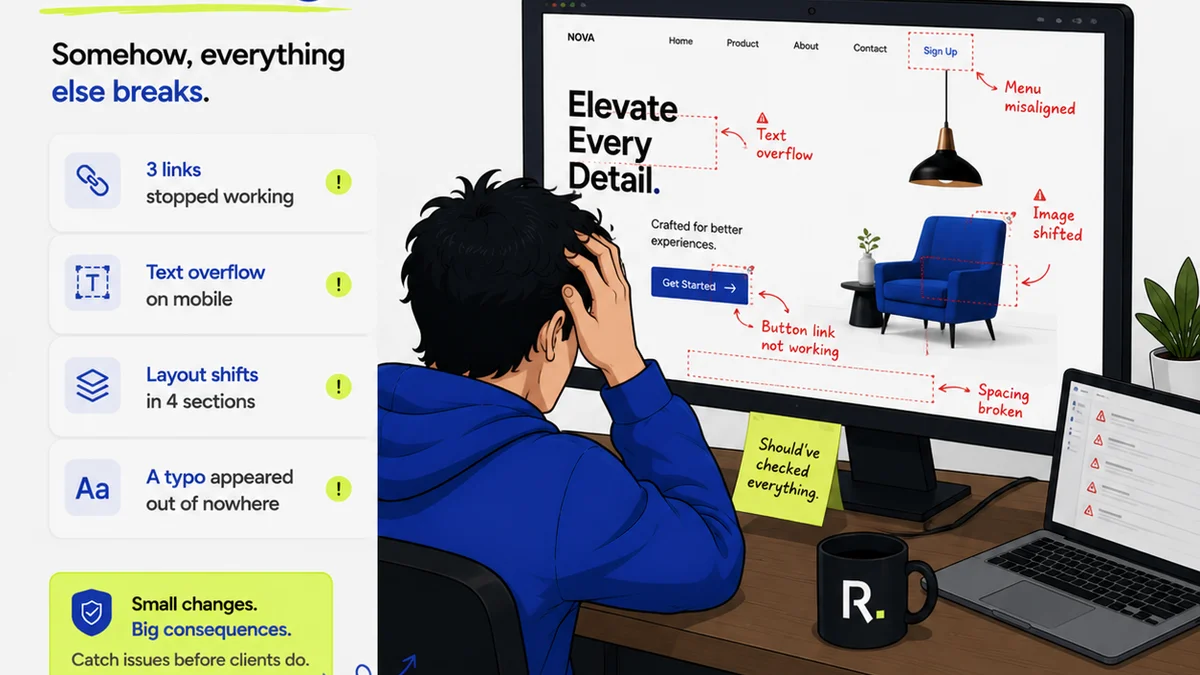
Everyone thinks brand asset management is about organizing files. A clean folder structure, clear naming conventions, maybe a cloud drive. None of that is wrong. But it’s incomplete.
The hard truth is that great brand asset management isn’t about the files themselves. It’s about controlling the chaos surrounding them. It’s about ensuring consistency across every touchpoint, even when your team is distributed, working on multiple projects, and under tight deadlines.
Most teams treat asset management as a passive archiving problem. They wait for files to get lost, for outdated logos to creep into presentations, for brand guidelines to be ignored. Then they scramble to fix it. This reactive approach is costly, time-consuming, and damaging to your brand.
True brand asset management is an active, ongoing process that embeds control and clarity directly into your creative workflow.
1. The Illusion of Control: Why Folders Fail
A perfectly organized folder structure feels like control. But it’s an illusion. Folders don’t stop people from saving the wrong version. They don’t prevent someone from downloading a low-res image for a print ad. They don’t remind a new team member which logo to use for social media.
The problem isn’t the number of folders. It’s the lack of intelligence and context within your system.
The Symptoms of Folder Failure
- Endless searches for the “right” file.
- Using outdated logos or brand colors.
- Inconsistent application of brand elements across different platforms.
- Wasted time recreating assets that already exist but can’t be found.
- Confusion over which version is the latest or most appropriate.
These aren’t minor annoyances. They’re systemic failures that erode brand integrity and drain creative resources.
2. Beyond the Archive: Integrating Assets into Workflow
The goal isn’t just to store assets; it’s to make them accessible, usable, and correct at the point of need. This means moving beyond a simple digital asset management (DAM) system that acts purely as an archive.
Think about the moments your team needs brand assets:
- When designing a new social media graphic.
- When building a client presentation.
- When updating website copy.
- When requesting a new piece of marketing collateral.
In each of these scenarios, the team member needs the *correct* asset, in the *correct* format, with the *correct* usage guidelines, *right then and there*. If they have to leave their primary workflow to hunt for it, or guess, the system has already failed.
Key Integration Points
Great brand asset management connects your central repository to the tools and processes your team uses daily.
- Design Software Integration: Plugins for Adobe Creative Cloud or Figma that allow direct access to approved brand assets without leaving the application. Imagine pulling the latest logo or brand palette directly into a Photoshop file.
- Content Management Systems (CMS): Seamless integration with your CMS so marketing teams can easily find and use approved imagery and brand elements when creating web content.
- Productivity Tools: Linking assets to project management software or communication platforms like Slack, so context and the right files are always together.
- Automated Version Control: Systems that automatically flag or hide outdated assets, ensuring users always see the most current versions.
This isn’t about making things fancy. It’s about removing friction and reducing the cognitive load on your team, allowing them to focus on creative execution, not file hunting.
3. The Human Element: Training and Governance
Technology alone can’t solve this. You can have the best DAM in the world, but if your team doesn’t know how or why to use it correctly, it’s just expensive digital storage.
Effective brand asset management requires clear governance and ongoing training.
Establishing Clear Governance
- Define Roles and Responsibilities: Who is the gatekeeper for new assets? Who approves updates? Who manages the DAM?
- Develop Usage Guidelines: Create simple, visual guides for common assets like logos, color palettes, and typography. What are the do’s and don’ts?
- Establish an Approval Process: Ensure all new or updated brand assets go through a formal review before being added to the central library.
- Regular Audits: Periodically review your asset library to remove duplicates, archive obsolete materials, and identify any gaps.
Continuous Training
Onboarding is critical. New hires need to understand the importance of brand consistency and how to access and use the official assets. But training shouldn’t stop there.
Regular refreshers, especially when significant brand updates occur, are essential. Make training practical and hands-on, showing people *how* to find and use assets within their specific tools.
This cultural shift—from seeing assets as scattered files to understanding them as vital brand components—is a key differentiator.
4. Measuring Success: Beyond File Counts
How do you know if your brand asset management efforts are actually working? It’s not by counting how many files are in your system.
Success is measured by:
- Reduced Time Spent Searching for Assets: Track how long team members spend looking for files. A decrease indicates efficiency gains.
- Fewer Brand Misapplications: Monitor external and internal communications for instances of incorrect logo usage, outdated messaging, or inconsistent visual elements.
- Increased Consistency Across Channels: Does your brand look and feel the same whether a client sees a social post, a proposal, or a website?
- Faster Project Turnaround Times: When assets are readily available and correctly formatted, projects move more smoothly.
- Improved Team Morale: Less frustration over missing or wrong files means happier, more productive creatives.
These are the real metrics that impact your bottom line and brand reputation.
Where Revue Fits In
Managing brand assets effectively means ensuring everyone has access to the right information at the right time, and that the final output meets quality standards. This is precisely where a platform like Revue excels.
Revue helps centralize client feedback, making it clear which version of a creative asset is being discussed and approved. This visibility prevents confusion and ensures that only the finalized, on-brand versions move forward.
Our revision and approval tracking means there’s an undeniable record of what was signed off on. No more ambiguity about whether a specific logo version was approved for a particular campaign. This audit trail is crucial for maintaining brand integrity and accountability.
Furthermore, by streamlining the feedback and approval loop, Revue helps ensure that the final approved assets are indeed the ones that get used, cutting down on the chance of outdated or incorrect elements slipping through the cracks. It’s about embedding quality checks and brand consistency directly into the collaborative process.
Final Thought
Is your brand asset management strategy a source of efficiency, or is it another bottleneck? The difference lies in whether you're focused on simply storing files or actively managing their lifecycle and integration into your team's daily work. Stop chasing files. Start controlling your creative workflow.
Frequently asked questions
What's the biggest mistake agencies make with brand asset management?
The biggest mistake is treating it as a passive archiving problem. Agencies often focus solely on folder structures and naming conventions, assuming that's enough. However, they fail to integrate asset access and usage directly into the creative workflow, leading to confusion, outdated assets, and brand inconsistency.
How can I ensure my team always uses the correct brand assets?
Ensure your brand assets are easily accessible and clearly version-controlled within a centralized system. Integrate this system with the tools your team uses daily, provide clear usage guidelines, and conduct regular training. Visibility and ease of access are key to consistent usage.
What are the key components of effective brand asset management?
Effective brand asset management involves more than just storage. Key components include clear governance and roles, robust version control, integration with design and productivity tools, continuous team training, and a focus on making assets usable and correct at the point of need.
How does client feedback software help with brand asset management?
Client feedback software, like Revue, centralizes communication and approvals. This ensures that everyone is working from the same approved version of an asset, provides a clear audit trail of sign-offs, and reduces the risk of outdated or incorrect assets being used in final deliverables.