Everyone wants to be more productive. Especially in creative fields. We chase the latest hacks, the perfect app, the magic bullet. We think productivity is about doing more, faster. About maximizing every minute.
None of that is wrong. But it’s incomplete.
The hard truth? Creative productivity isn't about speed. It's about flow. It’s about eliminating friction. It’s about making the work itself easier to do, and easier to get right. It’s about the system, not just the individual.
1. The Myth of the Always-On Creative
We romanticize the lone genius, the burst of inspiration. We imagine creatives working in a vacuum, their brilliance pouring out uninterrupted. This is a dangerous myth.
Real creative work is collaborative. It’s iterative. It’s messy.
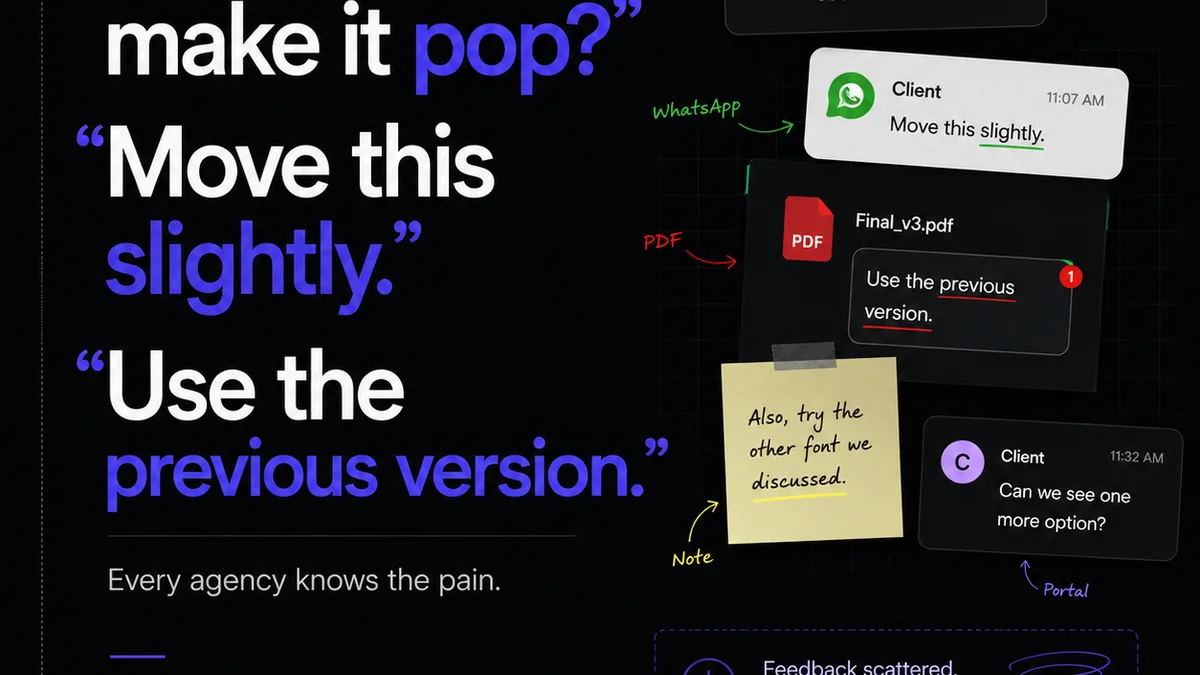
The biggest drain on creative energy isn't a lack of ideas. It's the constant context switching. The endless search for files. The back-and-forth of vague feedback. The struggle to keep track of what’s approved and what’s not.
This friction kills momentum. It turns inspiration into irritation.
The Real Productivity Killers
- Endless email chains for simple approvals.
- Searching through shared drives for the latest version of a file.
- Vague, subjective feedback that requires more clarification than execution.
- Lack of clear project scope or objectives.
- Unnecessary meetings that break focus.
- Repetitive administrative tasks that steal creative time.
These aren't minor annoyances. They are systemic blockages.
2. Frictionless Feedback: The Unsung Hero of Output
Feedback is essential. It’s how we refine ideas. It’s how we ensure client alignment.
But bad feedback loops are productivity black holes.
Think about it. How much time is lost deciphering ambiguous comments? How many revisions are made based on a gut feeling that can’t be articulated? How often does feedback get buried in an email thread, only to be rediscovered weeks later?
This chaos doesn't just slow things down. It erodes confidence. It makes creatives hesitant to push boundaries, fearing the next unclear directive.
Strategies for Streamlined Feedback
- Centralize all feedback: Move away from scattered emails and chat messages. Use a platform where comments are attached directly to the creative asset.
- Demand clarity: Train clients and stakeholders to provide actionable, specific feedback. If a comment is vague, push back politely for more detail. “What specifically isn’t working?” is a good start.
- Visual annotation: Tools that allow direct markup on images, videos, or PDFs are invaluable. This removes the need for descriptive text and reduces misinterpretation.
- Version control: Ensure everyone is commenting on the latest version. This prevents wasted effort on outdated designs.
- Define approval stages: Clearly outline what constitutes a final approval versus a revision request.
When feedback is clear, concise, and contextual, creatives can act on it immediately. This dramatically speeds up the revision process.
3. The Power of a Single Source of Truth
Where is the latest version of that logo? What’s the final copy for the landing page? Who signed off on the color palette?
If these questions cause even a moment’s pause, your team is losing valuable time.
Scattered files across disparate cloud storage, local drives, and endless email attachments create a breeding ground for errors and inefficiencies. It’s not just about finding the right file; it’s about trusting that it’s the *correct* file.
This lack of a single source of truth leads to:
- Recreating work that already exists.
- Submitting outdated assets for review.
- Confusion about project status.
- Wasted time searching.
A centralized system ensures that everyone is working from the same, most up-to-date information. This reduces errors, speeds up workflows, and builds confidence in the assets being produced.
Establishing Your Source of Truth
- Choose a central repository: Whether it’s a dedicated Digital Asset Management (DAM) system or a well-organized cloud storage solution, pick one place for all final assets.
- Implement clear naming conventions: Standardize how files are named to make them easily identifiable and searchable. Include project name, asset type, version number, and date.
- Define approval workflows: Automate the process of marking assets as approved. This status should be clearly visible to the entire team.
- Regularly audit and clean up: Remove old, irrelevant, or duplicate files to keep the system tidy and efficient.
This discipline transforms chaotic file management into a streamlined, reliable process.
4. Visibility: Knowing Where Everything Stands
Creative projects are rarely linear. They involve multiple stakeholders, numerous revisions, and various stages of approval.
Without clear visibility into the entire process, bottlenecks emerge. Decisions get delayed. Projects stall.
Imagine a client waiting days for a response on a crucial design element, unaware that their feedback is stuck in someone’s inbox. Or a creative team churning out revisions, only to find out the client had already approved an earlier version.
This lack of transparency is a major productivity killer. It breeds frustration and delays timelines.
Gaining Process Visibility
- Centralized dashboards: A view that shows the status of all projects and individual tasks at a glance.
- Clear stage gates: Define distinct phases of the creative process (e.g., concept, design, revision, approval, final delivery).
- Automated notifications: Alert stakeholders when an action is required from them, and notify the team when a stage is complete.
- Audit trails: Maintain a record of all actions, feedback, and approvals. This provides accountability and historical context.
When everyone can see the status of a project and understand what’s needed next, the entire workflow accelerates.
5. Quality Assurance: The Final Checkpoint
It’s tempting to rush through quality assurance (QA) to meet deadlines. But cutting corners here is a false economy.
A poorly executed final check can lead to embarrassing errors. These mistakes can damage client relationships and require costly rework, far outweighing any time saved.
Think about:
- Typos in final copy.
- Incorrect image resolution.
- Broken links in digital assets.
- Inconsistent branding elements.
- Accessibility issues.
These aren't just aesthetic problems. They impact usability and brand perception.
Integrating Effective QA
- Create checklists: Develop comprehensive QA checklists tailored to different project types (e.g., web design, print collateral, video).
- Dedicated QA time: Allocate specific time in the project schedule for thorough review. Don’t treat it as an afterthought.
- Multiple reviewers: Have at least two people review the final asset. A fresh pair of eyes often catches what others miss.
- Automated QA tools: For digital projects, leverage tools that can automatically check for broken links, code errors, or performance issues. Consider accessibility checkers like WCAG compliance tools.
Robust QA ensures that the final output is not just creative, but also correct and effective.
Where Revue Fits In
The common thread in overcoming these productivity drains is **centralization and clarity**. Creative teams need a single hub to manage the entire lifecycle of their work.
Revue provides that hub. It’s designed to eliminate the friction points that plague creative workflows.
Imagine:
- Centralized client feedback: All comments, annotations, and discussions live directly on the asset. No more digging through emails.
- Clear revision and approval tracking: Easily see every version, every change, and every sign-off. Know exactly where you stand.
- Streamlined quality checks: Use the platform to conduct final reviews, ensuring all feedback has been addressed before delivery.
By bringing feedback, revisions, and approvals into one organized system, Revue frees up your team to focus on what they do best: creating exceptional work.
Final Thought
Are you optimizing for speed, or are you building a system that enables sustained, high-quality creative output? The difference is fundamental. It’s the difference between a frantic sprint and a well-paced, winning marathon. Focus on removing friction, and the productivity will follow.
Frequently asked questions
What is the biggest myth about creative productivity?
The biggest myth is that creative productivity is about working faster or longer hours. In reality, it's about reducing friction in the creative process, enabling flow, and ensuring clear communication and feedback loops.
How can I improve the feedback process for my creative team?
Centralize all feedback on the creative asset itself, demand specific and actionable comments, use visual annotation tools, ensure clear version control, and define distinct approval stages. This minimizes ambiguity and speeds up revisions.
Why is a single source of truth important for creative teams?
A single source of truth prevents time wasted searching for files, reduces errors from using outdated versions, and ensures everyone is working with the correct, approved assets. This builds confidence and streamlines collaboration.
How does visibility impact creative team productivity?
Visibility into project status, required actions, and approval stages prevents bottlenecks and delays. When everyone knows what needs to happen next and where the project stands, the entire workflow accelerates.