Everyone wants a more efficient creative team. It’s the holy grail for agency owners and creative directors alike. You’ve probably heard all the advice: better project management tools, more agile workflows, clear communication, regular check-ins. None of that is wrong. But it’s incomplete. It often misses the fundamental operational friction points that drain time and kill productivity.
The hard truth? True creative team efficiency isn't about adopting the latest trendy methodology. It’s about ruthlessly eliminating wasted time and cognitive load by streamlining your core creative operations. It’s about the quiet, unsexy stuff that happens before and after the big creative bursts.
1. The Illusion of 'More Tools'
The default solution for inefficiency is often to buy another tool. Another app. Another platform. We end up with a Frankenstein’s monster of software, each promising to solve a different problem, but collectively creating a new one: fragmentation.
Every new tool means:
- Onboarding time for the team.
- Integration headaches or manual data transfer.
- Context switching for users.
- Subscription costs.
- And often, a new silo for information.
Is your team spending more time managing tools than doing the actual creative work? That’s not efficiency. That’s noise.
Consolidating for Clarity
Instead of adding, consider consolidating. Can one robust platform handle multiple critical functions? Think about where your team spends the most time toggling between apps:
- Gathering feedback from clients.
- Tracking revision rounds.
- Getting final approvals.
- Running internal quality checks.
If these core tasks are scattered across email, Slack, cloud storage links, and separate proofing tools, you’re bleeding efficiency. The goal is a single source of truth for your creative assets and their associated feedback loops.
2. The Feedback Black Hole
Client feedback is the lifeblood of creative work, but it’s also a notorious efficiency killer. It’s often vague, contradictory, buried in email threads, or delivered verbally without documentation.
The assumption is that once feedback is received, the work begins. But the real inefficiency happens in the *process* of receiving, interpreting, and acting on that feedback.
The Cost of Ambiguity
Vague feedback leads to wasted revisions. A designer spends hours on a change only to find out it wasn't what the client meant. This cycle:
- Drains billable hours.
- Frustrates the creative team.
- Delays project timelines.
- Damages client relationships.
You need a system that captures feedback precisely, links it directly to the asset, and makes it visible to everyone involved.
Structuring Feedback Loops
This means moving beyond simple email chains. Structured feedback involves:
- Using annotation tools that allow comments directly on the visual.
- Requiring clear, actionable notes from clients.
- Establishing a clear process for who provides feedback and when.
- Having a central place to track all feedback and revisions, not just the latest version.
When feedback is clear, contextual, and trackable, your team can execute changes faster and with more confidence.
3. The Approval Bottleneck
Approvals are supposed to be the finish line, but they often become a protracted waiting game. Clients go dark, stakeholders are unavailable, or the final sign-off gets lost in the shuffle.
This isn't just an annoyance; it's a direct hit to your cash flow and team morale. Projects stall, resources get tied up, and the entire production schedule can get derailed.
Visibility is Key
The core problem is a lack of clear visibility into the approval status. If you don’t know who needs to approve what, and when they’re expected to do it, you’re flying blind.
Inefficient approval processes often suffer from:
- Lack of automated reminders.
- Unclear ownership of the approval task.
- Difficulty tracking which version is the *actual* approved one.
- Manual chasing via email or phone calls.
Streamlining approvals means making the process transparent and accountable. Everyone involved should know their role and the deadline.
Automating the Chase
Automated workflows can significantly reduce this friction. When an asset is ready for review, the system should automatically:
- Notify the designated approver.
- Provide a direct link to the asset and the feedback.
- Set a clear deadline.
- Send automated reminders if no action is taken.
- Log the approval (or rejection) with a timestamp.
This removes the need for manual chasing and ensures a predictable cadence towards project completion.
4. The Hidden Cost of Revision Chaos
Revisions are a fact of creative life. But unmanaged revisions are a productivity black hole. Every time a file is downloaded, edited, re-uploaded, and re-shared, efficiency erodes.
The assumption is that a designer simply makes the requested changes. The reality is far messier. Without a clear system, teams often:
- Work on outdated versions.
- Lose track of previous iterations.
- Duplicate effort.
- Struggle to reconcile conflicting feedback across multiple rounds.
Version Control Nightmares
This is where version control becomes critical. Simply renaming files with dates or version numbers (v1, v2, final, final_really) is a recipe for disaster. It’s error-prone and lacks context.
A robust revision management system should:
- Automatically version assets as changes are made.
- Allow easy comparison between different versions.
- Keep a clear history of all changes and feedback for each version.
- Ensure everyone is always working with the latest, approved iteration.
This prevents the endless cycle of ‘which version is this?’ and ensures that revisions are productive, not punitive.
5. Where Revue Fits In
You’re likely using a patchwork of tools to manage feedback, revisions, and approvals. This is where the operational friction often occurs. Creative teams spend valuable time wrestling with email chains, hunting for the latest file, and trying to decipher unclear client comments.
Revue is built to solve these exact problems. It’s designed to centralize the entire creative review and approval process.
Streamlining Feedback and Revisions
With Revue, clients can provide clear, contextual feedback directly on your creative assets. All comments are tracked, timestamped, and linked to specific versions. This eliminates ambiguity and reduces the back-and-forth.
Your team can see all revision history at a glance, compare versions easily, and understand exactly what needs to be done. This dramatically cuts down on wasted time and misinterpretations.
Automating Approvals
Revue provides a clear, auditable trail for approvals. You can set up custom approval workflows, assign approvers, and track progress in real-time. Automated reminders ensure that bottlenecks are minimized, keeping your projects moving forward on schedule.
By consolidating these critical operational steps into one platform, Revue frees your creative team to focus on what they do best: creating exceptional work.
6. The Unsung Hero: Quality Assurance
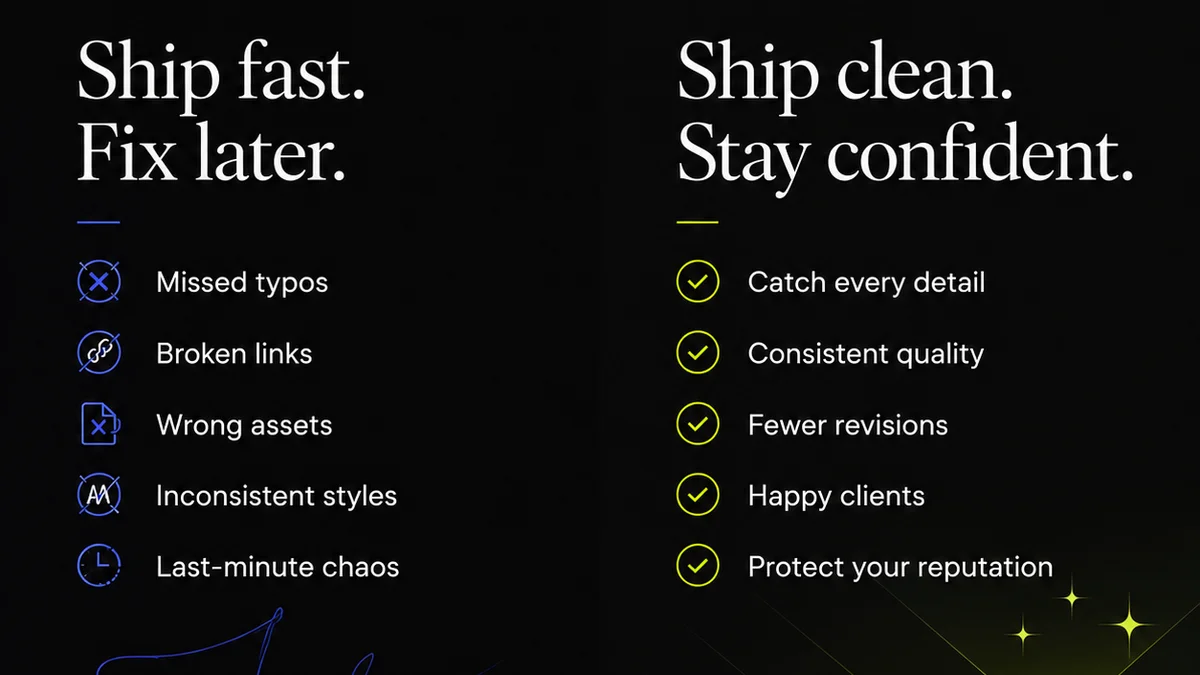
Efficiency isn't just about speed; it's also about quality. A team that rushes through work only to produce subpar results isn't efficient. They’re just fast at making mistakes.
Internal quality assurance (QA) is often an afterthought, squeezed in at the last minute. This leads to:
- Missed errors (typos, broken links, design inconsistencies).
- Last-minute fixes that cause further delays.
- Client dissatisfaction due to overlooked details.
Building QA into the Workflow
True efficiency means integrating QA as a standard part of the workflow, not a frantic add-on. This involves:
- Creating checklists for common quality checks relevant to your work (e.g., accessibility standards, brand guideline adherence, technical specs).
- Assigning clear responsibility for QA checks at different stages.
- Using tools that facilitate detailed annotation and issue tracking for QA notes.
When QA is proactive and systematic, you catch errors early, reduce costly rework, and deliver polished final assets. It’s a critical component of operational excellence.
Final Thought
Are you optimizing for the *appearance* of efficiency with more tools and buzzwords, or are you genuinely streamlining the core operational processes that impact your team’s output and your bottom line? The distinction is crucial.
Real efficiency comes from a deep understanding of your workflow's friction points and a commitment to solving them with integrated, practical solutions, not just more software.
Frequently asked questions
What is the biggest mistake agencies make when trying to improve efficiency?
The biggest mistake is adding more tools without addressing the core operational friction. This often leads to fragmentation, increased complexity, and wasted time managing the tools themselves, rather than doing the actual creative work.
How can I make client feedback more efficient?
Structure your feedback process. Use tools that allow for contextual, on-asset annotations. Require clear, actionable notes from clients. Centralize all feedback so it’s easily accessible and trackable, reducing ambiguity and misinterpretation.
What are the key benefits of streamlining creative approvals?
Streamlining approvals reduces project delays, minimizes resource tying, and improves cash flow. It provides transparency, ensures accountability, and automates reminders, preventing bottlenecks and keeping projects on schedule.
How does version control impact creative team efficiency?
Poor version control leads to confusion, wasted effort on outdated files, and difficulty tracking changes. Robust version control ensures everyone works on the latest approved iteration, provides a clear history, and prevents costly rework, making revisions productive.