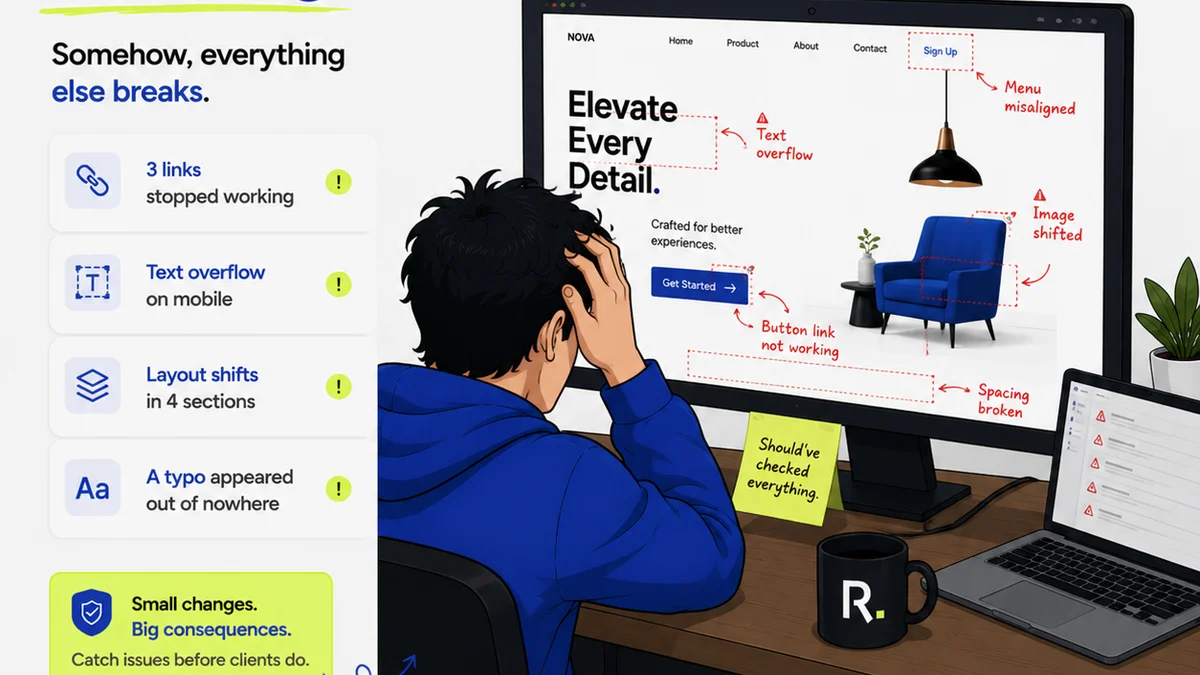
Everyone agrees that clear, actionable feedback is the lifeblood of great design. Especially for enterprise teams, where stakes are high and collaboration spans departments and geographies.
You’d think with more eyes on the prize, design reviews would be more effective. More input, more perspectives, better outcomes. Right?
None of that is wrong. But it’s incomplete.
The Hard Truth About Enterprise Design Reviews
The real problem isn't a lack of feedback. It’s a chaotic deluge of it. In enterprise settings, design reviews often become a bottleneck, not a bridge. They’re slow, inefficient, and frequently lead to confusion, scope creep, and diluted creative vision.
This isn't about blaming individuals. It's about acknowledging that unstructured, unmanaged review processes break down under complexity.
1. Ditch the 'Big Bang' Review
The traditional approach: work in a silo for weeks, then dump a massive deliverable on stakeholders for a single, high-stakes review meeting.
This is a recipe for disaster.
Why it fails:
- Information Overload: Stakeholders can’t possibly absorb and critique weeks of work in one sitting.
- Late-Stage Discoveries: Fundamental issues are found too late, forcing costly rework.
- Decision Paralysis: Too many opinions flood in at once, making it impossible to prioritize.
- Missed Opportunities: Early, critical feedback that could have steered the design is lost.
Instead, adopt an iterative review process.
What to do instead:
- Frequent, Smaller Reviews: Break down the project into smaller milestones or components. Review these granularly.
- Targeted Audiences: Not everyone needs to see everything. Tailor reviews to the specific expertise or decision-making authority of the attendees.
- Asynchronous Feedback: Leverage tools that allow stakeholders to review and comment on their own time, reducing meeting fatigue.
This ensures feedback is timely, relevant, and manageable.
2. Define Clear Roles and Responsibilities
Who is actually responsible for giving feedback? Who makes the final decision?
In enterprise environments, this is often a murky area.
You get conflicting feedback from different departments, or decisions made by people who weren’t involved in the early stages.
Symptoms of unclear roles:
- Endless back-and-forth emails trying to decipher who owns what.
- Decisions being overturned by a higher-up who wasn't in the review.
- Team members working on feedback that isn’t a priority.
Establish a clear RACI matrix (Responsible, Accountable, Consulted, Informed) for each design deliverable.
Key roles to define:
- Primary Stakeholder/Decision Maker: The one person with the final say.
- Subject Matter Experts (SMEs): Those providing crucial domain-specific input (e.g., legal, accessibility, engineering).
- Reviewers: Those providing general feedback or validation.
- Core Design Team: Those responsible for implementing feedback.
Documenting this upfront prevents confusion and ensures the right people are providing the right input at the right time.
3. Standardize Your Feedback Process
Ad hoc feedback is the enemy of efficiency.
When feedback is scattered across emails, Slack messages, meeting notes, and sticky notes, it’s impossible to track, prioritize, and implement.
This leads to lost feedback and duplicated effort.
A standardized process means:
- Consistent Format: Everyone knows how to give feedback and where to put it.
- Centralized Location: All feedback lives in one place.
- Actionable Structure: Feedback is categorized and prioritized.
Implement structured feedback templates.
For example, a template might ask reviewers to consider:
- Alignment with Objectives: Does this meet the project goals?
- User Experience: Is it intuitive and easy to use?
- Technical Feasibility: Is it implementable within constraints?
- Brand Consistency: Does it align with our brand guidelines?
- Accessibility: Does it meet WCAG standards?
This forces reviewers to think critically and provide structured input, making it far easier for the design team to process.
4. Master the Art of the Review Meeting
If you’re still holding lengthy, unstructured design review meetings, stop.
These meetings are often dominated by a few voices, devolve into tangential discussions, and end with a list of vague action items.
The goal of a review meeting should be:
- To clarify understanding.
- To resolve critical blockers.
- To confirm next steps.
It is NOT the place to generate new ideas or debate minor aesthetic points that could be handled asynchronously.
Before the meeting:
- Distribute materials well in advance.
- Share a clear agenda with specific questions to be addressed.
- Require pre-submitted feedback where possible.
During the meeting:
- Assign a dedicated facilitator to keep the discussion on track.
- Assign a dedicated note-taker to capture decisions and action items.
- Stick to the agenda. Park off-topic discussions for later.
- Focus on decisions, not just opinions.
After the meeting:
- Distribute concise meeting notes and action items immediately.
Respecting everyone's time means making meetings productive and focused.
5. Embrace Visual Annotation Tools
Trying to describe a specific UI element or layout issue in a text-based comment is like trying to describe a color to someone who’s never seen it.
It’s inefficient and prone to misinterpretation.
Visual annotation tools allow reviewers to pinpoint exact areas of a design and provide context-specific feedback.
Benefits:
- Precision: Comments are attached directly to the element being discussed.
- Clarity: Reduces ambiguity by showing exactly what the feedback refers to.
- Speed: Faster for reviewers to provide detailed input.
Tools like Figma, Adobe XD, or even dedicated review platforms allow for this kind of precise feedback. This is crucial for enterprise projects with complex interfaces and detailed specifications.
6. Integrate Quality Assurance Early and Often
Quality assurance (QA) in design often happens as an afterthought, usually right before launch.
This is a mistake.
By the time QA gets involved, the design is largely locked. Catching issues then is expensive and disruptive.
Shift QA left.
What this means:
- Design QA integrated into reviews: Ensure accessibility checks, brand compliance, and usability heuristics are part of every review cycle, not just the final one.
- Automated checks where possible: For consistency, spelling, and basic accessibility, leverage automated tools.
- Dedicated QA roles: Have QA professionals involved from the project’s inception.
Making QA a continuous process, rather than a final gate, saves significant time and resources down the line.
Where Revue Fits In
Managing feedback across large enterprise teams, multiple projects, and various stakeholders is a monumental task. Standardizing processes, tracking feedback, and ensuring clarity requires robust tools.
Revue offers a centralized platform designed to streamline these exact challenges.
It provides a single source of truth for all feedback, revisions, and approvals. This means:
- Centralized Feedback: All comments, annotations, and discussions are housed in one place, linked to specific design versions. No more hunting through emails or Slack channels.
- Revision History & Approval Workflows: Easily track the evolution of a design and manage the formal approval process, ensuring accountability and visibility.
- Quality Check Integration: Build checklists and ensure key quality criteria are met at each stage, providing a structured way to conduct design QA before final sign-off.
By bringing order to the chaos of design feedback, Revue helps enterprise teams move faster, make better decisions, and deliver higher-quality work.
Final Thought
Enterprise design review is not inherently broken. It's a symptom of complexity that hasn't been adequately managed.
Are your design reviews a bottleneck, or a catalyst for innovation? The answer lies in how systematically you manage feedback.
Frequently asked questions
What is the biggest challenge in enterprise design reviews?
The biggest challenge is often not a lack of feedback, but a chaotic deluge of it. Unstructured, unmanaged review processes lead to confusion, scope creep, and diluted creative vision, making reviews inefficient and slow.
How can I make design reviews more efficient?
Adopt an iterative review process with frequent, smaller reviews. Target feedback to specific stakeholders, and leverage asynchronous feedback tools. Standardize your feedback templates and focus review meetings on decisions, not just opinions.
Why is a 'Big Bang' review approach problematic for enterprise teams?
The 'Big Bang' approach, where work is reviewed all at once after a long development period, leads to information overload, late-stage discoveries that require costly rework, decision paralysis, and missed opportunities for early, critical input.
What role do visual annotation tools play in design review?
Visual annotation tools allow reviewers to pinpoint specific areas of a design and provide context-specific feedback. This precision reduces ambiguity, speeds up the review process, and ensures feedback is clearly understood by the design team.
How can I integrate Quality Assurance (QA) into the design review process?
Shift QA left by integrating it into every review cycle, not just at the end. Ensure design QA checks for accessibility, brand compliance, and usability are part of the process from the start. Use automated checks where possible and involve QA professionals early.