Design review meetings are often seen as essential. A necessary evil, perhaps. You gather the stakeholders, you present the work, you collect feedback. Everyone feels heard. The project moves forward.
None of that is wrong. But it’s incomplete.
The hard truth? Most design review meetings are a colossal waste of time. They’re inefficient, unfocused, and often generate more confusion than clarity. The real cost isn't just the hour spent in the room; it's the ripple effect of miscommunication, rework, and delayed decisions that follows.
1. Define the Real Goal
What is the actual purpose of this meeting? Is it to present a nearly final design for approval? Or is it to brainstorm early concepts? Are you seeking strategic alignment on a new campaign, or tactical feedback on button placement? Too often, meetings try to be all things to all people, and end up being nothing to anyone.
Clarify Meeting Objectives Upfront
Before you even schedule the meeting, nail down the objective. Is it:
- For Go/No-Go Decisions: If so, who has the final say? What criteria are we using to decide?
- For Broad Feedback: If so, what *kind* of feedback? Strategic direction? Tone? Messaging?
- For Detailed Critique: If so, are we talking about usability, accessibility, or visual polish?
- For Stakeholder Alignment: If so, what are the key talking points to ensure everyone is on the same page?
If you can’t articulate the specific goal in a single sentence, you don’t have a clear objective.
Communicate the Objective
Make the meeting's purpose clear to all attendees *before* they walk into the room. Put it in the meeting invite. State it at the very beginning of the meeting. This sets expectations and helps participants prepare relevant input.
2. Curate the Guest List
Who absolutely *needs* to be in the room? Think critically. Does the junior account manager need to weigh in on the kerning? Does the CEO need to be present for a detailed discussion on the user flow of a minor feature?
Every extra person adds complexity and potential for distraction. It dilutes the focus and increases the chance of conflicting opinions from people who aren't directly responsible for the outcome.
Identify Decision-Makers and Key Contributors
Focus on including:
- The primary decision-maker(s).
- Individuals whose expertise is directly required for the objective.
- Representatives who can speak for key stakeholder groups.
The Role of Observers
If someone needs to be informed but doesn't need to contribute actively, they can be observers. Consider recording the meeting or sending a concise summary afterward. This respects everyone's time.
3. Structure for Success
A well-structured meeting is a well-run meeting. This means having a clear agenda, allocating time realistically, and defining how feedback will be collected.
The Power of a Pre-Written Agenda
Don't wing it. A good agenda includes:
- Meeting objective (reiterated).
- Key topics to be discussed, in order.
- Time allocated for each topic.
- Who is leading each discussion point.
- The desired outcome for each topic.
Send this agenda out in advance. It gives attendees time to prepare their thoughts.
Timeboxing is Your Friend
Assign a strict time limit to each agenda item. If a discussion runs over, make a note to follow up offline or in a separate meeting. Don't let one thorny issue derail the entire session.
Feedback Mechanisms
How will feedback be captured? Will it be verbal? Will someone be taking notes? Is there a specific template or tool to use? Clarity here prevents valuable input from getting lost.
4. Prepare and Present Effectively
The work itself needs to be presented in a way that facilitates clear feedback. This means context is king.
Provide Necessary Context
Don't just show a screenshot. Remind attendees:
- What problem are we solving?
- Who is the target audience?
- What are the key objectives for this specific piece of work?
- What stage is the work in? (e.g., concept, wireframe, high-fidelity mockup, final asset)
- What specific decisions need to be made in *this* meeting?
This grounding information ensures everyone is looking at the work through the same lens.
Show, Don't Just Tell
Use prototypes or interactive mockups where possible. Seeing the design in action is far more revealing than static images. Tools like Figma allow for easy prototyping and annotation.
Guide the Conversation
As the presenter, your job is to facilitate the discussion, not just to present. Steer the conversation back to the objective. Ask clarifying questions. Ensure that feedback is constructive and actionable.
5. Capture and Action Feedback
A meeting that ends without clear action items is a failed meeting. The feedback collected needs to be documented and assigned.
Dedicated Note-Taker
Assign one person to capture notes. This person should focus on recording decisions, key feedback points, and assigned action items. They shouldn't be the primary presenter or facilitator.
Actionable Output
At the end of the meeting, summarize the key decisions and action items. For each action item:
- What needs to be done?
- Who is responsible?
- By when?
This ensures accountability and that the work actually progresses.
Where Revue Fits In
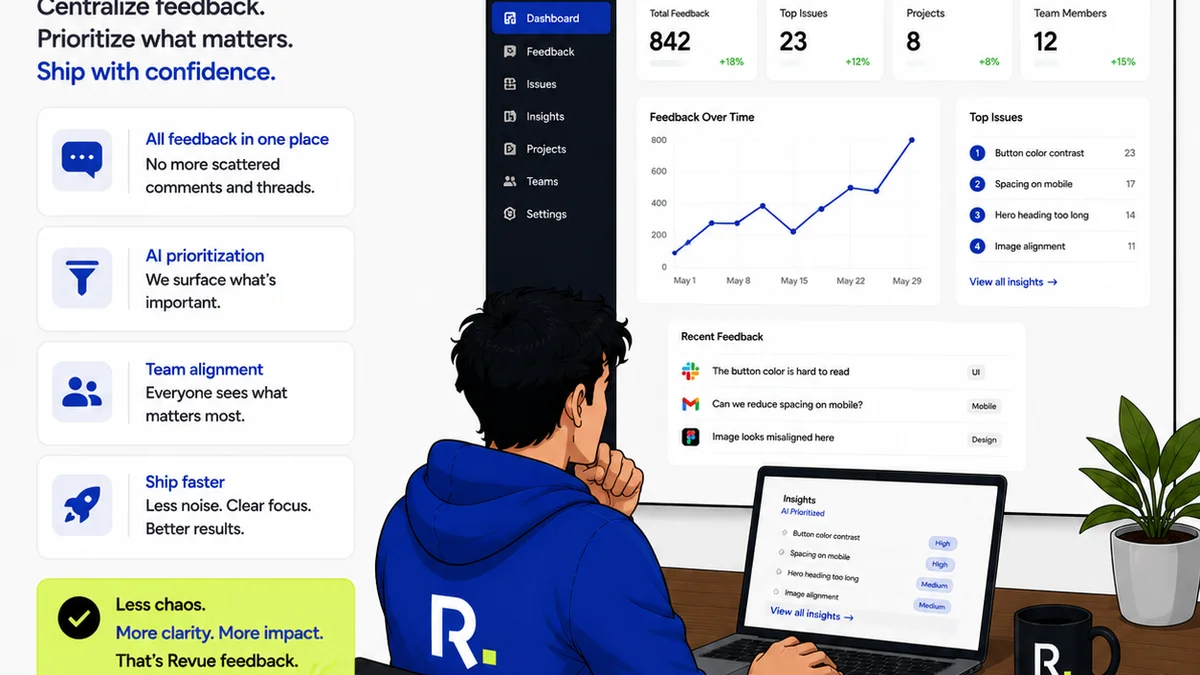
Managing feedback and revisions is the core challenge that inefficient design review meetings often try (and fail) to solve. Revue is built precisely to address this operational friction.
Instead of relying on scattered emails, chat messages, or lengthy meeting recaps, Revue centralizes all client feedback directly on the creative assets themselves. Stakeholders can leave comments, mark up designs, and provide clear, contextual feedback without ambiguity.
This means:
- Clearer Feedback: Comments are tied directly to specific elements of the design, reducing misinterpretation.
- Streamlined Revisions: Designers can see all feedback in one place, prioritize tasks, and track progress through revision cycles.
- Visible Approvals: Stakeholders can formally approve or reject versions, creating an auditable trail and eliminating the
Frequently asked questions
What's the biggest mistake agencies make in design review meetings?
The biggest mistake is not defining a clear objective for the meeting. Without a specific goal—like final approval, strategic alignment, or detailed critique—meetings tend to become unfocused, lengthy, and unproductive, leading to wasted time and unclear next steps.
How can I ensure feedback is actionable?
Actionable feedback is specific, constructive, and tied to project goals. Encourage attendees to explain the 'why' behind their suggestions. Use a structured approach, like providing comments directly on the design asset with clear context, and always end meetings by summarizing who will do what by when.
Who should be invited to a design review meeting?
Invite only essential stakeholders: primary decision-makers, individuals whose expertise is critical to the feedback needed, and representatives for key stakeholder groups. Avoid inviting unnecessary attendees, as this can dilute focus and introduce conflicting opinions.
How can technology help improve design review meetings?
Tools like Revue centralize feedback directly on creative assets, eliminating scattered communication. This provides context, streamlines revisions, and creates a clear audit trail for approvals, making the entire review process more efficient and transparent.