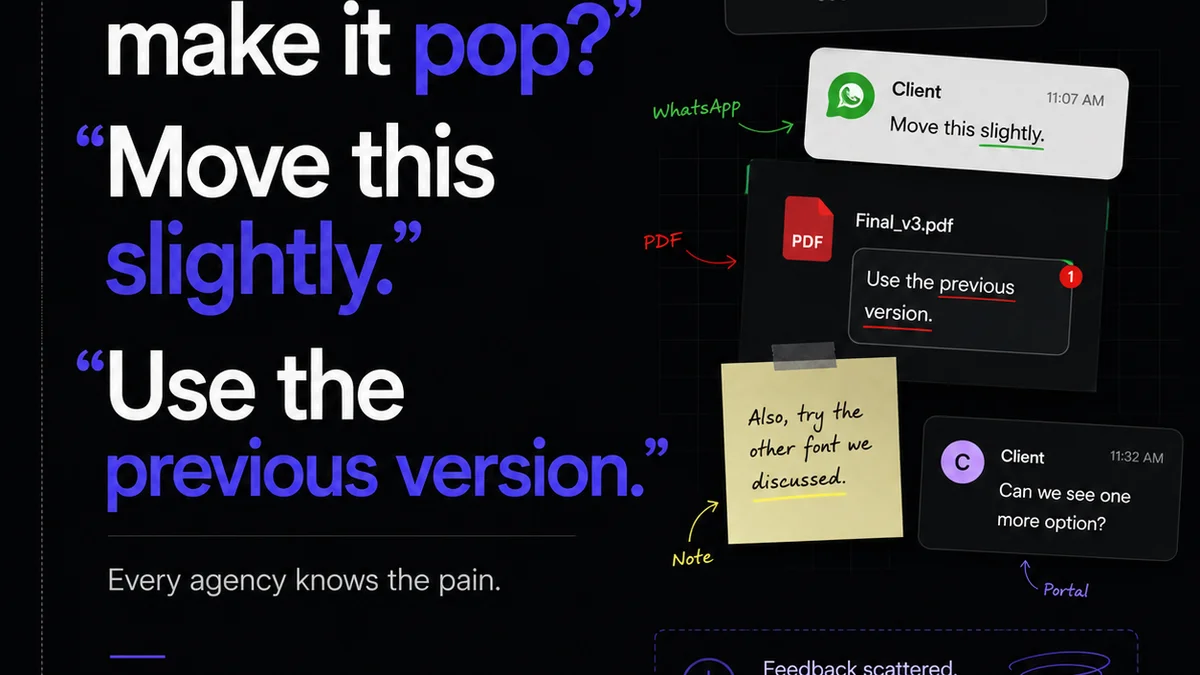
Everyone thinks design review tools are about making pretty pictures. They’re for stakeholders to drop comments and for designers to make tweaks. It’s a necessary evil, a digital sticky note system.
None of that is wrong. But it’s incomplete.
The hard truth? Your design review tool is not a passive archive. It’s the central nervous system for your creative output. How you use it dictates the speed, quality, and profitability of your agency or in-house team.
1. The Feedback Black Hole: Why Comments Go to Die
Ever feel like feedback disappears into a void? That's a common symptom of poor review tool usage. Assumptions about how feedback is handled often lead to chaos.
Assumption: “Just dump all the feedback in the tool, and the designer will figure it out.”
Hard Truth: Without structure, feedback becomes noise. Ambiguous comments, conflicting opinions, and endless back-and-forth kill productivity. This isn't just annoying; it directly impacts project timelines and client satisfaction.
The Symptoms of Feedback Paralysis
- Endless email chains asking for clarification on comments.
- Designers redoing work based on unclear or conflicting feedback.
- Clients frustrated because they don't see changes they thought they requested.
- Key stakeholders missing crucial feedback because it’s buried.
- The dreaded “scope creep” disguised as “minor revisions.”
Your tool should illuminate, not obfuscate. It needs to be a clear conduit, not a dark room.
2. Beyond Comments: The Power of Contextualization
Most teams treat design review tools like a simple annotation layer. Click, type, done. This misses the core functionality that drives real efficiency.
Assumption: “As long as the comment is on the screen, it’s understood.”
Hard Truth: A comment without context is a guess. A guess requires interpretation, and interpretation is where errors creep in. The tool needs to provide more than just a point on a screen.
What Context Really Means
- Version Control: Clearly showing which version of the design the feedback applies to. No more “Wait, which mockup are we talking about?”
- Status Tracking: Tagging comments as ‘Needs Action,’ ‘Resolved,’ ‘Clarification Needed,’ or ‘For Discussion.’
- Assignees: Directly assigning feedback to a specific team member (designer, copywriter, project manager).
- Linking Related Assets: Connecting feedback on a button to the design system component documentation or a specific user story.
- Decision Logs: A clear record of *why* a decision was made, not just *what* the decision was.
When context is baked in, the review process transforms from a guessing game into a guided workflow. Designers know exactly what’s required, and clients can see the evolution of their project with clarity.
3. The Approval Bottleneck: Streamlining Sign-offs
Approvals. The moment of truth. Too often, this becomes a chokepoint, delaying launches and frustrating everyone involved.
Assumption: “The final sign-off is just another click in the tool.”
Hard Truth: A weak approval process is a ticking time bomb. Without clear, verifiable sign-offs, projects can be reopened weeks or months later, leading to costly rework and damaged client relationships.
Breaking Down the Bottleneck
- Defined Approval Stages: Clearly delineating between preliminary reviews, client approvals, and final sign-offs.
- Automated Notifications: Alerting the right people when an item is ready for their approval.
- Clear Approval Status: A visual indicator showing who has approved, who is pending, and if anything is rejected.
- Version Locking: Once a final approval is given, that version is locked, preventing accidental changes and providing an audit trail.
- Centralized Record: All approvals are logged within the tool, creating an irrefutable record of client acceptance.
A robust approval system isn't just about saying “yes.” It’s about creating a clear, auditable path from concept to completion, protecting your team and your clients.
4. Quality Control: The Unsung Hero of Design Tools
Most teams think of quality control as a final check before launch. It’s often an afterthought, a quick scan.
Assumption: “The designer’s eye is enough to catch all quality issues.”
Hard Truth: Human error is inevitable. Without a systematic approach to quality assurance integrated into your review tools, you’re leaving your projects vulnerable to bugs, inconsistencies, and brand guideline violations.
Integrating QA into the Workflow
- Checklists for Reviewers: Standardized checklists for clients and internal teams to ensure all critical aspects are reviewed (e.g., accessibility, brand consistency, functionality).
- Automated Checks (where possible): Integrating tools that can flag contrast issues, broken links, or outdated components.
- Designer-Led QA: Empowering designers to conduct their own internal QA within the tool before submitting for client review.
- Cross-Browser/Device Testing Flags: Allowing reviewers to specifically flag issues related to different platforms.
- Accessibility Annotations: Tools that help designers and reviewers identify and address potential WCAG compliance issues.
Quality isn't a phase; it's a continuous process. Your review tool should support this, not hinder it.
Where Revue Fits In
Managing feedback, revisions, and approvals across multiple projects, clients, and team members can quickly become overwhelming. This is precisely where a tool like Revue becomes essential.
Revue isn't just another place to drop comments. It’s built to centralize client feedback, providing a single source of truth that eliminates the chaos of scattered communication. Imagine all your feedback, version history, and approval statuses clearly organized, accessible, and actionable.
Our platform is designed to streamline the entire review and approval cycle. By centralizing feedback, you ensure that every comment is seen, understood, and tracked. Revision visibility is built-in, so you always know what’s changed and why. And robust approval workflows provide that crucial, auditable sign-off, protecting your team from scope creep and costly rework.
Ultimately, Revue empowers your team to move faster, with greater clarity and confidence, turning your design review process from a bottleneck into a competitive advantage.
Final Thought
Are your design review tools merely digital filing cabinets for comments, or are they actively driving the quality and speed of your creative output?
The difference isn't just about aesthetics. It’s about the operational efficiency that fuels your agency's success.
Frequently asked questions
What is the biggest mistake teams make with design review tools?
The biggest mistake is treating them as passive archives for comments. They are active workflow engines. Failing to structure feedback, provide context, and manage approvals diligently turns them into a source of confusion and delay, rather than clarity and efficiency.
How can I make client feedback clearer?
Encourage clients to use specific language, assign statuses to feedback (e.g., 'Needs Action,' 'For Discussion'), and ensure all feedback is tied to a specific version of the design. Tools that allow for direct annotation and clear version history are crucial.
What’s the difference between a review and an approval?
A review is an opportunity to provide feedback and suggest changes. An approval is a formal sign-off, indicating acceptance of a specific version of the work. Clear stages and verifiable records are key to distinguishing them.
How can design review tools help with quality control?
By integrating checklists, enabling automated checks for common issues (like contrast ratios), and providing a clear audit trail for QA steps, design review tools can systematically embed quality assurance into the creative process, reducing errors before launch.