Everyone agrees that good feedback is crucial for designers. Clients need to guide the creative process, and designers need clear direction to execute it. That’s the common wisdom, anyway.
But if everyone agrees, why is feedback so often terrible? Why do designers spend hours on revisions that miss the mark entirely? Why do clients feel like they’re not being heard? It’s not just about being polite or specific. There’s a deeper operational problem at play.
The Hard Truth About Creative Feedback
The real problem isn’t just the *quality* of the feedback; it’s the *process* it flows through. Think about it: feedback often bounces around in email chains, Slack messages, or even verbal conversations that are never documented. This creates a fragmented, opaque system where context gets lost, priorities shift, and accountability blurs.
This chaos isn’t just frustrating. It actively harms the design process. It leads to:
- Endless, unproductive revision cycles.
- Misunderstandings that waste valuable time and resources.
- Demotivated designers who feel their work is never “right.”
- Clients who grow impatient and lose faith in the agency’s ability.
- Final deliverables that don’t quite hit the strategic mark.
The assumption is that good feedback is a personal skill. The truth is that effective creative feedback is a systemic problem that requires a robust process.
1. Define Feedback Goals Upfront
Before a single pixel is shown, everyone needs to agree on what success looks like. This isn’t just about the final aesthetic; it’s about the strategic objectives the design needs to achieve.
Clarify the Brief
A well-defined creative brief is the bedrock of good feedback. If the brief is vague, the feedback will be too. Ensure it includes:
- Clear project objectives and KPIs.
- Target audience insights.
- Key messaging and calls to action.
- Brand guidelines and technical constraints.
This document is your north star. Refer to it constantly.
Establish Decision-Making Roles
Who has the final say? Is it the marketing manager? The CEO? A client stakeholder committee? Ambiguity here breeds conflicting feedback and delays.
Clearly identify:
- Primary decision-maker(s).
- Key stakeholders who must be consulted.
- Anyone providing input but not final approval.
This prevents bottlenecks and ensures feedback comes from the right source.
2. Structure Feedback Channels
Where does feedback live? If it’s scattered across a dozen different platforms, you’re fighting an uphill battle. Centralization is key.
The Peril of Email and Chat
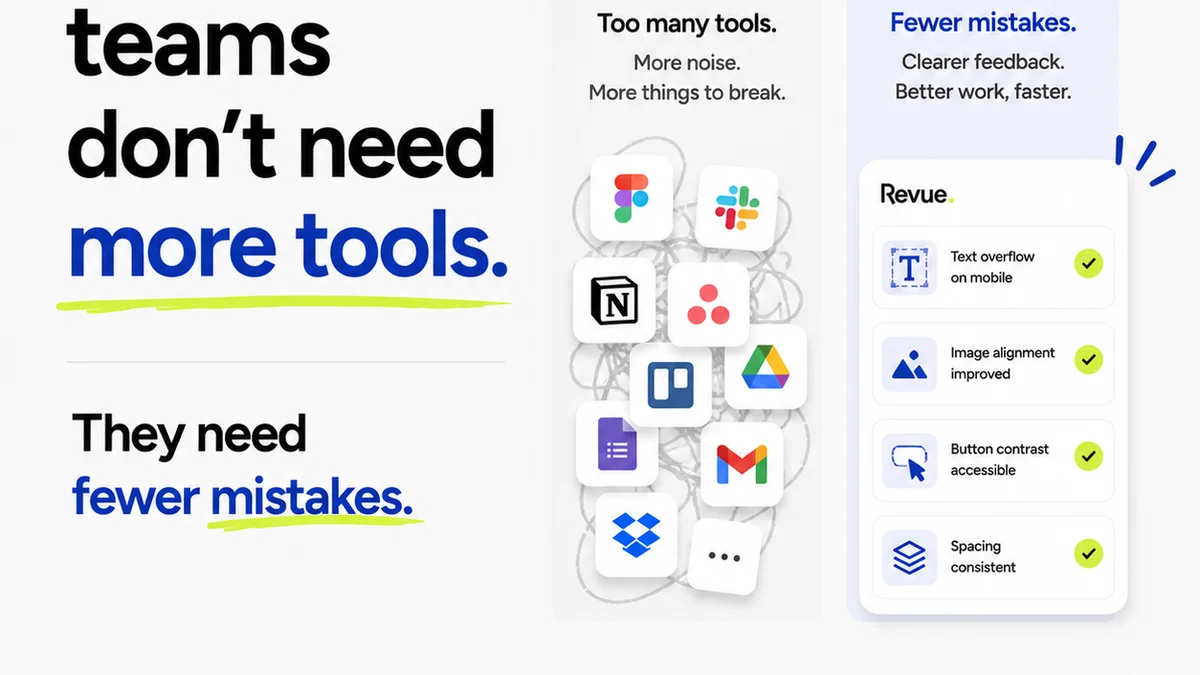
Email threads become labyrinths. Slack channels devolve into noise. Trying to track feedback across these can feel like detective work.
You’ll see comments like:
- “Love the direction, but make the logo bigger.”
- “Can we try a different blue?”
- “This needs more pop.”
What does “bigger” mean? Which blue? What does “pop” signify in this context?
The Power of a Single Source of Truth
Designers need a dedicated place to receive and manage feedback. This platform should allow for:
- Visual annotations directly on the design.
- Clear version control for revisions.
- Organized comment threads tied to specific elements.
- Status tracking for feedback and revisions.
This structured approach eliminates ambiguity and ensures every comment is contextualized.
3. Train Your Stakeholders
Clients and internal stakeholders often don’t know how to give effective design feedback. They’re experts in their field, not necessarily in creative critique. You need to guide them.
From Subjective to Objective
Help them move beyond personal taste. Encourage feedback tied to the project goals and the brief.
Instead of:
- “I don’t like this font.”
Guide them to:
- “This font feels a bit too casual for our target audience’s perception of professionalism. Could we explore options that align more with a corporate feel?”
This requires empathy and clear explanation, not judgment.
Focus on the “What” and “Why,” Not the “How”
Clients shouldn’t dictate the exact solution (e.g., “Make this button red”). They should articulate the problem or goal (e.g., “This button needs to be more prominent to drive sign-ups”).
A good prompt for stakeholders:
- “What business objective does this element support?”
- “Who is this design intended to influence?”
- “What action do we want them to take?”
- “Where is the current design falling short of that goal?”
This empowers them to provide strategic input without micromanaging the creative execution.
4. Implement a Feedback Review Process
Even with structured channels and trained stakeholders, a formal review step is critical. This is where feedback is consolidated, prioritized, and clarified.
Consolidate and Synthesize
Gather all feedback from the designated channel. Don't just forward raw comments. Group similar points, identify conflicting feedback, and flag subjective vs. objective critiques.
Prioritize and Plan
Not all feedback is created equal. Work with the primary decision-maker to prioritize revisions based on:
- Alignment with project goals.
- Impact on user experience or conversion.
- Technical feasibility.
- Time and budget constraints.
This ensures the design team focuses on the most impactful changes.
Clarify Ambiguities
If feedback is unclear, schedule a brief sync-up. Direct conversation can resolve confusion faster than back-and-forth messages. Document the agreed-upon clarifications.
5. Leverage Technology for Clarity
Manual processes for feedback and revisions are inefficient and error-prone. Modern tools can streamline this significantly.
Centralized Platforms
Tools like Revue (shameless plug, but true) are built for this. They offer:
- A single dashboard for all creative projects.
- Version tracking to see how designs evolve.
- Clear audit trails of feedback and approvals.
- Streamlined communication around specific design elements.
This eliminates the need to hunt for comments across emails, chats, and cloud storage links.
Visual Annotation Tools
Being able to click directly on an element and leave a comment is game-changing. It removes guesswork and ensures feedback is precise.
Think about the difference:
- Vague: “Change the spacing here.”
- Precise: (Clicking on the space between two lines of text) “Increase the leading between these lines by 2pt to improve readability.”
This level of detail is only possible with the right tools.
Where Revue Fits In
The core challenge of improving design feedback is managing complexity and ensuring clarity. This is precisely where Revue excels.
By centralizing client feedback, managing revisions, and providing visibility into the approval process, Revue transforms a chaotic, email-driven workflow into a streamlined, accountable system.
- Centralized Feedback: All comments live in one place, attached to specific design versions. No more lost feedback in overflowing inboxes.
- Revision Management: Easily track iterations, compare versions, and ensure designers are working on the latest approved direction.
- Approval Visibility: Clear status indicators and audit trails show who has reviewed, commented, and approved, reducing confusion and speeding up sign-offs.
- Quality Checks: A structured process inherently supports better quality control, ensuring feedback aligns with strategic goals before it reaches the final stage.
This isn't about replacing human judgment; it's about empowering it with a process that eliminates friction and amplifies clarity.
Final Thought
Is your current feedback process a catalyst for great creative work, or is it an accidental roadblock? The difference often lies not in the talent of your designers or the clarity of your clients, but in the operational rigor of your review system. Investing in a structured process and the right tools isn't just about efficiency; it's about unlocking better creative outcomes.
Frequently asked questions
What is the biggest mistake teams make with design feedback?
The biggest mistake is treating feedback as purely a communication issue, rather than a process problem. Feedback often gets lost, misinterpreted, or conflicting due to scattered communication channels (email, chat) and a lack of clear decision-making structure, rather than a lack of trying to be clear.
How can I make feedback more objective?
Train stakeholders to tie feedback directly to the project's strategic goals and the creative brief, rather than personal preferences. Encourage them to explain the 'why' behind their suggestions, focusing on business objectives or user needs, rather than dictating specific design solutions.
What's the role of technology in improving design feedback?
Technology, like centralized feedback platforms with visual annotation tools, plays a crucial role in providing context and clarity. It allows for precise comments on specific design elements, tracks versions, and creates an audit trail, reducing ambiguity and the potential for misinterpretation inherent in verbal or scattered text feedback.
How do I handle conflicting feedback from different stakeholders?
Establish clear roles and a primary decision-maker upfront. When conflicting feedback arises, consolidate it, identify the core issues, and facilitate a discussion with the key stakeholders and the primary decision-maker to prioritize revisions based on project goals and impact.