Everyone agrees that print quality assurance (QA) is essential. You need to catch errors before the client sees them, before the ink hits the paper, and before your agency’s reputation takes a hit. That’s the common wisdom.
None of that is wrong. But it’s incomplete.
The hard truth is that most print QA processes are reactive, inefficient, and fundamentally flawed. They treat QA as a final hurdle rather than an integrated part of the creative workflow. This approach leads to missed errors, wasted time, and unnecessary costs.
1. The Illusion of the Final Check
Many teams operate under the assumption that a dedicated QA step at the very end of the process is sufficient. Someone, usually a project manager or a junior designer, is handed a PDF or a print-ready file and told, “Give this a once-over.”
This is a recipe for disaster. By the time a file reaches this “final check,” the creative team has moved on. The client expects a polished deliverable. The printer is waiting. Any significant issues discovered now trigger a cascade of delays and added expenses.
Consider the typical scenario:
- A designer hands off a brochure.
- The PM checks for typos and image resolution.
- A major layout shift is required due to a subtle branding inconsistency missed earlier.
- The designer has to rework it, delaying the printer.
- The client is unhappy about the delay.
- The original QA check feels like a failure, not a process improvement.
This isn't effective print QA; it’s damage control.
2. Embedding QA into the Creative Workflow
True print QA isn’t a separate event; it’s a continuous process woven into every stage of production. It starts the moment a brief is received and continues through design, production, and even post-print analysis.
Think of it less as a gatekeeper and more as a quality compass, guiding the project toward the desired outcome. This means shifting responsibility and building quality checks into the daily habits of the team.
The Briefing Stage
Quality begins with clarity. A vague brief guarantees a quality problem down the line. Ensure:
- Clear, measurable objectives for the print piece.
- Defined brand guidelines are accessible and understood.
- Specific technical requirements (paper stock, finishing, bleed, color profiles) are documented upfront.
- Client expectations are realistic regarding print capabilities.
The Design Stage
Designers should be thinking about printability from the outset. This involves:
- Using correct color profiles (e.g., CMYK for print, not RGB).
- Ensuring proper bleed and trim margins are set up in design software like Adobe Illustrator or InDesign.
- Fact-checking all copy and data points as they are entered, not just at the end.
- Considering typography for legibility at intended print sizes.
- Preparing assets at the correct resolution for print.
Pre-Production Checks
Before a file goes to print, a series of granular checks are essential. These should be standardized and potentially automated where possible.
- File Structure: Is the file correctly named? Are all links and fonts included?
- Color: Are colors defined correctly (CMYK, spot colors)? Are there any out-of-gamut warnings?
- Typography: Are fonts properly outlined or embedded? Is text kerning and leading appropriate? Are there any widows or orphans?
- Imagery: Are all images at the correct resolution (typically 300 DPI at 100% size)? Are they in the correct color mode?
- Layout: Are bleeds and trim marks set correctly? Is there sufficient safety margin for critical content?
- Technical Specs: Does the file match the printer’s specifications (e.g., PDF/X standards)?
3. The Human Element: Training and Collaboration
Technology can help, but print QA is ultimately a human endeavor. Your team needs the right skills and the right mindset.
Training: Ensure your designers, production artists, and project managers understand the technical nuances of print production. This includes:
- Color theory and management for print.
- Understanding different paper stocks and their impact.
- Knowledge of finishing techniques (UV coating, embossing, die-cutting).
- The implications of different file formats and settings for printers.
Collaboration: Foster a culture where asking questions and seeking clarification is encouraged. If a designer is unsure about a print spec, they should feel empowered to ask the production manager or even the printer directly, rather than guessing.
This collaborative approach prevents assumptions and ensures everyone is aligned on quality standards.
4. Leveraging Technology for Efficiency
While human oversight is critical, technology can significantly streamline the print QA process.
Preflight Tools: Software like Adobe Acrobat Pro offers robust preflight capabilities to catch common errors automatically. Many professional design applications have built-in preflight checks.
Automated Proofing: Online proofing tools can automate aspects of review, flagging potential issues like color shifts or low-resolution images before they reach human eyes. However, these are not a substitute for expert review.
Checklists: Digital checklists, integrated into project management tools, ensure that critical steps are not missed. These should be dynamic, adapting to the complexity of the project.
Version Control: Clear version control prevents confusion about which file is the latest and approved version. This is crucial when multiple stakeholders are involved.
Where Revue Fits In
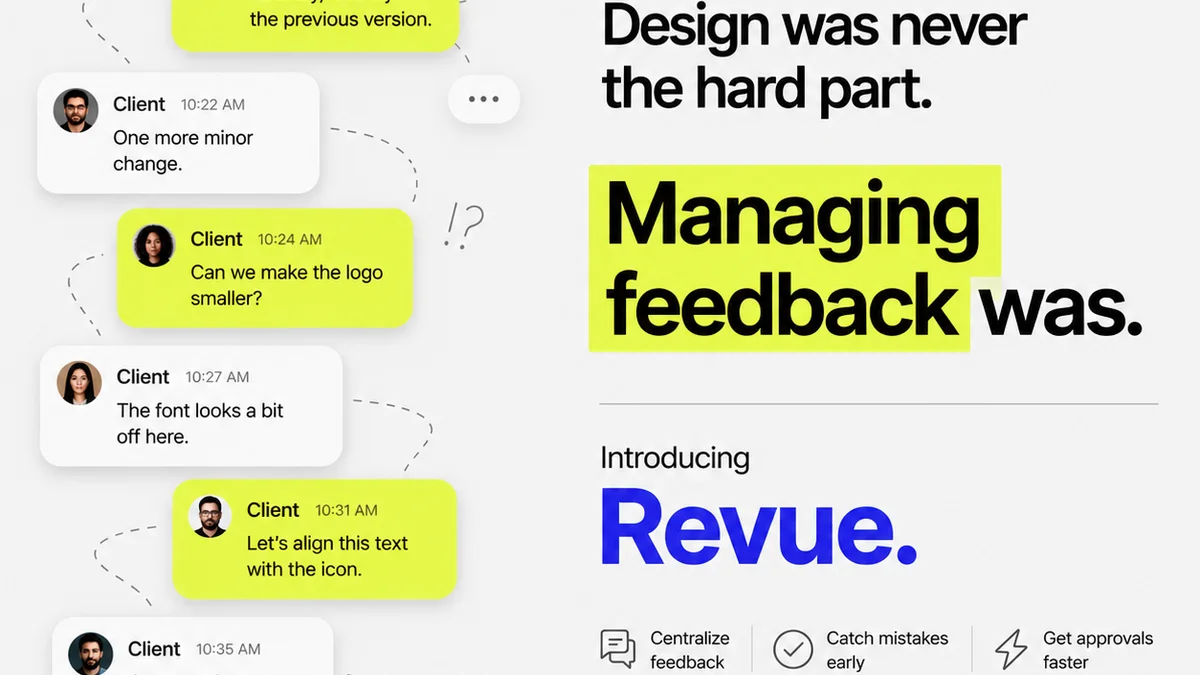
The challenges of print QA often stem from fragmented communication and a lack of centralized project visibility. This is precisely where a tool like Revue can make a difference.
By centralizing client feedback and managing revisions within a single platform, Revue ensures that all stakeholders are working from the same approved versions. This eliminates the guesswork and reduces the chance of errors creeping in due to outdated files.
Moreover, Revue provides a clear audit trail of all feedback, discussions, and approvals. This visibility is invaluable for:
- Tracking Revisions: Understanding the history of changes made to a design.
- Clarifying Feedback: Ensuring that feedback is specific, actionable, and understood by the design team.
- Final Approval: Having a definitive record of client sign-off, reducing disputes and ensuring accountability.
While Revue isn't a print-specific QA tool, it addresses the core workflow issues that often lead to print errors: poor communication, version confusion, and unclear approval processes. By bringing order to the feedback and revision cycle, it lays a stronger foundation for a successful print QA process.
5. Beyond the File: The Printer Relationship
Your printer is your partner in achieving high-quality print. A strong, communicative relationship is a vital part of your QA strategy.
Onboarding Printers: Don’t just get the cheapest quote. Vet your printers. Understand their capabilities, their preferred file formats, and their typical turnaround times.
Clear Communication: Provide printers with all necessary specifications and contact information. Encourage them to ask questions early and often. A quick call to clarify a bleeds issue is far better than a costly mistake.
Test Runs: For critical or complex jobs, consider requesting a small test run or a digital proof (like a high-quality inkjet proof) before the full print run. This allows for final color and quality checks in a physical format.
Post-Print Review: Once the job is delivered, review a sample of the printed pieces. This final check helps identify any issues that may have occurred during the printing or finishing process, providing valuable feedback for future jobs and for the printer.
6. The Cost of Poor Print QA
The consequences of neglecting print QA extend far beyond a single flawed print run. They erode client trust and damage your agency’s reputation.
Consider the ripple effect:
- Wasted Resources: Re-printing costs money and consumes valuable time that could be spent on billable work.
- Damaged Reputation: A client receiving a poorly printed piece will remember the error, not the effort.
- Lost Business: Poor quality can lead to clients seeking more reliable partners.
- Team Morale: Constantly firefighting errors and dealing with client complaints is demoralizing for your creative team.
Investing in a robust print QA process isn't an expense; it's an investment in efficiency, client satisfaction, and long-term business health.
Final Thought
Is your print QA process a frantic last-minute scramble, or a strategic, integrated part of your creative delivery? The difference isn't just about catching typos; it's about building a reputation for excellence, one perfectly printed piece at a time.
Frequently asked questions
What are the most common print QA mistakes?
Common mistakes include incorrect color modes (RGB instead of CMYK), insufficient bleed, low-resolution images, incorrect font handling, and typos or factual errors in copy. Many errors also stem from unclear briefs or a lack of understanding of print-specific technical requirements.
How can I ensure my team is prepared for print QA?
Provide ongoing training on print production best practices, color management, and file preparation. Foster a collaborative environment where team members feel comfortable asking questions and seeking clarification from colleagues or the printer. Standardized checklists can also guide the process.
When is the best time to do print QA?
Print QA should not be a single step at the end. It should be integrated throughout the workflow: during briefing, design, and pre-production. Continuous checks prevent larger issues from arising later, making the final review a confirmation rather than a discovery phase.
Can technology replace human print QA?
Technology, such as preflight tools and automated proofing software, can significantly streamline and enhance print QA by catching common technical errors. However, it cannot replace the critical judgment, contextual understanding, and nuanced review that an experienced human provides, especially for creative and brand consistency checks.