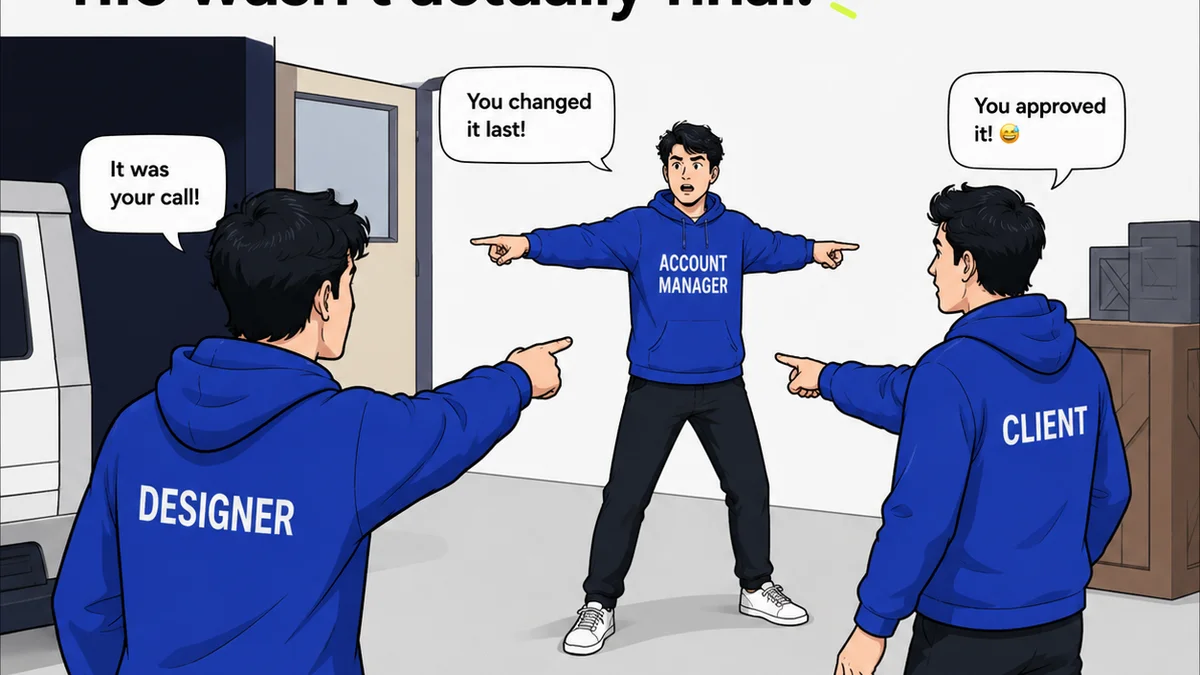
Most agencies think InDesign proofing software is just about sending a PDF and getting comments back. That’s not wrong. But it’s incomplete.
The hard truth? If your proofing process is a bottleneck, you’re not just slowing down approvals; you’re eroding client trust and killing your team’s morale. True proofing software needs to be more than a digital red pen. It needs to be a workflow engine.
1. Beyond Static PDFs: The Need for Dynamic Proofing
Static PDFs are the historical default for proofing. They’re familiar, easy to generate, and everyone knows how to open them. But they're fundamentally broken for complex creative workflows.
Think about it. A static PDF is a snapshot in time. It doesn’t inherently understand the project context. It doesn’t track revisions intelligently. It treats every comment as an isolated island of feedback.
The Limitations of Static Proofs
- Version control chaos: Which PDF is the latest? Which comments have been addressed?
- Lack of context: Where does this comment *really* belong in the original design?
- Inefficient communication: Endless email chains trying to clarify feedback on a static image.
- No audit trail: Difficulty tracking who approved what, and when.
This is where dedicated InDesign proofing software or platforms with robust InDesign integration shine. They move beyond static images to dynamic, interactive proofs.
2. Centralized Feedback: Taming the Wild Comment Beast
Feedback is the lifeblood of creative work, but it often comes from a dozen different sources, in a dozen different formats. Email, Slack messages, scribbled notes, even verbal instructions. It’s a mess.
Your proofing tool needs to be the single source of truth for all client feedback. No more hunting through inboxes or deciphering handwritten notes.
Key Features for Centralized Feedback
- Direct annotation on the proof: Comments linked to specific areas of the design.
- Multiple stakeholder input: All reviewers provide feedback in one place.
- Role-based permissions: Control who can see what and provide feedback.
- Consolidated review: A clear dashboard of all feedback, not scattered across channels.
This consolidation is crucial for managing client expectations and ensuring no feedback gets lost in the shuffle.
3. Version Control and Revision Tracking: Seeing the Evolution
Creative work is iterative. Clients rarely get it perfect on the first go. Your proofing process must reflect this reality.
Simply uploading a new PDF with changes is a recipe for disaster. How do you compare the current version to the previous one? How do you track which specific comments led to which specific changes?
What to Look For in Revision Management
- Side-by-side comparison: Easily view differences between versions.
- Overlay view: See new elements or changes highlighted on top of the previous version.
- Comment resolution tracking: Mark comments as addressed, resolved, or rejected, with clear reasons.
- Automated version numbering: Clear progression of project stages.
This clarity prevents confusion and ensures everyone is working from the most up-to-date information.
4. Streamlined Approvals: The Finish Line
Getting to a final sign-off should be a clear, unambiguous process. Too often, it’s a drawn-out negotiation clouded by unclear feedback and missed revisions.
Effective proofing software turns approvals into a defined step, not an open-ended discussion.
Making Approvals Count
- Clear approval status: A definitive 'Approved' or 'Rejected' button.
- Timestamped approvals: Know exactly when sign-off occurred.
- Email notifications: Alerting stakeholders of pending or completed approvals.
- History of approvals: An auditable log for project records.
This structured approach removes ambiguity and protects both the agency and the client.
5. Beyond Visuals: Handling Rich Media and Specific File Types
While InDesign is often about print or static digital layouts, creative projects can involve more. Videos, interactive PDFs, web pages, and more.
Your proofing tool should ideally handle a range of file types, not just static images or PDFs. This expands its utility across your entire creative output.
Supporting Diverse Assets
- Video proofing: Timestamped comments directly on video frames.
- Interactive element review: Testing clickable areas or dynamic content.
- Web page capture: Proofing live websites or staging environments.
- Support for various image formats: JPG, PNG, GIF, TIFF, PSD, AI.
A tool that grows with your agency’s needs is a significant advantage.
6. Where Revue Fits In
Managing client feedback, revisions, and approvals is precisely what Revue is built for. It’s not just a proofing tool; it’s a centralized hub for creative project communication.
Revue integrates seamlessly into your workflow, allowing you to upload your InDesign (or other creative assets) and get them in front of clients for feedback. Comments are logged, versions are tracked, and approvals are managed within a single, clear interface.
This eliminates the scattered, inefficient processes that plague so many creative agencies. You gain visibility, reduce back-and-forth, and ensure your team stays focused on creating great work, not chasing feedback.
Final Thought
Is your current proofing process a frictionless accelerator or a hidden drag on your agency’s profitability and reputation? Rethink your tools, and you might just find your next competitive edge.
Frequently asked questions
What is the difference between static and dynamic proofing?
Static proofing typically uses flat image files or PDFs where comments are added as annotations. Dynamic proofing, often found in specialized software, provides interactive elements, version tracking, and context-aware feedback linked directly to the design elements.
Can I proof InDesign files directly without exporting to PDF?
Some advanced proofing platforms allow direct uploads or integrations that can interpret InDesign files more intelligently than a simple PDF export, preserving layers or specific design attributes for more precise feedback.
How does proofing software help with version control?
Proofing software typically assigns unique versions to each revision uploaded. It allows for side-by-side comparisons or overlay views to easily spot differences between versions and tracks which comments were addressed in each iteration.
Is it important for proofing software to handle video or interactive files?
Yes, if your agency works with rich media, supporting video, interactive prototypes, or web pages makes the proofing tool more versatile. It allows for centralized feedback on all types of creative assets, not just static designs.