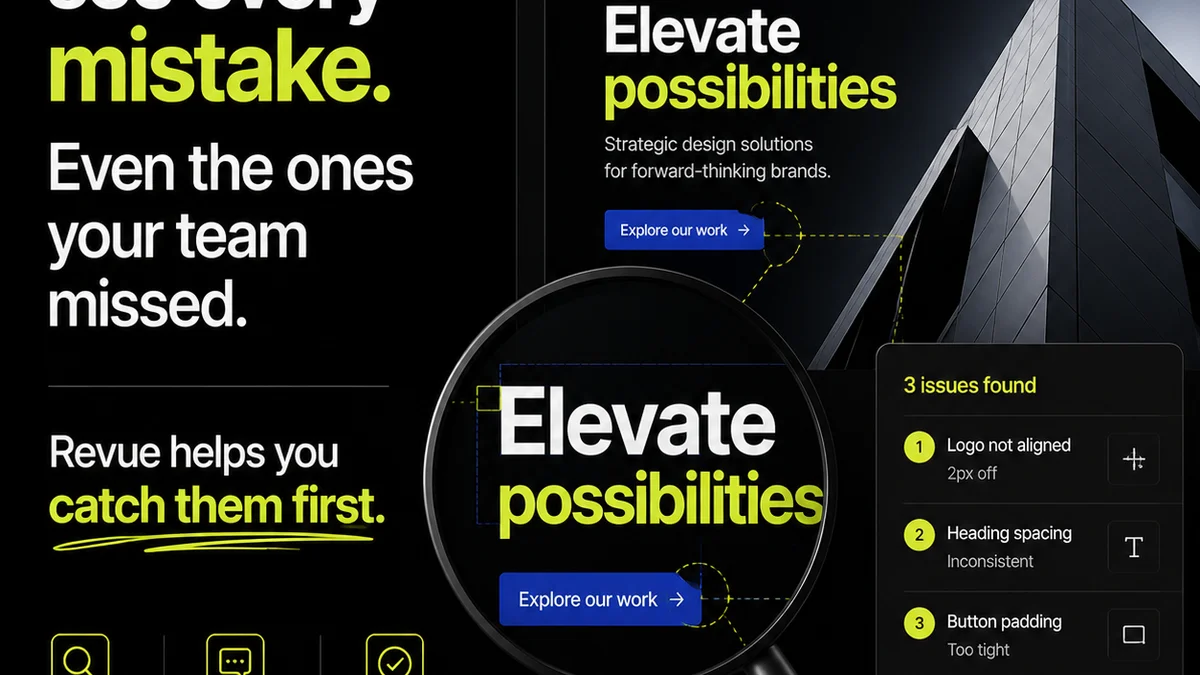
You're probably looking at Marker.io and Revue because you've heard they help with client feedback. And that's not wrong. Marker.io is great for capturing visual bugs. Revue is built for managing the entire creative workflow. But thinking they're direct competitors is missing the point. It’s like comparing a digital camera to a photo album. One captures the moment; the other organizes the memories.
The real difference isn't features. It's the operational philosophy they represent.
1. The Screenshot Assumption: Visual Bugs vs. Workflow Chaos
Marker.io excels at one thing: turning visual feedback into actionable tasks. You see a typo, a misaligned element, a broken link? You screenshot it, add a comment, and boom – it's a task for your dev team. It's immediate. It's visual. It's perfect for bug hunting.
But client feedback isn't just about visual bugs. It's about:
- Vague comments like "I don't like it."
- Conflicting feedback from multiple stakeholders.
- Requests that completely derail the project scope.
- The endless back-and-forth that eats up billable hours.
- Lack of clarity on what's approved and what's still in motion.
Marker.io can capture a screenshot of these problems, but it doesn't inherently solve the *workflow* issues that create them.
2. The Hard Truth: Feedback is a Process, Not Just a Pixel
This is where the comparison gets interesting. Marker.io is a tactical tool for a specific part of the process: collecting visual input. It's a great *component* in a larger system.
Revue, on the other hand, is designed to manage the *entire* creative feedback and revision process. It's built to bring order to the chaos that screenshots alone can't tame.
Think about it:
- Where does the feedback captured by Marker.io *live* long-term?
- How do you track the *evolution* of feedback across multiple revisions?
- How do you get formal *approval* on a final design once all comments are addressed?
- How do you ensure *quality control* before delivery?
These aren't screenshot problems. These are workflow problems.
3. Marker.io: The Power of Visual Task Creation
Focus on the Bug
Marker.io's strength is its direct integration with development tools. When a client or team member flags an issue on a live website or staging environment, it instantly becomes a task in platforms like Jira, Asana, or Trello. This is invaluable for speed and clarity when dealing with technical glitches.
Context is King
The annotated screenshots provide crucial context. Developers don't have to guess what the client meant. The exact pixel, the specific wording – it’s all there. This reduces misinterpretation and speeds up bug fixes.
Team Alignment
For agencies working closely with development teams, Marker.io bridges a communication gap. It ensures that visual issues are logged and tracked in a way that developers understand and can act upon immediately.
4. Where Revue Fits In: Managing the Entire Feedback Loop
Centralized Feedback Hub
Revue acts as the single source of truth for all client feedback. Instead of scattered emails, Slack messages, or even screenshots from tools like Marker.io, all feedback converges in one place. This means less time hunting for comments and more time acting on them.
Structured Revision Tracking
Revue allows you to manage feedback against specific project versions or deliverables. You can see the history of changes, understand the context of each comment, and ensure that no feedback falls through the cracks. This structured approach is critical for complex projects with multiple rounds of revisions.
Clear Approval Workflows
Moving from feedback to approval is a critical bottleneck. Revue streamlines this by providing clear workflows. Clients can review changes, provide final sign-off, and you have a documented record of approval. This eliminates ambiguity and protects your agency.
Quality Assurance Gates
Before a project goes live or is delivered, quality checks are essential. Revue helps build these gates into your process. You can ensure all feedback has been addressed, all revisions are accounted for, and the final output meets client expectations and your agency’s standards.
5. The Operational Philosophy: Tactical vs. Strategic
Marker.io is a tactical tool. It solves a specific, immediate problem efficiently. It's a brilliant tactical solution for visual bug reporting and task creation.
Revue is a strategic tool. It addresses the systemic challenges of managing client feedback and creative workflows. It’s about process, visibility, and control.
An agency might use Marker.io to capture a specific bug on a live site.
That same agency would use Revue to manage the *entire project* from brief to final delivery, including tracking the fix for that bug, getting client approval on the updated design, and ensuring it aligns with the overall project goals.
6. When to Use Which (and When to Use Both)
Use Marker.io When:
- Your primary need is capturing visual bugs on live websites or staging environments.
- You need to create immediate, actionable tasks for developers directly from visual feedback.
- Your team is already using project management tools that integrate well with visual bug trackers.
- You want to empower clients or QA testers to easily report visual discrepancies.
Use Revue When:
- You need a central hub for ALL client feedback, regardless of source.
- You struggle with scattered feedback across emails, Slack, and calls.
- You need clear visibility into the revision and approval process.
- You want to reduce the time spent chasing feedback and chasing approvals.
- You need a documented trail of feedback, revisions, and sign-offs.
- You want to implement structured quality checks before delivery.
Use Both When:
This is often the sweet spot for many agencies. Marker.io can be your go-to for capturing immediate visual issues during specific testing phases. That feedback, once consolidated or prioritized, can then be logged into Revue as part of the broader project’s feedback loop. Revue ensures that this specific bug fix is managed within the context of all other feedback, revisions, and the overall project timeline, culminating in a formal approval.
Marker.io feeds into Revue. It’s not an either/or. It’s about how these tools serve different, complementary functions within your agency’s operational strategy.
Where Revue Fits In
Revue is designed to be the central nervous system for your creative projects. While a tool like Marker.io excels at capturing a specific type of input—visual bugs—Revue manages the entire ecosystem of feedback and approvals.
Imagine a project:
- Initial designs are uploaded to Revue.
- Clients provide feedback directly within Revue, perhaps noting a need for a specific graphic element.
- During development, a visual glitch appears. A team member uses Marker.io to capture it and send it to the dev team.
- The dev team fixes the glitch. The updated staging link is then added to Revue for client review.
- The client reviews the fix in Revue and provides further, broader feedback on the overall design direction.
- Revue tracks this entire thread, ensuring all comments are addressed and revisions are logged.
- Finally, the client gives formal approval within Revue, creating a clear, documented sign-off.
Revue brings structure, visibility, and accountability to the entire process, turning chaotic feedback into a manageable workflow.
Final Thought
The tools you choose aren't just about features; they're about the operational discipline you want to cultivate. Are you looking for a better way to capture individual bugs, or are you aiming for a more robust, transparent, and efficient process for managing the entire client feedback lifecycle? The answer dictates not just which tool is 'right,' but how you approach creative project management itself.
Frequently asked questions
Is Marker.io a direct competitor to Revue?
Not exactly. Marker.io excels at capturing visual bugs and turning them into tasks for developers. Revue focuses on managing the entire client feedback and revision workflow, acting as a central hub for all communication and approvals.
Can I use Marker.io and Revue together?
Yes, absolutely. Many agencies use Marker.io for immediate visual bug reporting and then integrate that feedback into Revue's broader workflow for tracking, revision, and final approval. Marker.io can feed into Revue.
What is the main advantage of Revue over screenshot tools?
Revue's main advantage is its ability to manage the entire feedback lifecycle, providing structured revision tracking, clear approval workflows, and centralized communication. It addresses systemic workflow issues, not just individual visual bugs.
When should I choose Marker.io?
Choose Marker.io when your primary need is to quickly capture and report visual bugs on live websites or staging environments, especially for direct integration with developer task management tools.
What problem does Revue solve that Marker.io doesn't?
Revue solves problems related to scattered feedback, lack of revision history visibility, ambiguous approval processes, and quality control. It brings order and accountability to the entire creative feedback loop.