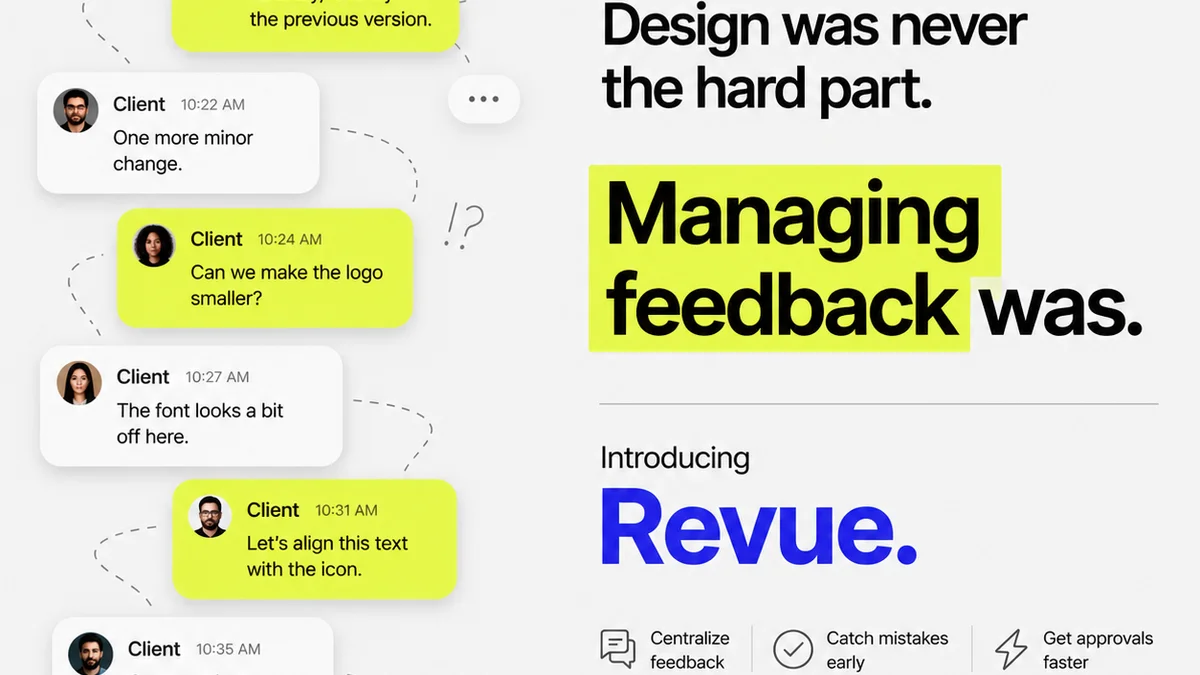
Everyone agrees marketing asset approval software should speed things up. That’s the sales pitch, anyway. But if your current system feels like a bottleneck, not a booster, you’re not alone. The real problem isn’t the software itself; it’s understanding what makes an approval tool *actually* work for creatives and clients.
The hard truth? Most approval software is built around the client’s convenience, not the team’s workflow. This creates friction, confusion, and missed deadlines. What you need is a system that streamlines feedback, clarifies revisions, and builds trust – all while keeping your team productive.
1. Centralized Feedback: The Single Source of Truth
Scattered feedback is death by a thousand emails. Clients send notes via Slack, email, text, or even verbally. Your team then has to collate this into actionable tasks. It’s inefficient and prone to error.
The Problem with Dispersed Feedback
- Endless searching for that one crucial comment buried in an email chain.
- Misinterpreting or missing feedback due to lack of context.
- Wasted time consolidating notes from multiple sources.
- Client frustration when they don’t see their latest comments addressed.
Your marketing asset approval software must act as the definitive record. Every comment, every revision, every approval needs to live in one place.
What to Look For
- A clear, visual interface where stakeholders can comment directly on the asset.
- Version control that automatically tracks changes and previous iterations.
- The ability to tag specific team members or clients for targeted communication.
- Integration capabilities to pull assets from your creative tools.
This isn’t just about convenience; it’s about accuracy. When feedback is centralized, context is preserved. Everyone sees the same asset, the same comments, and the same history. This eliminates ambiguity and ensures everyone is working from the same playbook.
2. Revision Management: Clarity Over Chaos
The approval cycle isn't just about saying 'yes' or 'no'. It's about iterative improvement. But how do you manage those iterations without losing track?
The Revision Nightmare
Imagine this: Client A approves version 3. Then, two days later, they send feedback on version 2, which was supposed to be final. Or worse, they send feedback on version 3 but call it version 2. Your team scrambles to figure out what’s what.
Effective revision management means:
- Clearly distinguishing between different versions of an asset.
- Tracking the status of each version (draft, pending approval, approved, rejected).
- Providing a clear history of who requested what and when.
- Allowing for side-by-side comparisons of different versions.
Beyond Simple Versioning
Good software goes beyond just numbering files. It provides a narrative for each asset’s journey. You should be able to see:
- Who made the changes.
- When the changes were made.
- Why the changes were made (linked to specific feedback).
- The status of the current review cycle.
This visibility builds confidence. Clients see their input being processed. Your team knows exactly where they stand with each asset. It transforms a chaotic process into a predictable workflow.
3. Stakeholder Communication: Keeping Everyone Aligned
Approving creative work often involves multiple people: the client, the client’s boss, legal, marketing managers, and your own internal team. Each has a role, and miscommunication here is costly.
The Communication Breakdown
When communication isn’t integrated into the approval process, things break down. A project manager might forward an email chain, missing a critical detail. A client might assume their verbal OK is enough. Your team might wait days for a response that never comes because the right person never saw the request.
What Effective Communication Looks Like
Your chosen marketing asset approval software should facilitate clear, concise, and contextual communication:
- Automated notifications for new feedback, pending reviews, and status changes.
- The ability to assign reviewers and set deadlines.
- A clear audit trail of all communications related to an asset.
- Role-based access to ensure the right people see the right information.
This isn't about adding more communication channels; it's about making the existing ones smarter. By embedding communication within the asset review process, you ensure that conversations are relevant and actionable.
4. Quality Assurance: Catching Errors Before Launch
The final sign-off shouldn't be the first time an error is spotted. Quality assurance is a critical step, and your approval software can help enforce it.
The Cost of Post-Approval Errors
A typo in a headline. A broken link in a banner ad. A wrong product image on a website. These aren’t just embarrassing; they can be expensive to fix, especially after a campaign has launched.
Your approval workflow should include checkpoints for:
- Content accuracy (spelling, grammar, facts).
- Technical accuracy (links, functionality, formatting).
- Brand compliance (logos, colors, tone of voice).
- Legal and regulatory requirements.
Integrating QA into the Workflow
Some marketing asset approval tools allow you to build custom checklists or QA steps directly into the review process. This ensures that:
- Specific checks are performed before an asset is considered final.
- Responsibility for QA is clearly assigned.
- A record of QA completion is maintained.
This proactive approach saves time, money, and reputation. It’s about building quality into the process, not just hoping for it at the end.
5. User Experience for Both Sides
A tool is only effective if people actually use it. This means considering the experience of everyone involved – your team and your clients.
The Team’s Perspective
For your creative team, the software needs to:
- Integrate with their existing tools (e.g., Adobe Creative Cloud, Figma).
- Be intuitive and require minimal training.
- Reduce administrative overhead, not add to it.
- Provide clear visibility into project status.
The Client’s Perspective
For clients, the software should be:
- Simple to understand and use, even for non-technical users.
- Accessible from anywhere, on any device.
- Clear about what action is required of them.
- Trustworthy, ensuring their feedback is captured and acted upon.
If the tool is cumbersome for either party, adoption will suffer. This leads back to scattered feedback and missed deadlines, defeating the purpose of specialized software.
Where Revue Fits In
Revue is designed from the ground up to address these workflow challenges for creative agencies and in-house teams. We understand that managing client feedback and revisions is more than just clicking 'approve'.
Our platform provides a centralized hub for all your creative assets and client communications. You get clear version control, visual annotation tools, and a transparent audit trail for every project. This ensures everyone is on the same page, reducing confusion and speeding up the approval process.
Revue helps you move beyond scattered emails and messy spreadsheets. It’s about bringing order to the chaos of creative production, ensuring your team can focus on delivering great work, not chasing feedback.
Final Thought
The goal of any marketing asset approval software should be to enhance collaboration and accelerate delivery without sacrificing quality. Are you sure your current system is truly serving that goal, or is it just another layer of complexity?
Frequently asked questions
What is the main benefit of using marketing asset approval software?
The primary benefit is streamlining the feedback and approval process for creative assets. This leads to fewer errors, faster turnaround times, improved client communication, and better version control, ultimately saving time and resources.
How can approval software improve client collaboration?
Approval software centralizes feedback, provides clear version history, and automates notifications, ensuring clients can easily see, comment on, and approve assets. This transparency builds trust and reduces miscommunication.
What are the key features to look for in approval software for agencies?
Key features include centralized feedback tools, robust version control, clear revision management, integrated stakeholder communication, quality assurance checklists, and an intuitive user experience for both internal teams and clients.
Can marketing asset approval software help prevent errors?
Yes, by centralizing feedback, providing clear review stages, and enabling integrated quality assurance checks, the software helps catch errors before assets go live, reducing costly post-launch fixes.