Everyone thinks they know how to organize marketing assets. You need folders. Maybe a naming convention. Perhaps a cloud storage solution. None of that is wrong. But it’s incomplete. It’s the difference between having a pile of organized bricks and a functional house.
The hard truth? Most marketing asset organization efforts fail because they don’t account for the chaos of collaboration, client input, and the sheer volume of creative churn. You need more than just a system; you need a workflow that supports it.
1. The Illusion of 'Done'
What does ‘done’ even mean for a marketing asset? Is it the final approved version? The one that went live? Or the original source file? Without clarity, assets get lost, duplicated, or superseded.
This ambiguity leads to:
- Endless searching for the “real” final file.
- Accidental use of outdated versions.
- Wasted time clarifying what was approved and when.
- Client frustration when they see old creative.
Defining Asset States
You need to define clear states for every asset:
- Draft: Work-in-progress.
- Internal Review: Ready for team feedback.
- Client Review: Sent for client approval.
- Approved: Client sign-off received.
- Revised: Changes made post-approval (track these meticulously).
- Live/Published: Deployed to its final destination.
- Archived: No longer in active use but kept for reference.
Each state should have a clear trigger and a defined next step. This isn't just about file names; it's about process.
2. The Naming Convention Trap
A good naming convention is essential, but it’s often treated as the silver bullet. Just adding dates and version numbers isn’t enough if the structure is fundamentally flawed.
Think about it: what happens when a client asks for a “slight tweak” to an approved asset? Does the version number increment? Does it become a new asset entirely? Most naming conventions crumble under the weight of real-world revisions.
Beyond Basic Labels
A robust naming convention should include:
- Project Identifier: Client name or project code.
- Asset Type: e.g., banner, social_post, email_template.
- Campaign/Platform: e.g., summer_sale, website_hero, instagram_stories.
- Key Descriptor: e.g., hero_image, product_carousel, CTA_button.
- Status Indicator: (Optional, but useful) e.g., _DRAFT, _REV, _APPR.
- Version Number: A clear, sequential number for significant iterations.
- Date: YYYYMMDD format is best for sorting.
Example: ClientA_SummerSale_Banner_Hero_APPR_v3_20231027.jpg
This structure provides context at a glance. But it’s only effective if consistently applied and, crucially, if the *process* supports it.
3. Folder Structure: The Foundation, Not the Fortress
Your folder structure is the backbone of your asset organization. A chaotic structure guarantees chaos. But an overly rigid one can stifle creativity and slow down workflows.
The common mistake is creating deep, complex hierarchies that are hard to navigate and even harder to maintain as projects evolve. You end up with “misc” folders and “final_final_v2” directories.
A Flexible, Scalable Structure
Consider a modular approach:
- Top Level: Client Name or Project Name.
- Second Level: Campaign Name or Marketing Channel (e.g., Social Media, Email, Website, Print).
- Third Level: Asset Type or Specific Deliverable (e.g., Banners, Logos, Case Studies, Landing Pages).
- Fourth Level (Within Asset Type): Status or Version (e.g., Drafts, Client_Reviews, Approved, Archived).
This creates a logical path without excessive nesting. Crucially, it needs to be adaptable. A campaign might evolve, requiring new subfolders. Your structure should accommodate this gracefully.
4. Collaboration Chaos and Version Control Nightmares
This is where most systems break. Sending files back and forth via email, Slack, or even shared drives creates a tangled mess of versions. Who has the latest? What changes were made in that last email? It’s a recipe for disaster.
Clients often don’t understand the implications of their feedback. A simple request like “make the logo bigger” can cascade into a full revision cycle, spawning new versions that get lost in the shuffle.
The Need for Centralized Proofing
Effective version control requires a central point of truth for feedback and approvals. This means:
- A single place where all feedback is logged.
- Clear visual annotations on the asset itself.
- A definitive record of who approved what, and when.
- An easy way to track revisions against original requests.
Trying to manage this with email chains and spreadsheets is like trying to build a skyscraper with a hammer and nails.
5. Quality Control: The Overlooked Asset Guardian
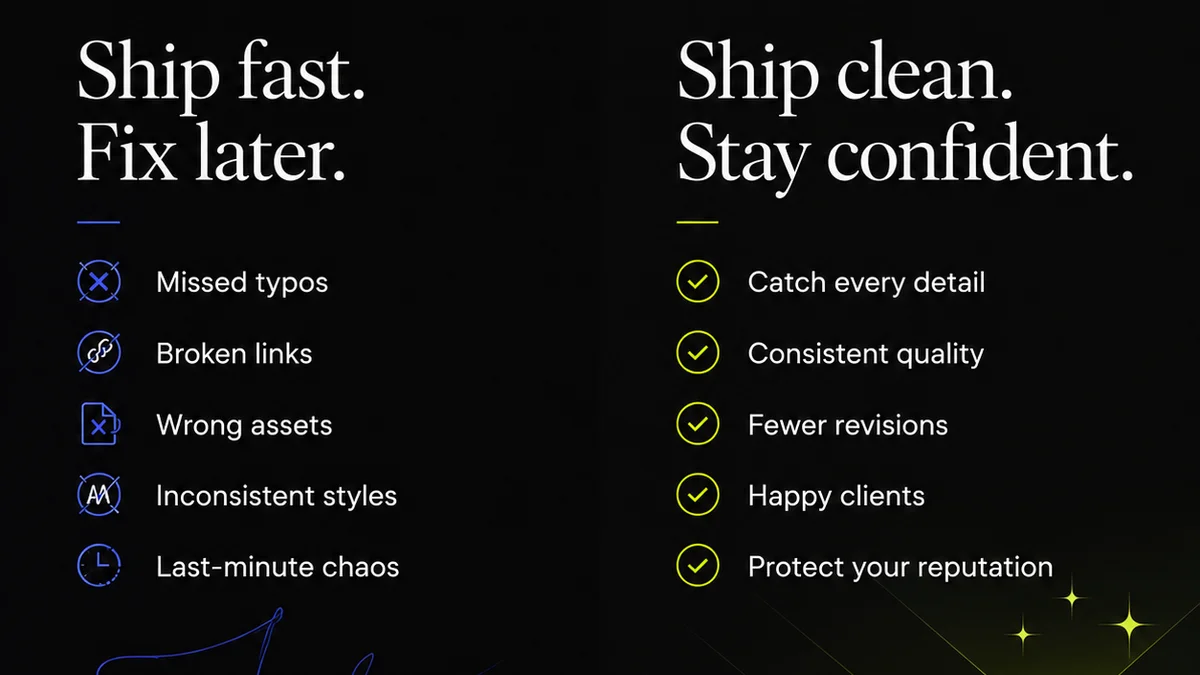
Even with perfect organization, assets can still go wrong. Typos, incorrect links, wrong dimensions, brand guideline violations – these slip through when quality control is an afterthought.
Often, QC is a rushed, manual process done by the person who created the asset. This is inherently flawed due to familiarity bias and time pressure.
Integrating QC into the Workflow
Quality control needs to be a distinct, non-negotiable step. This involves:
- Checklists: Standardized lists for different asset types.
- Dedicated Reviewers: Someone not involved in the creation process.
- Automated Checks: Where possible (e.g., broken link checkers for web assets).
- Brand Guideline Enforcement: Ensuring consistency across all assets.
A well-organized asset library is useless if the assets within it are flawed.
Where Revue Fits In
This is precisely why tools like Revue exist. Your marketing asset organization checklist isn't just about folders and file names; it’s about streamlining the entire creative lifecycle.
Revue acts as the central hub for your creative workflow:
- Centralized Feedback: Consolidate all client and team feedback directly on the asset, eliminating email chains and scattered comments.
- Revision & Approval Visibility: Track every version, see who approved what and when, and manage the revision process with clarity. No more hunting for the ‘final’ file.
- Quality Checks: Integrate clear review stages and checklists to ensure every asset meets your standards before it goes live.
By connecting organization with process, you move beyond simply storing files to actively managing your creative output.
Final Thought
Is your marketing asset organization system a source of efficiency, or is it just another layer of complexity? The real measure isn't how neat your folders look, but how quickly and reliably you can get approved, high-quality creative into the world. Re-evaluate your process, not just your file structure.
Frequently asked questions
What is the most important element of marketing asset organization?
While folder structure and naming conventions are important, the most critical element is a clear, defined workflow that supports how assets are created, reviewed, approved, and revised. Without a robust process, even the best file structure will fail.
How can I prevent using outdated marketing assets?
Implement clear asset states (Draft, Review, Approved, Live, Archived) and use a centralized system that clearly marks the current approved version. Regularly audit your asset library to remove or archive obsolete files.
Is a complex folder structure always better for asset organization?
No. Overly complex or deep folder structures can become difficult to manage and navigate. A simpler, modular structure that logically categorizes assets by client, campaign, and type, with clear status indicators, is often more effective and scalable.
How does client feedback impact asset organization?
Client feedback, especially when managed through scattered emails or calls, is a major source of version control issues. Centralizing feedback on the asset itself, with clear approval tracking, is crucial for maintaining organized and accurate asset libraries.