Marketing managers often assume that a good project management tool or a shared drive is enough to handle creative approvals. None of that is wrong. But it’s incomplete.
The hard truth is that managing creative feedback and approvals is a distinct discipline. It’s where good intentions go to die, drowning in email threads and Slack messages. The real challenge isn’t just tracking tasks; it’s managing the flow of feedback, revisions, and final sign-offs efficiently and transparently. That’s where dedicated marketing manager approval workflow software shines.
1. Centralized Feedback Hub, Not Just a File Dump
You’ve seen it. The endless chain of emails, each with a slightly different version of the feedback. “Add this.” “Change that.” “No, wait, go back to the previous version.” It’s chaos. Good approval software acts as a single source of truth for all creative assets and their feedback history.
This means:
- All assets for a project live in one place.
- Feedback is attached directly to the specific version of the asset it refers to.
- There’s a clear audit trail of who said what, and when.
This eliminates the guesswork and the dreaded “which version is this?” conversation. It’s about clarity, not just convenience.
2. Version Control That Actually Works
This is where many systems fail. You upload a new version, but is it clear which one superseded the last? Is it easy to revert to an older version if a new direction doesn’t pan out? Robust version control is non-negotiable.
Look for software that:
- Automatically timestamps and logs every uploaded version.
- Visually indicates the current approved version.
- Allows easy comparison between versions.
- Maintains a complete history, accessible without digging through folders.
Think of it as a safety net. It protects against accidental overwrites and ensures you can always trace back your steps.
3. Clear Roles and Permissions
Who can approve? Who can provide feedback? Who can only view? Without defined roles, you get unqualified opinions muddying the waters or critical stakeholders left out of the loop.
Effective software allows you to set granular permissions:
- Define approvers, reviewers, and contributors.
- Assign specific roles to individuals or teams.
- Ensure only authorized personnel can give final sign-off.
This prevents scope creep and ensures the right people are making the right decisions at the right time.
4. Streamlined Communication and Notifications
The bottleneck isn't always the creative work; it's the waiting. Waiting for feedback. Waiting for approval. Waiting for the next step.
Good workflow software automates this:
- Intelligent notifications alert stakeholders when their input is needed.
- Automated reminders prevent assets from languishing in inboxes.
- Clear status updates keep everyone informed of progress.
This keeps projects moving forward, minimizing downtime and maximizing throughput.
5. Integration with Your Existing Stack
You’re not starting from scratch. Your approval software needs to play nice with the tools you already use.
Consider integrations with:
- Project management tools (Asana, Monday.com, Jira)
- Creative software (Adobe Creative Cloud, Figma)
- Cloud storage (Google Drive, Dropbox)
- Communication platforms (Slack, Microsoft Teams)
Seamless integration means less manual data transfer and a smoother overall workflow. It’s about connecting the dots, not creating new silos.
6. Customizable Workflows and Checklists
Every agency and team has its unique process. A one-size-fits-all approach rarely works.
The best tools offer:
- Configurable approval stages tailored to your process.
- Customizable checklists for quality assurance and compliance.
- Conditional logic to route approvals based on project type or client.
This flexibility ensures the software adapts to your way of working, not the other way around.
7. Reporting and Analytics
How long do approvals *really* take? Where are the common bottlenecks? Without data, you’re flying blind.
Look for software that provides insights into:
- Average turnaround times for feedback and approvals.
- Stage-by-stage performance metrics.
- Identification of recurring delays or issues.
This data is gold. It allows you to pinpoint inefficiencies and make informed decisions to optimize your workflow.
Where Revue Fits In
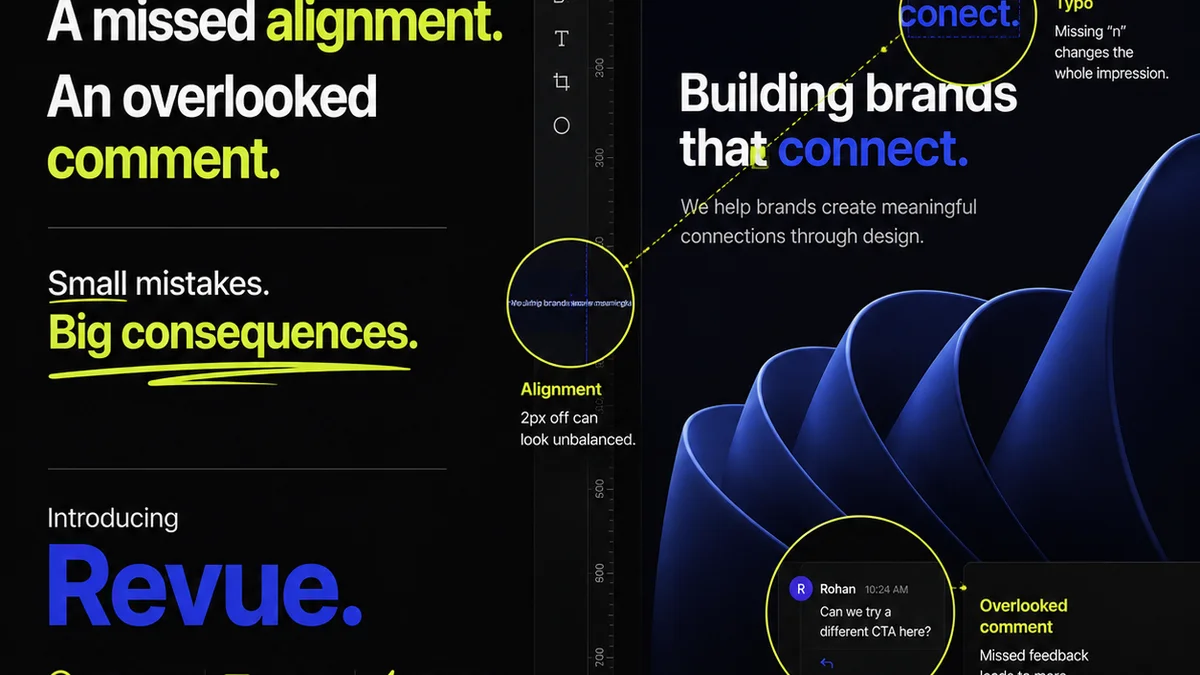
Managing creative feedback and approvals is precisely why Revue was built. We understand the pain points of agencies and in-house teams struggling with scattered feedback, endless revisions, and opaque approval processes.
Revue provides a centralized platform designed to:
- Capture all client feedback in one place: No more digging through emails or Slack. All comments, annotations, and approvals are logged against the specific version of the asset.
- Manage revisions and approvals with clarity: Track the status of every asset, see who needs to act next, and get notified automatically. Version history is clear and accessible.
- Run quality checks with confidence: Utilize customizable checklists and workflows to ensure every piece of creative meets your standards before final delivery.
It’s about bringing order to the creative chaos, ensuring your team delivers exceptional work, on time, and without the typical approval headaches.
Final Thought
The right marketing manager approval workflow software isn't just about ticking boxes; it's about fundamentally improving how creative work gets done. It’s about reducing friction, fostering clearer communication, and ultimately, delivering better results faster. Are you still treating creative approvals as an afterthought, or are you investing in a system that makes it a strategic advantage?
Frequently asked questions
What is the main benefit of using dedicated approval workflow software?
The main benefit is centralizing all feedback, versions, and approvals in one place, eliminating confusion, reducing errors, and speeding up the entire creative delivery process compared to using email or general project management tools.
How does approval software help with version control?
It automatically logs and timestamps each uploaded version, clearly marks the current approved version, allows easy comparison between iterations, and maintains a complete history, preventing accidental overwrites and ensuring you can always revert to previous stages.
Can approval workflow software be customized for different teams?
Yes, the best software allows for customizable workflows, stages, and permissions to match your specific team's process, ensuring that only the right people provide feedback and approvals at the appropriate times.
What kind of integrations should I look for?
Look for integrations with your existing project management tools, creative software suites (like Adobe or Figma), cloud storage solutions, and communication platforms (like Slack or Teams) to ensure a seamless flow of information and reduce manual data entry.