Everyone says nonprofits need to be scrappy. That they have to do more with less. None of that is wrong. But it’s incomplete.
The hard truth is that the best nonprofit design collaboration tools aren't about cutting corners; they're about making every dollar and every minute count. They’re about empowering your team to focus on the mission, not on the messy workflow.
1. Beyond Spreadsheets: Centralized Asset Management
Many small to mid-sized nonprofits still rely on shared drives and endless email chains to manage design assets. This is a ticking time bomb for version control and brand consistency.
This chaotic approach leads to:
- Lost files.
- Outdated logos being used.
- Wasted hours searching for the right asset.
- Inconsistent branding across campaigns.
- Frustrated designers and marketers.
You need a system that acts as a single source of truth for all your visual content. This isn't a luxury; it's a fundamental requirement for efficient operation.
Choosing the Right Platform
When evaluating tools, consider these features:
- Version History: Can you easily track changes and revert to previous versions?
- Searchability: Is it easy to find assets using keywords, tags, or filters?
- Access Control: Can you manage who sees and downloads specific files?
- Integrations: Does it play well with your other essential tools (e.g., project management, social media scheduling)?
For US nonprofit teams, platforms that offer clear pricing tiers and robust support are often the most practical.
2. Streamlining Feedback and Approvals
Client feedback is the lifeblood of any creative project. But for nonprofits, where stakeholders might be volunteers or board members with limited time, managing this feedback effectively is critical.
The old way:
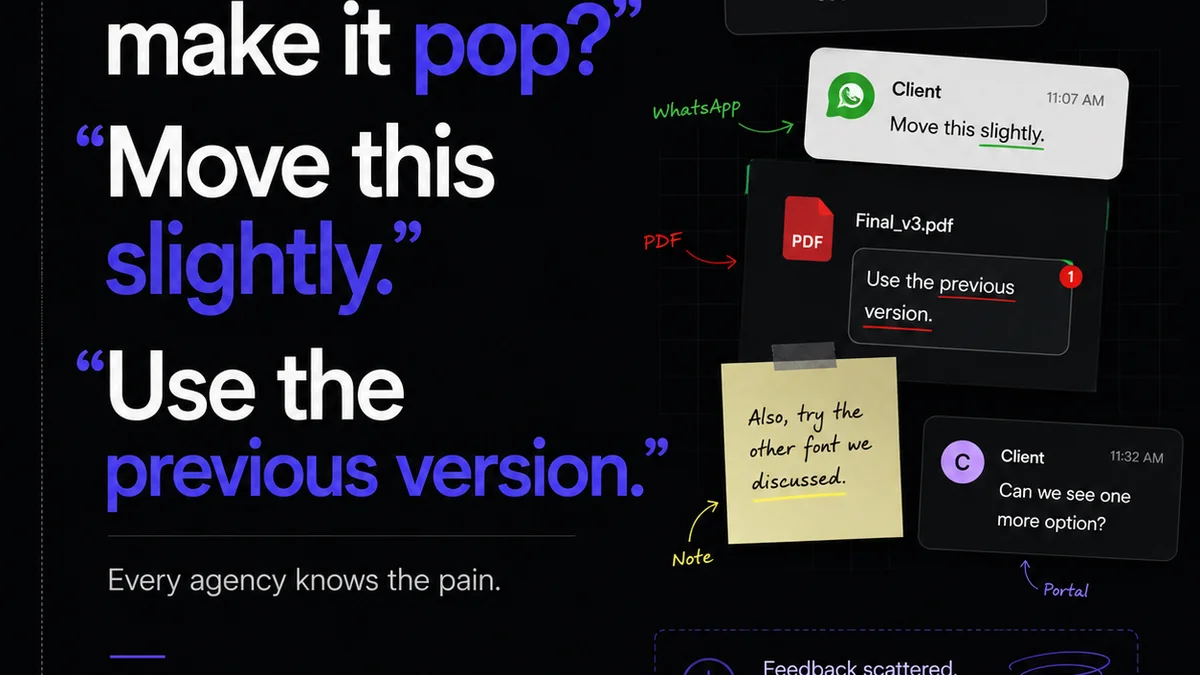
Endless email threads with vague comments like “make it pop” or “I don’t like the blue.”
This leads to misinterpretations, endless revision cycles, and projects that drag on far longer than they should.
The Power of Contextual Annotation
The best tools allow stakeholders to leave feedback directly on the design itself. Think digital sticky notes, but infinitely more organized.
This means:
- Clarity: Feedback is tied to a specific element.
- Efficiency: Reviewers can see what others have said.
- Accountability: It’s clear who provided what feedback.
This clarity dramatically reduces back-and-forth and ensures everyone is working from the same page, so to speak. For US-based nonprofits, tools that are intuitive for non-designers are invaluable.
3. Project Management Tailored for Creative Workflows
Nonprofits often juggle multiple campaigns, events, and fundraising initiatives simultaneously. A robust project management system is non-negotiable.
But not all project management tools are created equal, especially for creative teams.
Generic tools might track tasks, but they often fail to visualize the creative process.
Visualizing the Creative Pipeline
Look for tools that offer:
- Kanban Boards: Visualize project stages (e.g., Ideation, Design, Review, Approved).
- Gantt Charts: Understand project timelines and dependencies.
- Task Dependencies: Ensure tasks are completed in the correct order.
- Time Tracking: Understand where resources are being allocated.
This level of visibility is crucial for managing limited resources and ensuring deadlines are met, especially for US teams operating under grant cycles or specific fundraising periods.
4. Enhancing Team Collaboration and Communication
Even with the best tools, a creative team's success hinges on how well they communicate and collaborate.
Remote or hybrid work models, common even in the nonprofit sector, add another layer of complexity.
Scattered communication channels—Slack, email, text, quick hallway chats—lead to missed information and duplicated effort.
Centralized Communication Hubs
The ideal scenario is a tool that integrates communication directly into the workflow.
This means:
- Project-Specific Chat: Discussions stay relevant to the task at hand.
- Notifications: Keep everyone informed of updates without being overwhelming.
- Task Assignments: Clearly define who is responsible for what.
When communication is centralized, team members can spend less time searching for information and more time creating impactful work for the cause.
Where Revue Fits In
Managing the creative process for a nonprofit involves juggling multiple stakeholders, iterative feedback, and the constant need to demonstrate progress and impact. This is where a dedicated platform like Revue becomes essential.
Revue acts as the central nervous system for your creative projects. It’s designed to tame the chaos of client feedback and revision cycles that plague even the most well-intentioned teams.
Imagine this:
- Centralized Feedback: All stakeholder comments live in one place, attached directly to the visual asset. No more digging through email chains.
- Revision Visibility: Track every iteration, understand the changes made, and see who approved what. This provides an invaluable audit trail.
- Quality Checks: Ensure that all feedback has been addressed and that the final output meets brand standards and project requirements before final delivery.
- Streamlined Approvals: Move projects smoothly from draft to final sign-off with clear approval workflows.
By centralizing these critical steps, Revue frees up your team to focus on what truly matters: creating compelling visuals that advance your mission.
5. Budget-Friendly Options for Nonprofits
We know budget is a significant factor for nonprofits. Fortunately, many powerful tools offer nonprofit discounts or have free tiers suitable for smaller organizations.
When looking for cost-effective solutions, consider:
- Free Tiers: Many SaaS tools offer robust free plans for small teams or limited usage.
- Nonprofit Discounts: Always ask! Many companies provide significant discounts for 501(c)(3) organizations.
- Open-Source Alternatives: While often requiring more technical expertise, open-source options can be very cost-effective.
- Bundled Solutions: Sometimes, a slightly more expensive tool that combines several functions (e.g., project management + asset storage) can be cheaper than subscribing to multiple single-purpose tools.
Researching and asking directly about pricing for nonprofits is a crucial step in selecting the right technology stack.
Final Thought
The best nonprofit design collaboration tools aren't just about software; they're about fostering a culture of clear communication, efficient workflows, and strategic resource allocation. How is your team currently navigating these challenges, and what’s one small change you could implement this week to improve your creative process?
Frequently asked questions
What are the key features to look for in nonprofit design collaboration tools?
Key features include centralized asset management with version history, contextual feedback and annotation tools, visual project management capabilities (like Kanban boards), integrated communication, and robust access controls. Budget-friendly pricing or nonprofit discounts are also crucial considerations.
How can design collaboration tools help nonprofits save money?
By streamlining workflows, reducing revision cycles, preventing the use of outdated assets, and minimizing wasted time searching for files, these tools help nonprofits make the most of their limited resources. Many also offer nonprofit-specific pricing or free tiers.
Are there free design collaboration tools suitable for nonprofits?
Yes, many platforms offer free tiers with core functionalities that can be sufficient for small nonprofit teams or projects with lower volume. Examples include basic versions of project management tools, cloud storage with versioning, and some communication platforms. However, it's always worth checking for specific nonprofit plans or discounts.
How important is centralized feedback for nonprofit creative projects?
Centralized feedback is extremely important. It eliminates confusion from scattered email threads, ensures all stakeholders are commenting on the latest version, and provides a clear audit trail. This clarity speeds up the approval process and reduces costly, time-consuming revisions.