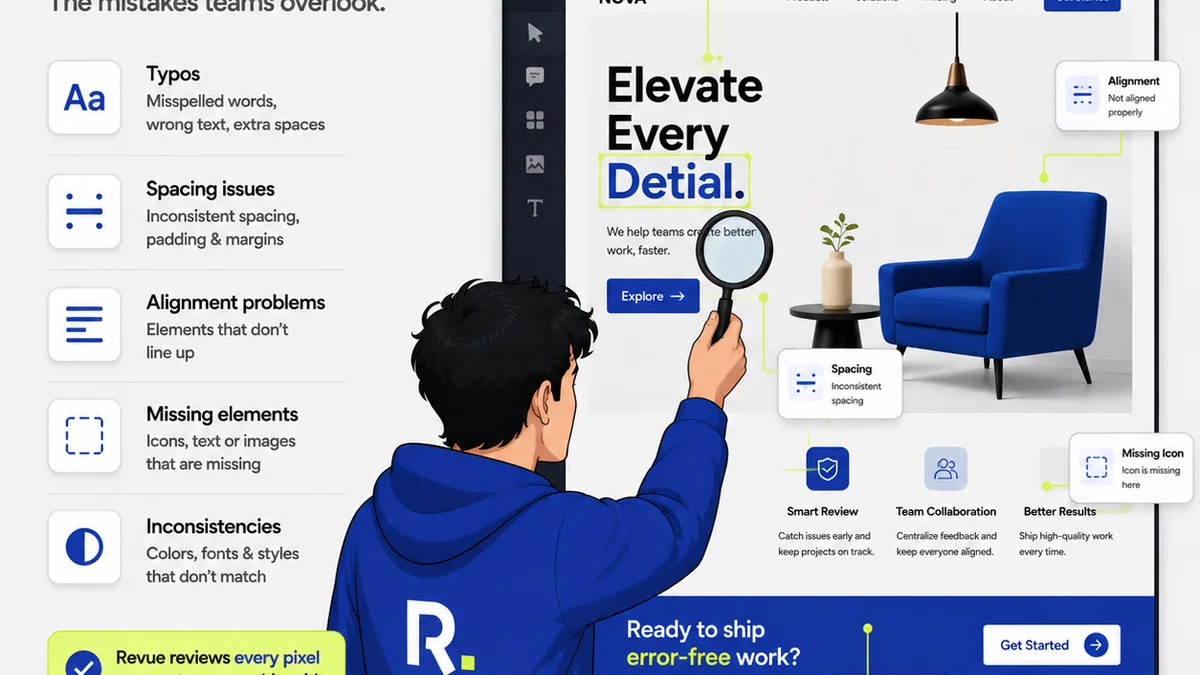
Everyone thinks packaging QA is about making sure the right files are in the right folders. And yes, that’s part of it.
But it’s a tiny part. The real job of packaging QA is about preventing the kind of errors that make clients look bad, and by extension, make your agency look incompetent.
This isn’t about ticking boxes. It's about rigorous, systematic checks that catch the subtle, costly mistakes before they ship.
1. The Hard Truth: Packaging QA Is Not Optional
You’ve probably heard that good QA saves time and money. This is true for software, but for creative agencies, it’s exponentially more critical. A misplaced logo on a print ad or a broken link on a website isn’t just an aesthetic flaw; it’s a brand risk for your client.
And that risk lands squarely on your agency’s shoulders.
Think about it.
Your client trusts you to represent their brand flawlessly. When a deliverable goes out with an error, it erodes that trust. It suggests a lack of care, a lack of professionalism, and a lack of understanding of their business.
This is the deeper operational truth: packaging QA is a direct extension of your agency's brand promise.
2. Beyond the Obvious: What to Actually Check
Most teams stop at file naming conventions and folder structures. That’s a good start, but it’s not enough. True packaging QA digs much deeper.
File Integrity and Format
Are the files truly what they claim to be?
- File Types: Ensure all files are in the correct, final format (e.g., high-res PDFs for print, optimized JPEGs/PNGs for web, correct video codecs).
- File Size: Verify that files meet specified size requirements, especially for digital assets or print runs with postage considerations.
- Corrupted Files: Attempt to open all critical files. A corrupted file is useless and can cause significant delays.
Content Accuracy and Consistency
This is where brand integrity is on the line.
- Textual Errors: Proofread all copy *again*. Check for typos, grammatical errors, and awkward phrasing. Don't rely solely on the client’s final approval; they miss things too.
- Data Accuracy: For any reports, charts, or data visualizations, cross-reference numbers with source documents. Ensure dates, statistics, and names are 100% correct.
- Brand Guidelines: Does the final output strictly adhere to the client's brand guidelines? This includes logo usage, color palettes, typography, and tone of voice.
- Legal and Compliance: Are all necessary disclaimers, legal text, and compliance statements present and correctly formatted? This is crucial for regulated industries.
Technical Specifications
The devil is always in the details.
- Print Specifications: Check bleed, trim, and safety margins. Ensure correct color profiles (CMYK vs. RGB), resolution (DPI/PPI), and spot colors are used.
- Digital Specifications: Verify image optimization, correct aspect ratios for social media, responsive design elements, and accessibility standards (e.g., alt text for images).
- Interactive Elements: For websites or apps, test all clickable elements, forms, and interactive features. Ensure smooth transitions and correct functionality across target devices and browsers.
Asset Management
It’s not just about the final file; it’s about the package.
- Naming Conventions: Are files named logically and consistently, following agreed-upon standards? This aids future use and version control.
- Folder Structure: Is the organized hierarchy clear and easy to navigate? Does it include all necessary subfolders (e.g., source files, final assets, proofs)?
- Metadata: Is essential metadata included, such as copyright information, keywords, or author details?
3. Building a Robust QA Workflow
A haphazard approach to packaging QA is a recipe for disaster. You need a system.
Standardize Your Checklists
Don't wing it. Create detailed checklists tailored to different project types (print, web, video, social). These checklists should be living documents, updated as new requirements or potential issues emerge.
Use these checklists religiously.
- Project-Specific Checklists: Tailor checks for each client and project type.
- General Checklists: Maintain a baseline for all projects.
- Version Control: Ensure everyone is using the latest version of the checklist.
Assign Clear Responsibilities
Who is doing the QA? This can’t be an afterthought. Designate specific individuals or a dedicated QA role for each project. This person should not be the primary creator of the work.
Fresh eyes catch more.
- Independent Reviewer: The best QA comes from someone who didn’t work directly on the asset.
- Tiered QA: For critical projects, consider multiple levels of review.
- Accountability: Ensure the reviewer understands the stakes and has the authority to halt delivery if necessary.
Integrate QA Early and Often
QA shouldn't be a final step. It should be woven into the entire production process.
Catching issues early is cheaper and faster.
- Mid-Project Reviews: Conduct reviews at key milestones, not just at the end.
- Peer Reviews: Encourage team members to review each other’s work constructively.
- Automated Checks: Where possible, leverage tools for automated checks (e.g., preflight checks in Adobe InDesign, link checkers for websites).
Document Everything
Maintain a clear record of all QA checks performed, issues found, and resolutions. This documentation is invaluable for post-project analysis and dispute resolution.
What gets documented, gets done.
- Issue Logs: Track every problem identified, its severity, and how it was fixed.
- Sign-offs: Document who signed off on the QA and when.
- Client Communication: Keep records of any QA-related communication with the client.
4. The Cost of Skipping QA
It seems like a time-saver to skip thorough QA, especially under tight deadlines. But the perceived savings are a dangerous illusion.
The real costs are far higher.
- Client Dissatisfaction: Errors lead to frustration, distrust, and potential loss of the client.
- Reputational Damage: A single significant error can harm your agency’s reputation within the industry and with potential clients.
- Rework and Delays: Fixing errors after delivery incurs rush fees, overtime, and delays in the client’s own timelines.
- Financial Penalties: In some cases, errors can lead to contractual penalties or the need for costly reprints or re-launches.
- Team Morale: Constantly fixing mistakes, especially those that could have been prevented, is demoralizing for your team.
Think of QA not as a cost center, but as an investment in quality, client retention, and your agency’s long-term success.
5. Where Revue Fits In
Managing creative feedback and revisions is complex. Ensuring flawless final deliverables requires visibility and control over that entire process.
Revue helps centralize client feedback, making it easier to track and address every piece of input. This prevents crucial comments from getting lost in email threads or Slack messages.
With clear revision histories and approval workflows, you can ensure that all feedback has been addressed before packaging the final files. This structured approach minimizes the risk of human error creeping in during the final stages.
Revue provides a single source of truth for the project’s lifecycle, from initial brief to final sign-off, making robust packaging QA a more integrated and manageable part of your agency’s workflow.
Final Thought
Is your agency’s approach to packaging QA reactive or proactive? Are you just checking files, or are you safeguarding your client's brand and your agency's reputation?
Frequently asked questions
What is the primary goal of packaging QA for creative agencies?
The primary goal is to ensure that all final creative deliverables are error-free, meet all specified technical and brand requirements, and are packaged correctly for the client. This protects the client's brand integrity and the agency's reputation.
How often should QA checks be performed during a project?
QA checks should not be a single, final step. They should be integrated throughout the project lifecycle, with reviews at key milestones, peer reviews, and a final comprehensive check before packaging.
Who should be responsible for packaging QA?
Ideally, QA should be performed by someone who was not the primary creator of the asset. This could be a dedicated QA specialist, a project manager, or another team member with a fresh perspective. Accountability is key.
What are the biggest risks of neglecting packaging QA?
The biggest risks include client dissatisfaction, damage to the agency's reputation, costly rework and delays, potential financial penalties, and decreased team morale due to constant firefighting.
Can automated tools help with packaging QA?
Yes, automated tools can assist with specific checks, such as preflight checks in design software for print files, link checkers for websites, or file format validation. However, they cannot replace human review for content accuracy, brand consistency, and nuanced quality assessment.