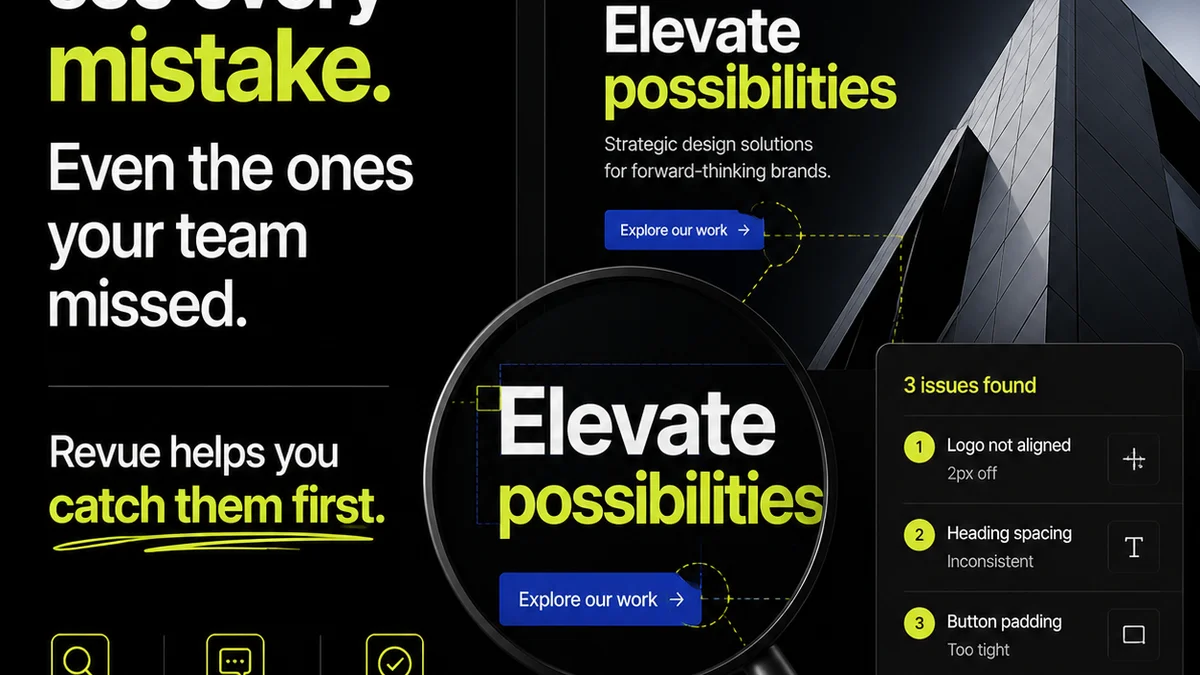
Most agencies think page proof workflow software is just about getting client sign-off faster. That it’s a digital rubber stamp.
None of that is wrong. But it’s incomplete.
The real value of page proof workflow software isn't just speed. It’s about clarity. It’s about accountability. It's about reducing the friction that kills creative momentum.
The hard truth? If your proofing tool doesn't address these fundamental workflow breakdowns, it’s just another piece of expensive digital clutter.
1. Centralized Feedback, Not Scattered Emails
The biggest myth about creative feedback is that it's inherently messy. It's not. What's messy is *how* we collect it.
Chasing down feedback across email threads, Slack DMs, and even sticky notes on a physical printout is a recipe for disaster. It breeds misinterpretation and missed revisions.
Page proof workflow software must act as a single source of truth for all client communication. Every comment, every annotation, every approval—all in one place.
The Email Black Hole
Think about it: how many times has a crucial piece of feedback gotten lost in a long email chain? Or worse, a client approves a version based on a quick glance at an email attachment, not the final, marked-up PDF?
This is where dedicated proofing software shines. It forces feedback into a structured, visual context.
Context is King
When a client can click directly on an element on the page and leave a comment, that comment is inherently tied to that specific element. No more guessing what “make the logo bigger” actually refers to.
- Direct-to-element annotation.
- Version control that tracks changes visually.
- Clear, actionable feedback tied to specific design assets.
2. Revision Visibility and Approval Tracking
It’s not enough to *collect* feedback. You need to *manage* the revision process. This means clear visibility into who said what, when it was addressed, and who ultimately signed off.
Without this, you’re flying blind. You can’t identify bottlenecks, you can’t hold clients accountable for delays, and you certainly can’t prove what was agreed upon if disputes arise.
The Audit Trail Matters
Good page proof workflow software provides an irrefutable audit trail. Every version uploaded, every comment made, every approval given or rejected is logged. This is critical for project management and dispute resolution.
This isn't about mistrust; it's about professional diligence. It protects both your agency and your client.
Streamlining the Back-and-Forth
The revision cycle is often the most time-consuming part of a project. Software that facilitates this process—by making it easy to compare versions, track changes, and manage approvals—is invaluable.
- Compare previous versions side-by-side.
- See the status of each revision request at a glance.
- Automated notifications for pending approvals or new feedback.
- Clear indication of the *final* approved version.
3. Quality Assurance, Not Just Sign-Off
Many teams use page proof workflow software as a final hurdle. Upload, get approval, done. But this misses a huge opportunity for built-in quality assurance.
The best tools allow for checks *before* client eyes ever see the work. This means internal reviews, stakeholder alignment, and technical checks can all happen within the same platform.
Internal Review Gates
Before a proof even goes to the client, it should pass through internal gates. A junior designer might flag a typo. A senior designer might question a layout choice. A project manager might check for brand guideline adherence.
Page proof workflow software can facilitate these internal discussions without cluttering the client-facing review.
Technical Checks Made Easy
Depending on the type of creative work—web design, print collateral, video—there are specific technical requirements. Is the link working? Is the bleed correct? Is the color profile accurate?
While software can't replace human expertise, it can provide a structured environment to confirm these details are addressed. Think of it as a digital checklist integrated into the review process.
- Internal comment threads separate from client feedback.
- Checklists for common QA points.
- Integration points for automated checks (where applicable).
4. Integration with Your Existing Stack
The last thing any agency needs is another siloed tool. Your page proof workflow software should talk to your other systems.
If your project management tool, your DAM, or your design software can't connect, you're creating more work, not less. Data transfer becomes manual, and the risk of errors skyrockets.
Avoiding Data Churn
Imagine exporting a final PDF from your design tool, uploading it to your proofing software, then downloading the approved version to upload to your project management tool. It’s inefficient and prone to mistakes.
Look for software that offers APIs or direct integrations with the tools you already rely on.
Seamless Handoffs
A smooth workflow means seamless transitions between stages. If approvals in your proofing tool can automatically update task statuses in your project management system, you save significant time and reduce miscommunication.
- API access for custom integrations.
- Native integrations with popular creative and project management tools.
- Single Sign-On (SSO) for easier user management.
Where Revue Fits In
This is precisely why we built Revue. We saw agencies drowning in feedback chaos and struggling with opaque revision processes.
Revue acts as the central hub for all your creative project communication. It’s where clients can provide clear, contextual feedback directly on proofs, and where your team can manage revisions with full visibility.
Our platform is designed to streamline the entire review and approval cycle, ensuring that quality checks are integrated, not an afterthought. This means less time chasing emails and more time creating great work.
Final Thought
Is your current page proof workflow software truly accelerating your process, or is it just another step to manage?
The goal isn't just to get a signature. It's to build a more efficient, transparent, and less stressful creative production engine.
Frequently asked questions
What is the primary benefit of page proof workflow software?
The primary benefit is centralizing all client feedback and revision history in one place, providing clarity, accountability, and an irrefutable audit trail, which speeds up approvals and reduces miscommunication.
How does page proof workflow software help with quality assurance?
It facilitates internal review gates before client feedback, allows for structured technical checks, and ensures all stakeholders have visibility into the revision process, catching errors earlier.
Should page proof workflow software integrate with other tools?
Yes, integration is crucial. It prevents data silos, reduces manual work, and creates a seamless handoff between design, proofing, and project management stages, minimizing errors.
What's the difference between simple proofing and a workflow tool?
Simple proofing tools focus on annotation and basic sign-off. A workflow tool encompasses the entire process: structured feedback, version comparison, revision tracking, internal reviews, and integration with other project systems.