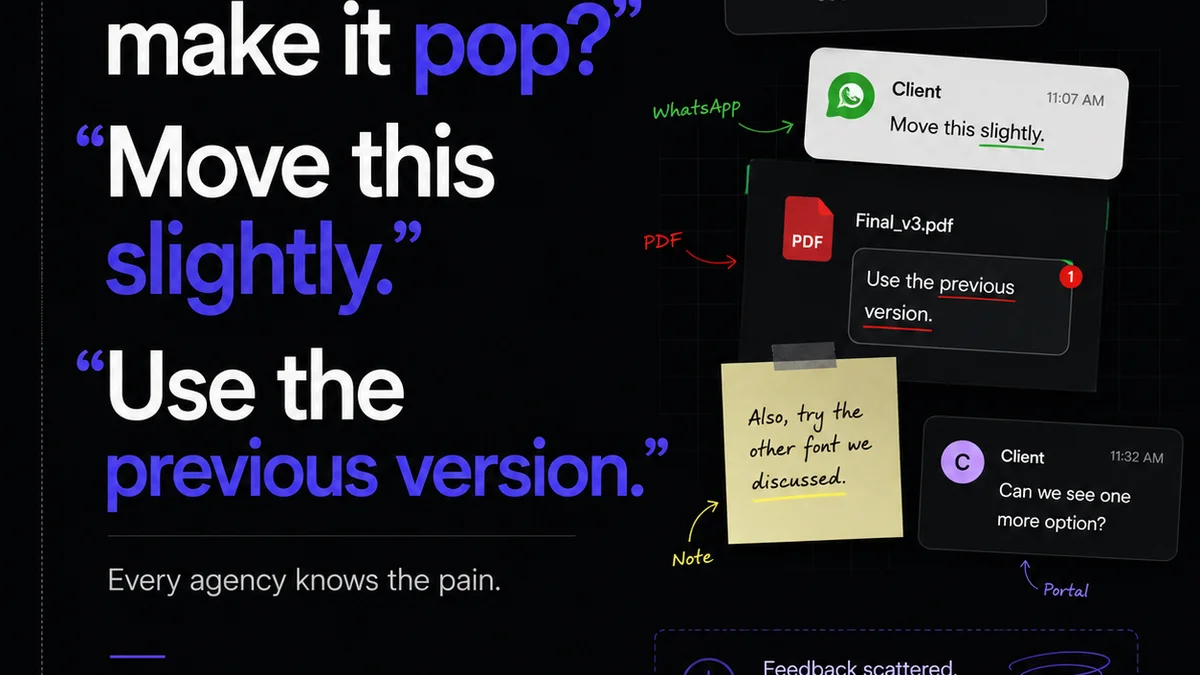
You think managing print reviews means exporting PDFs, emailing them out, and hoping for the best. That’s what everyone does, right?
None of that is wrong. But it’s incomplete.
The hard truth? Relying on scattered PDFs and email chains for print reviews is a surefire way to introduce errors, miss deadlines, and frustrate clients. It’s a workflow built for chaos, not clarity. For US teams juggling tight turnarounds and demanding clients, this old-school approach isn't just inefficient—it’s actively detrimental to your bottom line and your reputation.
1. The Hidden Costs of PDF-Based Print Reviews
Exporting a PDF, attaching it to an email, and waiting for feedback sounds simple. But the reality is far messier.
Consider the friction:
- Version control nightmares. Which PDF is the latest? Did someone mark up an outdated version?
- Comment fragmentation. Feedback lives in email threads, Slack messages, or even scribbled notes.
- Lack of accountability. Who approved what? When? It's a paper trail that’s easily lost.
- Rework and errors. Misinterpreted feedback or missed comments lead to costly reprints and delays.
- Client frustration. They’re wading through confusing threads, too.
These aren't minor annoyances. They add up to lost billable hours, strained client relationships, and missed opportunities.
2. Beyond Basic Annotation: What Makes a Print Review Tool
Frequently asked questions
What are the main benefits of using dedicated PDF print review tools?
Dedicated tools centralize feedback, improve version control, provide clear audit trails for approvals, and reduce the risk of errors compared to email-based reviews. This leads to faster turnaround times and fewer costly mistakes.
Can these tools handle large, high-resolution print files?
Many professional tools are designed to handle large files efficiently. Look for features like optimized viewing, cloud storage integration, and robust processing capabilities to ensure smooth handling of high-resolution print assets.
How do these tools improve client collaboration on print projects?
They offer a single source of truth for feedback, allowing clients to comment directly on the PDF with clear annotations. This eliminates confusion from scattered email chains and ensures everyone is working from the same approved version.
Are PDF print review tools suitable for agencies working with remote teams?
Absolutely. These tools are built for remote collaboration, enabling team members and clients anywhere to review, comment, and approve print files in real-time or asynchronously, ensuring project continuity regardless of location.