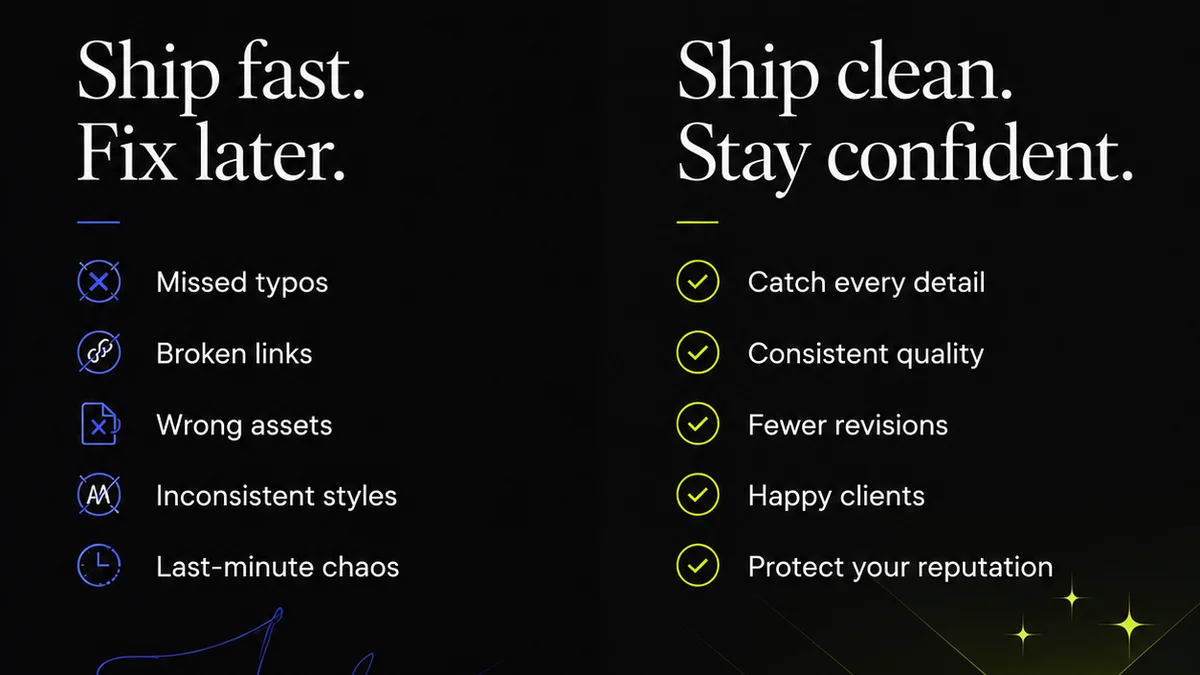
You think you need PDF proofing software because clients send PDFs. And they do. So, you need to review them, right? That’s where the assumption ends and the hard truth begins. Basic PDF annotation tools are a dime a dozen. They let you draw lines, add text boxes, and maybe highlight. But that’s not what makes creative work flow. That’s not what prevents costly mistakes. That’s not what speeds up client approvals. What you *really* need is a system that turns a static PDF into a dynamic hub for feedback, revision tracking, and quality control. Anything less is just digital busywork.
The hard truth? Most agencies are drowning in inefficient PDF workflows. They treat PDFs like final deliverables when they should be treated as work-in-progress. This leads to endless email chains, lost feedback, version control nightmares, and ultimately, damaged client relationships. The right PDF proofing software solves these operational headaches, not just the visual ones.
1. Beyond Redlines: Contextual Feedback is King
The most obvious feature of any PDF proofing tool is the ability to leave comments. But not all comments are created equal. Static, disconnected notes scattered across a document are chaos. You need software that anchors feedback directly to specific elements on the page. This means:
- Pixel-perfect pinpointing: Comments should attach to exact locations, not just vague areas.
- Clear annotation types: Differentiate between a design suggestion, a factual correction, a client question, or a simple typo.
- User identification: Always know who said what. No more guessing games.
- Resolvability: The ability to mark comments as addressed or resolved so you can track progress.
This isn't just about making notes prettier. It's about ensuring clarity and accountability. When a client can point directly to a logo that needs resizing, there's no ambiguity. The design team knows exactly what to fix.
The Email Chain Nightmare
Think about the alternative: a client emails, “The headline on page 3 looks a bit off.” What does “a bit off” mean? Is it the kerning? The weight? The size? The placement? Without visual context, you’re back to a frustrating game of 20 questions, often with multiple stakeholders chiming in with their own vague interpretations.
Centralized Comment Threads
Good software consolidates all feedback into a single, manageable stream. Each comment is a mini-conversation. This keeps discussions focused and prevents critical notes from getting buried. It’s about building a clear, actionable record of the review process.
2. Version Control: The Ghost of Revisions Past
This is where most PDF workflows crumble. You send out PDF v1. Then v2. Then v2.1. Then v3. Clients inevitably confuse them. They’ll send feedback on an old version, or worse, approve something that’s already been changed. PDF proofing software must tackle this head-on.
What to Look For:
- Clear Version Stacking: The ability to upload new versions of a PDF and see them clearly layered or listed, with the latest version always prominent.
- Side-by-Side Comparison: Visual tools to compare two versions of a PDF directly, highlighting differences. This is crucial for spotting unintended changes.
- Feedback Persistence: Comments from previous versions should ideally be visible (though perhaps grayed out or marked as 'old') when viewing a new version. This ensures no feedback is lost if it wasn't addressed in the update.
- Approval History: A clear, unalterable log of who approved which version and when.
Without robust version control, you’re setting yourself up for errors. It’s not just about looking at the latest design; it’s about understanding its evolution and ensuring the approved state is the *correct* state.
The “Wait, Which Version?” Trap
How many times has a client said, “We approved this last week!” only for you to discover they were looking at version 2, not the final version 4 you just sent? This isn't a client error; it's a workflow failure. Your tools should prevent this.
Visualizing Changes
A tool that can visually show you what changed between versions is invaluable. Think of it like a track-changes feature for visual assets. It speeds up your internal QA and helps you quickly confirm that only the intended revisions were made.
3. Collaboration Beyond the Client
Your agency isn't just you and the client. You have designers, copywriters, project managers, account managers, and maybe even legal teams involved. Your PDF proofing software needs to facilitate collaboration *within* your team, not just between you and the client.
Internal Workflows Benefit From:
- Role-Based Permissions: Control who can view, comment, edit, or approve specific documents or versions.
- Task Assignment: Ability to assign specific comments or action items to internal team members.
- Internal Commenting Threads: Dedicated spaces for your team to discuss client feedback before responding.
- Centralized Document Hub: A single place where all project-related PDFs and their feedback reside, accessible to the relevant internal stakeholders.
When your internal team can seamlessly access the latest feedback, discuss it, and assign actions, you operate with much greater efficiency. This prevents the 'us vs. them' mentality that can arise from siloed communication.
The Relay Race of Feedback
Passing feedback from client to PM, then to designer, then back again, is rife with opportunities for misinterpretation or delay. A system that makes feedback visible and actionable to all relevant parties streamlines this process dramatically.
Streamlining Internal QA
Before a PDF even goes to the client, your internal team should be able to review it. Assigning specific QA tasks within the proofing tool ensures everyone is on the same page and catches errors before they escalate.
4. Beyond PDFs: Supporting Your Full Creative Stack
While this article focuses on PDF proofing software, the best solutions recognize that PDFs are just one format in a complex creative ecosystem. The ideal tool integrates with or supports the other formats you work with daily.
Considerations for a Broader Workflow:
- Support for Multiple File Types: While PDF is common, you'll also need to proof images (JPG, PNG, TIFF), design files (PSD, AI, INDD - often exported to PDF or JPG for review), and potentially video or web assets.
- Integration Capabilities: Does the software connect with your project management tools (like Asana, Monday, Jira), cloud storage (Google Drive, Dropbox), or design software?
- API Access: For larger agencies, an API can unlock powerful custom integrations.
Treating PDF proofing as an isolated island ignores the reality of agency operations. The best tools enhance your existing stack, not disrupt it.
The Siloed Tool Problem
If your PDF proofing tool doesn't talk to your PM software, you’re manually transferring tasks and deadlines. This duplication of effort is a productivity killer.
Future-Proofing Your Process
As your agency grows and adopts new tools, your proofing solution should be able to adapt. Look for flexibility and openness.
5. Security and Permissions: Protecting Your Work
Creative assets are valuable. Client data is sensitive. Your proofing software must be a secure environment. This isn't just about preventing unauthorized access; it's about granular control.
Key Security Features:
- User Authentication: Robust login procedures, ideally with two-factor authentication (2FA).
- Access Controls: Define who can see which projects, files, and comments. Can clients only see their own feedback? Can external collaborators only view, not download?
- Download Restrictions: Option to disable direct downloads of proofs to prevent unauthorized sharing.
- Audit Trails: Comprehensive logs of all user activity within the system.
A data breach or an accidental leak of unapproved creative can have severe consequences. Prioritize security as much as usability.
The Accidental Leak
Imagine a client's confidential campaign accidentally gets shared externally. The reputational and financial damage could be immense. Strong permissioning is your first line of defense.
Compliance Considerations
Depending on your clients and industry, you might have specific compliance requirements (like GDPR or HIPAA). Ensure your chosen software can support these needs.
Where Revue Fits In
You’re looking for PDF proofing software, but what you’re really after is a more efficient creative workflow. You need a central place to manage feedback, track revisions, and ensure quality without the operational friction.
Revue acts as that central nervous system for your creative projects. While not a dedicated PDF annotation tool in the granular, pixel-pushing sense, it excels at the layers *around* the proofing process:
- Centralized Feedback Hub: Upload proofs (including PDFs) and gather all client feedback, comments, and approvals in one place. All communication is threaded and contextual.
- Revision and Approval Visibility: Track every version of a creative asset, see who approved what and when, and maintain a clear audit trail. This eliminates confusion and streamlines the sign-off process.
- Quality Control Integration: By keeping all feedback and revisions organized, Revue makes your internal QA process more robust. You can easily reference past feedback, confirm changes, and ensure nothing falls through the cracks before final delivery.
- Streamlined Collaboration: Facilitate communication not just with clients, but across your internal teams, ensuring everyone is aligned on the latest status and feedback.
Revue enhances your ability to manage the *entire* lifecycle of creative feedback and approval, turning chaotic review cycles into predictable, high-quality outputs.
Final Thought
Are you managing feedback, or are you just collecting comments? The distinction is critical. The right software doesn't just let you mark up a PDF; it transforms how your entire team collaborates, iterates, and delivers. It moves you from reactive damage control to proactive, efficient creation. What’s the biggest bottleneck in your current proofing process?
Frequently asked questions
What's the difference between basic PDF annotation and true PDF proofing software?
Basic PDF annotation tools allow simple markups like drawing and text boxes. True PDF proofing software offers contextual feedback, version control, collaboration features, and integrates into a broader workflow for managing revisions and approvals efficiently.
Why is version control so important in PDF proofing?
Version control prevents confusion and errors by clearly tracking multiple iterations of a document. It allows users to compare versions, see changes, and ensure feedback is applied to the correct iteration, avoiding costly mistakes and client disputes.
Can PDF proofing software help with internal team collaboration?
Yes, effective PDF proofing software includes features like role-based permissions, task assignment, and internal comment threads, enabling seamless collaboration among internal team members before client review.
What security features should I look for in PDF proofing software?
Key security features include robust user authentication (like 2FA), granular access controls, download restrictions, and comprehensive audit trails to protect valuable creative assets and sensitive client data.
How does a tool like Revue complement PDF proofing software?
Revue acts as a central hub for managing the entire feedback and approval lifecycle. It enhances visibility for revisions, approvals, and quality checks around proofs (including PDFs), streamlining collaboration and ensuring accountability without getting bogged down in granular annotation.