Everyone thinks PDF quality assurance is about catching typos. Or making sure the colors look okay. None of that is wrong. But it’s incomplete.
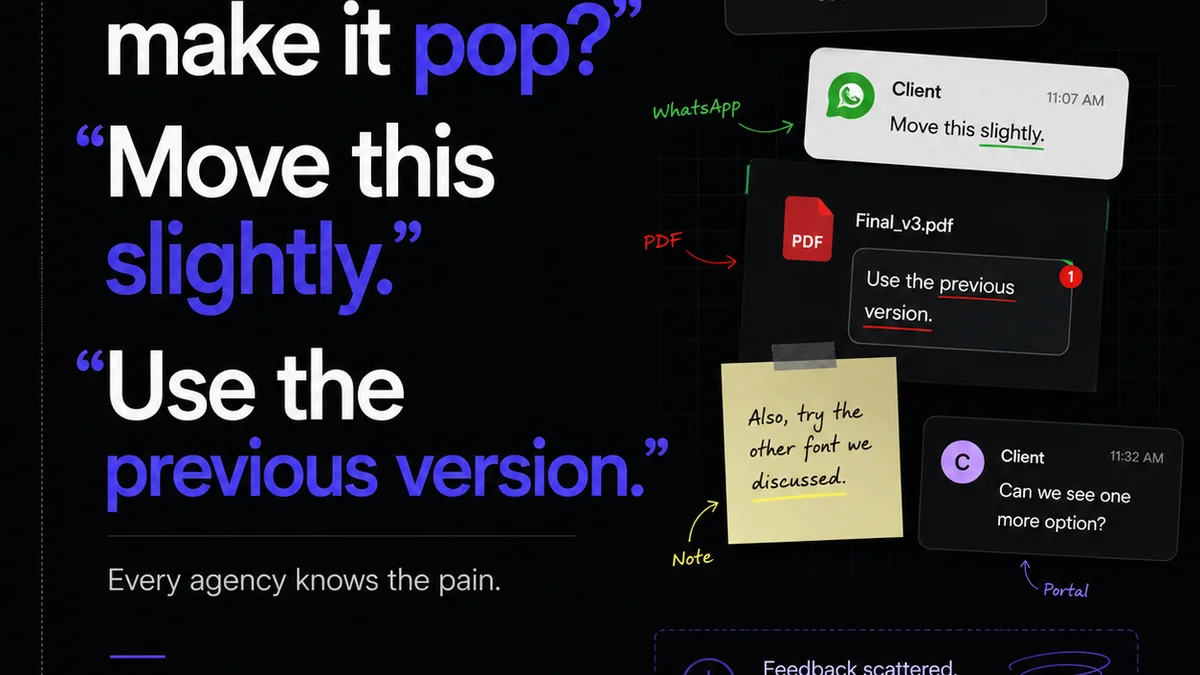
The hard truth? Many agencies treat PDF QA as a final, almost rote, step. A quick glance before hitting send. This casual approach hides a much bigger problem: a broken feedback loop and a lack of clarity on what “done” actually means.
1. The Real Cost of a Bad PDF
A flawed PDF isn't just embarrassing. It’s a direct hit to your bottom line. Think about the ripple effect:
- Client frustration and erosion of trust.
- Rework that eats into your profit margins.
- Missed deadlines and potential penalties.
- Damage to your agency's reputation.
It’s not about finding every stray comma. It’s about ensuring the final deliverable perfectly matches the agreed-upon scope and vision.
2. Shifting from Spot-Checking to Systemic QA
The old way: someone opens the PDF, scrolls through, and hopes for the best. This is not QA. This is wishful thinking.
True PDF quality assurance requires a systematic approach. It’s about process, not just perception.
2.1. Define Your QA Checklist
Don't wing it. Create a standardized checklist that covers critical areas. This ensures consistency, regardless of who is doing the checking.
Your checklist should include:
- Content Accuracy: Typos, grammatical errors, factual correctness, correct names/titles/dates.
- Design Fidelity: Brand guidelines adherence, correct logos, accurate colors (CMYK vs. RGB), proper typography, image resolution and clarity.
- Layout Integrity: Page numbering, correct order, bleeds and trims, consistent margins, text flow, image placement.
- Functionality (if applicable): Hyperlinks working, form fields functional, interactive elements behaving as expected.
- File Specifications: Correct file format, appropriate resolution for intended output (print vs. web), correct color profile.
2.2. Empower the Right People
The person best suited for QA isn't always the junior designer who created the file. Often, it’s a project manager, a copy editor, or even a client stakeholder who understands the brief intimately.
They need clear guidelines and the authority to flag issues without pressure to just “make it work.”
2.3. Integrate QA Early and Often
Waiting until the final PDF is generated is too late. QA should be woven into the entire workflow.
- Internal Reviews: Before client-facing drafts, have an internal team member review for completeness and adherence to brief.
- Client Feedback Rounds: Structure these clearly. What feedback is in scope? What's out?
- Pre-Finalization Check: A dedicated QA pass on the *near-final* PDF before it’s sent for final approval.
3. Understanding PDF Output Settings
Many PDF issues stem from incorrect export settings. This is especially true for print versus digital deliverables.
3.1. Print vs. Digital: Different Worlds
Exporting for print requires specific considerations:
- Color Mode: Always CMYK for professional printing. RGB PDFs can lead to unexpected color shifts.
- Resolution: 300 DPI (dots per inch) is standard for print to ensure sharpness.
- Bleed: Ensure artwork extends beyond the trim edge to avoid white slivers.
- Crop Marks: Sometimes necessary for printers to know where to cut.
For digital distribution (web, email):
- Color Mode: RGB is generally preferred for screens.
- Resolution: 72 DPI is often sufficient, but higher can be better for crisp display on high-res screens.
- File Size: Optimize images and vector elements to keep file sizes manageable for faster loading.
- Compression: Use appropriate compression settings to balance quality and file size.
Confusing these can lead to blurry images, incorrect colors, or unprintable files.
3.2. Font Embedding
Always embed fonts when creating a PDF. This ensures that the text displays correctly on any computer, even if the recipient doesn't have the specific font installed. Most design software has a checkbox for this during export.
4. The Nuances of Client Approvals
Client approvals are often the biggest bottleneck and source of errors in PDF QA.
Assumption: Clients know exactly what they’re looking at and what to approve.
Hard truth: Clients are often overwhelmed by design details and may approve based on a superficial glance, or their feedback might be vague and subjective.
4.1. Guiding Client Feedback
Provide clear instructions on how clients should provide feedback. Use annotation tools within a platform, or ask for specific, actionable comments rather than general statements like “I don’t like it.”
Educate them on what they *should* be looking for: consistency, accuracy, and adherence to the brief.
4.2. Establishing Clear Approval Stages
Define what each approval stage means. “First Draft Approval” should signify agreement on concept and general layout. “Final Approval” means the design is pixel-perfect and ready for release.
Use a system that tracks these approvals. This creates an audit trail and clarifies expectations.
5. Where Revue Fits In
Managing feedback, revisions, and approvals for creative work, especially complex PDFs, can quickly become chaotic. This is where a centralized platform like Revue becomes essential for effective PDF QA.
Revue helps by:
- Centralizing Feedback: All client comments and internal notes live in one place, linked directly to the specific version of the PDF. No more digging through emails or Slack threads.
- Tracking Revisions: Easily see what changes were made between versions. This clarity is crucial for identifying whether feedback was implemented correctly and if any new issues were introduced.
- Streamlining Approvals: Formalize the approval process. Stakeholders can sign off on specific versions, creating a clear record of agreement. This reduces ambiguity and the likelihood of last-minute, scope-creeping changes after “final” approval.
- Facilitating Quality Checks: A structured environment allows for more thorough QA. Team members can use the platform to systematically check off items on their QA checklist against the latest version, knowing all context is readily available.
By bringing structure and visibility to the entire feedback and approval lifecycle, Revue ensures that PDF QA isn't an afterthought, but an integrated part of a quality-controlled delivery process.
6. Final Thought
Is your PDF QA process a genuine quality gate, or just a formality? The difference impacts everything from client satisfaction to your agency's profitability. Investing in a robust, systematic approach isn't just good practice—it's essential for survival in a competitive market.
Frequently asked questions
What's the difference between print and digital PDF export settings?
For print, use CMYK color mode, 300 DPI resolution, and ensure proper bleeds. For digital, RGB is often preferred, resolution can be lower (e.g., 72 DPI), and file size optimization is key. Always embed fonts for both.
Who should be responsible for PDF QA?
The best person is someone who deeply understands the brief and project scope. This might be a project manager, copy editor, or a senior team member, not necessarily the designer who created the file. Consistency is key, so a standardized checklist is vital.
How can I prevent clients from approving flawed PDFs?
Guide client feedback by providing clear instructions, using annotation tools, and asking for specific, actionable comments. Educate them on what to look for beyond aesthetics, focusing on accuracy and adherence to the brief. Establish clear definitions for each approval stage.
How often should PDF QA be performed?
PDF QA should not be a single event. Integrate checks throughout the workflow: during internal reviews before client drafts, during client feedback rounds, and as a dedicated pass on the near-final version before final client approval.