You think a PDF proof is just a quick visual check. A glance to make sure the logo is there and the colors look about right. That’s what most agencies do. And that’s exactly why so many mistakes slip through the cracks.
The hard truth? A superficial PDF quality assurance process is actively costing you money and damaging client trust. It’s not just about catching typos; it’s about safeguarding the entire project and your agency’s reputation. A proper PDF QA checklist is your best defense.
1. The Foundation: What *Actually* Needs Checking?
Forget the vague “check for errors.” A useful checklist breaks down the complex into manageable, actionable items. It moves beyond subjective eyeballs-on-it to objective, verifiable points.
Think about the entire lifecycle of the asset. What are the critical touchpoints where things can go wrong?
Branding Consistency
- Logo usage: Correct version, clear space, correct color variants?
- Typography: Correct fonts, weights, sizes, and leading?
- Color palette: Adherence to brand guidelines (CMYK, RGB, Pantone)?
- Tone of voice: Does the copy align with brand messaging?
Content Accuracy
- Text: Typos, grammatical errors, consistent terminology?
- Data: Correct numbers, dates, statistics, names, and contact information?
- Legal/Compliance: Disclaimers, disclosures, terms and conditions present and accurate?
- Product/Service details: Features, pricing, and specifications up-to-date?
Design Integrity
- Layout: Alignment, spacing, visual hierarchy maintained?
- Image Quality: Resolution, compression artifacts, correct aspect ratio?
- Color Reproduction: Cross-device and cross-medium consistency?
- Interactive Elements: Links working, buttons functional, form fields correct?
- Accessibility: Sufficient color contrast, readable font sizes, proper alt text for images (if applicable)?
Technical Specifications
- File format: Correct PDF version (e.g., PDF/X-1a for print)?
- Bleed and trim marks: Correctly set and included where needed?
- Color profiles: Embedded correctly (e.g., CMYK for print, sRGB for web)?
- Font embedding: All fonts subsetted or fully embedded?
- File size: Optimized for intended use (web vs. print)?
- Metadata: Correct author, title, keywords?
2. Building Your PDF QA Checklist: The Workflow Integration
A checklist is only as good as its implementation. If it’s a document nobody uses, it’s useless.
Your checklist needs to be part of the established workflow, not an afterthought.
Assign Responsibility
Who is doing the QA? Is it the designer, a dedicated QA person, the project manager, or the account manager? Define clear roles.
Ideally, it’s someone *other* than the person who created the asset. Fresh eyes catch more.
Integrate into Project Management Software
Don't keep your checklist in a separate, forgotten Word doc. Use your project management tool. Create a task or a template for QA reviews.
This ensures it’s seen, acted upon, and tracked. You can even assign it as a specific step in your production process.
Standardize the Process
Every PDF proof should go through the same rigorous checks. This consistency reduces the chance of human error.
Use the same checklist for every client, every project, every time. Adapt it as needed, but maintain the core structure.
Make it Accessible
Ensure everyone involved in QA has easy access to the latest version of the checklist. Cloud storage or direct integration with your PM tool is key.
3. Beyond the Checklist: Advanced PDF QA Tactics
A checklist is a great start. But true QA excellence requires more.
Automated Preflighting
Tools like Adobe Acrobat Pro, Enfocus PitStop, or FlightCheck can automate many technical checks. These catch issues like missing fonts, incorrect color modes, or low-resolution images before a human even looks at it.
This frees up your team to focus on the more nuanced aspects of content and design.
Version Control is Crucial
How do you know you’re checking the *right* version of the PDF? Implement strict version control. Every iteration should be clearly labeled.
Common pitfalls include reviewing an outdated file or mixing up different rounds of feedback.
Cross-Platform/Device Testing
For digital assets, a PDF might be viewed on various devices and screen sizes. Test how it renders across different platforms (desktop, mobile, tablet) and browsers.
What looks perfect on your calibrated monitor might be unreadable on a client's phone.
Client Review vs. Internal QA
Clearly differentiate between internal QA and client review. Your internal QA should catch *most* issues before the client ever sees the PDF.
The client’s job is to confirm strategic alignment and ultimate sign-off, not to act as your proofreader.
4. Where Revue Fits In
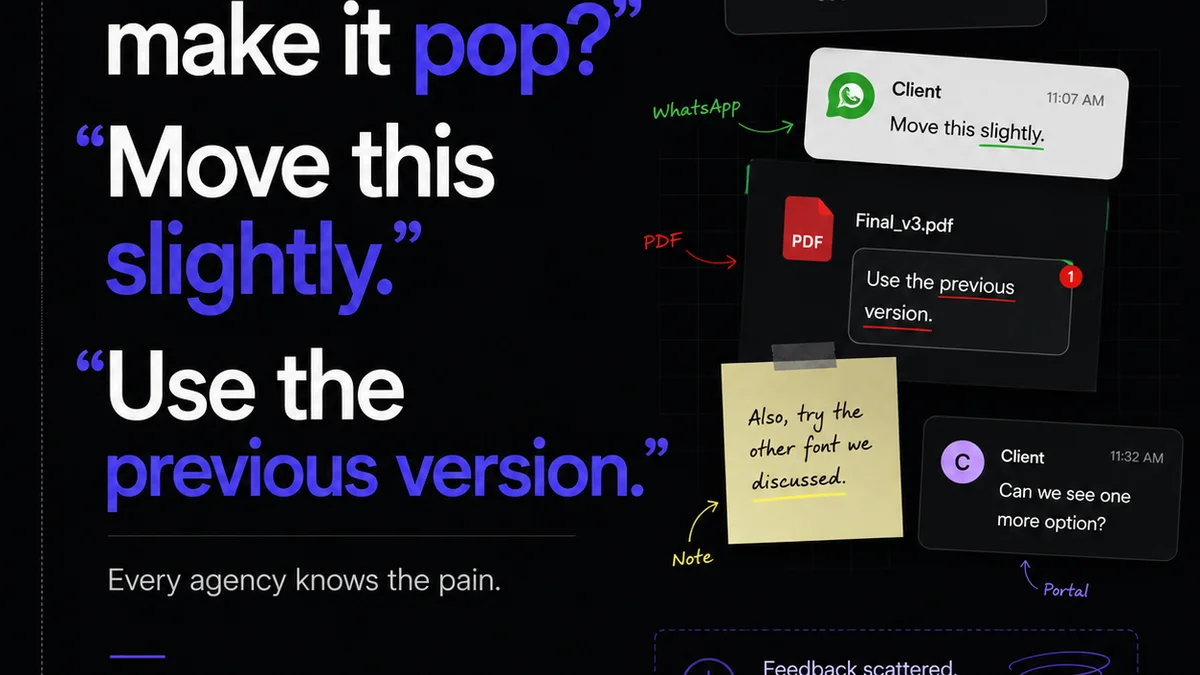
Managing feedback and approvals for creative assets, especially PDFs, can quickly become chaotic. Emails get lost, feedback is scattered across Slack channels, and version control becomes a nightmare.
Revue streamlines this entire process. You can upload multiple versions of your PDF proofs directly into the platform. Then, clients and stakeholders can provide feedback directly on the asset, with clear annotations and comments tied to specific areas.
This centralized system ensures all feedback is captured in one place, reducing misinterpretations and speeding up the revision cycle. You get a clear audit trail of feedback, revisions, and approvals, making your internal QA process more efficient and providing undeniable proof of work for your clients.
Key Benefits for PDF QA
- Centralized Feedback: All comments and annotations on one platform.
- Version Control: Easily track and compare different iterations of the PDF.
- Clear Audit Trail: Record every step of the review and approval process.
- Reduced Miscommunication: Contextual feedback prevents misunderstandings.
- Streamlined Approvals: Clients can sign off directly within the tool.
5. Final Thought
Your PDF QA checklist isn't just a document; it's a commitment to quality. It’s a proactive stance against errors that erode client confidence and inflate project costs.
Are you treating your PDF proofs as a critical gate, or just a formality?
Frequently asked questions
What is the primary goal of a PDF QA checklist?
The primary goal is to systematically identify and rectify errors in PDF documents before they are sent to clients or production. This includes checking for content accuracy, design integrity, branding consistency, and technical specifications, thereby ensuring a high-quality deliverable and maintaining client satisfaction.
Who should be responsible for PDF Quality Assurance?
Ideally, PDF QA should be performed by someone other than the creator of the document to ensure fresh, objective eyes. This could be a dedicated QA specialist, a project manager, an account manager, or another team member who understands the project requirements and quality standards.
How can automated tools help with PDF QA?
Automated tools, such as Adobe Acrobat Pro or specialized preflight software, can perform rapid checks for technical issues like missing fonts, incorrect color profiles, low-resolution images, and improper bleed settings. This allows human reviewers to focus on more subjective elements like content accuracy and design nuances.
How does a centralized feedback platform like Revue improve PDF QA?
Platforms like Revue centralize feedback directly on PDF proofs, provide clear version control, and create an audit trail of all comments and approvals. This reduces miscommunication, ensures all feedback is captured and addressed, and streamlines the entire review and revision process, making internal QA more efficient.