Everyone thinks a pre-press checklist is about the technical stuff: bleed, resolution, color profiles. None of that is wrong. But it’s incomplete.
The real hard truth? A robust pre-press checklist is less about the final file and more about the *process* that got you there. It’s a diagnostic tool for your entire creative operation.
1. The Assumption: Files Are the Only Problem
The common wisdom is that pre-press issues stem from poorly prepared files. A missed bleed, the wrong color mode, low-res images. These are symptoms, not root causes.
This thinking treats pre-press as a final gate, a technical hurdle at the end of the line. If the file is wrong, it’s blamed on the designer or the specs.
It’s a convenient scapegoat. But it lets the real culprits slide.
2. The Hard Truth: Workflow Is the Real Bottleneck
Pre-press problems are almost always symptoms of deeper workflow issues. Lack of clarity, miscommunication, rushed timelines, unclear feedback, insufficient review cycles. These are the things that *cause* the technical errors.
A designer rushing to meet a deadline, without clear instructions or proper sign-offs, is far more likely to miss a bleed than one working in a well-oiled machine.
Your pre-press checklist should be a mirror reflecting your entire process, not just the final output.
3. Deconstructing the Pre-Press Workflow
Let’s break down where the real issues hide, and how a comprehensive checklist addresses them.
3.1. The Brief: Ambiguity is the Enemy
Did the brief actually contain all necessary information? Was it clear? Was it signed off?
- Client goals and objectives
- Target audience
- Key messaging
- Deliverables and specifications (dimensions, formats, quantities)
- Brand guidelines adherence
- Mandatory elements (logos, disclaimers)
- Technical constraints (print method, web platform)
A vague brief leads to assumptions. Assumptions lead to errors. Errors get caught at pre-press, causing delays and cost overruns.
3.2. Feedback Loops: The Choke Points
How is feedback collected? Who gives it? Is it consolidated and clear?
Scattered feedback across emails, Slack messages, and random calls is a recipe for disaster. Key comments get lost. Conflicting instructions emerge.
A structured feedback process ensures all input is captured, reviewed, and actioned correctly.
- Centralized feedback mechanism
- Clear roles for feedback providers
- Version control for revisions
- Confirmation of feedback understanding
- Sign-off at each revision stage
3.3. Asset Management: The Missing Pieces
Are all necessary assets readily available and in the correct format?
Missing logos, outdated brand assets, incorrect image files – these all cause delays and force last-minute substitutions, often with suboptimal results.
- Centralized asset library
- Version control for assets
- Clear naming conventions
- Permissions and access control
3.4. The Review Process: Who's Looking?
Is there a formal review process before files go to print or deployment?
This isn't just about proofreading copy. It's a final sanity check of the entire deliverable against the original brief and specifications.
- Dedicated review stage
- Checklist for reviewers (technical and creative)
- Final sign-off authority
- Proofing against the brief
3.5. Technical Specifications: The Foundation
This is where the traditional pre-press checklist comes in, but it’s built on the prior steps.
- Color Mode: CMYK for print, RGB for digital. Correct profiles embedded (e.g., SWOP v2, sRGB IEC61966-2.1).
- Resolution: 300 PPI for print at 100%, 72 PPI for web (though higher is often better for retina displays).
- Bleed and Trim: Adequate bleed (typically 1/8 inch or 3mm) and safe margins considered.
- File Format: PDF/X-1a or PDF/X-4 for print, appropriate formats for digital (JPEG, PNG, SVG).
- Font Embedding: All fonts outlined or embedded correctly.
- Overprint Settings: Correctly configured to avoid unexpected results.
- Spot Colors: Clearly identified and named if used.
- Rich Black: Defined if required for deep blacks.
- Transparency Flattening: Handled appropriately for the output device.
These are non-negotiable technical requirements. But they are far easier to meet when the preceding workflow steps were executed flawlessly.
4. Building Your Pre-Press Checklist
Your checklist needs to span the entire project lifecycle, not just the final file output.
4.1. Project Kick-off Checklist Items
- Brief clarity and completeness confirmed.
- Client goals understood and documented.
- All required assets identified and accessible.
- Project scope and deliverables finalized.
- Key stakeholders identified for feedback and approval.
- Timeline and milestones agreed upon.
4.2. Design & Development Phase Checklist Items
- Adherence to brand guidelines verified.
- Feedback collected and consolidated at each stage.
- Revisions clearly documented and approved.
- Version control actively used.
- Technical specifications considered from the outset.
4.3. Pre-Flight & Delivery Checklist Items
- Technical File Check:
- Color mode correct?
- Resolution adequate?
- Bleed and trim set correctly?
- File format appropriate?
- Fonts embedded/outlined?
- Overprint settings accurate?
- Spot colors defined?
- Transparency handled?
- Content Check:
- Copy proofread and approved?
- All mandatory elements present?
- Layout matches approved proofs?
- Links functional (for digital)?
- Client Approval:
- Final sign-off obtained?
- Delivery method confirmed?
This multi-stage approach turns your checklist from a gatekeeper into a proactive quality assurance system.
5. Where Revue Fits In
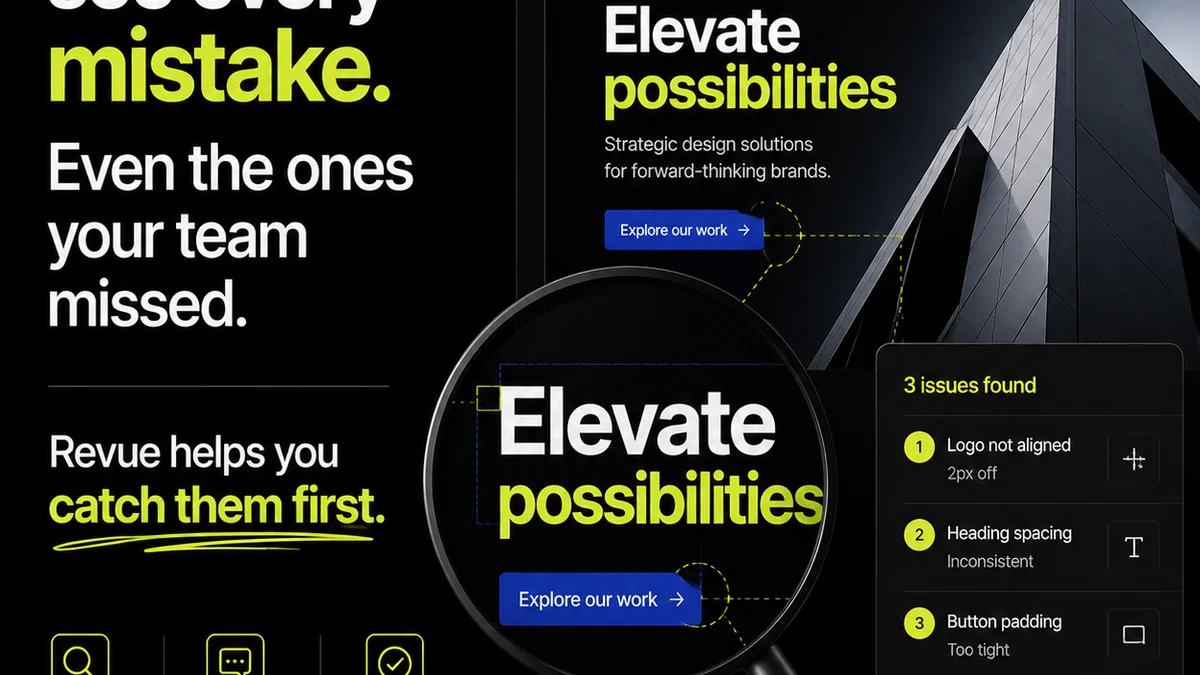
Centralizing client feedback, managing revisions, and ensuring quality checks are critical. This is where tools like Revue become indispensable.
Revue helps you capture all client feedback in one place, eliminating the scattered emails and lost comments. You can track revisions, see who approved what, and maintain a clear audit trail.
This structured approach directly addresses the workflow breakdowns that lead to pre-press errors. When feedback is clear, revisions are managed, and approvals are tracked, the final file preparation becomes a formality, not a frantic scramble.
It ensures that when you get to the technical pre-press checks, you're dealing with a file that's already been vetted creatively and operationally.
6. Final Thought
Is your pre-press checklist truly preparing your files for output, or is it just highlighting the cracks in your operational foundation? The most effective checklists don't just prevent errors; they force you to build a better process.
Frequently asked questions
What's the difference between a technical pre-press checklist and a workflow checklist?
A technical pre-press checklist focuses on file specifications (color, resolution, bleed, etc.) for output. A workflow checklist examines the entire process leading to the file, including brief clarity, feedback loops, and approvals, to prevent errors before they happen.
Why is client feedback crucial for pre-press success?
Unclear or conflicting client feedback is a primary cause of errors that get caught during pre-press. A structured feedback process ensures the final file accurately reflects the client's approved vision and requirements.
How can a centralized feedback system improve pre-press outcomes?
Centralizing feedback eliminates lost comments and conflicting instructions. It provides a clear, documented record of decisions and approvals, significantly reducing the chances of technical errors due to miscommunication.
What are the most common technical pre-press errors?
Common errors include incorrect color modes (RGB vs. CMYK), insufficient resolution (PPI), improper bleed settings, missing font embedding, and incorrect file formats for the intended output.