Everyone thinks print quality control is simple: check the colors, make sure it’s folded right, and ship it. None of that is wrong. But it’s incomplete.
The hard truth is that print QA is a critical, often overlooked, bottleneck that can tank a client’s perception of your agency, even if the creative work itself is stellar. It’s not just about the final printed piece; it’s about the entire process leading up to it.
1. The 'It Looks Good Enough' Trap
This is the most insidious mistake. A client approves a PDF proof. The colors look *okay* on screen. The printer says the proofs are within spec. So, everyone signs off. But 'good enough' on a calibrated monitor is rarely 'great' on a sheet of paper under fluorescent lights.
This mindset ignores fundamental print realities:
- Screen calibration varies wildly.
- PDFs don't perfectly represent ink on paper.
- Substrate and finishing effects are invisible digitally.
- Client expectations are often unvoiced but high.
This leads to disappointment. And disappointment erodes trust.
2. Proofing Blindness: PDFs Are Not the Final Word
The digital proof is a necessary evil. It's a contract. But it's a poor substitute for understanding the physical output. Many agencies rely *solely* on digital proofs, missing critical issues that only physical inspection can catch.
What gets missed?
- Subtle trapping errors that cause color gaps.
- Ink density issues that make text illegible or muddy.
- Blind spots or registration problems on metallic inks or varnishes.
- Paper grain direction issues affecting folds or binding.
- Finishing defects like scuffs, scratches, or inconsistent coatings.
A physical proof, ideally printed on the actual stock with the actual inks, is non-negotiable for high-stakes projects. Even a press check can save you from disaster.
3. Ignoring the Printer's Role in QA
You hired a printer. You assume they have their own rigorous QA process. Most do. But their QA is focused on *their* production standards, not necessarily *your client's* specific, nuanced requirements or your agency's brand standards.
Treat your printer as a partner, not just a vendor. This means:
- Clear, unambiguous specifications in your print order.
- Providing brand guidelines that detail acceptable color ranges and tolerances.
- Discussing potential issues *before* the run begins.
- Establishing a clear point person for QA on their end.
- Understanding their standard QA checks and asking for additional steps if needed.
Don't assume they know what 'perfect' looks like for your client.
4. The Bleed and Trim Misunderstanding
This sounds basic, but it's a perennial problem. Artwork that doesn't extend beyond the trim line (the bleed) results in unwanted white edges after cutting. Artwork that's too close to the trim line risks being cut off.
Why does this keep happening?
- Designers not understanding bleed requirements for different print processes.
- Files being set up incorrectly in design software.
- Last-minute content changes that compromise safe margins.
- Lack of a final check specifically for bleed and trim safety before sending to print.
This isn't just an aesthetic flaw; it signals a lack of attention to detail that clients notice.
5. Overlooking Finishing and Fulfillment
Print QA often stops when the printing press is done. But the job isn't finished until it's delivered correctly. Folding, binding, die-cutting, foiling, laminating, and packing all introduce new opportunities for errors.
Consider these:
- Incorrect folding sequences.
- Misaligned die-cuts.
- Bubbling or peeling lamination.
- Scratched foil applications.
- Incorrectly packed quantities or mixed-up client orders.
- Damage during transit.
Your agency is responsible for the final, delivered product. This includes ensuring it arrives intact and as specified.
6. The Feedback Loop Black Hole
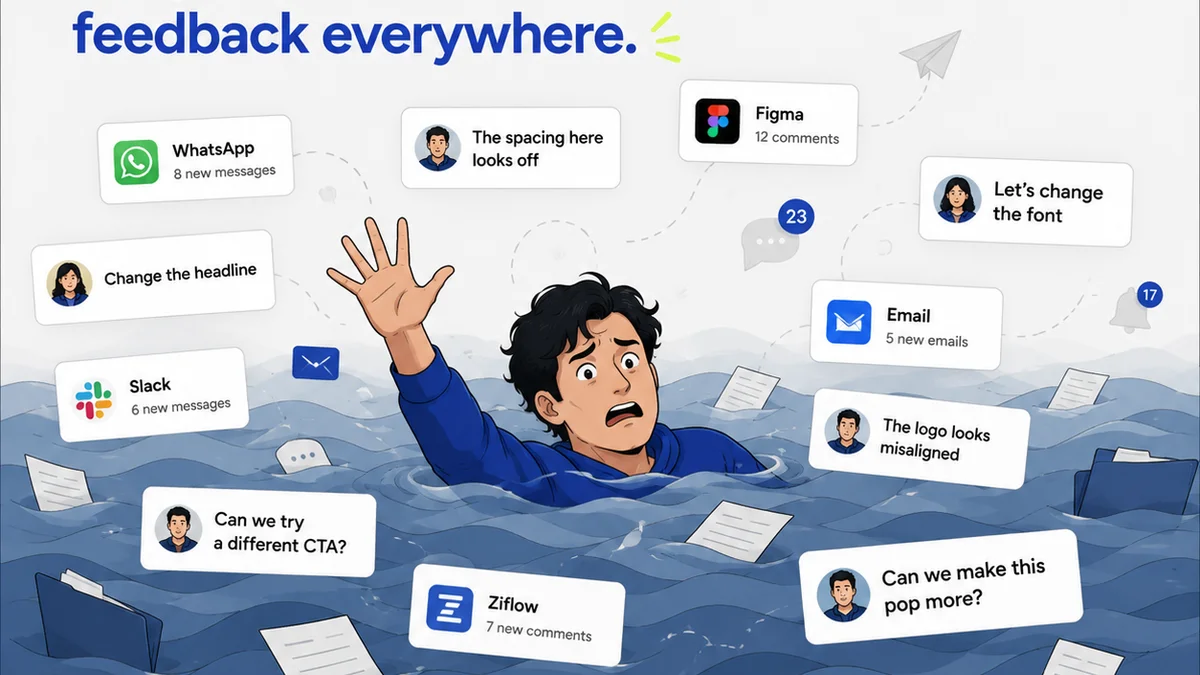
When a client provides feedback on a print piece (or a pre-print proof), where does that feedback go? Is it logged? Is it clearly communicated to the designer and the printer? Or does it get lost in emails and Slack messages?
A broken feedback loop is a QA killer. Critical notes can be missed, misinterpreted, or ignored entirely. This leads to revisions that don't address the core issue, wasting time and money.
You need a system that ensures every piece of feedback is captured, tracked, and acted upon. This visibility is crucial for managing client expectations and ensuring accuracy.
Where Revue Fits In
Managing the complexities of print production and client approvals requires robust systems. Relying on scattered emails, spreadsheets, and DMs is a recipe for disaster. Revue provides a centralized platform designed to streamline creative workflows, including print projects.
With Revue, you can:
- Centralize Feedback: All client comments on proofs, mockups, or even design briefs live in one place, linked directly to the asset. No more digging through inboxes.
- Manage Revisions Clearly: Track every version of a design, see exactly what changed, and get explicit approvals. This clarity prevents misunderstandings about what was signed off.
- Ensure Quality Checks: Build custom checklists for print-specific QA. Ensure every critical step—from bleed checks to finishing details—is accounted for and verified before final delivery.
- Maintain Visibility: Everyone involved, from the creative team to the client, has a clear view of the project status, feedback, and approval history. This transparency builds confidence and reduces errors.
Revue helps bridge the gap between creative intent and final print reality, ensuring your QA process is thorough, documented, and defensible.
Final Thought
Print isn't dead. It's just different. And its demands on your agency's operational rigor are arguably higher than ever. Are you treating print QA as an afterthought, or as the critical quality gate it truly is? Your client's perception, and your agency's reputation, depend on the answer.
Frequently asked questions
What is the most common print QA mistake?
The most common mistake is relying solely on digital proofs (like PDFs) and assuming they accurately represent the final printed output. This 'it looks good enough' mentality overlooks crucial differences in color reproduction, substrate, and finishing that only physical proofs or press checks can reveal.
How can I ensure my printer is doing adequate QA?
Treat your printer as a partner. Provide crystal-clear specifications, detailed brand guidelines, and discuss potential issues beforehand. Understand their standard QA procedures and request additional checks if your project demands it. Establish a clear point of contact for QA on their end.
What's the difference between bleed and trim?
Bleed is the extra margin of artwork that extends beyond the intended cut line (trim line) of a printed piece. It ensures that when the paper is trimmed, there are no unintended white edges. The trim line is the final edge of the printed piece after cutting. Artwork should always extend into the bleed area to avoid issues.
Why is feedback management important for print QA?
A disorganized feedback process means critical comments can be missed, misinterpreted, or ignored. This leads to incorrect revisions, wasted time and money, and ultimately, a final product that doesn't meet client expectations. Centralizing feedback ensures accuracy and accountability.