Everyone talks about automation in creative agencies. They say it saves time, reduces errors, and streamlines workflows. None of that is wrong. But it’s incomplete.
The real promise of automation isn't just speed; it's consistency at the highest level. Specifically, it's about achieving publication quality on every single asset, without fail. Publication quality means work that is client-ready, brand-aligned, technically sound, and error-free. It's the standard that moves work from 'good enough' to 'perfect'.
Achieving this consistently requires more than just a few automated scripts. It demands a systematic approach. A checklist, specifically, one designed for publication quality, powered by automation.
1. Defining Publication Quality: Beyond the Brief
What does 'publication quality' actually mean for your agency? It’s not just about meeting the client’s brief. It’s about exceeding it, anticipating potential issues, and ensuring the final output is polished and professional. This requires a clear, documented definition.
Establishing Your Standards
Start by cataloging the non-negotiables for your agency’s output. This varies by medium and client, but common categories include:
- Brand consistency (logos, colors, typography)
- Technical specifications (file formats, dimensions, resolution, color profiles)
- Accessibility standards (WCAG compliance for digital assets)
- Legibility and readability
- Grammar and spelling
- Asset naming conventions
- File organization
- Legal and compliance requirements (e.g., disclaimers, usage rights)
This definition becomes the bedrock of your automation strategy. If you can't define it, you can't automate it.
The Human Element
While automation is key, human oversight remains critical. Automation flags potential issues; humans make the final judgment call. Think of your checklist as a sophisticated filter, not a replacement for skilled eyes.
2. Automating Brand Consistency Checks
Brand guidelines are often treated as suggestions. For publication quality, they must be enforced. Automation can do the heavy lifting here.
Logo Usage
Automated checks can verify:
- Correct logo versions are used (primary, secondary, favicon, etc.).
- Appropriate clear space is maintained around the logo.
- Minimum size requirements are met.
- Logos are not distorted or recolored incorrectly.
Color Palettes
Scripts can ensure that only approved brand colors are used. For digital assets, this can extend to checking contrast ratios against accessibility guidelines. This is where tools that can analyze color values within design files become invaluable.
Typography
Automated checks can verify:
- Approved font families are used.
- Correct font weights and styles are applied.
- Leading, kerning, and tracking fall within acceptable brand parameters.
- Minimum font sizes for legibility are met.
This level of detail prevents subtle brand drift that erodes recognition over time.
3. Automating Technical Specification Compliance
This is where many agencies stumble. Incorrect file formats, dimensions, or color profiles lead to costly rework and client frustration.
File Format and Dimensions
Automated scripts can check:
- The exported file format matches the requirement (e.g., JPG, PNG, SVG, PDF).
- The dimensions (width and height) are precisely as specified.
- File size is within acceptable limits.
Color Profiles
Ensuring the correct color profile is embedded is crucial. For print, this might be CMYK (e.g., SWOP v2). For digital, it's typically sRGB. Automation can verify the embedded profile, preventing unexpected color shifts when the asset is deployed.
Resolution and DPI
For print assets, resolution (PPI/DPI) is non-negotiable. Automation can flag images or entire documents that fall below the required threshold, preventing blurry or pixelated outputs.
4. Automating Accessibility Checks
Accessibility is no longer optional; it's a legal and ethical requirement for digital products. Publication quality demands inclusive design.
Color Contrast
Automated tools can scan designs and flag text/background combinations that fail WCAG contrast ratio requirements (AA or AAA). This is a fundamental check that prevents many accessibility issues.
Alt Text for Images
While AI can generate alt text, human review is often needed for context and accuracy. However, automation can *ensure* alt text is present for all meaningful images, flagging those that are missing.
Form Field Labels
For interactive elements, automation can check that form fields have associated, programmatically associated labels, a critical requirement for screen readers.
Keyboard Navigation
This is harder to automate fully within design tools, but some testing frameworks can check for focus indicators and logical tab order in prototypes or developed code.
Prioritizing these checks elevates your work from merely functional to genuinely usable by everyone.
5. Automating Content and Legibility Checks
Errors in copy or poor readability can undermine even the most beautiful design.
Grammar and Spelling
Integrate automated grammar and spell-checking tools directly into your workflow. These tools go beyond basic spellcheck, catching contextual errors and stylistic inconsistencies.
Readability Scores
Tools exist that can analyze text complexity (e.g., Flesch-Kincaid) and flag copy that might be too difficult for the target audience to understand. This ensures your message is clear and accessible.
Disclaimer and Legal Text Verification
For regulated industries, ensuring specific disclaimers or legal text are present and correctly formatted is vital. Automation can scan documents for the presence of required phrases or keywords.
6. Automating File Naming and Organization
A chaotic file structure is a slow death for any agency. Consistent naming conventions and organization are essential for collaboration and archiving.
Standardized File Naming
Develop a strict file naming convention (e.g., `Client_Project_Asset_Version_Date.ext`). Automation can check exported files against this convention, renaming them or flagging non-compliant ones.
Folder Structure Verification
Scripts can ensure that assets are being saved into the correct project folders and subfolders, maintaining a clean and logical hierarchy.
Version Control Checks
While not strictly automation, integrating checks for proper versioning (e.g., `_v01`, `_v02`) can prevent accidental overwrites and ensure the team is working with the latest approved iterations.
7. Where Revue Fits In
Implementing a comprehensive publication quality automation checklist requires a central hub for managing creative projects and feedback. This is where a tool like Revue becomes invaluable.
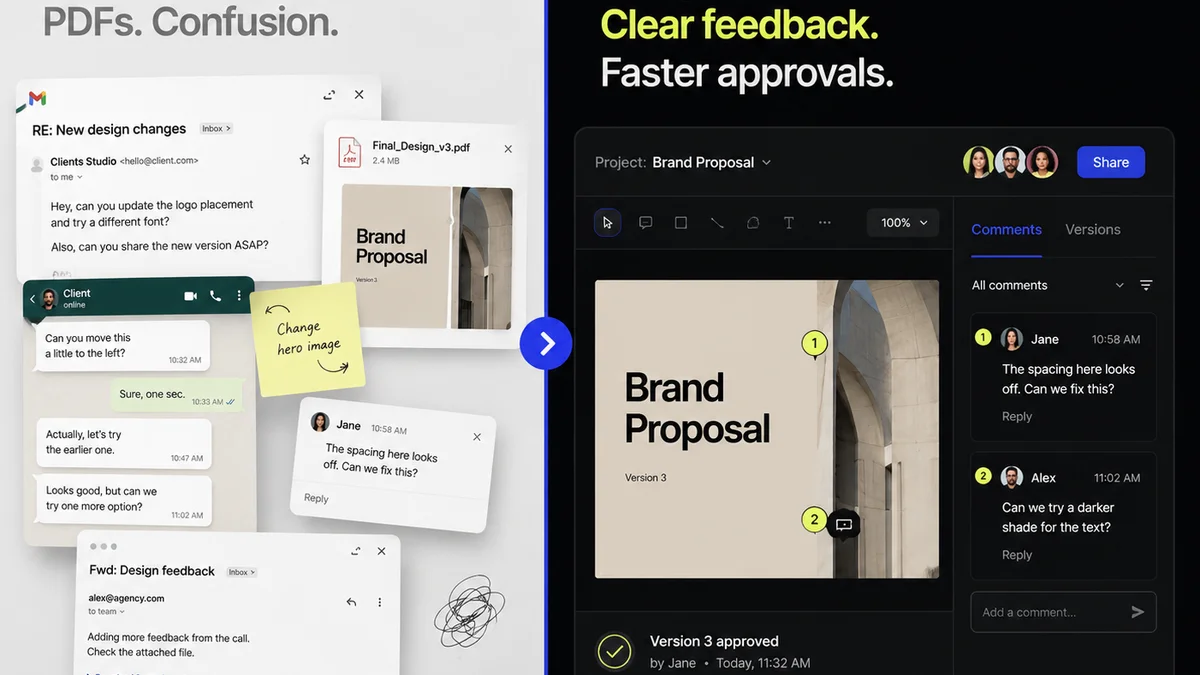
Revue provides a single source of truth for all client feedback and revision history. Instead of sifting through endless email threads or chat logs, all comments are centralized, contextualized, and actionable.
- Centralized Feedback: Ensure all comments, whether from internal reviews or client approvals, are logged against the specific asset version. This context is vital for automated checks to be meaningful.
- Revision Visibility: Track the entire revision process. Automation can be triggered at key stages, comparing new versions against previously approved ones for consistency.
- Quality Assurance Workflows: Integrate your automated checklist steps directly into your QA process. As assets move through stages, automated checks can run, flagging potential issues before they reach the client.
- Approval Tracking: Maintain a clear audit trail of who approved what and when. This is critical for accountability and ensuring that only officially signed-off work proceeds.
By integrating your automated checks within a platform that manages the entire creative lifecycle, you create a seamless, robust process for delivering publication-quality work.
8. Building Your Automation Checklist
Start small. Don't try to automate everything at once. Identify the biggest pain points or the most frequent errors in your current workflow.
Is it incorrect file types for social media? Is it accessibility contrast issues on web banners? Is it brand colors being misused?
Pick one or two areas and build automated checks for them. Use scripting, plugins, or built-in features of your design software. As you gain confidence and see results, expand the checklist.
Tooling and Integration
Consider the tools you already use:
- Design Software Plugins: Many tools like Adobe Creative Cloud have plugins or scripts that can automate checks.
- Build Scripts: For web projects, build tools (Webpack, Gulp) can incorporate linters and automated testing.
- Dedicated QA Tools: Specialized software exists for accessibility testing, image analysis, and more.
- Project Management Platforms: As discussed, platforms like Revue can orchestrate these checks within your workflow.
The goal is to make these checks automatic, so they happen without manual intervention. This frees up your team to focus on creative strategy and execution, not tedious verification.
9. The Human Factor: Training and Culture
Automation isn't a magic bullet. It requires a team that understands its importance and knows how to use the tools effectively.
Invest in training your team on the defined standards of publication quality and how to interpret the results of automated checks. Foster a culture where quality is paramount and where using these automated systems is the norm, not the exception.
Encourage feedback on the automation itself. Are the checks too strict? Too lenient? Are there false positives? Continuous improvement is key.
Final Thought
Publication quality automation is a journey, not a destination. It’s about building robust systems that consistently elevate your agency’s output. It moves you from reacting to errors to proactively preventing them. Are you ready to stop accepting 'good enough' and start delivering 'always exceptional'?
Frequently asked questions
What is 'publication quality' in the context of creative agencies?
Publication quality refers to work that meets the highest standards of professionalism, technical accuracy, brand consistency, and error-free execution, making it ready for public release or client sign-off without further revision.
How can automation help achieve publication quality?
Automation can consistently check for brand guideline adherence, technical specifications, accessibility compliance, content accuracy (spelling/grammar), and file naming conventions, significantly reducing human error and ensuring every deliverable meets predefined standards.
What are the key areas to include in a publication quality automation checklist?
Key areas include brand consistency (logos, colors, typography), technical specs (file formats, dimensions, resolution), accessibility (contrast, alt text), content accuracy (grammar, spelling), and file organization/naming conventions.
Can automation replace human review entirely?
No, automation is best used to flag potential issues and enforce objective standards. Human review remains critical for creative judgment, contextual understanding, strategic alignment, and final approval.
How should an agency start implementing publication quality automation?
Begin by clearly defining what 'publication quality' means for your agency. Then, identify the most common or critical errors in your current workflow and start automating checks for those specific areas, gradually expanding the checklist over time.