Everyone thinks publishing workflow software is about pretty dashboards and automated email alerts. None of that is wrong. But it’s incomplete.
The real value of publishing workflow software isn't in the notifications; it's in the clarity and control it brings to the entire creative process.
For agencies and in-house teams, this means moving beyond basic task management to a system that actively prevents bottlenecks, clarifies feedback, and ensures quality before clients even see the final product. Let’s break down what truly matters.
1. Centralized Feedback & Revision Management
The Chaos of Scattered Feedback
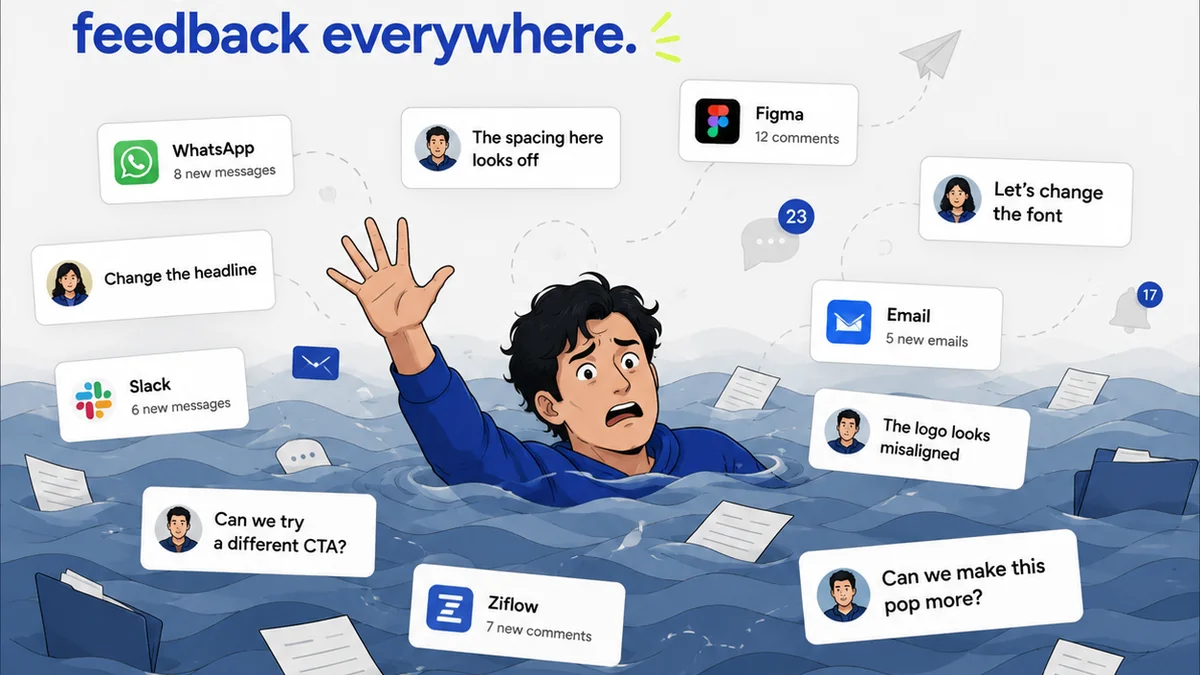
Client feedback is the lifeblood of creative work, but it’s often a chaotic mess. Emails, Slack messages, scribbled notes on PDFs, even verbal instructions—they all pile up.
This fragmentation leads to missed revisions, misinterpretations, and endless back-and-forth that drains time and erodes client trust.
The Hard Truth: Clarity Over Volume
Your workflow software needs to be the single source of truth for all client input. It’s not just about collecting feedback; it’s about making it actionable and auditable.
- Consolidate all comments, annotations, and approvals in one place.
- Link feedback directly to specific creative assets.
- Track the history of every revision and decision.
Key Features to Seek:
- Visual Annotation Tools: Allow clients and reviewers to mark up designs directly on the asset.
- Version Control: Automatically track and manage multiple versions of a file, showing changes clearly.
- Status Tracking: Clearly indicate whether feedback is pending, addressed, or approved.
- Audit Trails: Maintain a clear record of who said what and when, crucial for accountability.
2. Streamlined Approval Processes
The Bottleneck of Sign-Offs
Getting final approval can feel like pulling teeth. Delays here ripple through the entire project timeline, impacting launch dates and revenue.
Manual chasing of approvals is inefficient and prone to error.
The Hard Truth: Visibility and Automation
Effective approval workflows are built on transparency and automation. Stakeholders need to know what’s expected of them and when, and the system should guide them through it.
Key Features to Seek:
- Configurable Approval Chains: Set up multi-step approvals for different stakeholders or project types.
- Automated Reminders: System-generated nudges for pending approvals.
- Clear Decision Tracking: Easily see who has approved, rejected, or requested changes.
- Deadline Management: Integrate approval deadlines with overall project timelines.
3. Integrated Quality Assurance (QA)
The Risk of Skipping Checks
Rushing through quality checks or skipping them entirely is a fast track to client dissatisfaction and costly rework.
A missed typo or a broken link can undermine even the most brilliant creative work.
The Hard Truth: QA as a Proactive Step
Your workflow tool should facilitate, not hinder, thorough QA. It should be an integrated part of the process, not an afterthought.
Key Features to Seek:
- Customizable Checklists: Create templates for different types of projects (e.g., website, brochure, social campaign).
- Issue Tracking: Log and assign bugs or errors found during QA.
- Staging/Preview Environments: Allow for review in a near-final state before broad distribution.
- Cross-Browser/Device Testing Integration (where applicable): Tools that can connect to or facilitate testing across platforms.
4. Project Management & Collaboration Integration
The Disconnect Between Creative and Management
Creative teams often work in silos, with project managers struggling to get a clear picture of progress and potential roadblocks.
This disconnect leads to miscommunication and missed deadlines.
The Hard Truth: A Unified View
The best workflow software connects creative tasks with broader project management. It provides a single pane of glass for teams and stakeholders.
Key Features to Seek:
- Task Assignment & Tracking: Assign tasks to team members with clear deadlines and progress indicators.
- Time Tracking Integration: Monitor time spent on tasks for better project costing and efficiency analysis.
- Resource Allocation Visibility: Understand team capacity and potential overloads.
- Communication Hub: Centralize project-related discussions, reducing reliance on scattered chat apps.
5. Scalability and Customization
The One-Size-Fits-All Trap
Agency needs evolve. A tool that works for a small team might not cut it as you grow or take on more complex projects.
Rigid systems stifle innovation and adaptation.
The Hard Truth: Flexibility for Growth
Your workflow software should adapt to your agency’s unique processes, not force you into its mold. It needs to scale with your business.
Key Features to Seek:
- Customizable Workflows: Ability to tailor stages, statuses, and user roles to your specific needs.
- Integration Capabilities: Connect with other tools in your tech stack (e.g., CRM, DAM, accounting software).
- User Permissions & Roles: Granular control over who can see and do what.
- Scalable Pricing: Options that grow with your team size and usage.
Where Revue Fits In
This is where a platform like Revue becomes critical for creative agencies and in-house teams.
Revue is built from the ground up to address these specific workflow challenges.
It acts as the central hub for client feedback, ensuring every comment is captured, organized, and linked to the relevant asset. No more hunting through emails.
The system provides unparalleled revision and approval visibility. You can configure custom approval flows, automate reminders, and always know the exact status of sign-offs, preventing those costly delays.
Furthermore, Revue integrates robust quality check capabilities. You can build custom QA checklists tailored to your projects, ensuring every deliverable meets your high standards before it ever reaches the client’s inbox for final approval.
It bridges the gap between creative execution and project oversight, offering a unified view of progress and feedback.
Final Thought
The right publishing workflow software isn't just a tool; it's a strategic asset. It’s the engine that drives efficiency, enhances collaboration, and ultimately, elevates the quality of your creative output.
Are you managing feedback, or is feedback managing you?
Frequently asked questions
What is the most important aspect of publishing workflow software for agencies?
The most crucial aspect is its ability to centralize and clarify client feedback and revision management. This prevents miscommunication, ensures all input is captured, and streamlines the approval process, saving significant time and reducing errors.
How can workflow software help with client approvals?
Workflow software streamlines approvals by providing clear, automated processes. Features like configurable approval chains, automated reminders, and visible decision tracking ensure stakeholders know what's needed and when, reducing delays and providing an audit trail.
Is quality assurance (QA) typically included in workflow software?
Yes, effective publishing workflow software integrates QA. This often includes customizable checklists for different project types, issue tracking for bugs, and preview capabilities, making QA a proactive step rather than an afterthought.
Can workflow software adapt to different agency sizes and needs?
The best workflow software is scalable and customizable. Look for tools that allow you to tailor workflows, user roles, and permissions to your agency's specific processes, and can grow with your team.