Everyone thinks remote client feedback software is about making clients happy. Keep them in the loop, get approvals faster, prevent scope creep. None of that is wrong. But it’s incomplete.
The real value isn't just about client satisfaction. It's about operational efficiency and risk reduction for your agency. The right software smooths out workflow friction, clarifies communication, and builds a verifiable record of decisions. That’s the hard truth.
1. Centralized Communication & Context
Email chains. Slack DMs. Text messages. Phone calls. Shared docs with comments. Clients communicate across a dozen channels. Each one is a potential blind spot. Information gets lost. Context disappears. What seems like a minor detail in an email can derail a complex design element days later.
Your remote client feedback software needs to be the single source of truth. All communication about a specific creative asset should live in one place. This isn't just about convenience; it's about auditability.
The Problem with Scattered Feedback
- Missed comments buried in long email threads.
- Verbal feedback lost because it was never documented.
- Disagreements about what was *actually* agreed upon.
- Wasted time hunting for the latest version or decision.
When feedback is centralized, every stakeholder can see the full conversation history. This transparency prevents misunderstandings and ensures everyone is working from the same, up-to-date information.
2. Visual Annotation & Precise Redlining
“Make the logo bigger.” “I don’t like the blue.” “Can we try something else here?” Vague feedback is the enemy of creative execution. It’s inefficient for designers to interpret subjective requests, and it’s frustrating for clients when their intended changes aren’t made.
Good remote client feedback software allows for precise visual annotation. This means clients can click directly on an element and provide specific feedback. Think redlining on a PDF, but for any creative asset.
Why Visual Feedback Matters
- Eliminates ambiguity in instructions.
- Reduces back-and-forth clarification cycles.
- Speeds up the revision process significantly.
- Provides clear, actionable tasks for the creative team.
This direct, visual approach ensures that what the client sees on screen is what they get. It’s about precision, not just opinion.
3. Version Control & Revision History
“Which version are we on?” This question haunts creative teams. Without robust version control, it’s easy to work on outdated files, incorporate feedback into the wrong iteration, or lose track of approved stages.
Your remote client feedback software must automatically track every version of an asset. It should clearly show the progression of revisions, who made them, and when they were approved.
The Benefits of Clear Versioning
- Prevents accidental overwrites or use of old files.
- Provides a clear audit trail of all changes.
- Facilitates easy rollback to previous versions if needed.
- Ensures everyone is referencing the most current deliverable.
This historical record is crucial for managing client expectations and protecting your agency from disputes about delivered work.
4. Streamlined Approval Workflows
Getting final sign-off can be a bottleneck. Manual approval processes often involve chasing down signatures, dealing with conditional approvals (“I approve, but can we change X?”), and managing multiple stakeholders with different opinions.
Effective remote client feedback software automates and clarifies the approval process. It should allow for clear designation of approvers, define approval statuses (approved, rejected, needs revision), and notify relevant parties automatically.
Key Workflow Features
- Designated approval roles.
- Clear status indicators (e.g., Pending, Approved, Rejected).
- Automated notifications for pending approvals or status changes.
- Ability to add comments alongside approval actions.
This structured approach moves projects forward predictably and reduces the administrative burden on your team.
5. Security & Permissions
Creative assets, especially early-stage concepts or proprietary client information, are valuable. You need to ensure that only authorized individuals can view, comment on, or approve these assets. Uncontrolled sharing can lead to leaks or unauthorized use.
Robust security features and granular permissions are non-negotiable. This includes user authentication, role-based access control, and potentially watermarking or download restrictions.
Security Considerations
- Secure login protocols.
- Role-based access for clients and internal team members.
- Audit logs of user activity.
- Data encryption in transit and at rest.
Protecting client data and your agency’s intellectual property is paramount. The software you choose must reflect this priority.
6. Integration Capabilities
Your creative workflow doesn’t exist in a vacuum. It’s part of a larger ecosystem of tools: project management software, cloud storage, design applications. Remote client feedback software that operates in isolation creates more work, not less.
Look for software that integrates seamlessly with the tools you already use. This could mean direct integrations or simple ways to export/import data.
Integration Benefits
- Reduces manual data transfer between systems.
- Keeps project information synchronized across platforms.
- Streamlines the overall production pipeline.
- Enhances the utility of existing software investments.
Think about how the feedback tool fits into your existing stack. Does it add friction or remove it?
Where Revue Fits In
Revue is built for creative agencies and design teams facing these exact challenges. We understand that managing client feedback remotely is more than just a convenience; it’s a critical operational function.
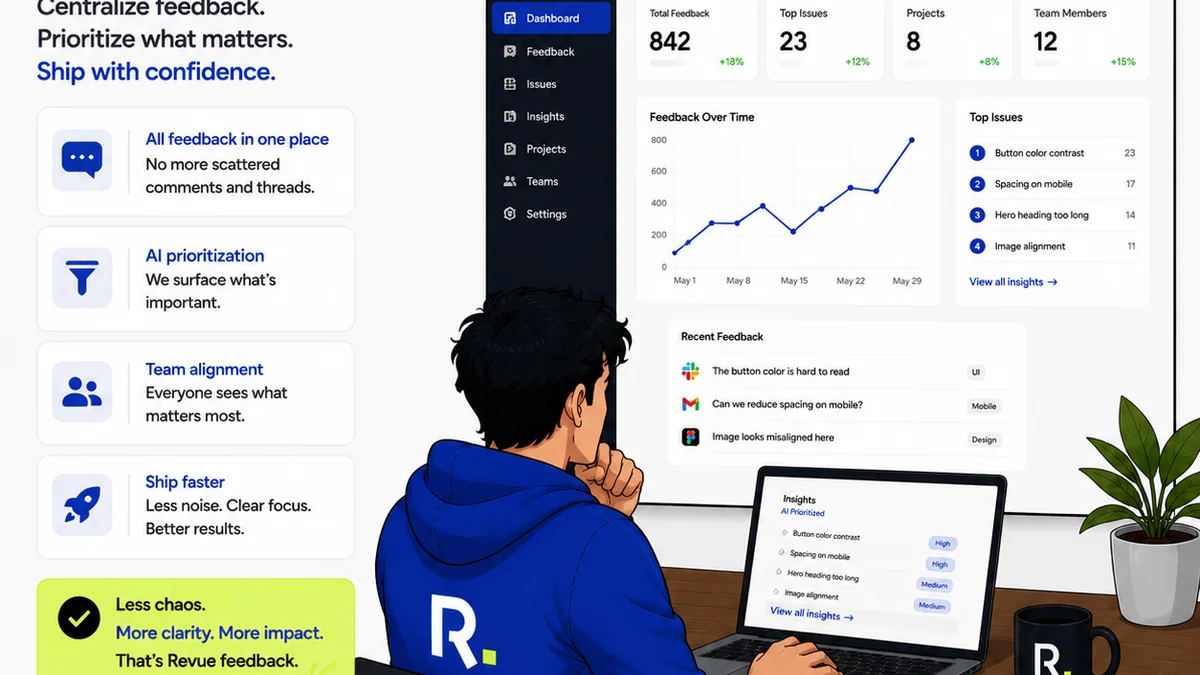
Our platform centralizes all client communication and feedback on creative assets. Visual annotation tools ensure precise redlining, eliminating guesswork. Robust version control keeps track of every iteration, and streamlined approval workflows move projects forward efficiently. Security and granular permissions protect your work, while integrations connect Revue to your existing toolkit.
It’s about bringing clarity, control, and confidence to your remote creative process.
Final Thought
The tools you choose are extensions of your agency’s operational maturity. Are you reacting to feedback, or are you managing it? The difference is significant, and the right software is the catalyst.
Frequently asked questions
What is the most important feature of remote client feedback software?
While features vary, the most crucial aspect is its ability to act as a single source of truth. This means centralizing all communication, versions, and approvals in one accessible place to eliminate ambiguity and lost context.
How does visual annotation improve client feedback?
Visual annotation allows clients to directly mark up creative assets, providing precise feedback on specific elements. This eliminates vague comments like 'make it better' and ensures designers understand exactly what needs to be changed, speeding up revisions.
Why is version control essential for creative projects?
Version control automatically tracks every iteration of a creative asset. This prevents teams from working on outdated files, provides a clear audit trail of changes, and ensures that everyone is referencing the most current and approved version.
Can remote client feedback software help prevent scope creep?
Yes, by centralizing communication and providing clear approval workflows, it helps document agreed-upon scope and changes. This creates a verifiable record, making it easier to identify and manage requests that fall outside the original agreement.