Everyone thinks remote creative approvals are just about clear communication. That’s not wrong. But it’s incomplete.
The hard truth? Remote approvals are a symptom of deeper workflow issues. Without a solid process, your team drowns in scattered feedback, endless revision cycles, and missed deadlines. Your clients get frustrated. Your creatives burn out.
This isn't about mastering Zoom calls. It's about building an ironclad remote creative approval checklist that actually works.
1. Define the Approval Process Upfront
This is non-negotiable. Before the first pixel is designed, everyone needs to know the rules of engagement. Who approves what? When? Under what conditions?
Establish Clear Roles and Responsibilities
Who is the ultimate decision-maker? Who provides feedback? Who manages the process? Clarity here prevents confusion and delays.
- Client Stakeholder(s): Identify the primary point(s) of contact for feedback and final sign-off.
- Agency Point Person: The project manager or account lead responsible for consolidating feedback and communicating with the client.
- Creative Lead: Oversees the creative output and ensures it aligns with the brief.
- Internal Reviewers: Other team members who might provide input before client submission.
Document these roles and share them with the client. Get their buy-in.
Set Realistic Timelines for Feedback
Remote work can blur lines. Set explicit expectations for feedback turnaround times. For example, “Client to provide consolidated feedback within 48 business hours of receiving the deliverable.”
This prevents bottlenecks caused by waiting days for a single comment.
Specify Deliverable Formats
How will assets be shared for review? PDF? Staging link? Interactive prototype? Ensure the format is easily accessible and viewable by all stakeholders without requiring special software or logins.
Consistency is key here. Stick to agreed-upon formats.
2. Standardize Feedback Collection
This is where most remote workflows fall apart. Scattered emails, Slack messages, and random annotated PDFs create chaos. A standardized approach is vital.
Centralize All Feedback
Never let feedback live in disparate places. Use a single platform for all client comments and internal discussions related to a specific deliverable. This ensures nothing gets lost.
Imagine trying to track down a crucial comment buried in an email chain from three weeks ago. It’s a nightmare.
Demand Consolidated Feedback
Resist the urge to act on every single comment as it comes in. Push clients to consolidate their feedback into a single submission, ideally through your chosen platform.
This forces them to prioritize and articulate their thoughts comprehensively. It also prevents the “death by a thousand cuts” scenario where minor tweaks derail the core concept.
Provide Clear Feedback Guidelines
Educate your clients on *how* to give effective feedback. This might include:
- Focusing on strategic alignment, not personal preference.
- Referring to specific elements (e.g., “Section 3 headline” not “This part feels off”).
- Explaining the “why” behind their suggestions.
- Distinguishing between critical issues and minor suggestions.
This elevates feedback from subjective opinion to constructive critique.
3. Streamline the Revision and Approval Loop
Once feedback is gathered, the revision and approval process needs to be just as structured.
Implement Version Control
Every revision needs a clear version number. Avoid generic filenames like “Logo_Final_v2_ReallyFinal.ai”. Use a system like `ProjectName_AssetName_v1.0.pdf`.
This avoids confusion about which version is the most current.
Use a Defined Approval Mechanism
How does a deliverable get officially signed off? A formal email confirmation? A click-through in a review tool? A signed PDF? Define this mechanism and stick to it.
A clear “approved” status, visible to all parties, is essential.
Track Revision History
Maintain a log of all changes made, the feedback that prompted them, and who approved them. This provides an audit trail and helps when questions arise later.
It’s your project’s memory.
4. Leverage Technology Wisely
Technology can be your best friend or your worst enemy in remote approvals. Choose tools that enhance, not complicate, your workflow.
Project Management Software
Tools like Asana, Monday.com, or Jira help track tasks, deadlines, and communication. They provide a central hub for project progress.
Dedicated Creative Review Tools
Platforms designed specifically for creative feedback and approvals (like Revue, for instance) offer features like annotation, version comparison, and clear approval workflows.
These tools are built to solve the exact problems remote teams face with feedback.
Communication Platforms
Slack, Microsoft Teams, or similar tools are great for quick syncs but should not be the primary place for feedback or approvals.
Keep feedback tied to the asset itself.
Where Revue Fits In
Managing feedback and approvals across multiple remote clients and projects can feel like juggling chainsaws. That’s where a tool built for the job comes in.
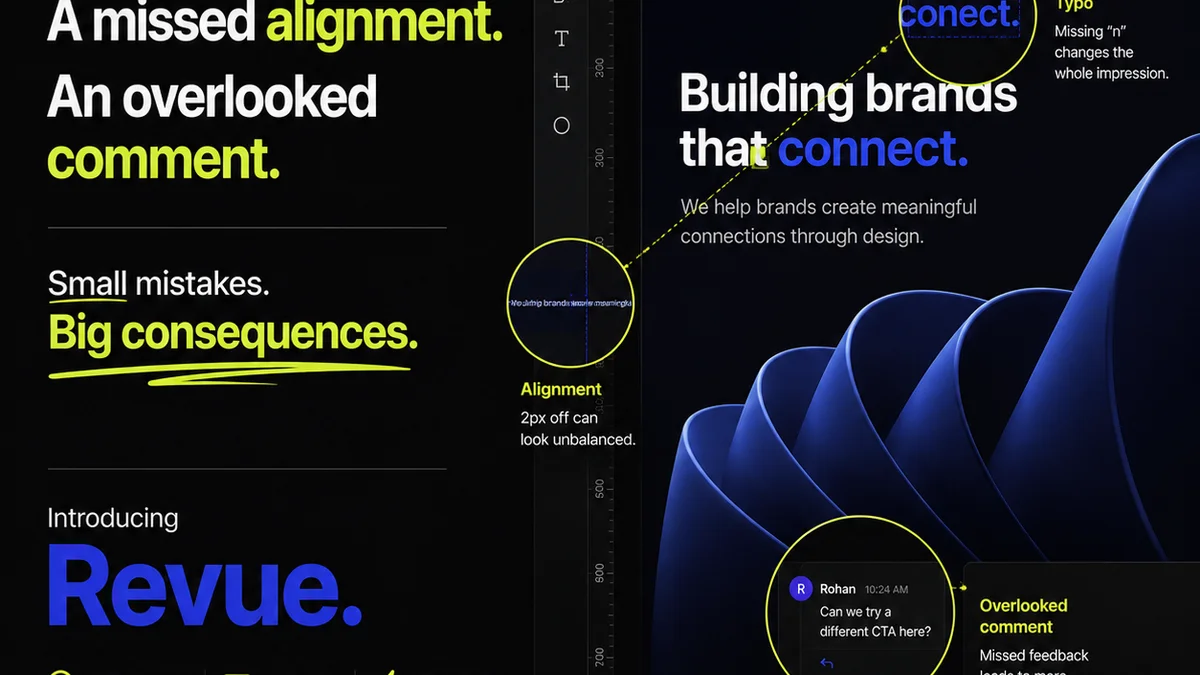
Revue helps centralize client feedback, making it impossible for comments to get lost in email threads or chat messages. You can see all feedback for a specific version, right on the creative asset.
It streamlines the revision process by providing clear visibility into what’s been requested, what’s been done, and what still needs approval. This clarity reduces back-and-forth and speeds up sign-offs.
Furthermore, Revue facilitates quality checks by ensuring all feedback is addressed and approved before a project moves to the next stage. It provides a clear audit trail, reducing ambiguity and potential disputes.
5. Conduct Post-Project Retrospectives
Every project, especially those with remote approvals, should end with a review. What worked? What didn’t? How can the process be improved?
Analyze the Approval Cycle
Did feedback come in on time? Was it clear? Were there multiple rounds of revisions that could have been avoided? Identify specific pain points.
Gather Team Feedback
Your internal team experiences the process firsthand. Ask them for their honest input on what made approvals difficult or easy.
Update Your Checklist
Use the insights gained from the retrospective to refine your remote creative approval checklist for the next project. Continuous improvement is key.
Final Thought
Remote creative approvals aren’t inherently broken. But relying on ad-hoc communication and hoping for the best is a recipe for disaster. It’s time to move beyond assumptions and build a robust, repeatable process. Are you ready to stop chasing feedback and start driving approvals?
Frequently asked questions
What is the most crucial step in a remote creative approval process?
Defining the approval process upfront is the most crucial step. This includes establishing clear roles, setting realistic timelines for feedback, and specifying deliverable formats before any work begins.
How can I ensure client feedback is consolidated and actionable?
Encourage clients to provide consolidated feedback through a single platform, not scattered emails or messages. Provide clear guidelines on how to give effective, constructive feedback that focuses on strategic alignment rather than personal preference.
What technology is essential for managing remote creative approvals?
Essential technologies include project management software for tracking progress, dedicated creative review tools for feedback and approvals (like Revue), and clear communication platforms for quick syncs. Avoid using general chat tools as the primary feedback channel.
How often should I update my remote approval process?
It's best to update your remote approval process regularly, ideally after conducting post-project retrospectives. Analyzing what worked and what didn't will help you refine the checklist for continuous improvement.