Remote work is here to stay. And for creative agencies and in-house teams, that means a constant struggle to get clear, actionable feedback. Many assume a simple chat app or email thread is enough. None of that is wrong. But it’s incomplete.
The hard truth? If you’re not intentional about your remote creative feedback tools, you’re leaving your workflow exposed to chaos, delays, and costly revisions. It’s not about having *a* tool; it’s about having the *right* tools that integrate seamlessly.
1. Beyond the Inbox: Why Basic Tools Fail Creative Feedback
Email chains and Slack messages feel like the default. Everyone has them. Everyone uses them. But they create silos. Feedback gets buried. Context is lost. And good luck tracking revisions when the original brief is three pages back.
This isn’t just annoying. It’s a direct hit to your bottom line.
Consider the common symptoms:
- Endless back-and-forth to clarify vague comments.
- Misinterpretations leading to wasted design hours.
- Difficulty proving who signed off on what, and when.
- Client frustration due to slow turnaround times.
- Inability to easily compare version history.
These aren't minor glitches. They are systemic failures that erode efficiency and client trust.
2. Centralized Feedback Platforms: The Core of Remote Collaboration
This is where the real magic happens for remote creative teams. Centralized platforms are designed to consolidate all feedback, discussions, and approvals in one place.
Think of it as your project's single source of truth. No more hunting through emails or Slack channels. Everything related to a specific creative asset lives with that asset.
Key Features to Look For:
- Visual Annotation: The ability to click directly on an image, video, or PDF and leave a comment. This eliminates ambiguity.
- Version Control: Easily track and compare different iterations of a design. See what changed and why.
- User Permissions: Control who can view, comment, and approve. Essential for managing client stakeholders.
- Activity Feeds: A clear, chronological log of all comments, changes, and approvals.
- Integrations: Connects with your existing tools (e.g., Adobe Creative Cloud, Figma, project management software).
These platforms transform feedback from a scattered mess into a structured, transparent process. They are the bedrock of efficient remote creative workflows.
3. Project Management Tools: The Orchestrators of Workflow
While feedback tools handle the *what* and *how* of creative input, project management (PM) tools handle the *when* and *who*. They provide the overarching structure for your entire creative process.
For remote teams, a robust PM tool is non-negotiable. It’s the dashboard that keeps everyone aligned on deadlines, tasks, and responsibilities.
Essential PM Capabilities for Creative Teams:
- Task Management: Break down projects into actionable tasks, assign them, and set deadlines.
- Kanban Boards/Gantt Charts: Visualize your team's workload and project timelines.
- Time Tracking: Understand where your hours are going, crucial for accurate client billing and profitability.
- Resource Allocation: Ensure your team isn't overbooked or underutilized.
- Reporting: Gain insights into project performance, team productivity, and potential bottlenecks.
A good PM tool doesn't just track tasks; it facilitates communication *around* those tasks. It ensures that feedback gathered in your centralized tool is properly actioned and integrated back into the project plan.
4. Communication & Collaboration Hubs: Bridging the Gap
Even with specialized tools, real-time communication is vital. Remote teams need ways to connect instantly, hash out ideas, and maintain team cohesion.
This is where tools like Slack or Microsoft Teams shine. They are the virtual water cooler and the quick-check-in mechanism.
However, relying solely on these for *feedback* is where many teams stumble. They are excellent for quick questions, team announcements, and informal chats. But for detailed creative critiques, they lack the structure and traceability needed.
Using Communication Hubs Effectively for Remote Feedback:
- Designate specific channels: Create channels for project-specific discussions, but always link back to the centralized feedback tool for final comments and approvals.
- Keep it concise: Use these tools for quick updates or to flag issues, not for lengthy critiques.
- Summarize decisions: If a significant decision is made in a chat, summarize it and post it in your PM tool or feedback platform for record-keeping.
These tools supplement, rather than replace, your core feedback and PM systems. They keep the lines of communication open without letting feedback get lost in the noise.
5. Design Handoff & Prototyping Tools: Ensuring Clarity for Developers
The feedback loop doesn't end with the client or creative team. It extends to the developers who will bring the design to life.
Tools that facilitate clear design handoff are crucial for remote collaboration, minimizing misinterpretations and ensuring the final product matches the approved vision.
What to Look For in Handoff Tools:
- Asset Export: Easy download of assets in various formats and resolutions.
- Code Snippets: Generation of CSS, Swift, or XML code snippets for design elements.
- Specification Overlays: Clear measurements, colors, fonts, and spacing information.
- Interactive Prototyping: Tools like Figma or Adobe XD allow developers to click through the user flow and understand interactions.
When designers and developers are remote, these tools become the bridge. They translate visual intent into tangible specifications, reducing the chance of errors during implementation.
Where Revue Fits In
You're juggling multiple tools. Feedback lives in one place, tasks in another, and communication is scattered across chat apps. It's a recipe for operational drag.
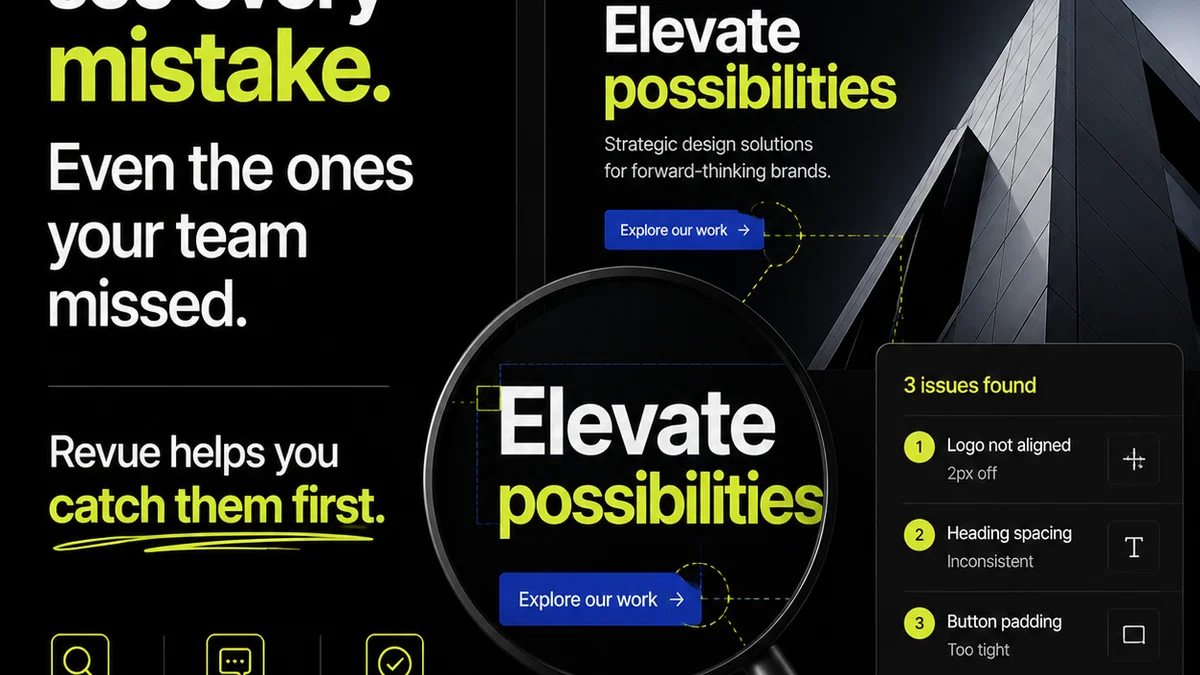
Revue acts as the central nervous system for creative feedback and approvals. It’s built for agencies and in-house teams who need to move faster and smarter.
Imagine this:
- All client feedback, stakeholder approvals, and revision history for a specific creative asset are consolidated in one view.
- You can see at a glance who has reviewed, commented, or approved, and when.
- Quality checks are standardized and documented, ensuring nothing slips through the cracks before launch.
- Your entire team has visibility into the approval status, eliminating bottlenecks and endless status update meetings.
Revue isn’t another tool to learn; it’s the glue that connects your existing workflow, bringing clarity and control to the chaos of remote creative approvals.
Final Thought
The best remote creative feedback tools aren't just about capturing comments. They're about building a transparent, efficient, and reliable system for creative iteration and approval. Are your current tools truly serving that purpose, or are they just adding to the noise?
Frequently asked questions
What is the main challenge with remote creative feedback?
The primary challenge is maintaining clarity, context, and accountability. Without in-person discussions, feedback can become fragmented, easily misinterpreted, or lost in various communication channels, leading to delays and rework.
How do centralized feedback platforms improve remote workflows?
Centralized platforms consolidate all feedback, annotations, and approval history for a specific creative asset in one location. This eliminates ambiguity, provides a clear audit trail, and ensures everyone is working from the latest version, significantly improving efficiency.
Can I use Slack or Teams for creative feedback?
While Slack and Microsoft Teams are excellent for general communication and quick check-ins, they are not ideal as primary tools for detailed creative feedback. They lack visual annotation, version control, and structured approval workflows, making it easy for feedback to get lost or misinterpreted.
What is the role of project management tools in remote creative feedback?
Project management tools provide the overarching structure for creative projects. They help assign tasks, track deadlines, manage resources, and visualize workflows. They ensure that feedback gathered through other tools is integrated into the project plan and actioned efficiently.
How does Revue help with remote creative feedback?
Revue centralizes client feedback, revision tracking, and approvals within a single platform. It provides visibility into the entire approval process, standardizes quality checks, and connects disparate communication channels, streamlining the workflow for remote creative teams.