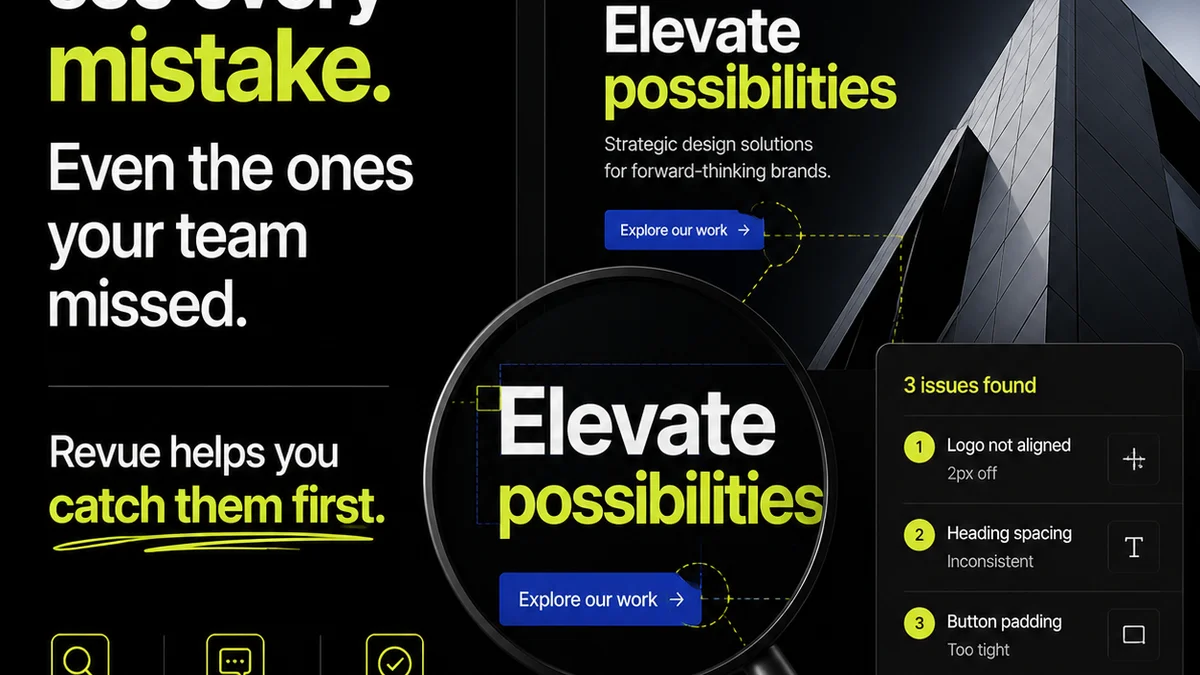
You think remote creative proofing software is just about leaving comments on a PDF. That’s what everyone says. It’s a digital whiteboard for clients, a way to avoid endless email chains.
None of that is wrong. But it’s incomplete.
The real value of remote creative proofing software lies not in *collecting* feedback, but in *managing* it. It’s about turning chaotic client input into actionable direction, ensuring accuracy, and maintaining visibility throughout the entire revision process.
For agencies and in-house teams, this isn't a nice-to-have. It's the bedrock of efficient project delivery and client satisfaction when working remotely.
1. Centralized Feedback vs. Scattered Opinions
The most basic promise of any proofing tool is gathering feedback in one place. That’s the entry ticket. But the deeper truth is about *centralization* as a control mechanism.
Think about the alternative: feedback arriving via email, Slack messages, carrier pigeons, scribbled notes on printouts. It’s a recipe for missed details and conflicting instructions.
Remote creative proofing software should act as a single source of truth for all client input. This means:
- Consolidating all comments, annotations, and approvals tied to specific creative assets.
- Providing a clear, chronological history of every piece of feedback.
- Ensuring that the latest version of the creative is always the one being reviewed.
This isn’t just about convenience; it’s about accuracy. When feedback is scattered, crucial details get lost. The designer might miss a small tweak requested in a side email, or the client might forget they already approved a certain direction.
The Illusion of Simplicity
A tool that just lets people drop pins on an image feels simple. But simplicity can mask complexity. If that tool doesn’t organize feedback logically, it creates more work downstream.
You need a system that doesn’t just *collect* comments, but *structures* them. This structure is what allows for efficient review and action.
2. Revision Management: Beyond ‘Approve’ or ‘Reject’
Most remote creative proofing solutions offer a simple approve/reject button. This is a superficial feature. The real power is in managing the *process* of revision.
What happens after a client provides feedback? How do you track who is working on what? How do you ensure the feedback is implemented correctly before the next round?
Effective proofing software should offer robust revision management capabilities:
- Version Tracking: Clearly see previous versions of a creative asset, compare them, and understand what changed.
- Status Indicators: Assign statuses to feedback (e.g., ‘Needs Clarification’, ‘In Progress’, ‘Implemented’, ‘Approved’).
- Assignees and Deadlines: Link specific feedback items to team members and set realistic deadlines for implementation.
- Audit Trails: Maintain a complete record of all actions, changes, and approvals for accountability.
This level of detail is critical for complex projects with multiple stakeholders and iterative design phases. It prevents the dreaded ‘scope creep’ disguised as minor tweaks.
The Cost of Ambiguity
Ambiguous feedback, unmanaged revisions, and unclear approval chains lead to wasted time and resources. Projects get delayed, budgets balloon, and team morale suffers.
A good proofing tool clarifies these murky waters. It provides a transparent path from initial concept to final sign-off.
3. Ensuring Quality Control: The Unsung Hero
Many teams focus on client feedback and approvals. They overlook the internal quality check. This is a critical blind spot.
Remote creative proofing software can and should be a tool for internal quality assurance (QA). It’s not just for the client’s eyes.
Here’s how it elevates internal QA:
- Standardized Checklists: Integrate brand guidelines, technical specifications, or accessibility requirements directly into the review process.
- Team Collaboration on Proofs: Allow internal teams (designers, copywriters, project managers) to review and comment on assets *before* sending them to the client.
- Automated Checks (where possible): Some tools can flag basic issues like broken links or incorrect file formats.
- Final Sign-off Workflow: Implement a clear internal sign-off step before client delivery.
This internal gatekeeping catches errors early, reducing the likelihood of costly rework after client approval. It’s about building quality in, not just checking for it at the end.
The Ripple Effect of Neglected QA
Skipping internal QA because you’re rushing to get client feedback is a false economy. The errors you miss will inevitably surface later, often at a much higher cost to fix.
A robust proofing process with integrated QA safeguards your team’s work and your agency’s reputation.
4. Integration and Workflow: Beyond Standalone Tools
The best remote creative proofing software doesn’t exist in a vacuum. It integrates seamlessly with the tools your team already uses.
Think about your current workflow. Where does proofing fit in?
- Project Management Tools: Connect feedback and approval status to tasks in Asana, Monday.com, or Jira.
- Creative Software: Direct integration with tools like Adobe Creative Cloud or Figma can streamline asset updates.
- Cloud Storage: Seamlessly link to Google Drive, Dropbox, or Box for asset management.
When proofing software integrates well, it becomes a natural extension of your existing processes, not another silo to manage.
The Cost of Disconnected Systems
Juggling multiple unintegrated tools creates friction. Copy-pasting information, manually updating statuses, and searching for files across different platforms eats up valuable time.
True workflow efficiency comes from systems that talk to each other. This reduces manual effort and minimizes the chance of errors.
Where Revue Fits In
Revue is built with these realities in mind. We understand that creative proofing software needs to be more than just a comment box.
It’s about providing a centralized hub for all client feedback, ensuring clarity and accountability. It’s about managing revisions with clear version control and actionable steps, not just a ‘yes’ or ‘no’.
Revue helps you implement robust internal quality checks, ensuring that only the best work reaches your clients. And it integrates with your existing tools, making it a natural part of your workflow, not an interruption.
We focus on streamlining the entire process, from initial feedback to final approval, giving you visibility and control every step of the way.
Final Thought
Remote creative proofing software is a powerful tool. But its effectiveness depends entirely on how well it supports the complex, iterative nature of creative work.
Are you just collecting comments, or are you truly managing the creative process?
Frequently asked questions
What is the primary benefit of remote creative proofing software for agencies?
The primary benefit is not just collecting feedback, but managing it effectively. This includes centralizing all input, tracking revisions, ensuring version control, and streamlining the approval process to reduce errors and delays.
How does creative proofing software help with internal quality control?
It enables standardized internal reviews, allows team collaboration on proofs before client submission, and can incorporate checklists or automated checks for brand guidelines and technical specifications, catching errors early.
Why is integration important for proofing software?
Integration with project management, creative, and cloud storage tools prevents the creation of new silos. It streamlines workflows by reducing manual data entry and ensuring consistency across systems, saving time and minimizing errors.
What's the difference between basic feedback collection and advanced revision management?
Basic collection is simply gathering comments. Advanced revision management involves tracking feedback history, assigning tasks, setting statuses for feedback items, comparing versions, and maintaining an audit trail for accountability throughout the revision cycle.