Everyone thinks remote design feedback is just about screen sharing and hoping for the best. That it’s about finding the perfect video conferencing tool or mastering annotation features. None of that is wrong. But it’s incomplete.
The hard truth? Effective remote design feedback isn't about the tools. It's about the process. It’s about structuring conversations, clarifying expectations, and building trust across distances.
1. Define the Feedback Loop First
Before a single pixel is shared, the feedback process itself needs to be crystal clear. Who provides feedback? When? What kind of feedback? How is it documented?
This isn't just about ticking a box. It’s about setting the stage for productive critiques and preventing misinterpretations that lead to endless revisions.
Establishing Clear Roles
Not everyone needs to weigh in on every detail. Define who the primary stakeholders are for feedback on specific deliverables. This prevents conflicting opinions and streamlines decision-making.
- Client Lead: For overall strategic alignment and business goals.
- Subject Matter Expert: For technical accuracy or industry-specific requirements.
- End-User Representative: For usability and user experience insights.
- Internal Creative Director: For quality control and brand consistency.
Setting the Cadence
Regular, predictable feedback windows are crucial. Avoid ad-hoc requests that pull teams off track.
Schedule specific times for reviews. This allows the creative team to prepare, and the feedback providers to dedicate focused attention.
Specifying Feedback Types
Not all feedback is created equal. Differentiate between:
- Strategic Feedback: Does this meet the brief and business objectives?
- Tactical Feedback: How does this element function or appear?
- Subjective Feedback: Personal preferences (handle with care).
Clearly labeling feedback helps the creative team prioritize and respond appropriately.
2. Structure for Clarity, Not Just Convenience
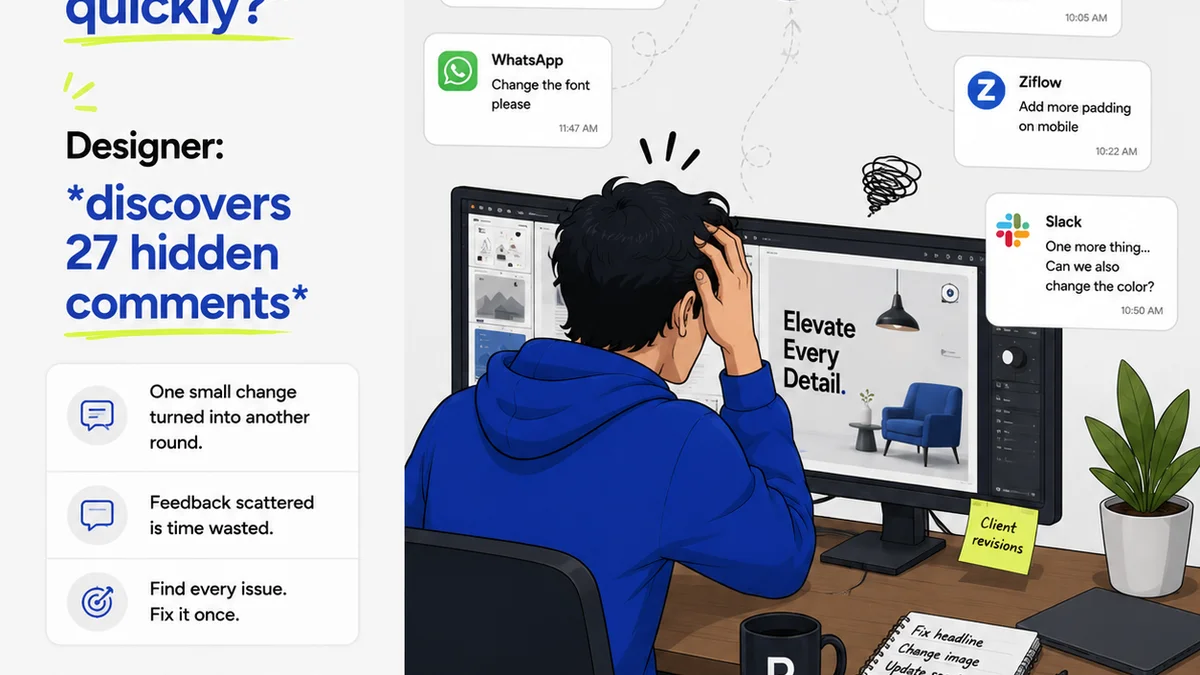
The biggest pitfall of remote feedback is its tendency to become a disorganized mess. Emails here, Slack messages there, scribbles on a PDF somewhere else. This is a recipe for chaos.
Your goal is a single source of truth for every piece of feedback.
Context is King
When feedback is given remotely, the context can easily get lost. Was that comment about the button color or the overall layout? Was it a suggestion or a mandate?
Ensure all feedback is tied directly to the specific design element it refers to. Use tools that allow for precise annotation.
The Power of the Written Word
While video calls are useful for discussion, written feedback provides a durable record. It removes ambiguity and ensures everyone is working from the same understanding.
Encourage concise, actionable written comments. Avoid vague statements like “I don’t like it.” Instead, prompt for specifics: “This shade of blue feels too harsh against the primary imagery. Could we explore warmer tones?”
Asynchronous vs. Synchronous
Don’t default to synchronous meetings for everything. Asynchronous feedback allows team members and clients in different time zones to contribute thoughtfully without the pressure of real-time response.
Synchronous sessions should be reserved for clarifying complex points or making final decisions, not for initial critiques.
3. Master the Art of the Design Critique
A design critique is not a popularity contest or a place to vent. It’s a structured process for evaluating creative work against objectives.
Remote critiques require even more discipline.
Prepare Your Deliverables
Before any review, ensure the design is in a stable, presentable state. Don't present half-baked ideas and expect coherent feedback.
Provide clear instructions on what you want feedback on. What are the key areas of focus for this review?
Facilitate, Don't Dominate
If you’re leading the critique, your job is to guide the conversation, ensure everyone has a chance to speak, and keep the feedback constructive and on-topic.
Paraphrase comments to confirm understanding. Gently steer conversations away from personal opinions and back to project goals.
Document Everything
This cannot be stressed enough. Every decision, every piece of feedback, every revision should be logged. This builds a clear audit trail and prevents “he said, she said” arguments later.
4. Build Trust and Transparency
Remote work can breed a sense of detachment. Clients might feel disconnected from the creative process, and internal teams might feel pressure without clear direction.
Transparency is the antidote.
Show, Don't Just Tell
Use visual tools to demonstrate progress and explain decisions. Share wireframes, prototypes, and mood boards. Let clients see the 'why' behind the 'what'.
Proactive Communication
Don't wait for problems to arise. Proactively communicate potential roadblocks, scope changes, or delays. Honesty builds confidence.
A quick update email or a brief check-in can prevent major misunderstandings down the line.
Manage Expectations
Be realistic about timelines and deliverables. Overpromising and underdelivering erodes trust faster than almost anything else.
Clearly articulate what is achievable within the given constraints.
5. Where Revue Fits In
Managing remote design feedback effectively requires a centralized hub. Scattered communication leads to missed feedback, duplicated effort, and a lack of clarity on revision history.
Revue provides that essential centralization. It’s built for the realities of creative workflows.
Imagine a single place where clients can leave precise, contextual feedback directly on designs. No more hunting through emails or Slack channels.
Revue streamlines the entire feedback and approval process. You can track revisions, see who has approved what, and maintain a clear audit trail. This visibility is critical for remote teams and clients alike.
It helps ensure that feedback is not only captured but also acted upon, and that the final output meets quality standards before delivery.
6. Final Thought
Remote collaboration is here to stay. The tools will continue to evolve, but the fundamental principles of clear communication, structured processes, and mutual trust remain paramount.
Are you treating remote feedback as a technical challenge, or as a strategic workflow problem to be solved?
Frequently asked questions
What's the biggest mistake agencies make with remote design feedback?
Relying too heavily on ad-hoc communication channels like email or instant messaging without a structured process. This leads to lost feedback, misinterpretations, and endless revision cycles.
How can I ensure feedback is actionable?
Encourage specific, contextual feedback tied directly to design elements. Ask clarifying questions and differentiate between strategic, tactical, and subjective input. Documenting feedback clearly is key.
What's the difference between synchronous and asynchronous feedback?
Synchronous feedback happens in real-time, like during a video call. Asynchronous feedback is given at different times, allowing contributors to respond thoughtfully without immediate pressure, ideal for different time zones or busy schedules.
How does a centralized platform help with remote feedback?
A centralized platform like Revue acts as a single source of truth. It captures all feedback contextually, tracks revisions, manages approvals, and provides a clear audit trail, reducing miscommunication and improving efficiency.