Everyone assumes remote design review is just about video calls and shared screens. That's not wrong. But it’s incomplete. It misses the forest for the trees.
The hard truth? Effective remote design review isn't about the tools you use. It’s about the process you build around them. It’s about clarity, accountability, and speed. Without that, your remote reviews will always feel chaotic, even with the fanciest software.
1. Define the 'Why' and 'Who' Before the 'How'
Before anyone even thinks about opening a file, get crystal clear on the purpose of the review. Is it a first look for broad feedback? A deep dive into specific UI elements? A final QA before launch? Each has different needs.
Then, nail down who needs to be there. Too many cooks spoil the broth, especially in a remote setting where communication overhead is already high. Define roles:;
- Decision Maker: The person with the final say.
- Subject Matter Expert: The one with deep knowledge of the specific area being reviewed (e.g., a brand specialist, a UX researcher).
- Observer: Those who need to be aware but don't need to actively participate or give feedback.
Involving the wrong people, or too many people, dilutes feedback and slows down decision-making. It’s a common pitfall in both in-person and remote settings, but it’s amplified when you can’t just tap someone on the shoulder.
Setting Expectations for Feedback
Communicate the scope of feedback expected for each role. A decision-maker might focus on strategic alignment, while a designer might look at pixel-perfect execution. This prevents scope creep and ensures relevant input.
2. Structure Your Review Sessions
Ad-hoc, unstructured remote design review sessions are a recipe for disaster. They bleed into other meetings, lack focus, and often result in vague feedback.
Implement a structured approach. This means:
- Scheduled Time Blocks: Treat reviews like critical appointments. Book them in advance.
- Clear Agendas: Distribute an agenda beforehand outlining what will be covered, in what order, and what decisions need to be made.
- Timeboxing: Allocate specific time for each item on the agenda. Stick to it.
- Pre-Review Preparation: Require reviewers to look at the materials *before* the session. This is crucial for remote work.
This preparation is non-negotiable. Asking someone to review complex work for the first time live on a call is inefficient and disrespectful of everyone's time. It’s a hallmark of weak remote design review.
The Power of Pre-Mortems
Consider a pre-mortem exercise before critical reviews. Ask: 'What could go wrong with this design if we approve it now?' This proactive approach surfaces potential issues early.
3. Standardize Your Feedback Capture
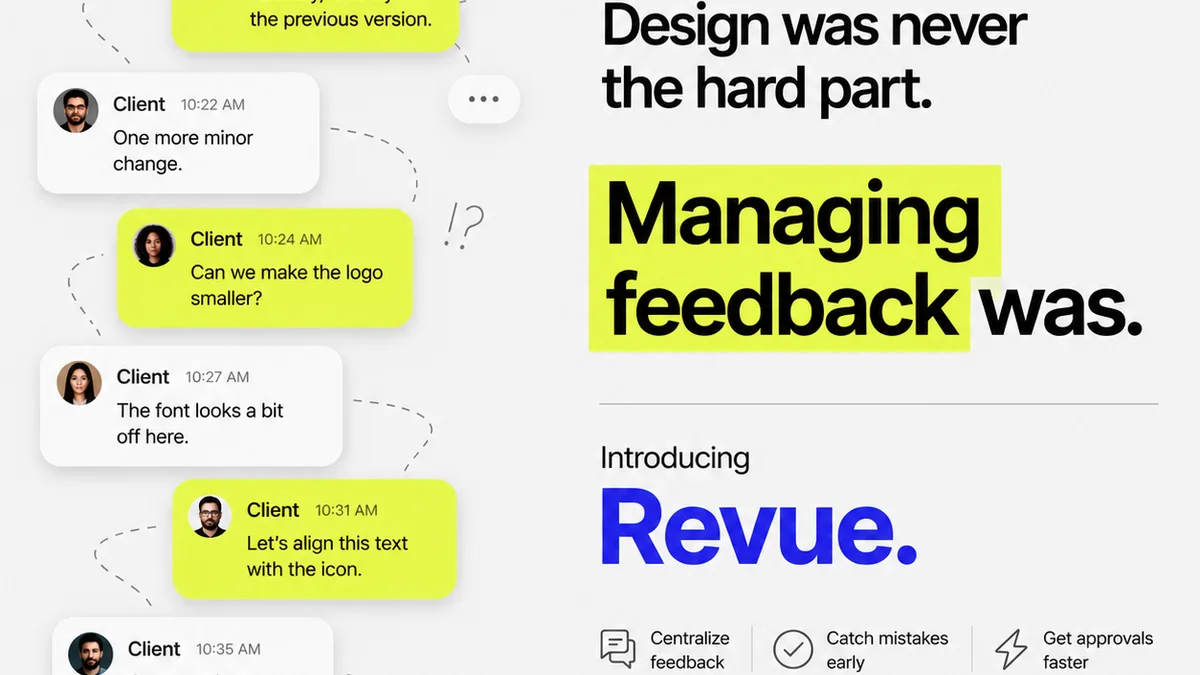
This is where most remote teams falter. Feedback gets lost in Slack DMs, buried in email threads, or scribbled on virtual whiteboards that disappear. Centralizing feedback is key.
Here’s how to standardize:
- Single Source of Truth: All feedback must live in one place. Whether it’s a dedicated tool, a project management system, or a shared document, pick one and stick to it.
- Consistent Format: Define how feedback should be logged. For example:
- What: A clear description of the issue or suggestion.
- Where: Specific location (page, section, element).
- Why: The reasoning behind the feedback.
- Impact: Potential consequences of not addressing it.
- Action: What needs to be done.
- Visual Annotations: Use tools that allow for direct visual annotation on the design. This eliminates ambiguity.
This discipline is vital. Without it, you’re just collecting noise, not actionable insights.
Context is King
Always ensure feedback includes sufficient context. 'This doesn't look right' is useless. 'The button contrast here doesn't meet WCAG AA standards for accessibility because X, Y, Z' is actionable.
4. Foster Constructive Critique
Remote work can sometimes lead to less nuanced communication. Tone can be misread, and feedback can come across harsher than intended.
Cultivate a culture of constructive critique:
- Focus on the Work, Not the Person: Frame feedback around the design deliverables, not the designer.
- Be Specific and Actionable: Vague criticism is unhelpful. Provide clear, concrete suggestions.
- Balance Positive and Negative: Acknowledge what's working well alongside areas for improvement.
- Encourage Questions: Create an environment where designers feel comfortable asking for clarification.
This isn't about being 'nice'; it's about being effective. Psychological safety is paramount for creative output.
The 'I Like, I Wish, What If' Framework
A simple yet powerful technique: 'I like...' (positive reinforcement), 'I wish...' (constructive suggestion), 'What if...' (exploratory idea). It encourages balanced and creative feedback.
5. Automate and Integrate Where Possible
Manual processes are the enemy of efficiency, especially in a remote setup. Look for opportunities to automate and integrate your review workflow.
Consider:
- Automated Notifications: Ensure stakeholders are notified when designs are ready for review or when feedback is provided.
- Integration with Project Management: Link design feedback directly to tasks in your project management system.
- Version Control: Make it easy to track revisions and see the history of changes.
The goal is to reduce friction. Every manual step is a potential point of failure or delay in a remote workflow.
Leveraging Design Systems
A well-maintained design system can streamline reviews. When components are standardized, review focuses on layout and content, not reinventing the wheel. It provides a common language and set of approved elements.
Where Revue Fits In
Managing remote design reviews effectively requires a central hub for all communication and approvals. This is precisely where a tool like Revue becomes indispensable.
Instead of chasing feedback across disparate channels, Revue provides a single, organized space for client feedback, revision tracking, and quality assurance.
Imagine this:
- Centralized Feedback: All comments, annotations, and discussions live attached to the specific design asset. No more digging through emails or Slack.
- Clear Revision History: Easily see every version, who approved what, and when. This transparency is critical for accountability.
- Streamlined Approvals: Define clear approval workflows so you know exactly who needs to sign off and when.
- Quality Checks: Integrate your QA process directly, ensuring all feedback and revisions meet project standards before final delivery.
Revue helps bridge the gap between creative output and client consensus, making remote collaboration smoother and more productive.
Final Thought
Remote design review isn't inherently harder than in-person. It's different. It demands more intentionality, more structure, and a greater reliance on process. Are you building a process that truly supports your remote team, or are you just trying to replicate in-person workflows with digital tools?
Frequently asked questions
What are the biggest challenges of remote design review?
The biggest challenges include communication breakdowns, difficulty in conveying nuanced feedback, managing version control, ensuring accountability, and the potential for feedback to get lost across multiple platforms.
How can I ensure all feedback is captured during a remote review?
Establish a single source of truth for all feedback, use tools that allow for direct visual annotation, and define a consistent format for logging feedback (e.g., what, where, why, impact, action).
What's the role of a design system in remote reviews?
A design system provides a standardized library of components and guidelines. This streamlines remote reviews by allowing teams to focus on layout, content, and strategic alignment rather than debating individual element design or consistency.
How can I make remote design review sessions more efficient?
Structure review sessions with clear agendas and timeboxing, require pre-review preparation from participants, define roles clearly, and leverage tools for annotation and feedback capture to minimize discussion time.