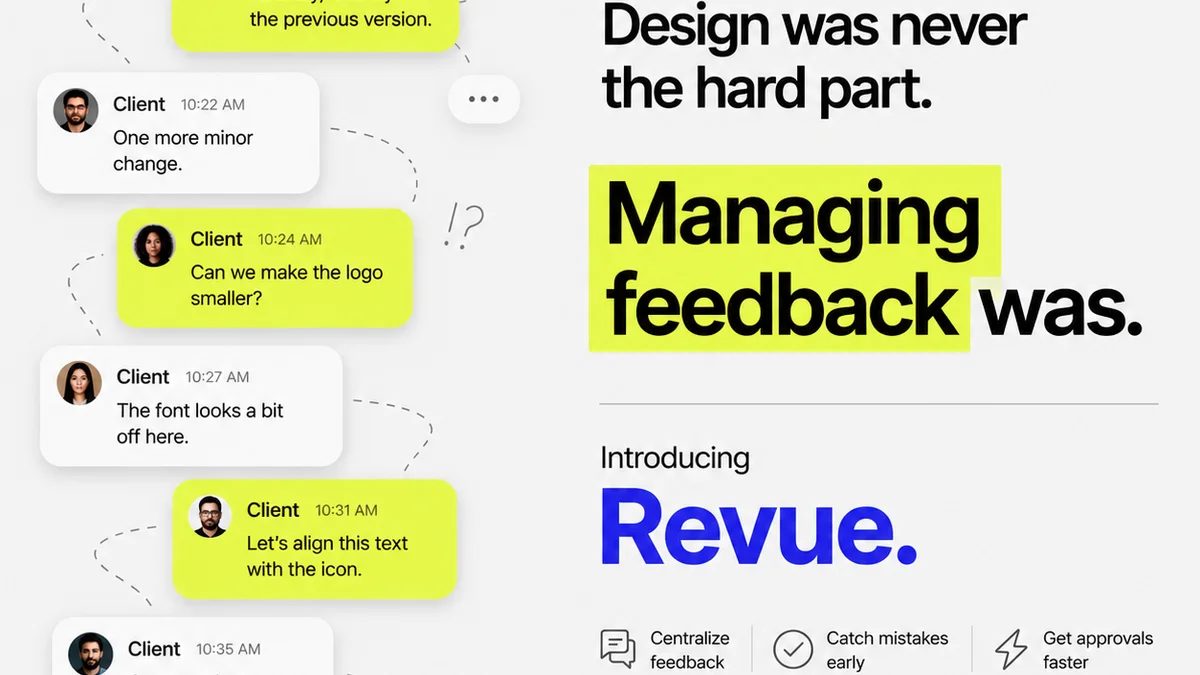
Everyone talks about the best revision approval tools. They list features, compare pricing, and highlight integrations. None of that is wrong. But it’s incomplete.
The real challenge isn't finding a tool with a pretty interface. It's finding one that actually fits your team's workflow and client communication style. Especially for US teams navigating different time zones and communication norms.
Here’s the hard truth: a tool is only as good as the process it supports. The best revision approval tools don't just manage files; they manage expectations and clarify communication.
1. Beyond Basic Proofing: What Teams Actually Need
Think beyond just a digital canvas for comments. The right tools solve deeper problems:
Centralized Client Feedback
Chasing feedback across email threads, Slack messages, and random documents is chaos. It leads to missed revisions, scope creep, and client frustration. You need a single source of truth for all client input.
Clear Revision History
When a client says, “We already approved this,” or “Where did that change come from?” you need an irrefutable record. Version control and a clear audit trail are non-negotiable.
Streamlined Approvals
Getting a final sign-off shouldn't be a drawn-out negotiation. The tool should make it easy for clients to approve or reject, and for your team to track that status.
Quality Assurance Checks
Before anything goes live, it needs a final once-over. A good system helps ensure brand consistency, technical accuracy, and adherence to brief requirements.
2. The Pitfalls of Generic Feedback Tools
Many teams start with tools that seem like a good idea but fall short:
- Email Chains: The default. Inefficient, impossible to track, and prone to lost messages.
- Generic Cloud Storage (Dropbox, Google Drive): Good for file sharing, terrible for contextual feedback and version management.
- Project Management Tools (Asana, Monday.com): Useful for tasks, but not built for granular visual feedback on creative assets.
- Simple Annotation Tools: Better than nothing, but lack approval workflows and robust history.
These tools create more work. They require manual consolidation of feedback, constant reminders, and a lot of guesswork.
3. Evaluating Revision Approval Software for US Teams
When looking at software, consider these factors specifically for a US-based operation:
Time Zone Agnosticism
Your clients and collaborators might be spread across EST, CST, MST, and PST. The tool needs to clearly show when feedback was given and approved, regardless of the commenter's local time.
Integration with Existing Stack
Does it play nice with your design software (Figma, Adobe Creative Cloud)? Does it connect with your project management or communication tools? Seamless integration saves time and reduces friction.
Client User Experience (UX)
If your clients find the tool confusing, they won't use it effectively. Look for intuitive interfaces that require minimal onboarding. Simple is better.
Security and Compliance
For sensitive client work, especially in regulated industries, security is paramount. Ensure the platform meets industry standards for data protection.
4. Key Features to Prioritize
Focus on features that directly impact efficiency and clarity:
Visual Annotation Tools
Clickable comments directly on the image, video, or PDF. This is fundamental. Think about tools that allow for different types of markup – drawing, text, hotspot.
Version Control and Comparison
Automatically track revisions. Easily compare different versions side-by-side to spot changes. This is critical for managing client expectations and avoiding disputes.
Approval Workflows
Automated steps for review and sign-off. Define who needs to approve what and when. Status tracking should be clear for both your team and the client.
Centralized Dashboard
A single place to see all projects, all assets, all feedback, and all approval statuses. This is the antidote to scattered communication.
Reporting and Audit Trails
Generate reports on feedback cycles, approval times, and outstanding items. A detailed audit trail provides accountability.
5. Where Revue Fits In
Managing client feedback and approvals is a core challenge for creative agencies. Revue was built to tackle this head-on, not by adding another layer of complexity, but by simplifying the entire process.
Revue provides a centralized hub for all your creative assets and client feedback. Instead of scattered emails and messages, all stakeholder input lives in one place, tied directly to the specific version of the asset being reviewed.
Our platform offers clear visual annotation, robust version control, and streamlined approval workflows. This means less time chasing down approvals, fewer misunderstandings about revisions, and a much clearer path from creative concept to final sign-off.
For US teams, this means reducing the friction caused by time zones and dispersed communication. Everyone is on the same page, regardless of where they are or when they're working. It helps ensure that quality checks are systematic and that client expectations are managed proactively.
6. Making the Right Choice for Your Agency
Don't get sold on a feature list. Get sold on a solution that solves your specific workflow problems.
Consider:
- Your clients' technical savviness. Simpler tools are often better.
- The types of assets you produce. Video review needs differ from static image review.
- Your team's current process. Where are the biggest bottlenecks?
- The cost versus the time saved. ROI is key.
The best revision approval tools are the ones your team and your clients will actually use, consistently and effectively.
Final Thought
Are you buying a tool, or are you investing in a better client relationship and a more profitable workflow? The distinction matters.
Frequently asked questions
What makes a revision approval tool 'best' for US teams?
For US teams, the best tools excel at handling time zone differences, integrating with common US-based software stacks, and offering intuitive interfaces that clients across different states can easily use without extensive training.
How do revision approval tools improve client communication?
They centralize all feedback in one place, provide a clear audit trail of all comments and approvals, and offer visual annotation directly on assets. This reduces miscommunication, clarifies scope, and makes the review process transparent for clients.
Can these tools help manage scope creep?
Yes, by providing a clear record of what was requested, commented on, and approved at each stage. Any requests outside the documented feedback loop can be easily identified and addressed as potential scope creep.
What's the difference between a proofing tool and a full revision approval system?
A basic proofing tool often focuses on static annotation. A full revision approval system includes version control, automated workflows, status tracking, and comprehensive audit trails, managing the entire lifecycle from feedback to final sign-off.