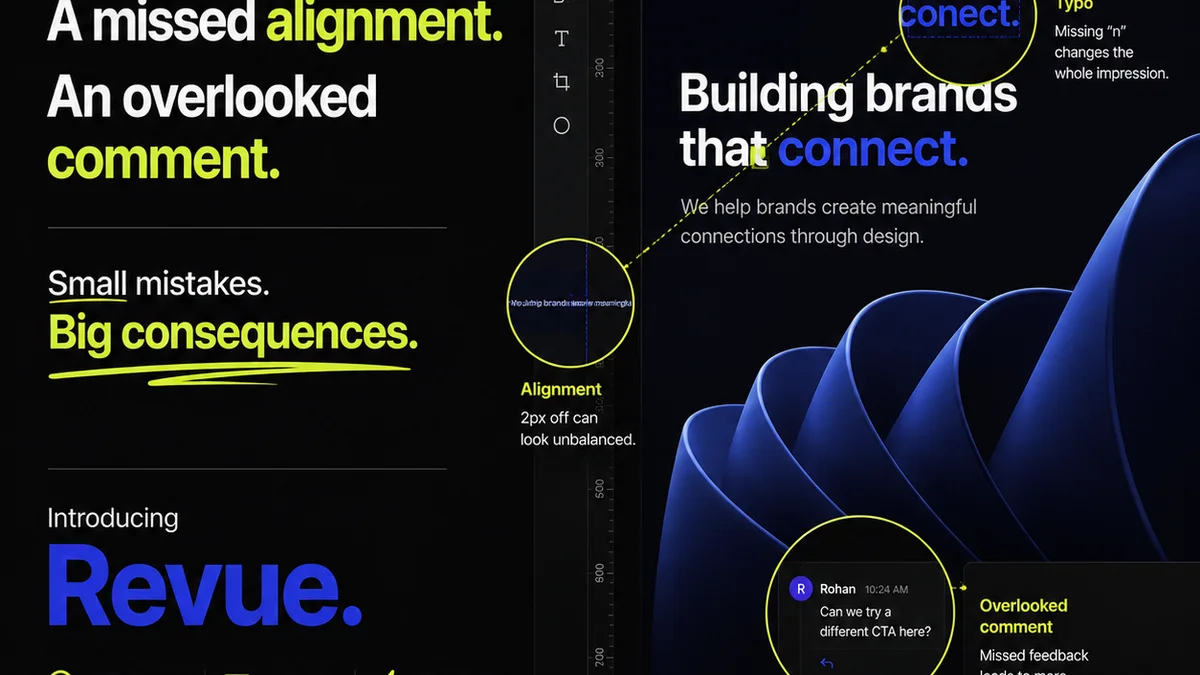
Everyone thinks they know revision history. It’s just a log of changes, right? A way to roll back to a previous version if things go south.
None of that is wrong. But it’s incomplete. And if you’re running a creative agency or a busy in-house team, incomplete understanding leads to sloppy workflows, lost time, and unnecessary arguments.
The hard truth? Revision history is one of the most powerful, yet consistently underutilized, tools for managing creative projects. It’s not just a safety net; it’s a roadmap, a communication log, and a quality control checkpoint all rolled into one.
Getting it right means fewer mistakes, happier clients, and a more profitable operation. Here’s how to actually leverage revision history, not just passively record it.
1. The Illusion of 'Final' Approved Versions
The biggest misconception is that a file named `_FINAL_v3_APPROVED_JohnsEdits.psd` is truly final. It’s not. It’s just the latest iteration *before* the *next* set of edits.
This approach creates chaos. How do you know which version was *actually* approved? Which edits were incorporated? Was the approval based on a PDF proof or the layered file?
This is where a robust revision history system becomes critical. It’s not about endless file naming conventions. It’s about a structured way to track what happened, when, and why.
The Problem with Manual Versioning
- Endless file duplication.
- Difficulty tracking the *actual* approved state.
- Risk of working on outdated files.
- Wasted time searching for the right version.
- Client confusion and frustration.
- Errors creeping in during the handoff between versions.
Manual versioning is a ticking time bomb for any project with more than two stakeholders.
2. Establishing a Clear Versioning Strategy
A good strategy goes beyond simply saving. It involves a clear system for identifying and managing each iteration.
Think about version numbers, but make them meaningful. Major versions (1.0, 2.0) represent significant milestones or releases. Minor versions (1.1, 1.2) signify smaller updates or incorporated feedback.
Use semantic versioning as a guide, even if you don’t follow it strictly. It’s a logical way to communicate the scope of change:
- **Major Version:** Breaking changes, complete redesigns.
- **Minor Version:** New features, significant content updates, major feedback incorporated.
- **Patch Version:** Bug fixes, minor tweaks, aesthetic adjustments.
Key Components of a Strategy
- Defined Versioning Scheme: Decide on a numbering system (e.g., v1.0, v1.1, v2.0).
- Clear Naming Conventions (if manual): Even with tools, a consistent naming structure helps. `ProjectName_ModuleName_v1.2_YYYYMMDD.ext` is better than `ProjectName_final_revised_final_FINAL.ext`.
- Timestamping: Every change should have an associated date and time.
- Changelogs: A brief note explaining what changed in each version is invaluable.
- Approval Markers: A distinct way to mark officially approved versions.
This isn't just for developers. Designers, copywriters, and account managers need this clarity.
3. The Power of Context: Changelogs and Notes
A file alone tells only half the story. The real value lies in the context surrounding its creation.
This is where changelogs and detailed notes come in. What specific feedback was addressed in this version? What was *not* addressed and why?
Imagine a client asks for a change. You implement it, save a new version, and mark it for review. Without a note, the client might forget they asked for it, or worse, think you missed it.
A simple note like, “Incorporated client feedback from 2023-10-27 meeting: changed button color to blue per request,” is gold.
What to Document
- Specific Feedback Addressed: Link to the original feedback if possible.
- Reason for Changes: Was it client-requested, internal QA, or a strategic decision?
- Scope of Changes: Minor tweak? Major overhaul?
- Who Made the Change: Accountability.
- Date and Time of Change: Absolute clarity.
- Status of the Version: Draft, internal review, client review, approved, rejected.
This practice transforms revision history from a passive log into an active project management tool.
4. Centralizing Feedback and Revisions
Scattered feedback is the enemy of efficient revision history. Emails, Slack messages, random sticky notes – they all break the chain of custody for a file.
If feedback lives in one place, and the resulting revisions are tracked against that feedback, you create an undeniable audit trail.
This is crucial for resolving disputes. “You approved this version, remember?” becomes a verifiable fact, not a he-said-she-said argument.
A centralized system ensures that every iteration is directly linked to the requirements and discussions that spawned it.
5. Where Revue Fits In
Managing revision history effectively is a core challenge for creative teams. Tools that help centralize feedback and track changes are essential.
Revue provides a dedicated space for all client feedback and stakeholder comments. Instead of digging through emails or chat logs, all input is logged directly against the creative asset.
When you upload a new version of a design, a video, or any creative asset, Revue allows you to:
- Track all versions: See every iteration of a file in one place.
- Link feedback to versions: Understand exactly what feedback led to each revision.
- Manage approvals clearly: Mark specific versions as approved, eliminating ambiguity.
- Maintain an audit trail: Every comment, change, and approval is logged and timestamped.
This visibility streamlines the entire revision process, reducing miscommunication and ensuring everyone is working from the same, most up-to-date information.
6. Leveraging Revision History for Quality Assurance
Think of your revision history as a quality control report card.
By reviewing the progression of versions, you can spot patterns. Are there recurring issues? Is a particular stakeholder consistently requesting changes late in the process?
This data is invaluable for improving your workflow and managing client expectations proactively.
QA Checks Using Revision History
- Identify Bottlenecks: Where do projects get stuck?
- Spot Scope Creep: Are requests escalating beyond the original brief?
- Assess Client Understanding: Is the client grasping the implications of their feedback?
- Refine Internal Processes: Where can your team be more efficient?
- Train Junior Staff: Use past projects as case studies for effective feedback incorporation.
A well-maintained revision history provides insights that go far beyond simply tracking file changes.
7. The Human Element: Communication and Training
Even the best system fails without clear communication and proper training.
Your team needs to understand *why* a specific revision history strategy is in place and *how* to use it consistently.
This means:
- Onboarding new team members on the process.
- Regularly reminding the team of best practices.
- Leading by example.
- Making the system easy to use.
If the process is cumbersome, people will revert to old habits. The goal is to make the correct way the easy way.
Final Thought
Revision history is more than just a feature; it's a fundamental aspect of professional creative production. It’s the invisible scaffolding that supports clarity, accountability, and efficiency.
Are you treating your revision history as a critical project asset, or just a byproduct of saving files?
Frequently asked questions
What is the difference between version control and revision history?
Version control is the broader practice of managing changes to files or systems over time, often involving automated tracking and rollback capabilities. Revision history is the specific record of those changes, detailing what was modified, when, and by whom.
How can revision history help prevent scope creep?
By providing a clear, timestamped record of all feedback, changes, and approvals, revision history makes it easy to identify when requests fall outside the original project scope. This documented trail helps in discussions about additional work and potential cost implications.
Is manual file naming sufficient for revision history?
Manual file naming (e.g., `_v3_FINAL_edits.docx`) is prone to error, confusion, and is inefficient for complex projects. A structured versioning strategy, ideally supported by a dedicated tool, is far more reliable for maintaining accurate revision history.
How often should I update my revision history?
Ideally, revision history should be updated with each significant change or iteration of a creative asset. This ensures that the record is always current and accurately reflects the project's progression.