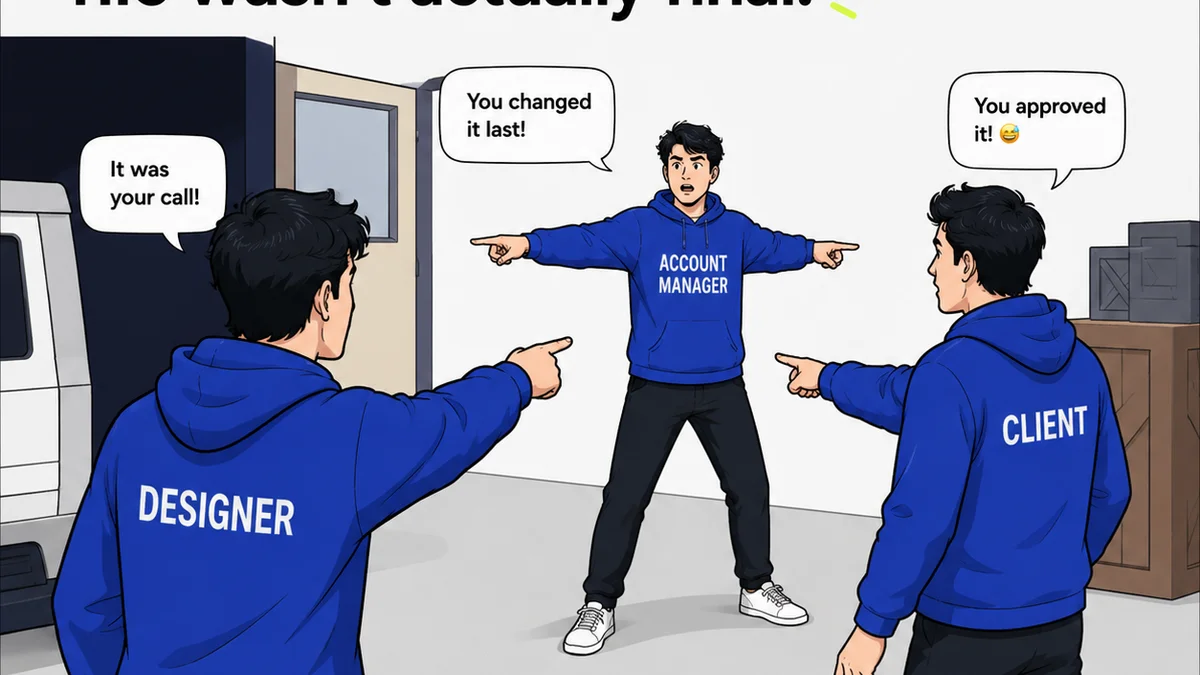
Everyone wants better revision management. You probably think that means software that tracks every change, logs every comment, and maybe sends an email notification. None of that is wrong. But it’s incomplete.
The hard truth? Most revision management software is evaluated on features, not on its ability to fundamentally improve creative operations. You need to look past the obvious and assess how a tool will actually integrate into your agency’s daily grind.
1. Centralized Feedback: The Single Source of Truth
Scattered feedback is the enemy of efficient revisions. Emails, Slack messages, random Word docs, scribbled notes on PDFs — this is chaos. Your revision management software must act as the definitive hub for all client input.
Consolidating Input Channels
Think about where feedback currently lives. Does it get lost in email threads? Is it buried in instant messages? A good system pulls all of this into one place.
This means integrating with, or at least providing an easy way to import feedback from, common communication tools.
Clear Ownership and Context
Who gave this feedback? When? What were they looking at, specifically? Without this context, revisions become a guessing game.
Your software should clearly attribute every comment. It needs to link feedback directly to the specific asset and version being reviewed.
Visual Annotation Capabilities
Text-based comments are fine, but often insufficient. The best tools allow clients and internal teams to draw directly on the creative asset.
This includes:
- Point-and-click annotations.
- Drawing tools for highlighting areas.
- Text boxes for detailed explanations tied to specific visual elements.
- The ability to mark up different file types (images, videos, PDFs, web pages).
This level of visual clarity prevents misinterpretation and speeds up the feedback loop.
2. Version Control: No More "Final_Final_v3_USE_THIS_ONE.ai"
The terror of duplicate, outdated files is a universal creative agency pain point. Effective revision management software makes version control robust and transparent.
Automatic Version Stacking
Every time a new version of an asset is uploaded, the system should automatically stack it on top of the previous one. No manual renaming needed.
Clear Version History
Users need to see exactly how an asset has evolved. This includes being able to revert to previous versions if necessary.
A clear, chronological log of all uploads and changes is critical.
Comparison Tools
Being able to visually compare two different versions side-by-side is invaluable. This helps both the creative team and the client understand the impact of changes.
Archiving and Access
Once a project is complete, or a phase is signed off, how are assets archived? The system should allow for organized archiving while maintaining easy access if needed.
3. Workflow Automation: Reducing the Busywork
The real power of revision management software lies in its ability to automate tedious tasks. This frees up your team to focus on creative strategy and execution.
Automated Review Cycles
Set up predefined review stages. When a stakeholder approves, the asset automatically moves to the next person or group. This keeps projects moving without manual handoffs.
Notifications and Reminders
Automated alerts for new feedback, pending approvals, and overdue tasks are essential. This ensures accountability and reduces the need for constant follow-ups.
Your team shouldn’t have to chase down approvals.
Status Tracking
Real-time dashboards showing the status of every asset and project are a must. Who is reviewing what? What’s approved? What’s pending?
This visibility is key for project managers and stakeholders alike.
4. Collaboration Features: Keeping Everyone Aligned
Revision management isn’t just about client feedback; it’s about internal team alignment too. The software should facilitate seamless collaboration.
Internal Commenting
Allow team members to discuss feedback and potential solutions directly within the platform, tied to specific assets and comments.
Task Assignment
Assign specific revision tasks to team members. Track their progress and ensure accountability.
Permissions and Roles
Control who can view, comment, approve, or upload assets. Granular permissions are crucial for managing complex projects and client access.
This prevents unauthorized changes and ensures the right people are involved at the right time.
5. Integrations: Connecting Your Tool Stack
No software lives in a vacuum. Your revision management tool needs to play well with others.
Creative Software Integration
Direct integration with tools like Adobe Creative Cloud, Figma, or Sketch can streamline the upload and update process. Imagine uploading directly from Photoshop without leaving the app.
Project Management Integration
Connecting with tools like Asana, Jira, or Trello can link creative tasks directly to broader project timelines and workflows.
Cloud Storage Integration
Seamless connection to cloud storage like Google Drive, Dropbox, or OneDrive is often necessary for asset management.
Single Sign-On (SSO)
For enterprise-level security and ease of use, SSO is a significant advantage.
6. Security and Compliance: Protecting Your Work
Creative assets are valuable intellectual property. Robust security is non-negotiable.
User Authentication
Secure login procedures, including multi-factor authentication (MFA), are standard. Look for enterprise-grade security protocols.
Data Encryption
Ensure that your assets are encrypted both in transit and at rest. This protects against data breaches.
Access Controls
As mentioned earlier, granular permissions are a security feature. They ensure that only authorized individuals can access and modify specific assets.
Audit Trails
Comprehensive audit logs that track all user activity provide accountability and are essential for compliance and security investigations.
7. Usability and Accessibility: For Everyone Involved
Even the most powerful software is useless if people can’t or won’t use it.
Intuitive Interface
The system should be easy for both internal teams and clients to navigate. A steep learning curve will lead to frustration and underutilization.
Mobile Accessibility
Can clients or team members review and comment on assets from their phones or tablets? This flexibility is increasingly important.
Accessibility Standards
Does the software adhere to web accessibility standards like WCAG? This ensures that individuals with disabilities can also participate in the review process.
This is not just good practice; it's often a legal requirement.
Where Revue Fits In
This checklist highlights the core needs of effective revision management. It's about more than just tracking changes; it's about enabling smooth, transparent, and efficient creative workflows.
Revue is designed to address these critical areas. We provide a centralized platform where you can consolidate client feedback, eliminating the chaos of scattered communications. Our system ensures clear ownership and context for every piece of input, directly linked to the specific asset and version under review.
With robust version control, you can say goodbye to confusing file names and hello to a clear, stackable history of every iteration. Automated workflows and intelligent notifications keep projects moving forward, reducing delays and ensuring accountability without constant chasing.
Furthermore, Revue facilitates seamless internal collaboration and offers granular permissions to manage access effectively. We prioritize security, with robust data protection and audit trails. Our intuitive interface is designed for ease of use, ensuring both your team and your clients can navigate the review process with minimal friction.
Final Thought
Are you choosing revision management software based on features, or on its potential to transform your entire creative operation? The tools you select are a direct reflection of your commitment to efficiency, clarity, and quality. Invest wisely.
Frequently asked questions
What is the primary benefit of using revision management software?
The primary benefit is streamlining the entire feedback and revision process. This includes centralizing feedback, automating workflows, providing clear version control, and improving collaboration, all of which lead to faster project completion and reduced errors.
How does revision management software help with client feedback?
It acts as a single source of truth for all client input, preventing feedback from getting lost in emails or messages. Features like visual annotation and clear attribution ensure feedback is understood and actionable, leading to more accurate revisions.
Why is version control important in creative projects?
Version control prevents confusion and errors by maintaining a clear, chronological history of all asset changes. It allows teams and clients to easily track progress, compare iterations, and revert to previous versions if needed, avoiding the use of outdated files.
Can revision management software integrate with other tools?
Yes, good revision management software integrates with other essential tools like creative software (Adobe Creative Cloud, Figma), project management platforms (Asana, Jira), and cloud storage (Google Drive, Dropbox). This creates a more cohesive and efficient workflow.
What security features should I look for in revision management software?
Key security features include secure user authentication (like MFA), data encryption (in transit and at rest), granular access controls and permissions, and comprehensive audit trails to track all user activity.