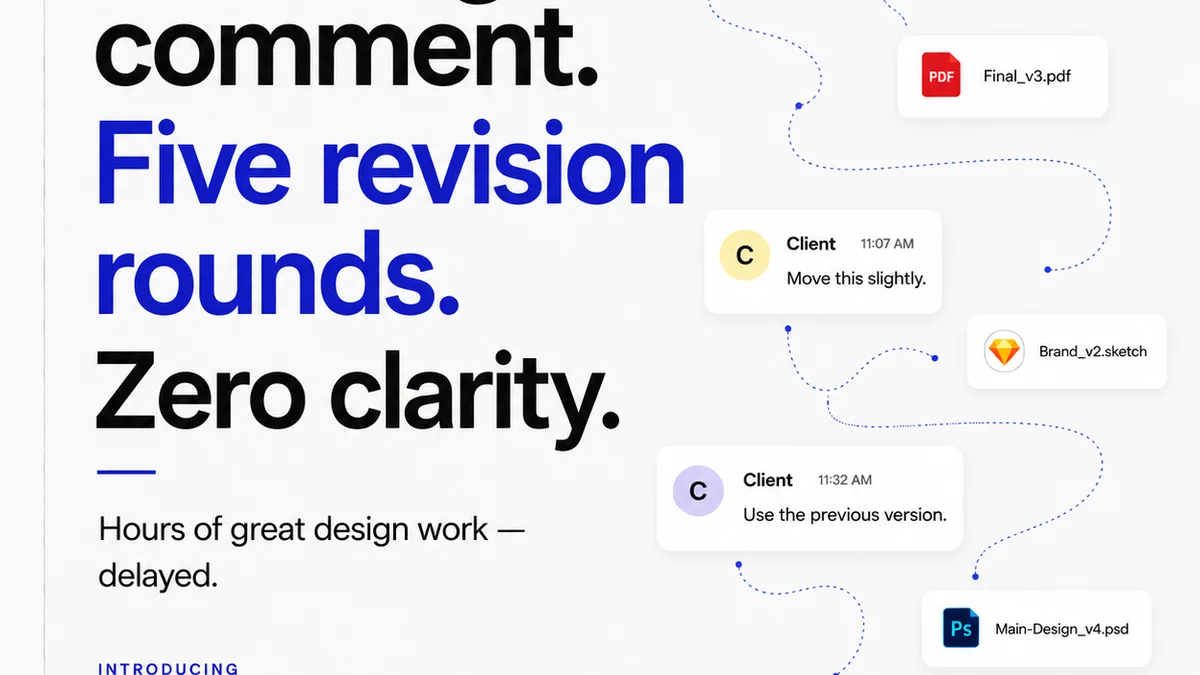
Everyone thinks revision management software is about tracking changes. You upload a draft, get feedback, mark it up, upload another version. Rinse and repeat. It sounds simple enough.
None of that is wrong. But it’s incomplete. Massively incomplete.
The hard truth? Revision management isn’t just about the *versions*. It’s about the *velocity* and *visibility* of your creative output. It’s the control center for client collaboration, internal alignment, and ultimate quality. Get it wrong, and your projects crawl. Get it right, and your team flies.
Let’s break down what “revision management” really means for a modern creative agency or in-house team.
1. Feedback Chaos: The Status Quo
Before we talk solutions, let’s acknowledge the problem. Most teams are drowning in feedback. It arrives via:
- Endless email chains
- Slack messages
- Random comments in shared docs
- Verbal instructions in meetings
- Sticky notes on a monitor (yes, still)
This scattered approach creates a breeding ground for misinterpretation and missed details. The client says “make the logo bigger.” What they *mean* is they want it to be more prominent, but not necessarily cartoonishly so. Without a centralized, visual record, you’re guessing.
Guessing leads to rework. Rework kills margins. And it pisses off clients.
2. The Illusion of Control: Version Control Nightmares
Then there’s version control. The common assumption is that naming files sequentially (draft_v1, draft_v2, final, FINAL_really_final.psd) is sufficient. It’s not.
The Problem with Manual Versioning
Manual versioning is:
- Error-prone: Easy to save over the wrong file.
- Time-consuming: Renaming, organizing, and uploading takes focus away from creating.
- Unclear: Which is truly the *latest approved* version? It’s often a guessing game.
- Lacking context: Why was this version made? What specific feedback was addressed?
You end up with a messy desktop or cloud folder that looks like a digital scavenger hunt. Finding the right asset, or understanding the history, becomes a project in itself.
3. The Real Cost of Poor Revision Management
It’s not just about aesthetics or minor delays. Poor revision management has tangible financial and operational costs:
- Extended project timelines: Every back-and-forth adds days or weeks.
- Reduced profitability: More hours spent means less profit per project.
- Client dissatisfaction: Frustration mounts when projects drag on or don’t meet expectations.
- Team burnout: Constantly chasing feedback and correcting mistakes is exhausting.
- Missed deadlines: Critical delivery dates slip, damaging your reputation.
- Legal disputes: Ambiguous approvals can lead to arguments over scope and payment.
These aren’t minor inconveniences. They are systemic issues that chip away at your agency’s foundation.
4. What Modern Revision Management Actually Looks Like
Revision management software, when used effectively, is more than just a digital archive. It’s a workflow accelerator. It’s about clarity. It’s about accountability.
Centralized Feedback and Annotation
The core function is bringing all feedback into one place. Ideally, this means:
- Visual annotation: Directly on the creative asset (image, video, PDF, web page).
- Contextual comments: Feedback tied to specific elements or timestamps.
- Clear ownership: Who provided the feedback?
- Status tracking: Is this feedback actionable, resolved, or deferred?
This eliminates the “he said, she said” and ensures everyone is commenting on the *exact same version*. Tools like Figma, for instance, have built-in collaboration features that serve as a primitive form of this, but dedicated platforms scale it across all asset types.
Streamlined Approval Workflows
Beyond feedback, formal approvals are critical. Good software allows you to:
- Set up multi-stage approval processes.
- Notify the right stakeholders at each stage.
- Capture explicit sign-offs (not just implied agreement).
- Maintain an irrefutable audit trail of who approved what, and when.
This protects your team and provides clients with confidence that their project is moving forward systematically.
Integrated Quality Assurance (QA)
Revision management is also a crucial part of your QA process. Before an asset goes to a client, or into development, it needs a final check. This involves:
- Cross-browser and cross-device testing simulation.
- Accessibility checks (e.g., contrast ratios, keyboard navigation).
- Brand guideline adherence.
- Functional bug tracking.
A robust revision management system can integrate or facilitate these checks, ensuring a higher quality output before it ever leaves your team.
5. Where Revue Fits In
Revue is built to tackle these exact challenges head-on. We understand that creative workflows are complex and that communication breakdowns are the enemy of efficiency.
Instead of relying on scattered emails and endless file versions, Revue provides a single source of truth for client feedback and project approvals.
With Revue, you can:
- Centralize all client feedback directly on creative assets.
- Manage revisions with clear version history and context.
- Streamline your approval process with defined steps and notifications.
- Ensure quality by tracking feedback and sign-offs meticulously.
This isn’t about adding another tool to your stack. It’s about consolidating critical functions into one intuitive platform, freeing up your team to focus on what they do best: creating great work.
6. Final Thought
Is your current revision process a bottleneck or a bridge? Take an honest look at your project timelines, your team’s stress levels, and your client satisfaction scores. The difference between a smooth, profitable creative operation and one bogged down by endless revisions often comes down to how effectively you manage the process itself.
The question isn’t *if* you need better revision management. It’s how quickly you’ll implement it.
Frequently asked questions
What is the primary benefit of using revision management software?
The primary benefit is moving beyond simple version tracking to gain centralized control over client feedback, streamline approval workflows, and improve overall project visibility and efficiency, leading to faster delivery and higher client satisfaction.
How does revision management software help with client communication?
It consolidates all feedback directly onto creative assets in a single platform, eliminating scattered emails and misinterpretations. This provides a clear, visual record of discussions and decisions, fostering better understanding and reducing back-and-forth.
Can revision management software improve a team's profitability?
Yes, by reducing the time spent on managing feedback, correcting misunderstandings, and searching for correct versions, teams can shorten project timelines. This increased efficiency directly translates to lower labor costs and thus higher profitability per project.
What is the difference between version control and revision management software?
Version control typically focuses on tracking file changes sequentially (e.g., v1, v2). Revision management is broader, encompassing the entire process of gathering feedback, annotating assets, managing approvals, and maintaining an audit trail of decisions, all within a structured workflow.