Most agencies think revision management software is just about tracking changes. That’s too simple.
It’s not about the clicks. It’s about clarity.
The Hard Truth: Your Revision Process is Leaking Money
Every missed deadline, every back-and-forth email chain, every misunderstood comment – it all adds up. Unmanaged revisions don’t just cause frustration; they erode your profit margins. They steal time from billable work and breed client dissatisfaction.
The real problem isn’t a lack of tools, it’s a lack of a *system* that enforces clarity and accountability.
1. Centralized Feedback: The Single Source of Truth
If feedback lives in emails, Slack messages, and random PDF annotations, you have chaos. You can’t track decisions. You can’t easily see the full history.
This is the most basic requirement of any effective revision management software.
Why It Matters
- Eliminates Miscommunication: All feedback, from all stakeholders, in one place. No more “Did you see that note on the other email?”
- Builds an Audit Trail: Every comment, every revision request, every approval is logged. This is invaluable for dispute resolution and project retrospectives.
- Reduces Rework: When everyone sees the same feedback, the chances of misinterpreting or missing crucial points plummet.
2. Visual Annotation Tools: Clarity Over Confusion
Text-based feedback is notoriously ambiguous. “Make it pop more” or “I don’t like the vibe” means different things to different people.
Good revision management software provides visual context.
What to Look For
- On-Screen Markups: The ability to draw directly on the creative asset – images, PDFs, videos, websites.
- Hotspot/Clickable Annotations: For web and app designs, the ability to mark specific interactive elements.
- Version Overlays: Seeing new annotations clearly highlighted against the previous version helps users focus on what’s changed.
This removes guesswork. You can point to exactly what needs changing.
3. Version Control and Comparison: Seeing the Evolution
Simply uploading a new version isn’t enough. You need to understand the progression of the work.
How did we get from Version 1 to Version 3? What specific changes were made between them?
Key Features
- Clear Version History: An easily accessible log of every uploaded version, with dates and who uploaded it.
- Side-by-Side Comparison: The ability to view two versions next to each other, highlighting differences.
- Difference Overlays: A visual representation of changes between versions, often using color coding.
This prevents accidental regressions and provides a clear narrative of the creative process.
4. Role-Based Permissions and Workflows: Who Does What, When
Not everyone needs to see everything. And feedback should ideally follow a structured path.
Trying to manage approvals with a free-for-all approach is a recipe for disaster.
Essential Capabilities
- Define Roles: Designate stakeholders as viewers, commenters, approvers, or administrators.
- Sequential Approvals: Set up a workflow where feedback must be approved by one person before moving to the next.
- Parallel Approvals: Allow multiple stakeholders to provide feedback or approval simultaneously.
- Automated Notifications: Alert the right people when it’s their turn to review or when changes are made.
This ensures the right eyes are on the work at the right time, preventing bottlenecks.
5. Integrations: Connecting Your Ecosystem
Your revision management tool shouldn’t live in a silo. It needs to talk to your other essential platforms.
Manual data transfer is a productivity killer.
Integration Points to Consider
- Project Management Tools: Link feedback directly to tasks in Asana, Trello, Jira, etc.
- Cloud Storage: Seamlessly pull assets from Google Drive, Dropbox, or OneDrive.
- Communication Platforms: Push notifications to Slack or Microsoft Teams.
- Design Tools: While less common for direct revision *management*, some plugins offer asset transfer capabilities.
Smooth integrations mean less context switching and fewer errors.
6. Security and Compliance: Protecting Client Assets
You’re handling sensitive client work. The platform you use must be secure.
Data breaches or compliance failures are non-starters.
What to Verify
- Data Encryption: Both in transit and at rest.
- Access Controls: Robust permission settings to ensure only authorized users can access specific projects or assets.
- Compliance Standards: Depending on your clients, look for adherence to standards like GDPR or SOC 2.
Peace of mind comes from knowing your client’s intellectual property is safe.
Where Revue Fits In
Managing creative feedback and revisions is core to agency operations. This is precisely why Revue was built.
We focus on creating a frictionless experience for centralized feedback, clear revision tracking, and streamlined approvals.
- Centralized Client Feedback: All comments and annotations live in one place, directly on the creative asset. No more hunting through email chains.
- Revision and Approval Visibility: Easily track the history of changes, see who approved what, and manage the entire approval lifecycle without confusion.
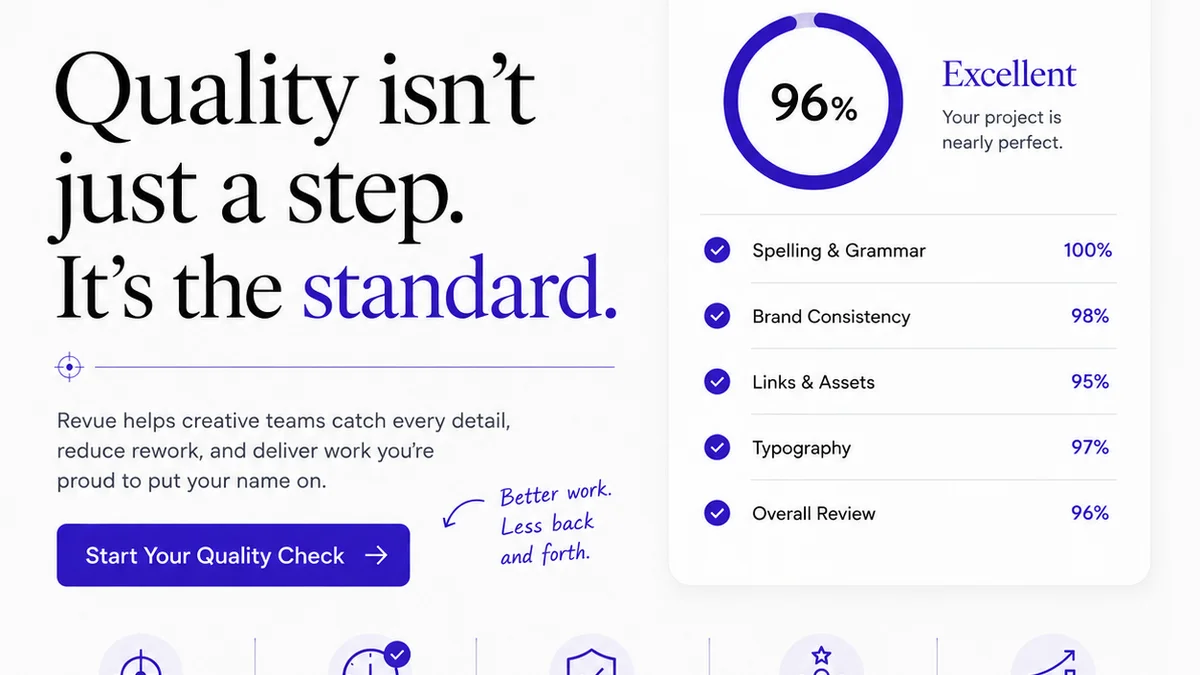
- Quality Checks: By having a clear record of feedback and revisions, you can ensure that all requirements are met before final delivery, acting as a built-in quality gate.
Revue streamlines these critical steps, allowing your team to focus on creating great work, not managing feedback chaos.
Final Thought
The right revision management software isn’t just a tool; it’s a strategic asset. It’s about creating predictable, profitable creative workflows.
Are you managing feedback, or is feedback managing you?
Frequently asked questions
What is the primary benefit of using revision management software?
The primary benefit is streamlining the feedback and approval process, which reduces miscommunication, minimizes rework, saves time, and ultimately improves profitability by ensuring projects stay on track and clients are satisfied.
How does revision management software help with client communication?
It centralizes all client feedback in one place, provides visual annotation tools for clarity, and creates an auditable trail of all comments and approvals. This ensures everyone is working from the same information and reduces misunderstandings.
Can revision management software integrate with other tools?
Yes, good revision management software can integrate with project management tools (like Asana, Jira), cloud storage (like Google Drive, Dropbox), and communication platforms (like Slack). This creates a more seamless workflow.
What role-based permissions should I look for in revision management software?
You should look for the ability to assign roles such as viewer, commenter, and approver. This ensures that only authorized individuals can provide feedback or sign off on revisions, preventing unauthorized changes and maintaining control over the workflow.