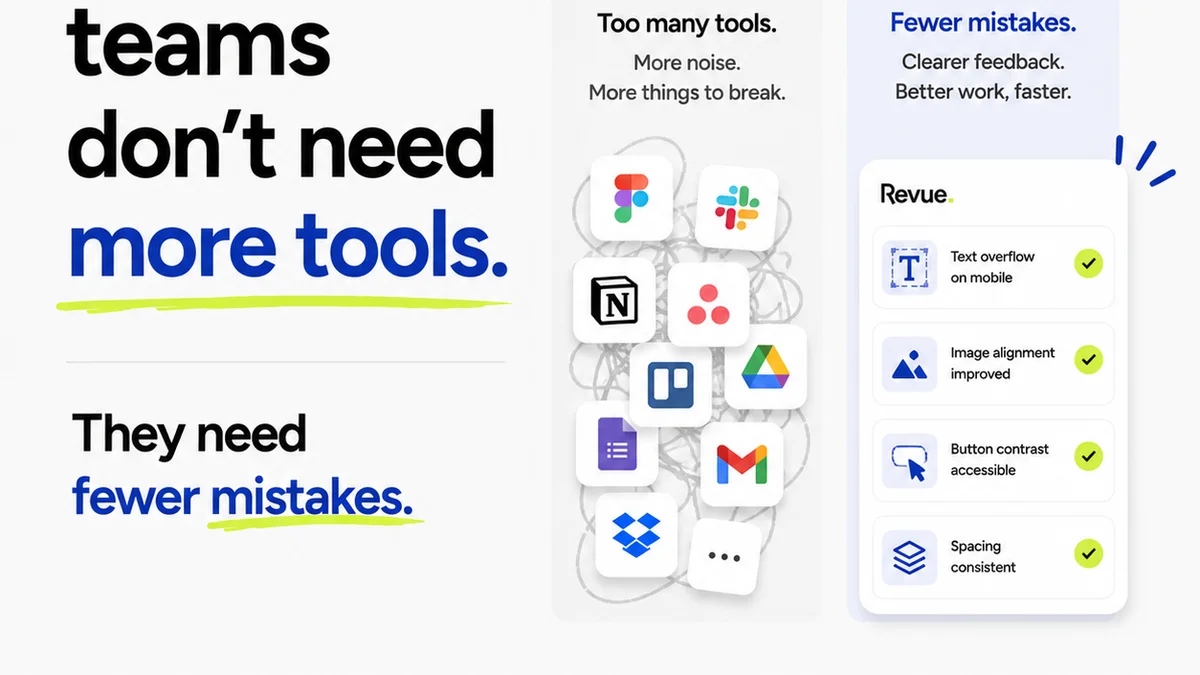
Everyone agrees that better revision management is key to agency profitability. You hear it all the time: less back-and-forth, faster approvals, happier clients. Makes sense, right?
None of that is wrong. But it’s incomplete.
The hard truth is that most revision management tools are just glorified file-sharing or annotation apps. They don’t solve the core problem: the chaos of client feedback and the operational drag it creates. You need more than a digital sticky note. You need a system.
What does a real system look like? It’s about clarity, accountability, and efficiency. It’s about making sure the right feedback lands in the right hands, at the right time, with the right context.
1. Centralized Feedback, Not Scattered Notes
The biggest killer of creative momentum isn't the revisions themselves, but the hunt for feedback. Emails get lost. Slack messages vanish. Clients send notes via text. Someone’s got a PDF markup, another’s got scribbles on a screenshot.
This fragmentation is where the real time sinks occur. Digging through inboxes, cross-referencing conflicting comments, chasing down the original request. It’s a nightmare for project managers and a frustration for creatives.
Your revision management software needs to be the single source of truth. All feedback, from all stakeholders, for all versions of a creative asset, must live in one place. No exceptions.
Key Features for Centralization:
- Direct annotation on proofs (images, PDFs, videos, websites).
- Version control that clearly shows each iteration and its associated feedback.
- Role-based access to ensure clients and internal teams see only what they need to.
- Integration with project management tools to link feedback directly to tasks.
If your tool requires you to copy-paste comments or manually track versions, it’s not a solution. It’s just another step in the manual process.
2. Clear Accountability: Who Said What, When?
Ambiguity is the enemy of efficient revisions. When feedback isn't clearly attributed, it breeds confusion and defensiveness. “*Someone* said this was too blue.” Who? Why?
Good revision management software forces clarity. Every comment should be tied to a specific user, a specific version, and a specific point on the asset. This isn't about blame; it's about precision.
When a client can see their own feedback and the decisions made based on it, it builds trust. When a creative can see the exact instruction, they can execute it confidently.
Establishing Accountability:
- Timestamped comments with user attribution.
- The ability to resolve individual comments, indicating they’ve been addressed.
- A clear audit trail of all feedback and actions taken.
- Notifications that alert stakeholders to new feedback or status changes.
This level of detail prevents scope creep disguised as feedback. It helps you track what was requested versus what was delivered.
3. Streamlined Approval Workflows
The goal isn't just collecting feedback; it's getting to a final, approved asset. Many tools stop at comments. The best ones manage the entire approval lifecycle.
Think about it: how much time is wasted sending follow-up emails asking, “Did you approve this?” Or manually tracking down signatures on a PDF?
Your software should automate this. It should guide the asset through defined approval stages, from initial review to final sign-off.
Workflow Automation Essentials:
- Configurable approval stages (e.g., Internal Review, Client Review, Final Approval).
- Automated notifications to move the asset to the next approver.
- Clear visual indicators of approval status (Pending, Approved, Rejected).
- The ability to capture formal sign-offs, not just informal comments.
This structured approach prevents assets from languishing in limbo. It provides visibility for everyone involved and reduces the administrative burden on your team.
4. Version Control That Actually Works
This sounds basic, but it’s surprisingly complex. Simply renaming files with dates or version numbers (v1, v2, v2-final, v2-final-really) is a recipe for disaster. Which “v2-final” is the *actual* final one?
True version control in revision management software means a clear, visual history of every iteration. You should be able to easily compare versions side-by-side and see exactly what changed.
This is critical for tracking progress, understanding the evolution of a design, and reverting to previous states if necessary.
Effective Versioning Includes:
- Automatic version stacking – each new review creates a new, linked version.
- Visual diffing or comparison tools to highlight changes between versions.
- The ability to easily access and download any previous version.
- Clear labeling of the *current* approved version.
Don't underestimate the power of easily accessible history. It’s your safety net.
5. Beyond Comments: Integrated Quality Checks
Creative work isn’t just about looking good; it needs to function correctly. This is especially true for digital assets like websites and apps.
Does the button link correctly? Is the text readable? Does it meet accessibility standards? These aren’t typically addressed by basic annotation tools.
Advanced revision management software can incorporate quality control steps directly into the workflow. This catches issues early, before they become expensive problems.
Quality Assurance Features:
- Automated checks for common errors (e.g., broken links, missing alt text).
- Accessibility testing integration (e.g., WCAG compliance checks).
- Spell-checking and grammar tools.
- Checklists for specific project types (e.g., print pre-flight checks).
Integrating these checks saves your team from tedious manual QA and prevents embarrassing errors from reaching the client.
Where Revue Fits In
Managing creative feedback and revisions is a core challenge for agencies. You need a tool that doesn’t just collect comments but actively supports a streamlined, accountable, and efficient workflow.
Revision management software like Revue is designed to tackle this head-on. It provides a centralized hub for all feedback, ensuring clarity and eliminating the scattered, lost-in-translation problem.
With clear version control, automated approval workflows, and integrated quality checks, Revue helps you move projects forward with confidence. It brings accountability to the feedback process, making it easy to see who said what and when, and ensuring that final approvals are clear and documented.
The goal is to reduce the friction in your creative process, allowing your team to focus on creating great work, not managing chaotic feedback loops.
Final Thought
Is your current revision process an accelerator or a brake pedal for your agency?
The right software isn't just about making things look pretty; it's about building a more robust, profitable, and less stressful operation. Don't settle for tools that just add another layer of complexity. Demand a system that drives efficiency.
Frequently asked questions
What is the main benefit of using revision management software?
The primary benefit is centralizing all client feedback and version history in one place. This eliminates confusion, saves time spent searching for comments across different platforms, and provides a clear audit trail, leading to more efficient and accountable creative processes.
How does revision management software improve client communication?
By providing a single, clear platform for feedback and approvals, it reduces misinterpretations and the need for lengthy email chains. Clients can see exactly what they're commenting on and track the status of their revisions, fostering transparency and trust.
Can revision management software help prevent scope creep?
Yes. By clearly documenting all feedback, decisions, and approvals tied to specific versions of an asset, it creates a record that helps distinguish between necessary revisions and requests that fall outside the original scope. This makes scope discussions much easier.
What's the difference between file sharing and true revision management software?
File-sharing tools are for distribution, while revision management software is built for collaboration and workflow. True revision management software includes features like direct annotation, version control, approval tracking, and audit trails, which are typically absent in basic file-sharing solutions.