Everyone thinks revision tracking software is about making notes on PDFs. That’s the easy part. The real value is deeper: it’s about control. Control over your workflow, your client relationships, and your bottom line.
Most teams settle for tools that just tick a box. They get version control, maybe some annotation features. But they’re still drowning in email threads and Slack messages. That’s not tracking. That’s just digital clutter.
1. Beyond Basic Annotation: Context is King
Sure, you need to mark up designs. But what’s missing is the *why* behind the markups.
The Problem with Isolated Feedback
When feedback lives in a separate tool, detached from the project context, it’s a ticking time bomb. A client leaves a vague comment on a JPG. Weeks later, you’re scrambling to remember what they meant. Was it the color saturation? The kerning? The overall mood?
This ambiguity kills efficiency. It leads to endless back-and-forth clarification emails. It breeds resentment.
What to Look For:
- Centralized Project Hub: Feedback should be tied directly to the asset being reviewed – the specific version, the exact element.
- User Roles & Permissions: Define who can comment, who can approve, and who can see what. This prevents rogue feedback and keeps stakeholders focused.
- Activity Logs: A clear, chronological record of every comment, revision, and approval. Who said what, and when?
- Version Comparison: The ability to see changes side-by-side, not just the latest version. This is crucial for understanding the evolution of the work.
This isn’t just about making notes. It’s about creating a definitive record.
2. Streamlining Approvals: From Chaos to Clarity
Client approvals are where projects often go sideways. Without a clear process, it’s a minefield of missed deadlines and scope creep.
The Approval Bottleneck
Think about your current approval process. Is it a single email with a vague “Looks good”? Or a chaotic thread where different people weigh in with conflicting opinions?
This is where projects stall. Key stakeholders are unavailable. Someone approves something they shouldn’t have. Then, weeks later, the *real* decision-maker pipes up, and you’re back at square one.
What to Look For:
- Defined Approval Workflows: Set up multi-step approvals. Require sign-off from specific people in a specific order.
- Clear Status Indicators: Instantly see if an asset is pending review, approved, rejected, or requires revisions.
- Automated Notifications: Alert the right people when an asset is ready for their review or when an approval is needed.
- Direct Approval/Rejection Buttons: Simple, unambiguous actions. No more guessing if “Okay” means approved.
Good software forces clarity. It removes the guesswork from approvals.
3. Managing Revisions: More Than Just New Files
Revisions aren’t just about uploading a new file. They’re about managing the *state* of the work and ensuring quality.
The Revision Treadmill
How many times have you uploaded a revised file, only for the client to ask, “What changed?” Or worse, they provide feedback on an *old* version?
This wastes time. It erodes client confidence. It’s a sign your revision process is broken.
What to Look For:
- Version History Tracking: Every uploaded version should be automatically logged and accessible.
- Change Tracking Visualization: Tools that highlight what’s new or different between versions.
- Feedback Persistence: Comments from previous versions should ideally be visible (or easily accessible) when reviewing the next. This helps ensure all feedback is addressed.
- Automated File Naming/Versioning: Reduce human error in how files are named and stored.
The goal is to make revisions a controlled, transparent process, not a free-for-all.
4. Communication & Collaboration: Bridging the Gap
Client communication is often the weakest link in creative projects. Misunderstandings are rampant.
The Email & Slack Abyss
If feedback is scattered across emails, Slack, Teams, and even text messages, you’re operating blind. You can’t get a holistic view of the client’s needs or concerns.
This leads to assumptions. It leads to rework. It damages the client relationship.
What to Look For:
- Integrated Communication: Tools that allow for discussion *within* the context of the feedback or asset.
- Stakeholder Management: Easily invite clients and internal team members, defining their roles and access levels.
- Centralized Asset Library: A single source of truth for all creative files and their associated feedback and revisions.
- Reporting & Analytics: Insights into review cycles, approval times, and common feedback themes. This is invaluable for process improvement.
The right software acts as a bridge, not a barrier.
Where Revue Fits In
Revision tracking is fundamental to efficient creative operations. It’s not an add-on; it’s a core function.
Revue is built to centralize this entire process. It brings client feedback, revision management, and approval tracking into one clear, actionable space.
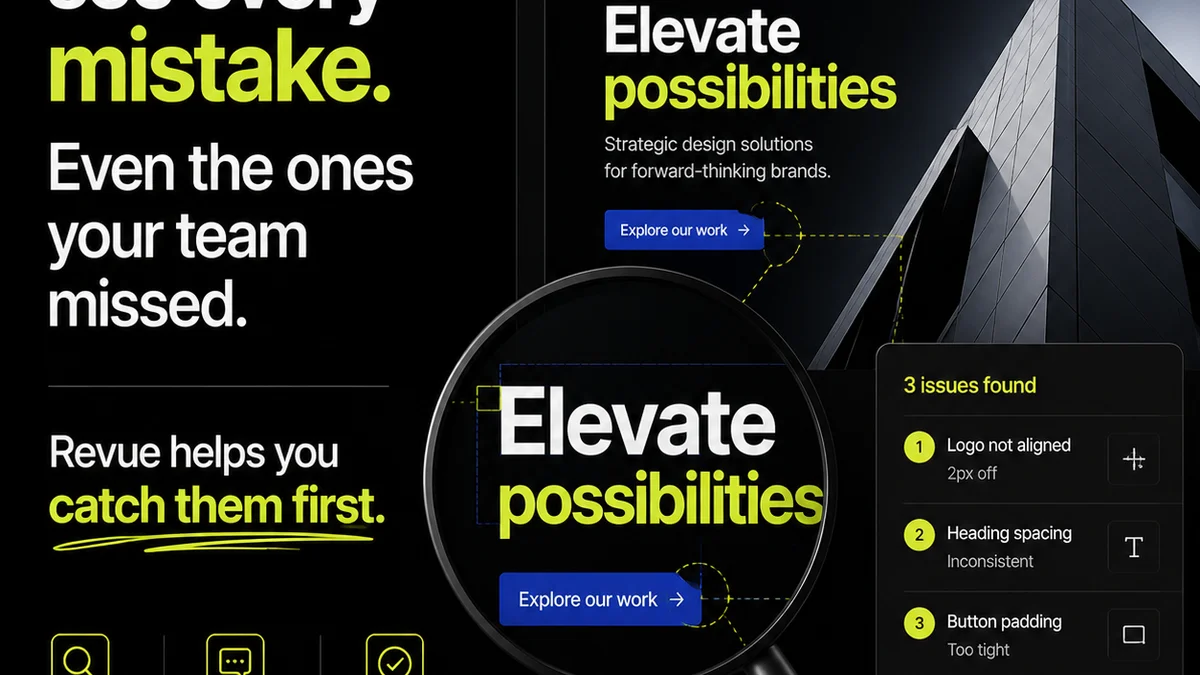
Imagine this: your client receives a link. They see the latest design. They click directly on elements to leave specific feedback. They can see what their colleagues have said. When it’s time for approval, they click a button. You see it happen in real-time. Every version is logged. Every comment is tied to its asset. No more digging through emails. No more confusion.
This isn’t just about tracking revisions. It’s about bringing order to the creative chaos, ensuring quality, and building stronger client trust.
Final Thought
Are you using revision tracking software, or is it using you? The difference lies in whether your tool empowers your process or just adds another layer of complexity.
Frequently asked questions
What's the difference between version control and revision tracking?
Version control primarily manages different iterations of a file, ensuring you can access previous states. Revision tracking is broader; it encompasses not just file versions but also the feedback, discussions, approvals, and status changes associated with each revision, providing a complete audit trail.
Why is centralized feedback important for revision tracking?
Centralized feedback ensures all comments and discussions are linked directly to the specific asset and version being reviewed. This prevents confusion, reduces back-and-forth emails trying to clarify vague comments, and creates a single source of truth for all stakeholder input.
Can revision tracking software help prevent scope creep?
Yes. By clearly defining approval workflows and tracking all requested changes against a project's scope, revision tracking software makes it easier to identify when feedback or new requests fall outside the original agreement. This allows for timely discussions about additional costs or timeline adjustments.
How does revision tracking improve client communication?
It provides clients with a clear, transparent view of the review and revision process. They can see exactly what's being reviewed, leave specific feedback, track the status of approvals, and understand what changes have been made. This reduces misunderstandings and builds confidence.