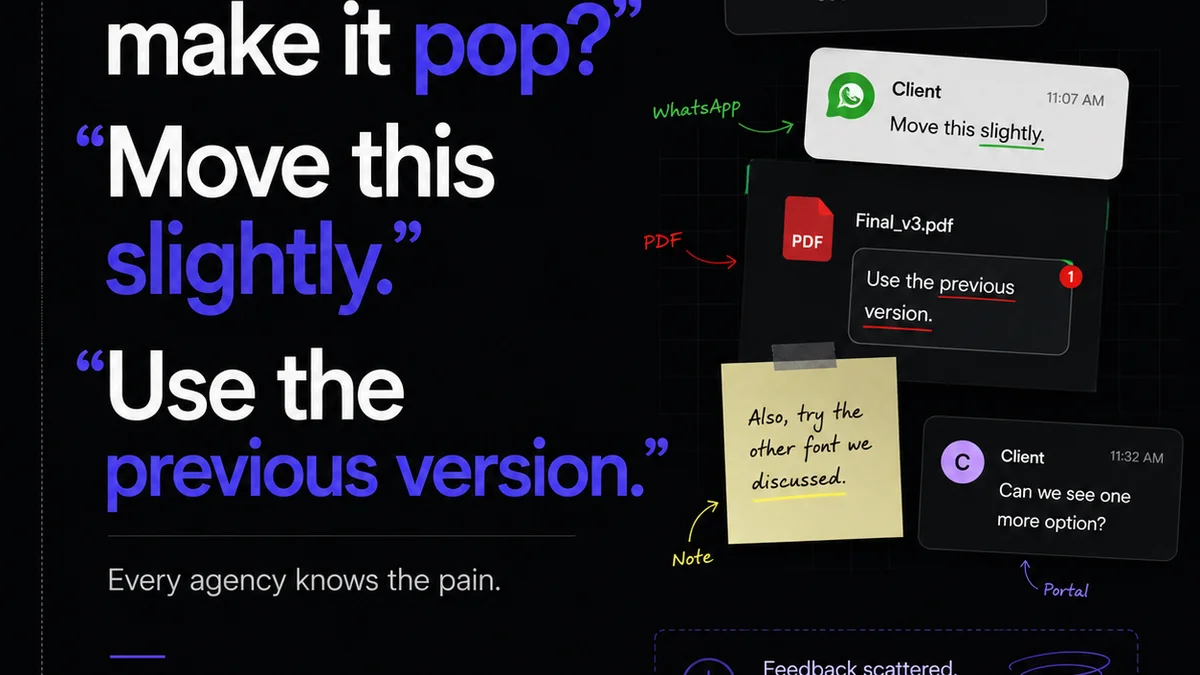
Everyone says you need good revision tracking tools. That’s not wrong. But it’s also not the whole story. The real challenge isn’t just finding a tool; it’s finding one that fits the messy, human reality of creative collaboration. Especially for busy US teams juggling clients, deadlines, and endless iterations.
The hard truth? Most revision tracking solutions create more work than they solve. They fragment feedback, bury comments, and turn simple approvals into complex audits. That’s not efficiency. That’s chaos dressed up as process.
Let’s cut through the noise and look at what actually works.
1. Why Basic Version Control Isn’t Enough
You’re probably familiar with basic version control. Saving files like `design_v3_final_reallyfinal.psd`. Or maybe using cloud storage with built-in version history. It feels like a system. It’s not.
This approach fails because:
- It’s manual and error-prone.
- It lacks context for each version.
- There’s no clear audit trail for client feedback.
- It doesn't integrate with your actual workflow.
This is where dedicated revision tracking tools come in. But even then, the landscape is littered with options that promise the moon and deliver a black hole for your comments.
2. The Core Problem: Centralization vs. Fragmentation
The biggest pitfall with many tools is that they operate in silos. You get feedback via email, Slack, a shared document, a PDF annotation, maybe even a carrier pigeon. Then you try to wrangle it into your chosen tool.
This leads to:
- Missed feedback.
- Conflicting instructions.
- Endless clarification emails.
- Client frustration.
- Designer burnout.
The best revision tracking is about bringing everything into one, visible place. Not just the final files, but the entire conversation around them.
3. Key Features That Actually Matter
Forget the bells and whistles for a moment. Focus on what makes a tool indispensable for managing creative revisions:
Centralized Feedback Hub
Can all feedback – from all stakeholders – land in one spot? Without manual copy-pasting? This is non-negotiable.
Visual Annotation & Commenting
Does the tool allow direct commenting on specific elements of the design? Think hotspots on an image, specific lines in a video, or sections of a webpage. This eliminates ambiguity.
Version Comparison
Can you easily see the differences between two versions? A side-by-side or onion-skin comparison is critical for understanding what’s changed and why.
Clear Approval Workflows
Is there a defined process for marking versions as approved or rejected? Can you track who approved what, and when? This is vital for project closure and accountability.
Integrations (or lack thereof)
Does the tool play well with your existing stack (e.g., Adobe Creative Cloud, Figma, project management software)? Or does it require you to adopt an entirely new, isolated system? Sometimes, a tool that *doesn't* try to do everything is better if it does one thing perfectly.
Real-time Collaboration
While not always essential for final approvals, the ability for team members to collaborate on feedback in real-time can speed up internal reviews significantly.
4. Evaluating Popular Revision Tracking Approaches
Let’s look at some common types of tools and their pros and cons for US creative teams.
Cloud Storage with Versioning (Google Drive, Dropbox)
Pros: Ubiquitous, simple file management, built-in version history.
Cons: Feedback is separate (email, comments within docs), no visual annotation on creative assets, no clear approval workflows, can become messy with many files.
Dedicated Proofing Tools (e.g., Filestage, Ziflow, Frame.io for video)
Pros: Built for creative review, excellent visual annotation, clear workflows, version comparison, audit trails.
Cons: Can be another tool to manage, potential cost, sometimes requires clients to learn a new interface.
Project Management Software with File Attachments (Asana, Monday.com)
Pros: Integrates task management with files, comments live with tasks.
Cons: Annotation is usually basic or non-existent, version comparison is weak, not designed for detailed creative asset review, can become cluttered.
Design Collaboration Platforms (Figma, Adobe XD)
Pros: Excellent for design iteration *within* the tool, real-time collaboration, commenting features.
Cons: Primarily for design *creation*, not client proofing of final assets outside the design environment. External client feedback can be clunky.
The
Frequently asked questions
What is the main benefit of using dedicated revision tracking tools?
Dedicated tools centralize all feedback, provide visual annotation on creative assets, offer clear version comparison, and establish formal approval workflows, significantly reducing ambiguity and speeding up the review process compared to fragmented methods like email or basic file sharing.
Can I use my existing cloud storage for revision tracking?
While cloud storage like Google Drive or Dropbox offers basic file versioning, it lacks the critical features for creative revision tracking, such as visual annotation, side-by-side comparison, and integrated approval workflows. Feedback often remains scattered across emails and separate documents.
How do revision tracking tools help with client communication?
By providing a single source of truth for feedback and approvals, these tools minimize misinterpretations and endless clarification cycles. Clients can see exactly what they've approved and track the progress of revisions, leading to greater transparency and satisfaction.
Are revision tracking tools necessary for small agencies?
Yes, even small agencies benefit greatly. Managing client feedback efficiently prevents costly mistakes, saves valuable time, and maintains a professional image. A streamlined process helps small teams punch above their weight and deliver consistently.