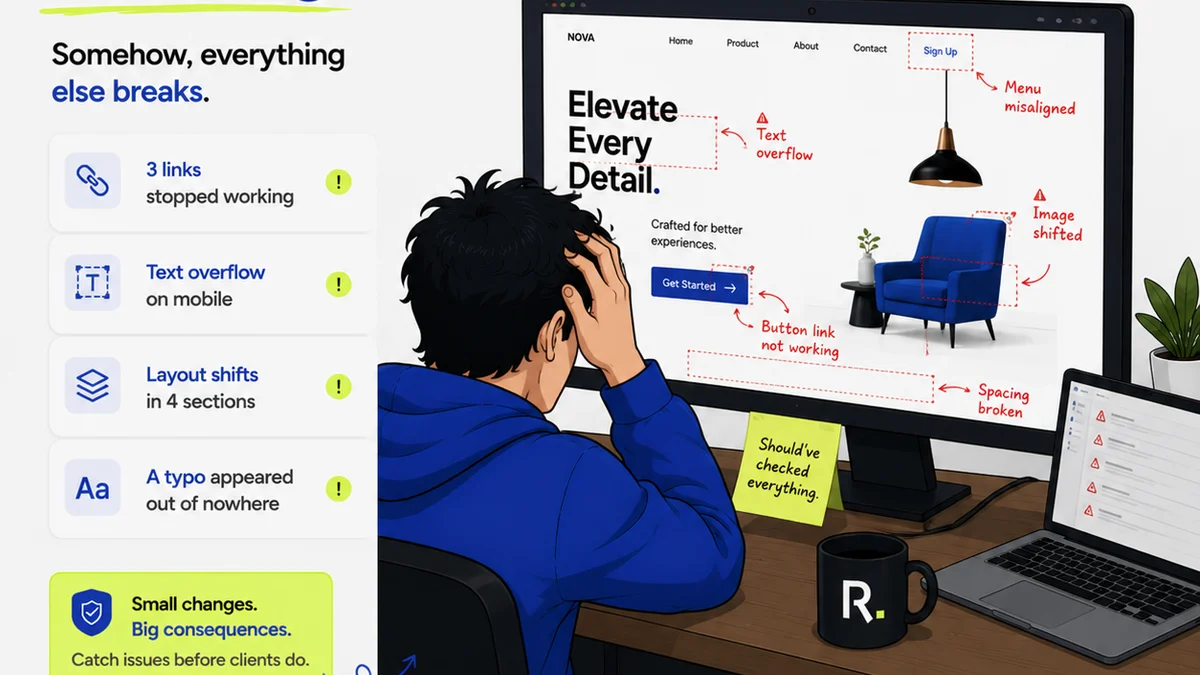
Everyone thinks Asana is the ultimate project management tool for creative teams. And sure, it can manage tasks. It can track deadlines. It can even host a few files. But if you’re using Asana for client feedback, revision tracking, and creative approvals, you’re probably fighting your software more than using it.
That’s the hard truth. Asana is built for process, not for creative iteration. It’s a hammer, and you’re trying to use it to sculpt marble. The result? Frustration, missed feedback, and endless email chains.
1. The Illusion of Centralization
Asana promises centralization. You can dump everything into a project. Tasks, subtasks, comments, files. It *looks* organized.
But then the client comments start rolling in. Not on the task. Not in the right file version. They’re in emails, Slack messages, or even verbally. You’re left chasing feedback across a dozen different platforms, trying to piece together the final direction.
This isn't centralization; it's scattered data disguised as organization. The core problem isn't the tool; it's the *workflow* it forces.
The Symptoms of Asana's Creative Blind Spot
- Feedback lost in comment threads.
- Difficulty tracking specific revision rounds.
- Confusing which file version is the latest.
- Clients bypassing the system entirely.
- Designers drowning in administrative tasks instead of designing.
This leads to delays. It leads to scope creep. And it leads to unhappy clients who feel their input isn't being heard, even when it is.
2. Revision Rounds: A Nightmare in Asana
Creative work is iterative. It’s a back-and-forth. Asana’s task-based structure fights this inherently.
How do you properly track revision one, revision two, revision three within a single task? You can use custom fields, attachments, and endless comments. But it quickly becomes a tangled mess. Who approved what? What specific change was requested in round two? It’s buried.
This lack of clear version control and feedback history is a productivity killer. It forces designers to manually cross-reference and guess. It forces project managers to spend hours reconciling notes.
Common Asana Workarounds (and Why They Fail)
- Duplicating Tasks: Creates project bloat and makes tracking overall progress impossible.
- Complex Tagging Systems: Easily becomes inconsistent and hard to manage.
- Attaching All Files to One Task: Still doesn't solve the problem of granular feedback tied to specific versions.
These aren't solutions; they're coping mechanisms. They add complexity without solving the core issue: managing the *evolution* of creative assets.
3. Approvals: The Bottleneck
Creative approvals are critical. They’re the gatekeepers to the next stage. Asana’s generic approval process is often too blunt an instrument.
A simple “approved” or “rejected” on a task doesn’t capture nuance. Was it a soft approval with minor notes? Was it a hard no that requires a complete rethink? Asana doesn't easily tell you.
This ambiguity creates risk. You might proceed based on a lukewarm approval, only to have the client backtrack later. Or a designer might hold up work waiting for a clear green light that never comes because the approval status is buried in a comment.
The Cost of Fuzzy Approvals
- Delayed project timelines.
- Increased cost of revisions due to miscommunication.
- Damage to client relationships.
- Internal team frustration and burnout.
You need a system that makes approvals clear, documented, and actionable. Not just a checkbox.
Where Revue Fits In
This is where a tool purpose-built for creative workflows shines. Revue isn't another task manager; it's a centralized hub for client feedback, revisions, and approvals.
Imagine this: You upload a design mockup. The client receives a clear, visual space to comment *directly on the design*. They can draw annotations, leave text feedback, and see previous comments. Each comment is time-stamped and linked to a specific version.
Revisions become a clean, iterative process. You upload a new version, and the client can compare it side-by-side with the previous one, seeing exactly what changed. Approvals are explicit, recorded, and visible to everyone on the team.
This eliminates the guesswork. It stops feedback from getting lost. And it frees your team from the administrative burden of chasing down notes and versions.
Revue’s Advantages for Creative Teams
- Visual Feedback: Direct annotation on designs.
- Version Control: Easy comparison of revisions.
- Clear Approvals: Explicit sign-offs recorded.
- Centralized Communication: All feedback in one place, linked to assets.
- Reduced Admin: Less time spent on manual tracking.
It’s about giving your creative team the space to create, and your clients the clarity they need to guide the process effectively.
Final Thought
Is your project management tool helping your creative team thrive, or is it holding them back? The difference between Asana and a tool like Revue isn't just features; it's philosophy. One manages tasks; the other manages creative flow. Which one is truly serving your agency?
Frequently asked questions
Can Asana handle creative feedback?
Asana can technically store feedback, but it's not designed for the visual, iterative nature of creative feedback. This often leads to feedback being scattered across emails, chats, and comments, making it difficult to track revisions and approvals effectively.
What is the main difference between Asana and Revue for creative teams?
Asana is a general-purpose task manager focused on process and deadlines. Revue is purpose-built for creative workflows, offering features like direct visual annotation, version comparison, and clear approval tracking, which are crucial for creative iteration and client collaboration.
How does Revue improve revision management?
Revue allows you to upload new versions of creative assets directly. Clients can then compare these versions side-by-side, seeing exactly what has changed. All feedback and approvals are tied to specific versions, creating a clear, documented history of the revision process.
Is Revue a replacement for Asana?
Revue is not a direct replacement for Asana's broad project management capabilities. Instead, it excels at centralizing and streamlining the client feedback, revision, and approval stages of creative projects, areas where general task managers often struggle.