Most agencies compare project management tools like ClickUp vs. Revue based on feature lists. They look at task management, timelines, and integrations. None of that is wrong. But it’s incomplete.
The real difference isn't just what a tool *can* do, but how it shapes your team's collaboration, client communication, and ultimately, your creative output. It's about the operational friction it adds or removes.
1. The Assumption: All PM Tools Manage Creative Feedback Equally
It’s easy to assume that if a tool has commenting or annotation features, it’s a viable solution for creative feedback. ClickUp, with its extensive features, certainly offers ways to comment on tasks and files.
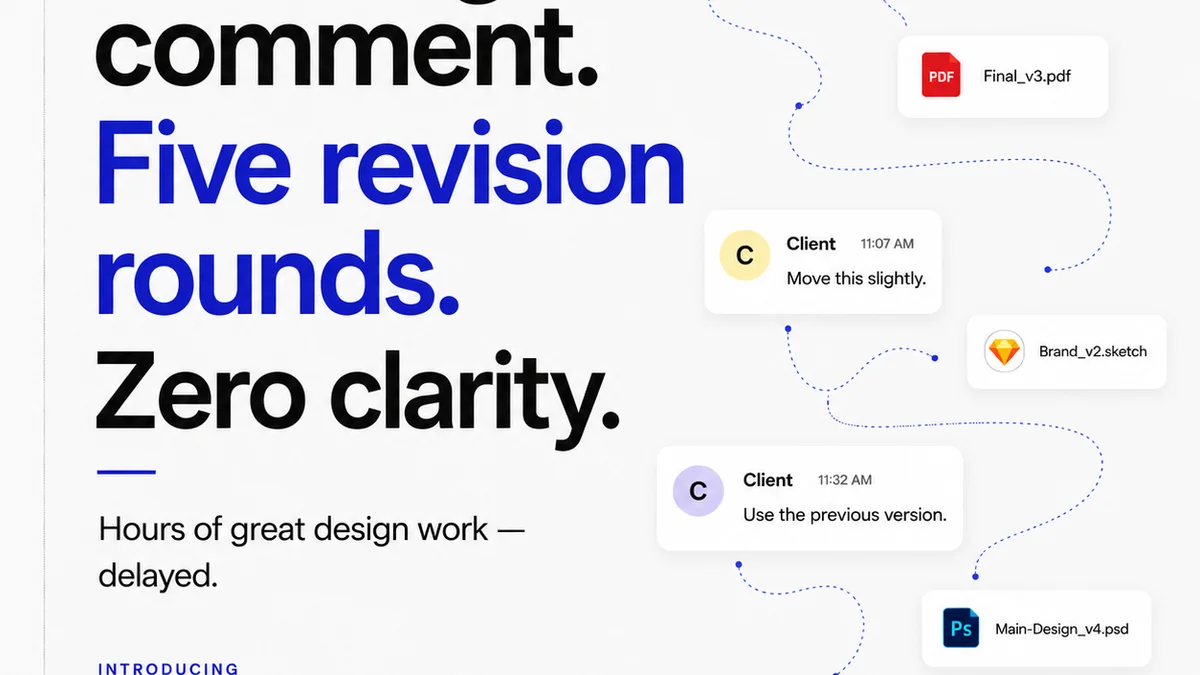
But creative feedback isn't just a comment on a task. It’s a nuanced conversation about design, strategy, and client goals. It requires context, clear versioning, and a defined path to approval.
The Hard Truth: Feedback is a Process, Not a Feature
Creative feedback is a critical stage in the agency workflow. It’s where concepts are refined, and where miscommunication can derail entire projects. Tools designed primarily for task management often treat feedback as a secondary function, buried within task details or generic comment threads.
This leads to:
- Lost feedback in long comment chains.
- Difficulty tracking specific revision requests.
- No clear audit trail for approvals.
- Clients struggling to provide consolidated, actionable input.
The result? More back-and-forth, missed details, and frustrated teams and clients. This is where comparing ClickUp and Revue becomes crucial for agencies focused on creative delivery.
2. ClickUp: The All-In-One Powerhouse for General Project Management
ClickUp positions itself as the one app to replace them all. For many agencies, this promise is appealing. It offers robust task management, custom workflows, multiple views (list, board, calendar, Gantt), document creation, and even some basic proofing capabilities.
If your agency’s primary need is to track every conceivable task, manage internal team assignments, and build highly customized project structures, ClickUp offers unparalleled flexibility. It’s a powerful engine for operational efficiency across diverse departments.
ClickUp’s Strengths for Agencies
- Task Granularity: Break down projects into infinite subtasks.
- Customization: Build workflows tailored to almost any process.
- Views: Visualize projects in ways that suit different team roles.
- Integrations: Connect with a vast ecosystem of other business tools.
However, when it comes to the specific needs of creative review and client approval, ClickUp’s approach can feel like using a sledgehammer to crack a nut.
The ClickUp Feedback Gap
While ClickUp allows comments on tasks and attached files, it lacks specialized features for visual feedback. There are no built-in tools for:
- Direct annotation on images or videos.
- Clear demarcation of revision rounds.
- Centralized client decision-making on specific creative assets.
- Automated notifications tied directly to creative approvals.
For creative teams, this means feedback can become scattered. A client might comment on a PDF attachment, then send a follow-up email with clarification, and then mention something else in a general task comment. Trying to consolidate this into actionable design changes is a manual, error-prone process.
3. Revue: The Specialist for Creative Collaboration and Approval
Revue isn't trying to be everything to everyone. It’s built specifically for the creative agency workflow, with a laser focus on streamlining client feedback, revision management, and quality assurance for creative assets.
Think of it this way: ClickUp is your agency’s entire operational dashboard. Revue is your creative team’s dedicated studio for client interaction and asset finalization.
Revue’s Core Strengths
Revue excels by offering a structured, intuitive environment for creative work.
- Centralized Asset Hub: All creative versions and feedback live in one place, tied to specific projects and clients.
- Visual Annotation Tools: Pinpoint feedback directly on images, videos, and PDFs.
- Clear Revision Cycles: Track each iteration of an asset with clear version history.
- Streamlined Approvals: Clients can approve or request changes with a single click, creating an undeniable audit trail.
- Quality Assurance Checklists: Ensure all project requirements are met before final delivery.
This specialization means your creative team spends less time managing feedback and more time creating. It reduces the ambiguity that often creeps into creative projects.
Why Specialization Matters for Creative Agencies
Creative work is inherently visual and iterative. The feedback process is rarely linear. It involves subjective interpretation, strategic alignment, and often, multiple stakeholders with differing opinions.
A tool built for this context understands that:
- Visual context is paramount.
- Clarity on who said what, when, and what action was taken, is non-negotiable.
- Efficiency in obtaining approvals directly impacts project timelines and profitability.
While ClickUp can be adapted, Revue is *designed* for these exact challenges, making the workflow smoother and more predictable.
4. Where Revue Fits In (and Why It Complements, Not Replaces)
This isn’t a simple “Revue vs. ClickUp” decision where one wins and the other loses. It’s about understanding where each tool shines and how they can work together.
Many agencies use a robust project management tool like ClickUp for overall project planning, resource allocation, internal task tracking, and managing non-creative deliverables. This covers the broader operational needs of the business.
Then, they integrate Revue specifically for the creative phases:
- Project Setup: A project might be initiated in ClickUp, with key milestones and deliverables outlined.
- Creative Brief & Asset Upload: The creative brief details are managed, and then final creative assets are uploaded into Revue for client review.
- Feedback & Revisions: All visual feedback, annotations, and client discussions happen within Revue. Each revision round is tracked.
- Approvals: Clients provide formal approvals directly within Revue, generating a clear record.
- Final Handoff: Approved assets are then marked as complete, potentially triggering a status update back in ClickUp (via integration or manual notification).
This hybrid approach leverages the strengths of both platforms. ClickUp handles the broad strokes of project management, while Revue provides the specialized environment for the nuanced, critical process of creative feedback and client approval.
The Revue Advantage in the Creative Loop
By centralizing feedback and approvals in Revue, agencies gain:
- Reduced Misinterpretation: Direct annotations leave no room for ambiguity.
- Faster Turnarounds: Streamlined approval processes cut down on delays.
- Improved Client Experience: Clients appreciate a clear, easy-to-use system for providing input.
- Better Version Control: Easily track asset evolution and revert if necessary.
- Enhanced Profitability: Less time wasted on managing feedback means more billable creative time and fewer scope creep issues.
5. Setting Up Your Workflow: Beyond the Default
Neither tool’s default setup is likely to be the perfect fit for every agency. The key is to analyze your specific pain points and configure your chosen tools to address them.
For agencies leaning heavily on ClickUp, consider:
- Can you create specific task types or custom fields for creative review stages?
- How are you ensuring feedback isn't lost or misinterpreted within general task comments?
- Is there a clear process for marking assets as
Frequently asked questions
Can ClickUp handle creative feedback effectively?
ClickUp offers commenting and file annotation features that can be used for feedback. However, it lacks specialized visual annotation tools and structured approval workflows that are crucial for creative agencies, making it less efficient for this specific task compared to dedicated tools like Revue.
What is the main advantage of using Revue for creative agencies?
Revue's main advantage is its specialization in the creative workflow. It offers direct visual annotation on assets, clear version control, streamlined client approvals, and integrated QA checklists, all designed to reduce ambiguity and speed up the feedback and approval process.
Is it better to use ClickUp or Revue?
It depends on your primary need. ClickUp is a comprehensive project management tool ideal for broad operational tasks. Revue is a specialized tool best suited for managing creative feedback, revisions, and client approvals. Many agencies use both, with ClickUp for overall project management and Revue for creative-specific stages.
How does Revue improve client communication?
Revue improves client communication by providing a clear, centralized platform for feedback. Clients can directly annotate visuals, see all previous feedback and revisions, and provide approvals with a single click, reducing misunderstandings and the need for lengthy email chains.