Everyone’s talking about design feedback tools. And most of that talk pits Figma comments against everything else. It’s a common assumption that if you’re using Figma, you’ve got your feedback loop covered. None of that is wrong. But it’s incomplete.
The hard truth is that the debate isn't about which tool has the prettiest comment UI. It's about whether your chosen method actually solves the core problems of creative feedback: clarity, actionability, and accountability.
1. The Illusion of Centralized Feedback
Figma’s commenting system is brilliant for its context. You can drop a pin right on the design element. It's visual, immediate, and feels very direct.
This is why so many teams default to it for all their feedback. “Just put it in Figma,” becomes the mantra.
But what happens when feedback isn't just about pixels? What about copy edits that need to live alongside the design? Or technical notes about implementation? Or even broader strategic feedback that doesn't map directly to a single layer?
The Silo Problem
When all feedback lives exclusively within the design file, you create a silo. Project managers, copywriters, strategists, and even clients might struggle to navigate the design interface effectively. They might not have Figma accounts, or they might find the environment intimidating.
This leads to:
- Missed feedback from non-designers.
- Misinterpretation of feedback due to lack of context outside the design.
- Clients feeling overwhelmed and providing less useful input.
- A bottleneck where only designers can properly see and process all feedback.
Beyond the Pixel Pin
Good feedback needs more than just a location. It needs:
- Clear ownership: Who is responsible for acting on this?
- Status tracking: Is this done, in progress, or rejected?
- Cross-functional visibility: Can the whole team see the feedback landscape?
- Archiving: Where does this feedback live after the project is closed?
Figma comments, by design, excel at the visual annotation. They aren't built to be a comprehensive project management or client communication hub.
2. The Revision & Approval Maze
Design is iterative. Feedback drives revisions. Approvals signal completion. This flow is critical for any agency or in-house team.
In Figma, revisions typically mean creating a new version or editing directly. Comments can be resolved, but the thread often gets lost in the visual noise of subsequent iterations.
The Version Control Conundrum
Tracking which feedback relates to which version can become a manual, error-prone process. Was this comment addressed in v2 or v3? Did the client approve v4, or was that just a note?
This ambiguity leads to:
- Endless cycles of “just one more thing.”
- Disputes over what was actually agreed upon.
- Difficulty in demonstrating work completed to clients.
- Missed deadlines because the approval status was unclear.
Approval Authority vs. Annotation
A simple comment resolution in Figma doesn't equate to a formal client approval. You might resolve a comment, but that doesn't mean the client has signed off on the entire direction or deliverable. This distinction is vital for legal and financial reasons.
Without a clear, auditable trail of approvals, agencies risk scope creep and payment disputes. The visual context of Figma comments doesn't inherently provide this structured sign-off mechanism.
3. The Quality Check Gap
Before any creative work goes live or to a client, it needs a quality check. This involves more than just design aesthetics. It includes ensuring copy is perfect, links work, and functionality is sound.
Where does this happen in a Figma-centric workflow?
Fragmented Checklists
Quality checks often become informal conversations or scattered checklists. A designer might check visual consistency. A copywriter might check their own text. A QA tester might have a separate bug-tracking system.
This fragmentation means:
- Inconsistencies slip through the cracks.
- Responsibility for final checks becomes blurry.
- The entire team doesn't have a unified view of the creative's readiness.
The Risk of Rework
If quality checks are not integrated into the feedback and approval process, you’re setting yourself up for costly rework. Issues identified post-approval are far more expensive to fix than those caught early.
A robust quality control process requires a system that can track tasks, assign responsibilities, and confirm completion, not just a comment thread on a design file.
Where Revue Fits In
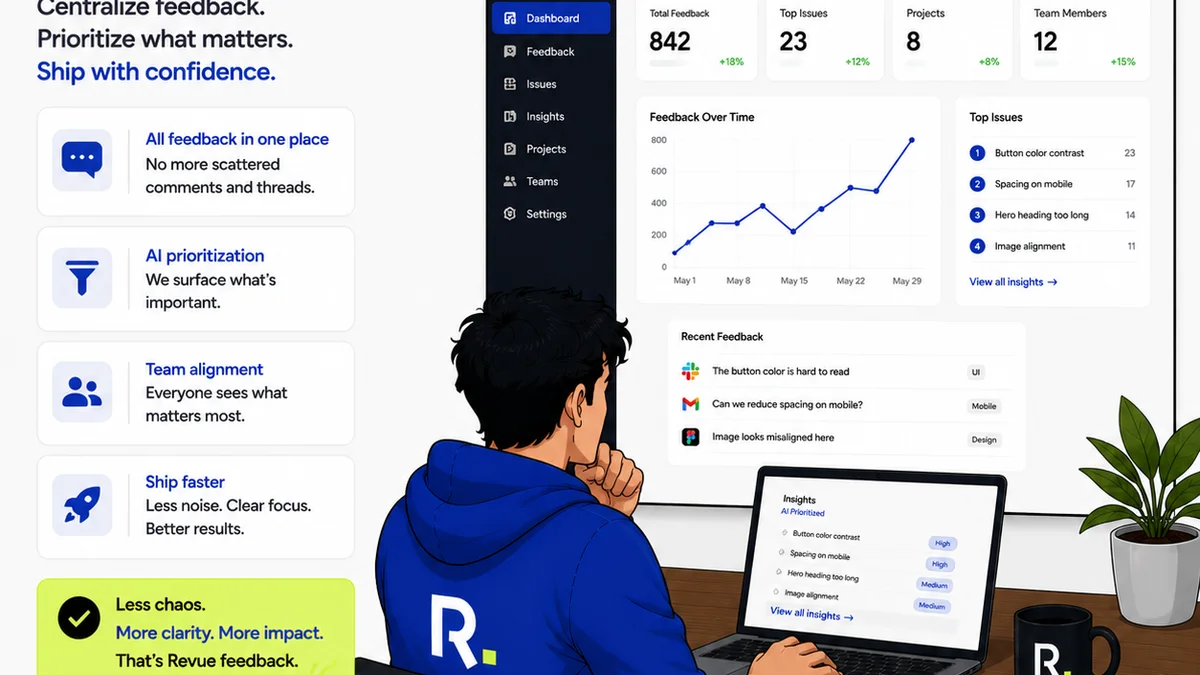
Revue isn't a replacement for Figma’s design annotation. It’s a layer that addresses the workflow gaps that Figma comments alone can’t solve.
Think of it this way: Figma is where the design happens and where specific design feedback lives. Revue is where the *entire project conversation* is managed, ensuring clarity, accountability, and seamless handoffs.
- Centralized Communication Hub: All client feedback, internal discussions, and stakeholder comments live in one organized place, linked to specific deliverables. This means no more hunting through email chains or scattered Slack messages.
- Clear Revision & Approval Tracking: Revue provides a structured way to manage versions, track feedback against specific iterations, and capture formal client approvals. This creates an irrefutable audit trail.
- Integrated Quality Checks: You can build and track quality assurance checklists directly within Revue, assigning tasks and confirming completion before a final sign-off. This ensures all aspects of the creative are vetted.
- Streamlined Handoffs: By centralizing feedback, revisions, and approvals, Revue ensures that when a design is approved, all relevant context and final sign-offs are clearly documented for development or delivery.
It’s about moving beyond just *seeing* feedback to *managing* it effectively across the entire project lifecycle.
Final Thought
The tools we use for feedback are only as good as the workflows they support. Figma comments are excellent for in-the-moment design critique. But creative agencies and in-house teams need more than just critique.
They need a system that turns feedback into action, revisions into approvals, and creative work into finished, high-quality deliverables. Is your current feedback process truly serving that goal, or is it just adding another layer of digital noise?
Frequently asked questions
Can Figma comments replace a dedicated feedback tool?
Figma comments are excellent for direct, visual feedback on design elements. However, they often lack the structure needed for comprehensive project management, including clear revision tracking, formal approvals, and cross-functional task management. A dedicated tool like Revue complements Figma by providing this essential workflow layer.
How does Revue handle client feedback differently from Figma comments?
Revue centralizes all project communication, including client feedback, in a single, organized platform. While Figma comments are tied to specific design elements, Revue allows for broader project discussions, structured feedback on various assets (not just designs), and clear status tracking, ensuring all stakeholders are on the same page.
What is the primary benefit of using Revue alongside Figma?
The primary benefit is bridging the gap between design annotation and overall project execution. Revue provides a clear audit trail for revisions and approvals, integrates quality checks, and streamlines communication, which are critical for agency efficiency and client satisfaction – areas where Figma comments alone are insufficient.
Is Revue a direct competitor to Figma?
No, Revue is designed to integrate with and enhance workflows that involve design tools like Figma. It focuses on the management of feedback, revisions, and approvals across the entire project lifecycle, rather than the creation or direct annotation of designs themselves.