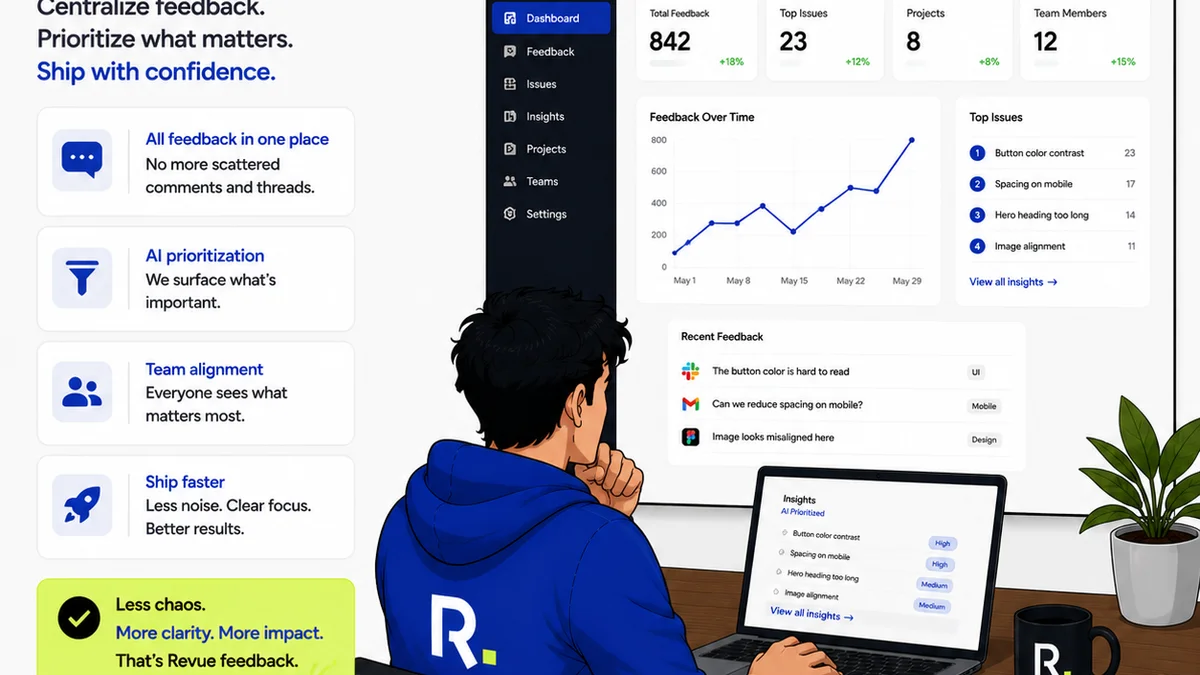
You're looking for a tool to manage client feedback. You’ve probably heard of Revue and Filestage. Many assume they’re interchangeable, just different names for the same thing: a place to collect comments on creative work. None of that is wrong. But it’s incomplete.
The hard truth is that the best tool depends on your specific workflow. Not just collecting feedback, but managing the entire revision and approval process. It's about clarity, efficiency, and keeping projects on track. Let’s break down what each platform offers and where they truly shine.
1. Understanding the Core Problem: Feedback Chaos
Creative agencies and in-house teams face a daily battle against feedback chaos. Emails get lost. Stakeholders use different annotation tools. Version control becomes a nightmare. This isn't just annoying; it’s a drain on profitability and team morale.
The assumption is that any tool with a comment feature will solve this. The reality is far more nuanced. You need a system that doesn't just collect feedback but also structures it, tracks it, and ensures it leads to a clear outcome.
The Symptoms of Feedback Chaos
- Endless email chains with scattered feedback.
- Difficulty tracking who said what and when.
- Misinterpretation of feedback leading to rework.
- Clients asking for revisions you thought were already approved.
- Wasted time hunting for the latest version of a design.
These aren't minor inconveniences. They are operational failures that cost time and money. They erode client trust and team productivity.
2. Filestage: Streamlining Review and Approval Workflows
Filestage positions itself as a comprehensive platform for creative review and approval. Its primary focus is on making the feedback process as smooth as possible for both the internal team and external clients.
The platform is built around a clear, visual interface where stakeholders can directly comment on specific areas of an asset. This visual annotation is key.
Key Features and Strengths
- Visual Annotation: Pinpoint feedback directly on images, videos, PDFs, and web pages. This reduces ambiguity.
- Version Control: Easily upload new versions of assets and compare them side-by-side with previous iterations.
- User Roles and Permissions: Control who can view, comment, and approve assets.
- Customizable Workflows: Set up multi-stage review processes to ensure all necessary stakeholders sign off.
- Reporting and Audit Trails: Track the entire review history, providing accountability.
Filestage excels when your primary challenge is managing the *act* of feedback and ensuring clear, documented approvals. It’s designed to bring order to the specific task of reviewing creative deliverables.
Who is Filestage best for?
Teams that deal with a high volume of creative assets requiring formal sign-off. Agencies working with multiple clients on complex projects. Companies where clear audit trails for approvals are critical.
3. Revue: Centralizing Feedback and Managing Revisions
Revue, on the other hand, is built with the agency or in-house team's operational efficiency at its core. While it handles feedback and approvals, its strength lies in *centralizing* all creative communication and managing the *entire* revision cycle, not just the final sign-off.
Think of it as the hub for all creative project conversations, where feedback isn't just collected but actively managed and linked to specific revisions.
Key Features and Strengths
- Centralized Feedback Hub: Consolidate comments, revisions, and client communication in one place, reducing reliance on scattered emails and chats.
- Revision Tracking: Clearly see the history of changes, who requested them, and when they were implemented.
- Quality Control Checklists: Ensure every deliverable meets your agency's standards before it goes to the client.
- Client Communication Integration: Streamline how you communicate feedback and updates to clients.
- Project Visibility: Gain a clear overview of project status, outstanding feedback, and upcoming deadlines.
Revue focuses on making the *process* of creative production smoother. It’s about giving teams the visibility and control they need to navigate complex projects efficiently.
Who is Revue best for?
Agencies and creative teams who need to manage the entire lifecycle of creative projects. Those struggling with version control and ensuring internal quality. Teams looking to reduce the administrative overhead of creative production.
4. Where They Overlap
Both platforms aim to solve the problem of disorganized creative feedback. Both offer:
- Ways to comment on creative assets.
- Mechanisms for tracking revisions.
- Features to manage client approvals.
The overlap is in the basic function of facilitating feedback. If your need is simple and limited to just collecting comments on a PDF, you might find common ground. But this is where the surface-level comparison ends.
5. Where Revue Fits In: Beyond Just Feedback
The critical differentiator is scope. Filestage is largely focused on the *review and approval* gate. Revue is built for the *entire creative workflow* that leads to that gate and beyond.
Consider the common pain points Revue addresses:
- Managing multiple projects simultaneously: Revue provides a dashboard view, unlike tools that focus on single-asset reviews.
- Ensuring internal quality: The built-in quality control checklists are a game-changer for agencies that need to standardize their output.
- Reducing revision cycles: By centralizing feedback and linking it directly to revisions, Revue helps prevent the 'feedback loop' that endlessly delays projects.
- Client expectations: Providing clear visibility into the revision process manages client expectations and reduces scope creep.
Revue isn't just about getting a 'yes' or 'no' on a design. It's about making the entire process from brief to final delivery more efficient, transparent, and profitable.
6. Key Differentiators: The Hard Truths
Let’s get specific. It’s not about which tool is ‘better,’ but which is ‘better *for you*.’
Focus and Scope
Filestage: Primarily a visual review and approval tool. Its strength is in the detailed annotation and formal sign-off process for individual assets. It’s excellent for getting that final stamp of approval.
Revue: A broader creative workflow management tool. It integrates feedback collection with revision management, quality control, and overall project visibility. It’s designed for the end-to-end production process.
User Experience
Filestage: Often praised for its intuitive interface for *external clients* during the review phase. It’s designed to be easy for anyone to drop a comment.
Revue: Designed for *internal teams* to manage projects. While clients can provide feedback, the platform’s power lies in how it helps your team organize and act on that feedback, track progress, and maintain quality.
Workflow Integration
Filestage: Fits neatly into the final stages of a project – the review and approval gate.
Revue: Aims to be the central nervous system for your creative projects, from kickoff to final delivery, and even quality checks.
Pricing Models
This can vary, but generally, Filestage might offer plans based on the number of users or projects. Revue's model often centers on team size and the features needed to manage ongoing creative production.
7. Making the Choice for Your Team
The decision hinges on your biggest pain point.
If your primary struggle is getting clear, documented sign-offs on individual creative assets and you need a robust audit trail, Filestage is a strong contender.
If you’re drowning in scattered feedback, struggling with version control, need to enforce internal quality standards, and want a unified system for managing your entire creative pipeline, Revue offers a more comprehensive solution.
Don’t just look at features. Look at your workflow. Where are the bottlenecks? What costs you the most time and money?
8. Final Thought
The real cost of creative feedback isn't just the time spent commenting. It’s the time lost due to miscommunication, rework, and stalled projects. The right tool centralizes feedback, clarifies revisions, and ensures quality. It transforms a chaotic process into a streamlined operation. The question isn't *if* you need a tool, but *which* tool will truly empower your team and delight your clients.
Frequently asked questions
What is the main difference between Revue and Filestage?
Filestage primarily focuses on visual review and formal client approval of individual assets with strong annotation features. Revue is a broader creative workflow management tool that centralizes feedback, manages revisions, and includes quality control, aiming for end-to-end project efficiency.
Which tool is better for agencies with complex client approval processes?
Filestage excels at detailed, visual annotation and audit trails for formal sign-offs, making it strong for complex approval chains on specific assets. Revue helps manage the entire project lifecycle leading up to approvals, ensuring clarity throughout.
Can Revue help with internal quality control?
Yes, Revue includes features like quality control checklists designed to help teams ensure deliverables meet internal standards before client review, which is a key differentiator from tools focused solely on external feedback.
Is Revue just for collecting comments?
No, Revue goes beyond collecting comments. It's designed to centralize all creative communication, manage the revision process, track versions, and provide overall project visibility, acting as a hub for the entire creative production workflow.