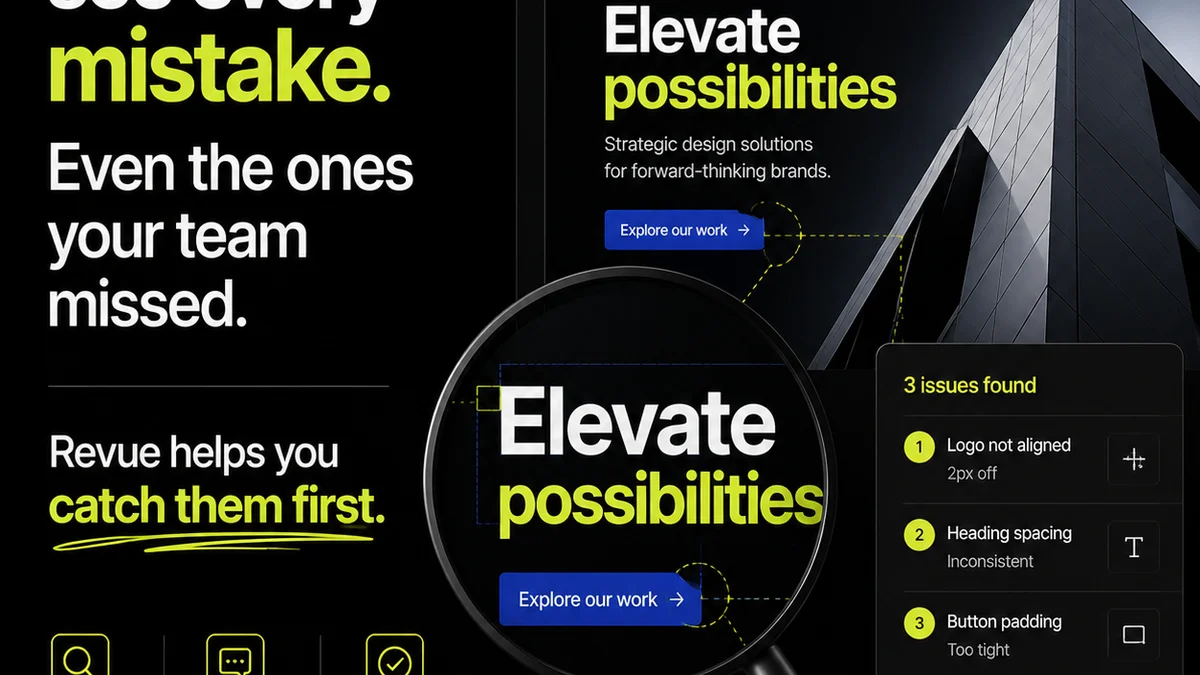
The common wisdom is that when choosing a creative feedback tool for education, you just need something that lets students upload work and instructors leave comments. None of that is wrong. But it’s incomplete.
The hard truth is that effective feedback in education isn't just about comments; it's about clarity, revision tracking, and ensuring quality at scale. The right tool streamlines this, not just for students and instructors, but for the entire educational institution.
1. The Core Problem: Scattered Feedback Loops
Educational content creation, whether it's course materials, student projects, or marketing collateral, suffers from the same issues as agency work: siloed communication, lost revisions, and a lack of clear approval chains. This isn't just inefficient; it actively hinders learning and wastes valuable time.
Think about the typical lifecycle:
- A faculty member creates a new module.
- It goes to a peer reviewer.
- Feedback is emailed back, often in multiple versions.
- The creator makes changes, maybe misses a comment.
- It needs final sign-off from a department head.
- This entire process can take weeks, with crucial details lost in transit.
This is the reality for many educational institutions trying to manage content development and student submissions. They need a system that brings order to this chaos.
2. Understanding the Players: Revue vs. GoVisually
When you look at tools like Revue and GoVisually, it's easy to see surface-level similarities. Both offer ways to upload files and gather comments. But their underlying philosophies and feature sets cater to different needs.
Revue: The Agency-Centric Powerhouse
Revue, originally built for creative agencies, excels at managing complex projects with multiple stakeholders and iterative revisions. Its strength lies in its robust version control, clear annotation tools, and structured approval workflows.
Key features that stand out:
- Precise Annotation: Pinpoint feedback directly on images, PDFs, and videos.
- Version Comparison: Easily see what changed between revisions.
- Approval Workflows: Define clear steps for sign-off, reducing bottlenecks.
- Centralized Hub: All feedback, revisions, and approvals in one place.
This makes it ideal for projects where accuracy and accountability are paramount, such as developing official course materials, marketing campaigns for admissions, or complex student portfolios.
GoVisually: The Streamlined Reviewer
GoVisually focuses on simplifying the review and approval process, often for more straightforward feedback cycles. It's known for its ease of use and quick turnaround on feedback.
Key features include:
- Simple Uploads: Easy for users to share files.
- Basic Annotation: Mark up designs and documents.
- Status Tracking: Monitor the progress of reviews.
- Guest Reviewers: Facilitates feedback from external parties.
GoVisually is often praised for its user-friendly interface, making it accessible for less tech-savvy users. It's a good option for projects where the primary goal is quick, general feedback rather than deep, iterative refinement.
3. The Deeper Divide: Workflow and Scalability
The real difference isn't just about features; it's about how each tool integrates into a larger workflow and its capacity to scale.
Revue's Rigor for Education
For educational institutions, the stakes are high. Content accuracy, brand consistency, and student learning outcomes depend on well-managed creative processes. Revue’s structured approach mirrors the rigor required in academia and professional creative fields.
Consider these scenarios:
- Curriculum Development: Multiple subject matter experts provide feedback on new course content. Revue's versioning ensures no edits are lost and allows comparison of proposed changes.
- University Branding: Marketing departments creating new collateral need consistent brand application across hundreds of assets. Revue's approval workflows guarantee adherence to brand guidelines.
- Student Capstone Projects: Large, complex student projects requiring multiple faculty reviews. Revue provides a clear audit trail for grading and feedback.
This level of detail is crucial for managing the intellectual property and educational integrity inherent in academic content.
GoVisually's Simplicity for Simpler Needs
GoVisually's strength is its speed and simplicity. This is valuable for less critical, high-volume feedback tasks.
- Student Peer Reviews: Quick feedback rounds on drafts for introductory courses.
- Internal Departmental Memos: Rapid review of internal communications.
- Event Promotion Flyers: Fast approvals for event posters and social media graphics.
While useful, this simplicity might not be enough for the complex, multi-stage approvals often required for formal educational materials or high-stakes student work.
4. Beyond Feedback: Revision Management and Quality Assurance
The best tools don't just collect feedback; they manage the entire revision and approval lifecycle. This is where the distinction becomes critical for educational content.
Revue: Tracking the Evolution of Content
In education, content isn't static. It evolves based on new research, pedagogical shifts, and student performance data. Revue's ability to track every revision makes this evolution transparent and manageable.
This means:
- Audit Trails: Every comment, change, and approval is logged, providing accountability.
- Version History: Easily revert to previous versions if needed.
- Clear Ownership: Understand who approved what and when.
This historical record is invaluable for accreditation, compliance, and continuous improvement of educational materials.
GoVisually: Focus on Current State
GoVisually is more focused on the present state of the review. While it tracks progress, it doesn't offer the deep historical comparison and detailed version management that Revue provides.
For educational content that requires a meticulous record of its development – think of textbooks, official policy documents, or grant proposals – GoVisually might fall short.
5. Where Revue Fits In
Revue is built for the kind of detailed, iterative, and accountable creative processes that are essential in educational content development and student project management. It centralizes feedback, making it easy to see exactly what needs to be done.
It manages revisions, so you’re never wondering which version is the latest or what changed.
And it provides clear approval visibility, ensuring that content meets institutional standards before it’s published or graded.
This isn't about adding another tool; it's about implementing a system that elevates the quality and efficiency of your educational output.
6. The Cost of
Frequently asked questions
Is GoVisually suitable for complex student projects requiring multiple faculty reviews?
GoVisually is designed for simpler feedback cycles. For complex projects with multiple faculty reviews and a need for detailed version tracking and audit trails, Revue's more robust features are generally a better fit.
How does Revue help maintain brand consistency in educational marketing materials?
Revue's structured approval workflows and precise annotation tools allow marketing teams to ensure all visual and textual elements adhere to brand guidelines before final sign-off, preventing inconsistencies across various campaigns and collateral.
Can Revue handle large volumes of student submissions for a single course?
Yes, Revue can manage multiple projects and numerous files within those projects. Its centralized feedback and versioning system helps instructors keep track of individual student submissions and their revision histories efficiently.
What is the primary advantage of Revue for curriculum development?
The primary advantage of Revue for curriculum development lies in its ability to manage iterative feedback from multiple subject matter experts, track all changes with clear version comparisons, and ensure a documented approval process for accuracy and compliance.