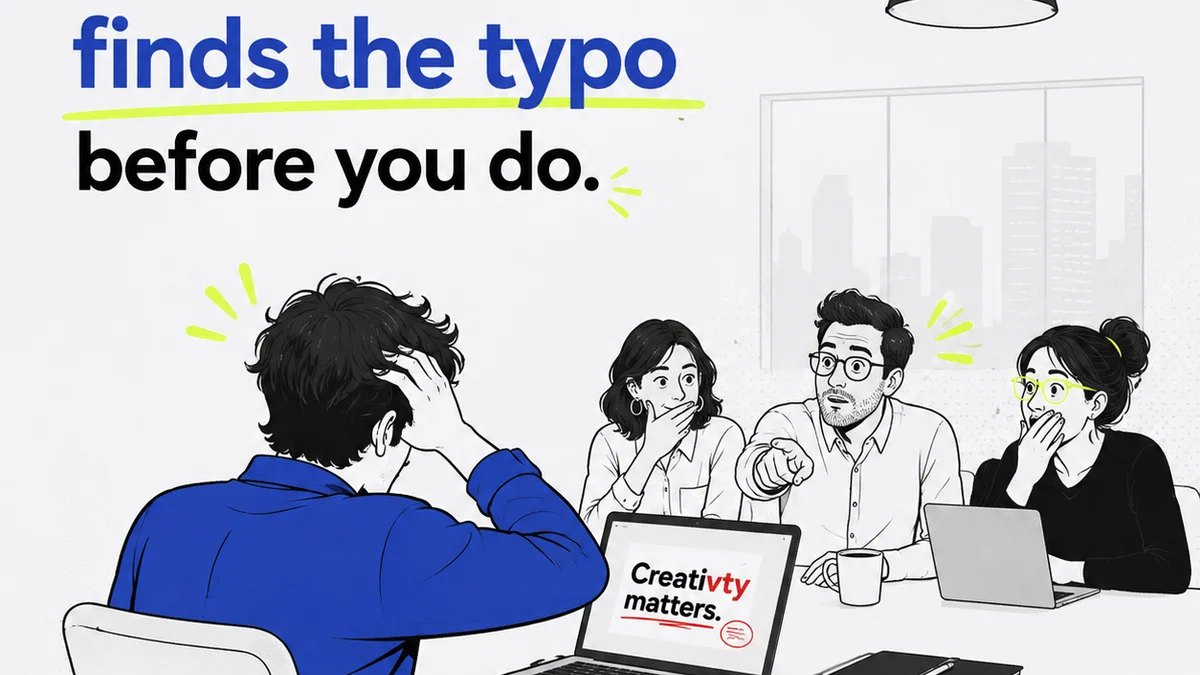
Most creative teams think the choice is simple: Jira for project management, maybe Revue for something else. That’s not entirely wrong. But it’s dangerously incomplete.
The hard truth is, Jira isn't built for creative feedback. It’s built for engineering. Trying to shoehorn visual approvals into Jira’s bug-tracking structure creates more friction than it solves. You end up with a checklist that doesn't actually help you get better creative work approved faster.
1. Jira: The Engineering Standard
What Jira Does Well
Jira excels at tracking complex technical tasks. Think software development sprints, bug reporting, and feature roadmaps. Its strength lies in its granular control over individual tasks, detailed issue types, and robust workflow customization for engineering processes.
Key features include:
- Customizable workflows (e.g., To Do, In Progress, In Review, Done)
- Issue tracking with detailed fields (assignee, priority, due date, labels)
- Backlog management and sprint planning
- Integration with development tools
- Reporting on task completion and team velocity
The Creative Misfit
When creative teams adopt Jira for feedback and approvals, they often hit a wall. Visual assets don't fit neatly into a 'bug' or 'task' ticket. Comments get lost in lengthy threads. Version control is clunky. The entire process feels like trying to fit a square peg into a round hole.
Common symptoms include:
- Endless email chains trying to clarify feedback attached to Jira tickets.
- Difficulty tracking the *evolution* of a creative asset, not just its final state.
- Creative Directors drowning in low-level task updates instead of focusing on strategic feedback.
- Designers spending more time updating ticket statuses than designing.
- Clients struggling to provide clear, contextual feedback within a technical interface.
2. The Problem with Creative Checklists
Checklists are a Symptom, Not a Solution
A Jira checklist often becomes a substitute for a proper creative review process. Someone creates a list of tasks: 'Get client feedback,' 'Incorporate revisions,' 'Final approval.' This is what you *do*, but it doesn't tell you *how* to do it effectively for creative work.
The assumption is that breaking down a creative project into discrete, trackable steps is the same as managing an engineering project. It's not.
Why Generic Checklists Fail Creative
Creative feedback is inherently subjective and iterative. A checklist item like 'Approve logo' doesn't capture the nuances of color palettes, typography choices, or brand alignment. These require a different kind of interaction.
Consider the difference:
- Engineering Task: Fix bug X. (Binary: fixed or not fixed)
- Creative Task: Refine homepage hero image. (Spectrum: needs minor tweaks, major overhaul, complete rethink)
A checklist in Jira might track that the task is 'In Review,' but it won't tell you *what* the feedback was, *who* gave it, or *why* a revision is needed. It just marks a stage.
3. What Creative Feedback Actually Needs
Context is King
Effective creative review hinges on context. Where is the asset being used? What is the goal? Who is the audience? Feedback divorced from this context is often useless, or worse, counterproductive.
Jira’s ticket-based system struggles to house this rich context alongside visual assets. You might link to a brief, but the feedback itself often lives in separate documents or email threads.
Visual Annotation is Non-Negotiable
Designers and clients need to point directly at what they’re talking about. A comment like 'I don't like the blue here' is vague. A comment with a red box drawn around a specific shade of blue, with the text 'Too muted, consider a brighter tone for digital,' is actionable.
This level of visual annotation is core to creative collaboration and is fundamentally absent from standard Jira issue types.
Version Control for Iteration
Creative work evolves. You need to see the progression: the first draft, the client’s initial feedback, the revised version, the second round of feedback, and so on. Tracking these iterations within Jira is cumbersome, often requiring multiple linked tickets or complex naming conventions.
You need a system that clearly shows the lineage of an asset, making it easy to compare versions and understand the revision history.
Clear Decision Trails
Who approved what, and when? This is critical for accountability and protecting your agency. In Jira, approvals can get buried. A simple 'Done' status doesn't confirm a specific stakeholder signed off on a particular version.
You need an unambiguous record of approvals, linked directly to the specific asset version that was approved.
4. Where Revue Fits In
Revue was built from the ground up to address the unique needs of creative collaboration and client approvals. It’s not a bug tracker; it’s a visual feedback and approval platform.
Centralized Feedback Hub
Instead of scattering feedback across emails, Slack, and disconnected documents, Revue brings it all into one place, directly on the visual asset. Every comment, every annotation, lives with the design.
Streamlined Revision Cycles
Revue makes it effortless to upload new versions of a creative asset. Stakeholders can compare versions side-by-side, see the evolution of the design, and provide clear, contextual feedback on the latest iteration. This eliminates confusion and speeds up the approval process.
Actionable Visual Annotations
Directly annotate designs with comments, drawings, and markups. This removes ambiguity and ensures everyone is talking about the same thing. It’s the visual shorthand that creative teams rely on.
Visible Approval Tracking
Revue provides a clear, auditable trail of approvals. You know exactly who approved which version and when. This transparency protects your team and ensures alignment.
Quality Assurance Built-In
Beyond just approvals, Revue helps ensure quality. By centralizing feedback and providing clear version history, you can conduct thorough quality checks before final delivery, catching potential issues early.
5. Moving Beyond the Checklist
The Right Tool for the Job
For engineering teams, Jira is indispensable. For creative teams managing visual feedback, approvals, and revisions, it’s a square peg. You need a tool that understands the iterative, visual nature of creative work.
Trying to force creative workflows into an engineering tool leads to inefficiency, frustration, and ultimately, lower-quality output. It’s a costly mistake many agencies make.
Focus on the Outcome, Not Just the Task
A checklist in Jira might confirm that 'Client Feedback' was a task completed. But did it lead to clear decisions? Was the feedback actionable? Was the final asset truly approved with confidence?
These are the questions that matter. And they require a different approach than ticking a box on a generic task list.
Final Thought
Are you using Jira to manage creative feedback, or are you using it to manage the *tasks* surrounding creative feedback? The distinction is critical. If your team feels bogged down by administrative overhead rather than empowered by a smooth review process, it’s time to re-evaluate your tools.
Frequently asked questions
Can Jira be used for creative projects at all?
Jira can track tasks related to creative projects, like 'design logo' or 'write copy.' However, it's not optimized for the visual feedback, iteration, and approval processes that are crucial for creative work. It lacks direct visual annotation and clear version comparison features needed by designers and clients.
What are the main drawbacks of using Jira for creative feedback?
The primary drawbacks include a lack of visual annotation tools, difficulty in tracking asset versions and iterations, context being lost in generic task descriptions, and a user interface not designed for visual review. This often leads to miscommunication and inefficient workflows.
How does Revue improve the creative feedback process compared to Jira?
Revue centralizes all feedback directly on visual assets, offers precise annotation tools, provides clear version comparison, and maintains an auditable trail of approvals. This streamlines communication, reduces ambiguity, and speeds up the revision and approval cycles specific to creative work.
Is Revue a replacement for a project management tool like Jira?
Revue is not a direct replacement for a comprehensive project management tool like Jira. Jira excels at managing complex, multi-stage engineering projects. Revue is specifically designed to handle the visual feedback, review, and approval stages of creative projects, complementing, rather than replacing, broader PM tools.